
TapVid
    API & MCPPricingBlogAbout
    Blog›AI Logo Animation: How to Create Animated Brand Marks That Actually Work
    Back to Blog

    AI Logo Animation: How to Create Animated Brand Marks That Actually Work

    A practical guide to creating AI logo animations — choosing motion styles, prepping your files, and delivering the right format for every context from social to broadcast.

    How-to
    Yibo WangYibo WangApril 3, 2026 · 9 min readApr 3, 2026 · 9 min readDiscord
    Yibo WangYibo WangCPO & Head of Product Design, TapVid

    Connect with the author, meet other video creators, and watch hands-on tutorials.

    Join our Discord
    April 3, 20269 min read
    AI Logo Animation Animated Brand Marks
    Summarize with6 assistants
    ChatGPTPerplexityTapVidvideoClaudeGeminiGrok
    Create videos from your AI agentConnect TapVid API & MCP→

    In this article

    1. 01Why animated logos are worth the investment
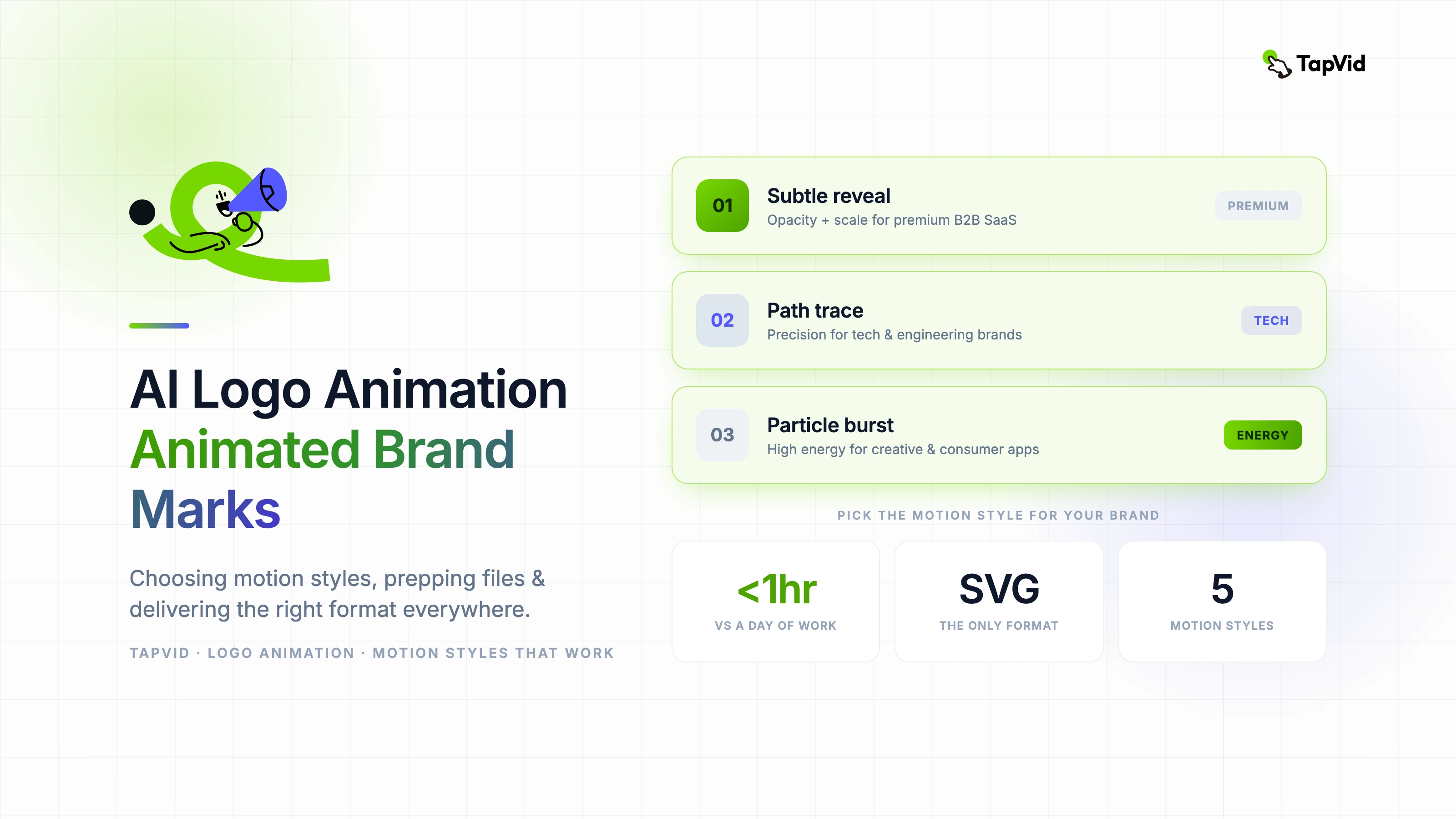
    2. 02Choosing the right motion style for your brand
    3. 03How to prep your logo file for AI animation
    4. 04Technical delivery specs for every context
    5. 05Where AI logo animation falls short — and how to work around it
    Summarize withAPI & MCP →
    ChatGPTPerplexityTapVidClaudeGeminiGrok

    A logo animation is often the first ten seconds of video content a viewer sees from a brand. I've created animated logo packages for early-stage startups that had exactly one piece of visual identity — a logo file — and needed to extend it into video without a motion design budget. The AI tools available for this have changed dramatically in the past two years. Here's what actually works.

    01

    Why animated logos are worth the investment

    Static logos disappear into video content. An animated logo mark — even a simple two-second reveal — creates a branded moment that viewers associate with your content across every platform. For video-first brands, the animated logo is as fundamental as the wordmark.

    The practical impact shows up in brand recall. In A/B tests run across client channels, videos with a branded animated opener consistently outperform those without on watch-time completion and channel subscription rate. The animation itself is not the cause — it signals to the viewer that this content is produced with intention.

    With AI-assisted animation tools, a professional-quality logo animation that would have required a motion designer and a day of work can now be produced in under an hour. The value proposition has completely shifted.

    02

    Choosing the right motion style for your brand

    • Subtle reveal (opacity + scale): premium brands, financial services, B2B SaaS — conveys confidence without noise
    • Path trace: technology and engineering brands — suggests precision and process
    • Particle burst or scatter: creative agencies, entertainment, consumer apps — high energy, memorable
    • Kinetic type with logo lock-up: content brands, media companies — works when the wordmark is the primary identifier
    • Loop animation: social media profile use, loading screens — must feel intentional at any start point

    03

    How to prep your logo file for AI animation

    Vector SVG is the only format worth working with for logo animation. Raster PNGs lose quality at any scale change and do not support the layer separation that makes clean animation possible. If you only have a PNG, trace it to SVG before proceeding.

    Separate your logo into logical animation layers before importing into any tool: icon, wordmark, tagline, and brand color fills each as their own layer. This separation is what allows the animation to feel choreographed rather than mechanical.

    Remove any embedded effects — drop shadows, gradients with transparency, complex masks — that do not survive export to video. These elements cause compression artifacts that are invisible in static use but become obvious in motion.

    04

    Technical delivery specs for every context

    • Social media opener (Instagram, TikTok, YouTube): MP4 H.264, 1080×1080 or 1920×1080, 2–4 seconds, loop-compatible
    • Video intro/outro (YouTube, Vimeo): MP4 H.264, 1920×1080, up to 5 seconds, black or branded color background
    • Transparent overlay (lower thirds, watermark): MOV with ProRes 4444 or WebM with alpha channel
    • Email and web use: animated GIF under 500KB, or CSS/Lottie JSON for web
    • Broadcast and conference: ProRes 422, 1920×1080 or 4K, black background, separate audio if music present

    05

    Where AI logo animation falls short — and how to work around it

    AI generation tools struggle with precise typographic animation. If your logo is primarily wordmark-based, AI tools often mishandle letterform shapes, especially on bold custom typefaces. The workaround is to animate the icon element with AI and handle the type in a traditional tool like After Effects.

    Complex multi-part logos with many elements also push current AI tools beyond their reliable output range. For logos with more than four distinct visual components, a hybrid approach works better: generate the primary animation in an AI tool, then composite the additional elements manually.

    Sound design is almost always an afterthought in AI logo animation outputs. A simple logo animation without audio is fine for many contexts, but if you are producing a brand video opener, investing twenty minutes in a subtle sound design pass dramatically increases the perceived production value.
    Yibo Wang

    Written and edited by

    Yibo Wang

    CPO @TapVid | Building the AI video tools creators deserve | Product strategy · Design systems · Creator economy

    Yibo Wang invites you to join the conversation with fellow video creators on Discord.

    Join Yibo on Discord →

    Use the materials you already have

    From yourfilesfilesto a ready-to-publish video

    WEB→ VIDEOPPT→ VIDEOPDF→ VIDEOASSETS→ VIDEOAUDIO→ VIDEOVIDEO→ VIDEOTALKING HEAD→ VIDEOWEB→ VIDEOPPT→ VIDEOPDF→ VIDEOASSETS→ VIDEOAUDIO→ VIDEOVIDEO→ VIDEOTALKING HEAD→ VIDEO

    Keep reading

    Related stories

    Motion AI review: whats actually inside the models powering AI video
    AI Tools·10 min read

    Motion AI Review: What's Actually Inside the Models Powering AI Video in 2026

    A technical engineer's review of motion AI tools in 2026, evaluating model architecture, temporal consistency quality, and what outputs reveal about what's actually inside.

    Apr 13, 2026

    Motion Graphics for Social Media
    Motion Graphics·10 min read

    Motion Graphics for Social Media: Speed, Format, and Style That Actually Stop the Scroll

    A director's guide to motion graphics for social media — format specs, timing principles, and how to build repeatable templates that maintain brand identity at scroll speed.

    Apr 3, 2026

    Workflow from what must be visible to a matching product animation style: physical, technical, motion graphics, or SaaS UI
    Workflow·14 min read

    Product Animation Video Examples: Match Style to Product

    Score product animation examples by what the viewer must see: a physical object, a hidden path, an idea, or a software behavior.

    Aug 31, 2026

    Ready to create your first video?

    Join thousands of product teams using AI to create professional videos in minutes.

    Your first video in under 5 minutes →Book a demo →
    Tapvid

    TapVid turns the materials your business already has into an accurate video that explains the job clearly and is ready to publish.

    TikTokInstagramXDiscordYouTube

    TapVid

    Features

    AI Explainer Video GeneratorAI Motion Graphics GeneratorAI Product Demo Video GeneratorProduct Demo Video MakerExplainer Video TemplatesVideo Production Plan TemplateVideo Creative Brief TemplateCorporate Video TemplateVideo Sales Letter TemplateVideo Production Proposal TemplatePromo Video TemplateVideo Production TemplateAI Product Video GeneratorAI B-Roll GeneratorTalking Head EditingClone VideoPrompt to VideoText to Video AIText to Motion GraphicsAnimated Video MakerAnimated Explainer Video MakerKinetic Typography GeneratorAnimated Chart MakerAnimated Collage MakerFree AI Video Generator

    Convert to Video

    Screenshot to VideoImage to VideoAssets to VideoAudio to VideoVideo to Video AIPDF to VideoPPT to VideoArticle to VideoBlog to VideoURL to VideoScript to VideoGoogle Slides to VideoWord to Video

    Use Cases

    AI Study Video MakerSaaS Explainer VideoAI Video AutomationSaaS Video ProductionIndustrial Video ProductionProduct Launch Video MakerAI Ad Video GeneratorDocumentary Video MakerAnimated Social Media Video MakerInfographic Video MakerPodcast to VideoWhiteboard Animation MakerWhiteboard Explainer VideoEcommerce Video AdsStartup Explainer VideoEducational VideoTutorial VideoCustomer OnboardingHelp Center VideoAPI Docs Video

    Solutions

    Explainer VideoProduct Demo VideoMeeting Recap VideoWebinar ClipsMarketing VideoFeature AnnouncementCompetitive ComparisonNewsletter VideoLanding Page VideoInvestor Pitch Video

    Featured Guides

    Video Prompt LibraryMiniMax H3 Prompt LibraryBest Faceless YouTube NichesCollage Animation Guide

    Company

    All FeaturesAboutBlogPricingGet in Touch

    © 2026 TapVid. All rights reserved.

    Privacy
    Terms of Service