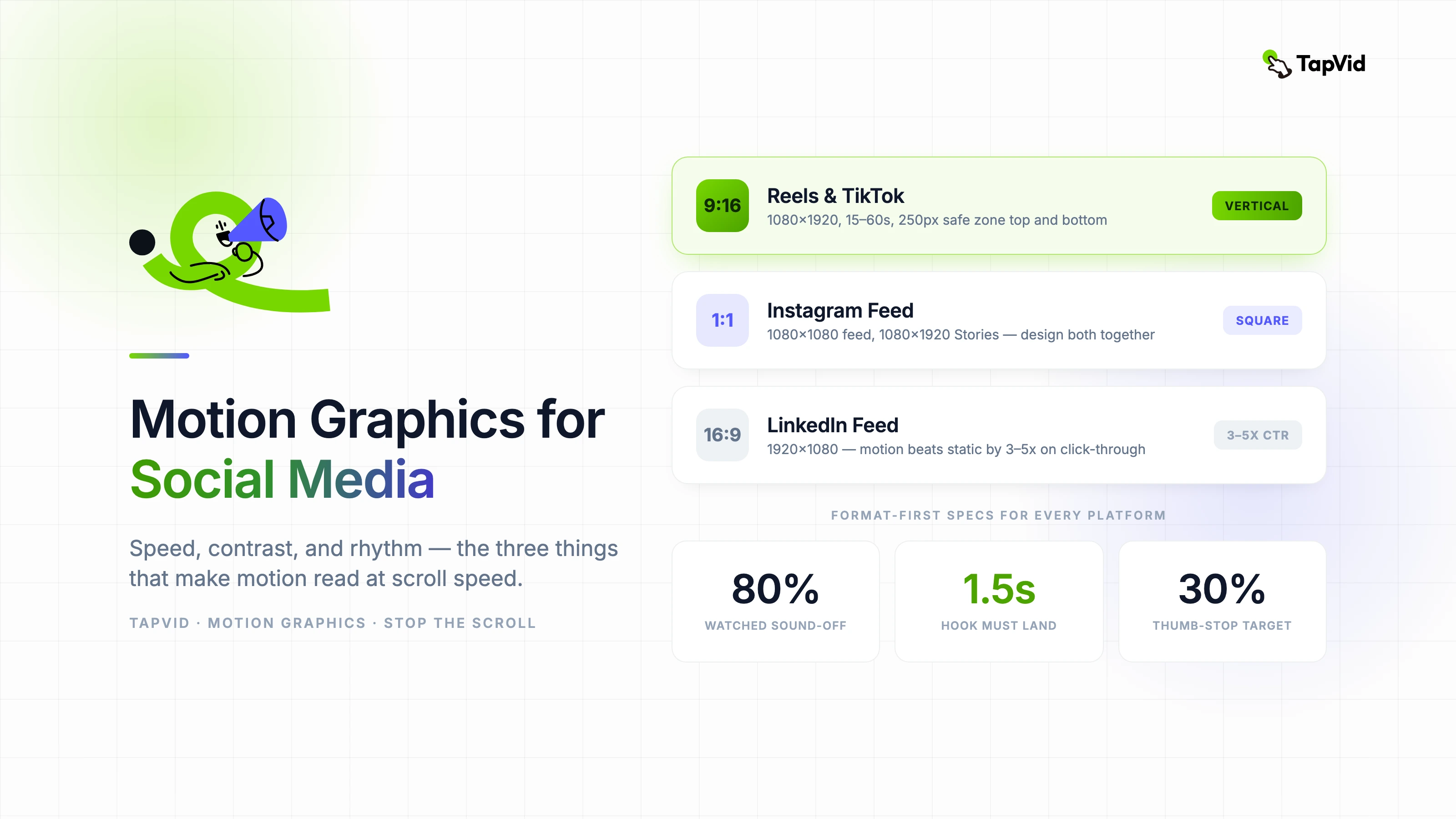

Korean entertainment brands have been at the cutting edge of motion graphics for social media for a decade. I have watched global brands scramble to match an aesthetic standard that K-entertainment agencies developed while everyone else was still figuring out what a vertical video was. Most of what works for social motion comes down to three things: speed, contrast, and rhythm. Let me show you what I mean.
01
Why social media demands different motion rules
Broadcast motion graphics are designed for passive viewing — audiences sit, watch, and wait. Social motion graphics compete against infinite scroll, notification sounds, and the physical habit of a thumb that never fully stops moving. The design problem is categorically different.
The first second is the only second that is guaranteed. Every motion design decision needs to be evaluated against the question: does this read in the first second without sound? If the answer is no, the design needs to change.
Sound-off is the default, not the exception. Over 80 percent of social video is watched without audio. Motion graphics that depend on music for rhythm or narration for meaning fail the majority of their potential audience before they start.
02
Format-first design: specs for every platform
- Instagram Reels and TikTok: 1080×1920 (9:16), 15–60 seconds, safe zone 250px from top and bottom for UI elements
- Instagram Feed and Stories: 1080×1080 (1:1) for feed, 1080×1920 for Stories — design both in the same session
- YouTube Shorts: 1080×1920, up to 60 seconds, thumbnail frame matters — design a strong visual at the 1-second mark
- LinkedIn: 1920×1080 (16:9) still preferred for feed — motion graphics perform better than static images by 3–5x on click-through
- Twitter/X: 1280×720, keep motion in the center — side elements get cropped on mobile preview
03
Speed and timing: the hook principle
The visual hook must land within the first 1.5 seconds. This is not a creative preference — it is the empirical threshold at which scroll-stopping rate drops significantly in platform analytics. Design your opening frame first, not last.
Fifteen-second social motion graphics outperform sixty-second ones on completion rate by a wide margin. If your message requires sixty seconds, it probably requires a different format. Use motion graphics for single-message delivery; use long-form video for multi-step explanation.
Loop design is an underused advantage. A motion graphic that loops seamlessly accumulates watch time with no additional production cost. Viewers who replay even once double the effective watch time metric. Design for the loop from the first frame.
04
Color contrast and typography for small screens
High contrast is not optional for mobile. Text that reads comfortably on a desktop monitor at 2:1 contrast disappears on a phone screen in daylight. Design to a minimum 4.5:1 contrast ratio between text and background — this is the WCAG AA standard and also the practical threshold for legibility on mobile.
Font size for social motion graphics should be uncomfortably large during design. On a phone screen, what looks enormous on your desktop monitor looks correct. A safe minimum is 48px at 1080px canvas width for any text that needs to be readable at a glance.
Limit your palette to two active colors per frame. More than two competing colors in motion creates visual noise that reads as chaos rather than energy. Use your brand's primary color for emphasis, neutral for base, and reserve a third accent for the single most important element per scene.
05
Building a repeatable social motion template
- Create a master template with locked brand elements (logo position, color variables, type styles) and flexible content zones (text, image, motion)
- Use AI motion tools to generate the motion layer — animate the content zone, not the brand frame
- Build three timing variants of every template: 6-second, 15-second, and 30-second versions with the same visual language
- Test every template in a phone's notification bar preview before finalizing — this is the lowest-fidelity preview most content gets
- Version templates quarterly — social motion trends shift faster than brand guidelines do
06
Measuring whether your social motion is actually working
The three metrics that matter for social motion graphics are thumb-stop rate (how many people paused on your content), loop rate (how many watched more than once), and save rate (how many saved for later). Likes and comments are engagement signals but they do not measure motion effectiveness specifically.
A benchmark to target: thumb-stop rate above 30 percent indicates the first second is working. Below 20 percent means the opening frame is not competing for attention at scroll speed. Redesign the opening first, then evaluate everything else.