
The term 'motion AI' gets used to cover everything from simple animated text generators to full diffusion-based video models. As an engineer who works on these systems, that conflation frustrates me — the underlying architectures are dramatically different, and understanding the difference tells you a lot about what a given tool can and can't do. This is the technical review I couldn't find elsewhere.
01
What 'motion AI' actually means technically
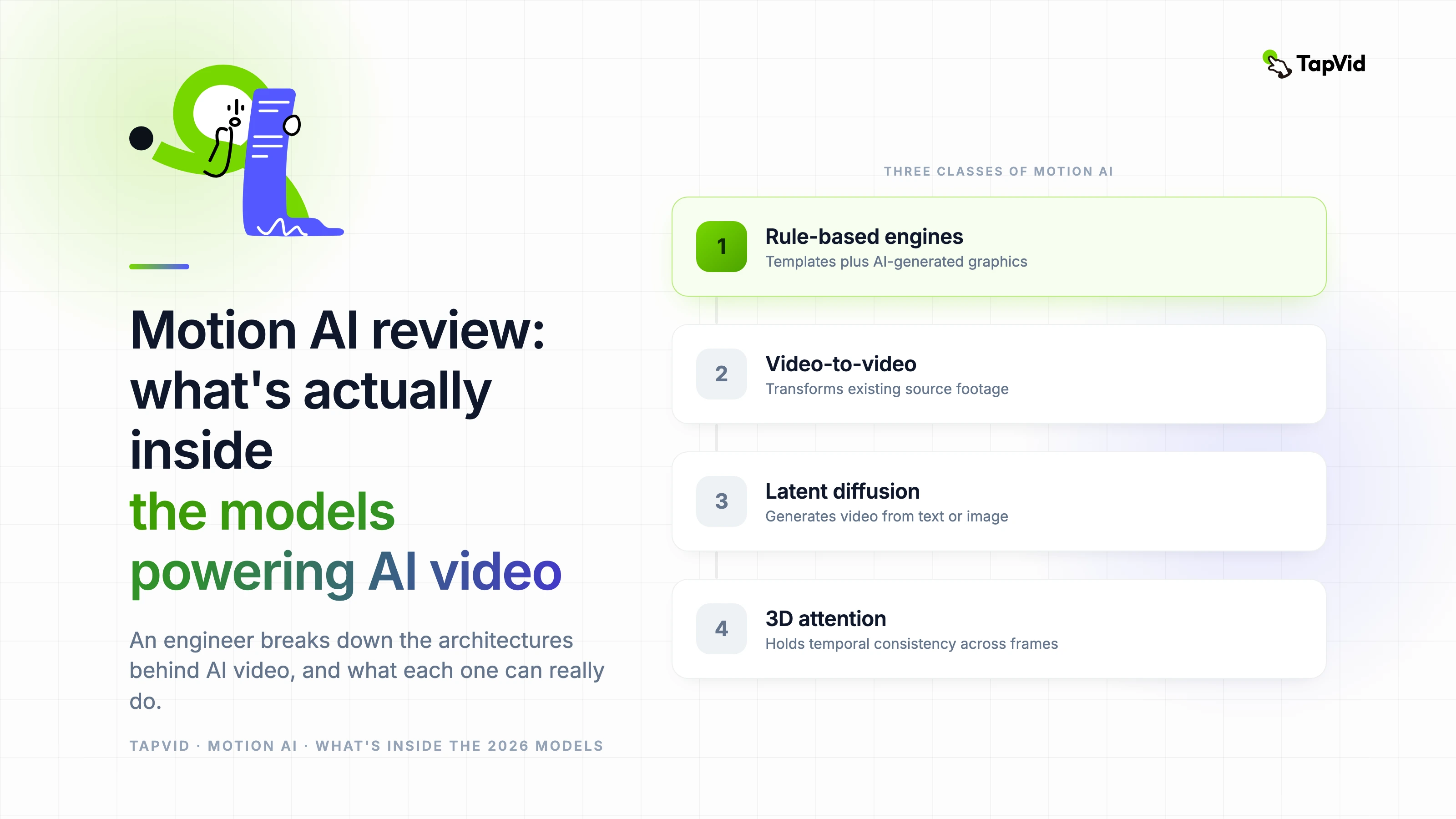
Motion AI as a category includes at least three meaningfully different classes of system: rule-based animation engines with AI-assisted asset generation, video-to-video transformation models, and full text-to-video latent diffusion models. The first class is what powers tools like older Animaker features and basic AI presentation tools — it's not 'AI generating motion' in any deep sense, it's templates with AI-generated graphics.
The second class — video-to-video transformation — takes input footage and applies stylistic or motion transformation. These systems are useful but constrained; they need a source video to work from. The third class, latent video diffusion, is what's driving the current wave of motion AI excitement: generating video sequences entirely from text or image prompts, without any source footage required.
Understanding which class a tool belongs to tells you immediately what it's capable of. A tool that claims to be 'AI video generation' but is actually a video-to-video transformer will hit a wall the moment you try to generate from scratch.
02
Evaluating temporal consistency: what the output tells you about the model
Temporal consistency — how coherent a scene looks across frames — is the single most diagnostic metric for motion AI quality. Weak temporal consistency shows up as flickering textures, objects that subtly change shape between frames, and backgrounds that seem to breathe. All of these are symptoms of a model that generates frames with insufficient cross-frame attention.
I run a standard evaluation set: a static object with complex surface texture, a slow camera move across an architectural scene, and a human subject with hand movement. Good models hold surface texture, maintain object geometry, and keep hand proportions consistent. Weak models fail on all three, particularly the hands.
The tools that score highest on temporal consistency in 2026 — Veo 3, Sora, and Kling's premium tier — all use 3D attention mechanisms that attend across the full spatial and temporal extent of the clip during generation. This is computationally expensive, which is why it's concentrated in the higher-quality and higher-cost tools.
03
The artificial intelligence animation generator landscape in 2026
- Veo 3 (Google DeepMind): strongest temporal consistency on complex scenes; best on environments and product visualization; faces still below photorealistic standard.
- Sora (OpenAI): high visual fidelity, longer clip capability than most competitors; less accessible than alternatives; pricing reflects premium positioning.
- Kling AI: best motion quality on human subjects; the go-to for any content requiring realistic human movement; strong free tier for evaluation.
- Runway Gen-3 Alpha: most complete production environment; editor, extend, and collaborative features make it the best all-in-one for production teams.
- Pika 1.5: best precision motion controls; ideal for short-form and social content where exact motion characteristics matter.
- Hailuo AI: best value on environmental and atmospheric generation; generous free tier; less capable on complex human subjects.
04
What the benchmarks miss
Most motion AI benchmarks evaluate on clean, well-described prompts under optimal conditions. Real production use is messier: ambiguous prompts, specific brand requirements, unusual aesthetic requests, and the need for consistency across multiple related clips. A model that scores well on benchmark prompts may perform worse than a lower-ranked model on the specific use case your project requires.
The evaluation I trust most is generating 20–30 clips representative of your actual production needs and scoring them honestly. Not 'is this the best output I've ever seen from AI' but 'does this work for the specific thing I need to produce.' That test produces different rankings for different use cases, which is why there isn't one best motion AI tool — there's one that's best for yours.
05
Where motion AI is heading
The architectural improvements with the most near-term impact are optical flow conditioning, which allows specifying precisely how objects should move rather than relying on the model's probabilistic interpretation of 'walking' or 'spinning,' and improved text encoders that can handle longer, more specific descriptions without losing semantic content at the end of the prompt.
The practical implication: limitations you encounter today in motion AI — inconsistent character appearance across clips, imprecise physics, unreliable fine detail — are active areas of architectural development, not theoretical limits of the approach. Each model generation addresses these gaps meaningfully. The tools available in 2027 will handle them significantly better.