
YouTube video ad specs are not one duration and one aspect ratio. Google accepts a broad set of upload formats, then applies different creative recommendations and eligibility rules to in-feed, skippable, non-skippable, bumper, Shorts, Video Action, Video Reach, and Masthead inventory. The thumbnail and companion banner add two more asset contracts. We audited Google's official English-language Ads Help pages on September 4, 2026. The shared recommended masters are 1920×1080 horizontal, 1080×1920 vertical, and 1080×1080 square. The maximum uploaded video file is 256 GB. Duration ranges from a six-second bumper to no stated maximum for skippable in-stream and Masthead, while Google still publishes format-specific recommendations. The useful production rule is to separate upload acceptance from serving eligibility and creative recommendation. A video can upload successfully and still be the wrong length, ratio, safe-zone treatment, or text package for the campaign that needs to serve it.
01
YouTube video ad specs at a glance
YouTube video ad specs at a glance
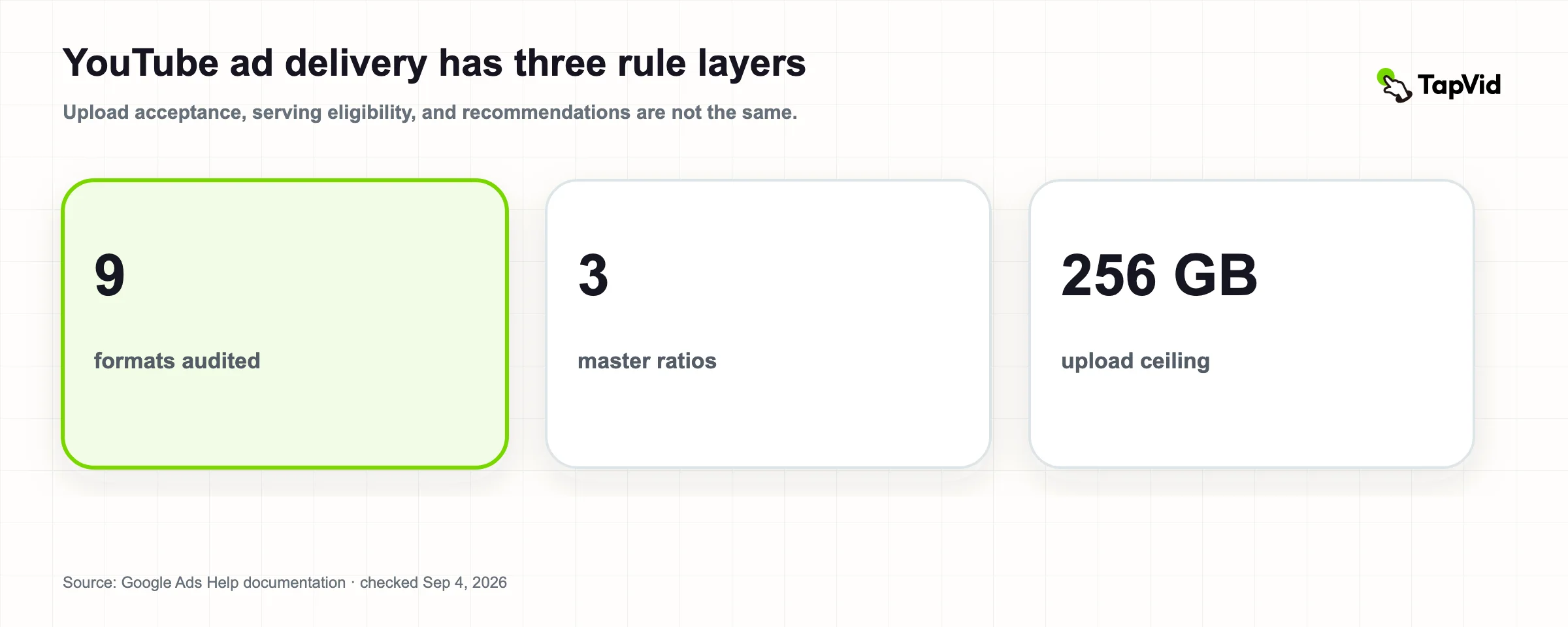
9
ad formats or campaign routes audited
The dataset keeps in-feed, stream, Shorts, action, reach, and Masthead rules separate.
Google Ads video specificationsChecked 2026-09-04
3
recommended master ratios
16:9, 9:16, and 1:1 map to Google's recommended Full HD resolutions.
Google Ads video specificationsChecked 2026-09-04
256 GB
maximum video upload
Shared file ceiling in the cited Google Ads specification pages.
Google Ads video specificationsChecked 2026-09-04
| Value | Finding | Scope |
|---|---|---|
| 9 | ad formats or campaign routes audited | The dataset keeps in-feed, stream, Shorts, action, reach, and Masthead rules separate. |
| 3 | recommended master ratios | 16:9, 9:16, and 1:1 map to Google's recommended Full HD resolutions. |
| 256 GB | maximum video upload | Shared file ceiling in the cited Google Ads specification pages. |
Download the YouTube video ad specs dataset. It contains one row per format or asset scope, with ratio, resolution, length rule, file rule, additional asset requirement, official source, and verification date.
Source: Google Ads video specifications, video campaign asset specifications, and YouTube video ad formats, checked September 4, 2026.
Verification date:
- 2026-09-04
02
The common upload layer
Google recommends 1080p for YouTube video ads:
- 1920×1080 for horizontal 16:9;
- 1080×1920 for vertical 9:16;
- 1080×1080 for square 1:1.
It also accepts 720p and some SD resolutions, plus 4:3 horizontal, 2:3 vertical, and 4:5 vertical ratios. Google explicitly discourages SD for optimal quality. The preferred upload format is MPG using MPEG-2 or MPEG-4, while the accepted list also includes WMV, AVI, MOV, FLV, MPEG-1, MP4, MPEGPS, 3GPP, WebM, DNxHR, ProRes, CineForm, and HEVC/H.265. Audio-only files such as MP3, WAV, or PCM are not accepted as video creatives.
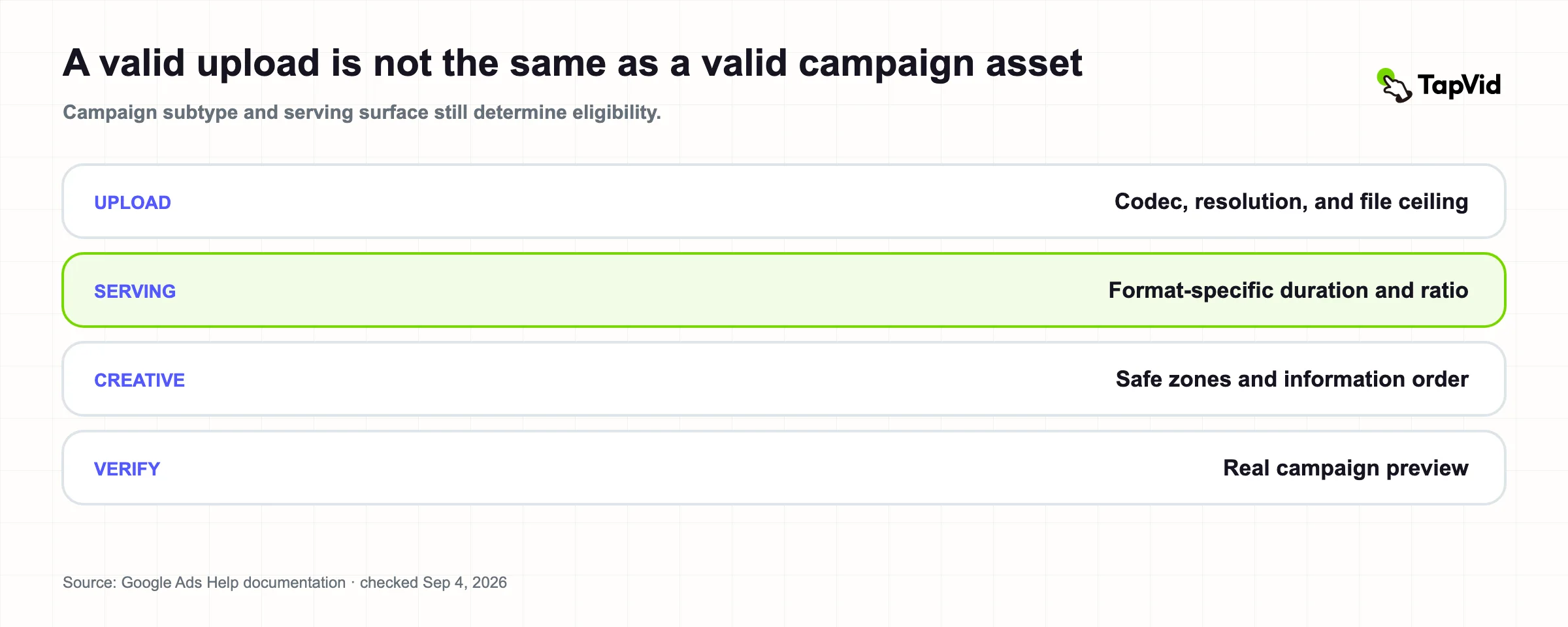
These shared rules answer “Can Google ingest this file?” They do not answer “Can this creative serve in the selected format?” That second question requires the campaign-specific row.
03
Nine YouTube ad routes compared
| Format or route | Ratio | Length rule in official documentation | Production note |
|---|---|---|---|
| In-feed video ad | 16:9, 9:16, or 1:1 | 15 seconds recommended | Includes thumbnail, headline, and description assets |
| Skippable in-stream | Placement-dependent | No maximum; under 3 minutes recommended | Viewer can skip; front-load the reason to continue |
| Non-skippable in-stream | Placement-dependent | 15–60 seconds depending on campaign subtype | Confirm subtype before locking the edit |
| Bumper | Placement-dependent | 6 seconds; at least 5 seconds | One compact message, non-skippable |
| YouTube Shorts ad | 9:16 recommended | Under 60 seconds recommended | Protect key content from vertical UI overlays |
| Video Action campaign | 16:9, 9:16, or 1:1 | At least 10 seconds recommended | Adds headline, long headline, description, and CTA limits |
| Video Reach: efficient reach | 16:9, 9:16, or 1:1 | 15 seconds skippable/in-feed; 6 seconds bumper; 6–60 seconds Shorts/square | A composition can combine formats |
| Video Reach: target frequency | 16:9 | 15 seconds skippable/in-feed and 6 seconds bumper | More constrained asset mix in the cited table |
| YouTube Masthead | 16:9 | Any length | Preview across desktop, mobile, and TV |
Google's documentation distinguishes “recommended length” from a technical maximum in several places. That distinction should survive into the brief. If the dataset says “15 seconds recommended,” do not rewrite it as “must be 15 seconds.” If a format says “no maximum,” do not assume any long video is strategically appropriate.
04
In-feed video ads need text assets too
Source: TapVid public research dataset; verified 2026-09-04.
Google's campaign specification page recommends 15 seconds for in-feed video ads in horizontal, vertical, and square formats. The video is only one part of the placement. The text package can include two headline lines of up to 40 characters per line and two description lines of up to 35 characters per line.
The page notes that headlines can be excluded from the desktop and TV watch page and may not appear on mobile; descriptions do not appear on the desktop watch page or TV. Therefore, a claim that exists only in the surrounding ad text may disappear in some contexts. Put the essential product truth in the video itself while keeping the headline and description useful when they do appear.
For asset-led production, that means the approved model number, offer, and CTA need an explicit source of truth. A designer should know which wording must stay verbatim on screen and which wording belongs to the placement's text fields.
05
Bumper, non-skippable, and skippable are different stories
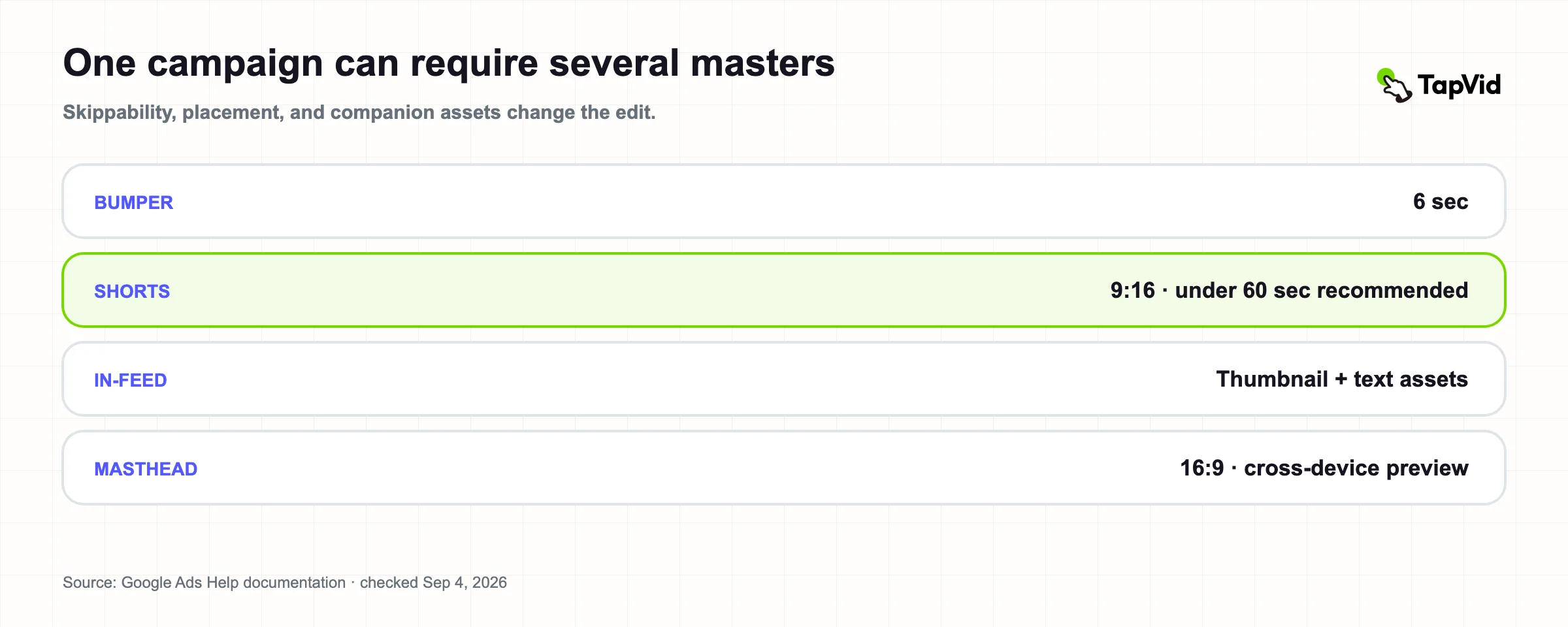
A six-second bumper cannot be a compressed two-minute demo. It needs one recognizable situation, one product truth, and one memorable next step. Google's page describes bumpers as six seconds, with a five-second minimum.
Non-skippable in-stream ads run 15–60 seconds depending on campaign subtype. The range is broad enough that subtype selection must precede final delivery. Skippable in-stream has no documented maximum on the format page, though Google recommends less than three minutes. Because a viewer can skip, the opening must establish relevance before a detailed mechanism or proof sequence.
These are not merely duration variants. Skippability changes the viewer contract. The same approved assets may be reused, but the information order should change.
06
Shorts ads require a vertical safe-zone review
Google recommends 9:16 at 1080×1920 for vertical video and recommends Shorts ads under 60 seconds on the cited format page. Google also provides universal safe-zone templates for horizontal, vertical, and square ads because overlays, calls to action, and buttons can appear in different locations across formats, campaigns, and screens.
Do not rely on the raw 1080×1920 canvas as the visible content area. Keep the product, logo, supers, prices, and legal language inside the current safe-zone template. Then inspect the final creative in the real campaign preview. A correct export can still fail information fidelity when UI covers the exact field a buyer needs to read.
07
Video Action and Video Reach add campaign logic
Video Action campaigns recommend at least ten seconds in 16:9, 9:16, or 1:1. They also add text limits: a 30-character headline, 90-character long headline, 90-character description, and 10-character CTA in the cited page.
Efficient-reach Video Reach campaigns can combine 15-second skippable/in-feed, six-second bumper, and 6–60-second Shorts or square assets. Target-frequency composition in the cited table focuses on horizontal 16:9 with 15-second and six-second recommendations.
The production implication is version planning. Do not ask one master to behave as a bumper, a vertical Shorts ad, and a skippable in-stream explanation without deciding what each version may omit. Use a variant matrix that names the parent source pack, exact message, required proof, ratio, duration, CTA, and approval state.
08
Masthead needs cross-device preview
Source: TapVid public research dataset; verified 2026-09-04.
YouTube Masthead uses a horizontal 16:9 video at 1920×1080 in the cited specification table and allows any length. The associated text recommendations are a headline of 40 characters or fewer, description of 60 or fewer, and CTA of 15 or fewer.
Google points advertisers to the Masthead Preview because the placement spans desktop, mobile, and TV. “Any length” is not evidence that any edit works. A Masthead is a prominent placement with device-specific framing, so the review must include readable text, central product framing, and a first sequence that works without assuming a small-screen viewer will inspect every detail.
09
Thumbnail and companion-banner specs
Google recommends a 1280×720 thumbnail in 16:9 and accepts a minimum of 1280×640. JPG, GIF, and PNG are supported. The file must be below 2 MB for videos and below 10 MB for podcasts.
The companion banner is 300×60 pixels, 5:1, in JPEG, GIF, or PNG below 150 KB. It appears on desktop only. A banner this small cannot carry a complex product explanation. Use it to preserve recognition and the next action, not to duplicate every line from the video.
10
A two-master system for most YouTube advertisers
Many small teams can cover the majority of their planned inventory with two approved masters:
1. Horizontal 1920×1080. Use it as the parent for in-stream, in-feed, Video Action, Video Reach, and Masthead variants where applicable. 2. Vertical 1080×1920. Use it for Shorts and other vertical-eligible inventory.
Create a square 1080×1080 version when the campaign plan actually calls for it. This is not a promise that two files can be uploaded unchanged everywhere. Duration, safe zones, text assets, and message order still need format-specific versions.
TapVid turns approved source assets and copy into structured explainer video scenes. The relevant advantage for multi-format work is not a generic “resize” button. It is preserving the product image, exact language, and scene-to-asset relationship while adapting the composition. Review the actual Google Ads preview before delivery.
11
Methodology
Source: TapVid public research dataset; verified 2026-09-04.
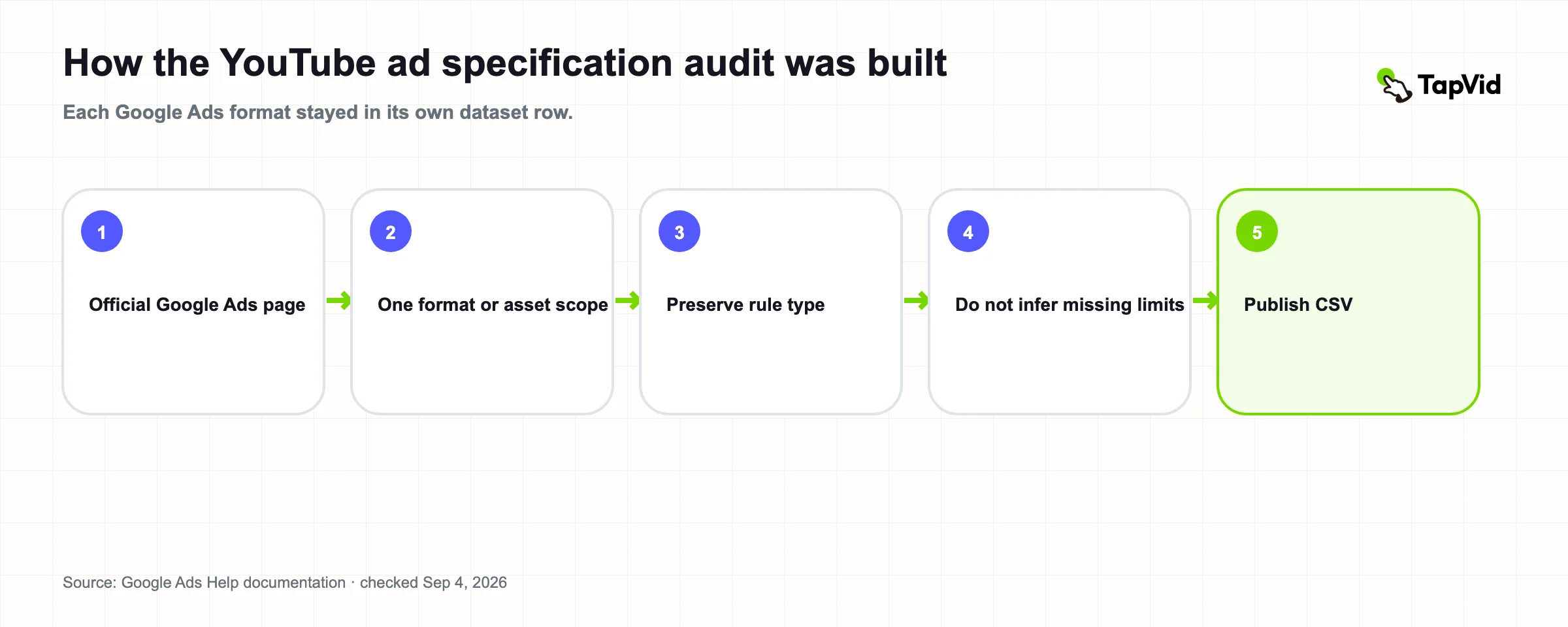
We audited publicly accessible Google Ads Help pages that define shared YouTube video upload specifications, campaign asset specifications, and video ad format behavior. One dataset row represents one format, campaign route, or supporting asset with a materially different rule.
Accepted ratios and resolutions were kept separate from recommended values. “No maximum,” “any length,” and recommendation language were transcribed without converting them into invented limits. Sources were checked September 4, 2026. The dataset is Version 1.0.
12
Limitations
This is a documentation audit, not a campaign upload or delivery test. Availability, maximum non-skippable duration, campaign subtype, and partner inventory can vary. Google can update live documentation without keeping a public version history. Policy requirements, AI-content disclosure obligations, regional rules, audio licensing, bidding, and creative performance are outside this dataset.
Always confirm the selected campaign subtype and inspect the final asset in Google Ads immediately before launch.
13
References and citation
Cite this research
Recommended citation (APA)
Chen, K. (2026, September 4). YouTube video ad specs 2026: Nine formats and asset rules audited (Version 1.0). TapVid Research. https://tapvid.ai/blog/youtube-video-ad-specs
BibTeX
@techreport{chen2026youtubeVideoAdSpecs,
  author = {Kenneth Chen},
  title = {YouTube Video Ad Specs 2026: Nine Formats and Asset Rules Audited},
  institution = {TapVid Research},
  year = {2026},
  month = {September},
  url = {https://tapvid.ai/blog/youtube-video-ad-specs},
  note = {Version 1.0}
}
Data and source register
- TapVid YouTube video ad specification audit dataset (CSV)Checked 2026-09-04
Version 1.0
14
Frequently asked questions
What resolution should a YouTube video ad be?
Google recommends 1920×1080 for horizontal, 1080×1920 for vertical, and 1080×1080 for square video ads. Lower resolutions and additional ratios may be accepted, but Google discourages SD for optimal quality.
What is the maximum YouTube video ad file size?
The cited Google Ads specification pages list a 256 GB maximum video file.
How long should a YouTube video ad be?
It depends on the format. A bumper is six seconds. In-feed recommends 15 seconds. Video Action recommends at least ten seconds. Skippable in-stream has no stated maximum but recommends under three minutes. Non-skippable duration varies by campaign subtype, and Shorts recommends under 60 seconds.
Can one video file run in every YouTube placement?
Not reliably. Google accepts common upload ratios, but serving eligibility, length, safe zone, text assets, and viewer behavior vary by format. Plan horizontal and vertical masters, then create approved variants for the actual campaign routes.