
TapVid
    API & MCPPricingBlogAbout
    Blog›Storyboard App Workflow: Plan Better Scenes Before You Animate
    Back to Blog

    Storyboard App Workflow: Plan Better Scenes Before You Animate

    A storyboard app workflow that helps teams move from concept to production with less rework.

    Workflow
    Yibo WangYibo WangApril 15, 2026 · 11 min readApr 15, 2026 · 11 min readDiscord
    Yibo WangYibo WangCPO & Head of Product Design, TapVid | Formerly at ByteDance

    Connect with the author, meet other video creators, and watch hands-on tutorials.

    Join our Discord
    April 15, 202611 min read
    Storyboard App Workflow Plan Before You Animate
    Summarize with6 assistants
    ChatGPTPerplexityTapVidvideoClaudeGeminiGrok
    Create videos from your AI agentConnect TapVid API & MCP→

    In this article

    1. 01Why storyboard quality determines production quality
    2. 02A planning structure that teams can reuse
    3. 03Where storyboard apps are most valuable
    4. 04Feature path for storyboard-first teams
    Summarize withAPI & MCP →
    ChatGPTPerplexityTapVidClaudeGeminiGrok

    A good storyboard app should help teams think clearly before production starts. Without a strong storyboard phase, animation becomes expensive trial-and-error. This guide explains a practical planning workflow that reduces downstream revisions.

    01

    Why storyboard quality determines production quality

    A storyboard is not decorative pre-work. It is the decision layer that defines pacing, visual hierarchy, and narrative logic before costly animation work starts.

    Teams that skip this step usually discover structural problems during late editing, where fixes are slower and more expensive.

    02

    A planning structure that teams can reuse

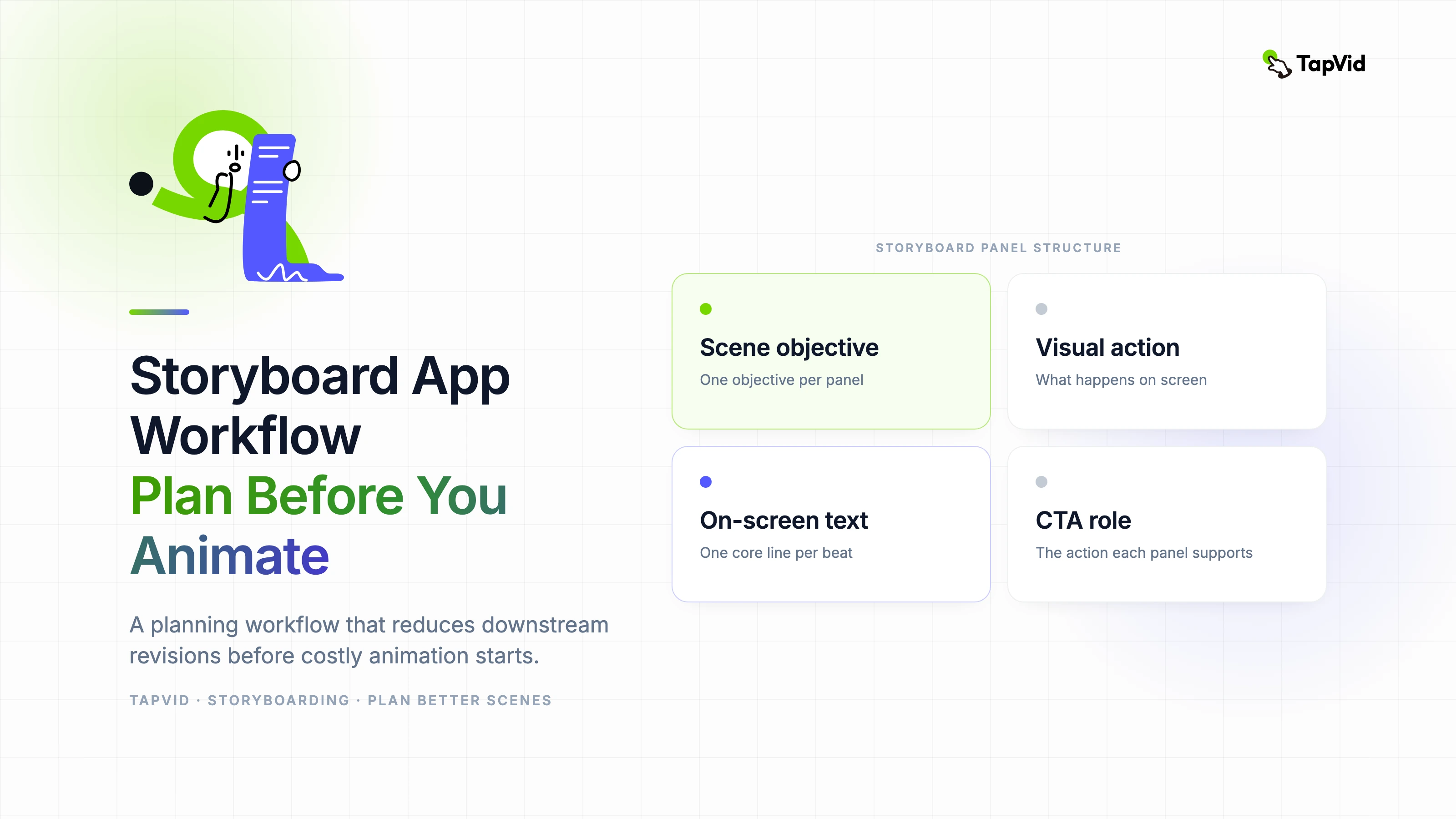
    Use a simple storyboard table: scene objective, visual action, on-screen text, narration line, and CTA role. This gives every team member a shared operational view.

    Then test sequence logic with a quick animatic. Even rough timing exposes narrative gaps earlier than full production drafts.

    • Define one scene objective per panel.
    • Limit on-screen text to one core line per beat.
    • Mark transitions explicitly to avoid pacing drift.
    • Validate flow with non-design stakeholders before animation.

    03

    Where storyboard apps are most valuable

    Storyboard apps provide the most value when multiple people collaborate on one narrative. Clear versioning and comment history reduce confusion and prevent contradictory edits.

    For teams publishing regularly, reusable storyboard templates become a major time saver.

    04

    Feature path for storyboard-first teams

    If your storyboard feeds product education, run the execution phase through https://tapvid.ai/feature/tutorial-video for step-by-step visual continuity.

    For long-form source material turned into short scenes, use https://tapvid.ai/feature/meeting-recap-video to keep structure and decisions visible.

    05

    Frequently asked questions

    How detailed should storyboard panels be? Detailed enough to define sequence and intent, but not so detailed that teams delay execution.

    Should non-designers review storyboards? Yes. They often catch clarity issues earlier than visual teams.

    Can a storyboard app replace editing software? No. It improves planning, while editing tools handle final motion and polish.
    How this article was verified

    Basis: TapVid's editorial publishing record for this articleEvidence: Author attribution, publication history, and the sources linked in the article

    Article versionApril 15, 2026

    About the authorYibo Wang

    CPO & Head of Product Design, TapVid | Formerly at ByteDance

    CPO @TapVid | Building the AI video tools creators deserve | Product strategy · Design systems · Creator economy

    View all 51 articles →

    Yibo Wang invites you to join the conversation with fellow video creators on Discord.

    Join Yibo on Discord →

    Use the materials you already have

    From yourfilesfilesto a ready-to-publish video

    WEB→ VIDEOPPT→ VIDEOPDF→ VIDEOASSETS→ VIDEOAUDIO→ VIDEOVIDEO→ VIDEOTALKING HEAD→ VIDEOWEB→ VIDEOPPT→ VIDEOPDF→ VIDEOASSETS→ VIDEOAUDIO→ VIDEOVIDEO→ VIDEOTALKING HEAD→ VIDEO

    Keep reading

    Related stories

    Animation Storyboarding
    Workflow·12 min read

    Animation Storyboarding: How to Plan Scenes Before Production Starts

    A practical guide to animation storyboarding, including scene planning, pacing, visual hierarchy, and how to hand off a storyboard into AI-assisted production.

    Apr 6, 2026

    Validate scenes before production
    Workflow·10 min read

    Storyboarder AI Review Workflow: Validate Scenes Before Production

    A review-first storyboarder AI workflow to improve scene quality before animation starts.

    Apr 16, 2026

    Storyboards for AI video: guide better generative output
    Workflow·11 min read

    Storyboards for AI Video: How to Guide Better Generative Output

    How to build storyboards that improve AI video quality, reduce retries, and align with business goals.

    Apr 16, 2026

    Ready to create your first video?

    Join thousands of product teams using AI to create professional videos in minutes.

    Your first video in under 5 minutes →Book a demo →
    Tapvid

    TapVid turns the materials your business already has into an accurate video that explains the job clearly and is ready to publish.

    TikTokInstagramXDiscordYouTube

    TapVid

    Features

    AI Explainer Video GeneratorAI Motion Graphics GeneratorAI Product Demo Video GeneratorProduct Demo Video MakerExplainer Video TemplatesVideo Production Plan TemplateVideo Creative Brief TemplateCorporate Video TemplateVideo Sales Letter TemplateVideo Production Proposal TemplatePromo Video TemplateVideo Production TemplateAI Product Video GeneratorAI B-Roll GeneratorTalking Head EditingClone VideoPrompt to VideoText to Video AIText to Motion GraphicsAnimated Video MakerAnimated Explainer Video MakerKinetic Typography GeneratorAnimated Chart MakerAnimated Collage MakerFree AI Video Generator

    Convert to Video

    Screenshot to VideoImage to VideoAssets to VideoAudio to VideoVideo to Video AIPDF to VideoPPT to VideoArticle to VideoBlog to VideoURL to VideoScript to VideoGoogle Slides to VideoWord to Video

    Use Cases

    AI Study Video MakerSaaS Explainer VideoAI Video AutomationSaaS Video ProductionIndustrial Video ProductionProduct Launch Video MakerAI Ad Video GeneratorDocumentary Video MakerAnimated Social Media Video MakerInfographic Video MakerPodcast to VideoWhiteboard Animation MakerWhiteboard Explainer VideoEcommerce Video AdsStartup Explainer VideoEducational VideoTutorial VideoCustomer OnboardingHelp Center VideoAPI Docs Video

    Solutions

    Explainer VideoProduct Demo VideoMeeting Recap VideoWebinar ClipsMarketing VideoFeature AnnouncementCompetitive ComparisonNewsletter VideoLanding Page VideoInvestor Pitch Video

    Featured Guides

    Video Prompt LibraryGemini Omni 1.1 Flash Prompt LibraryMiniMax H3 Prompt LibraryBest Faceless YouTube NichesCollage Animation Guide

    Company

    All FeaturesAboutBlogPricingGet in Touch

    © 2026 TapVid. All rights reserved.

    Privacy
    Terms of Service