
TL;DR
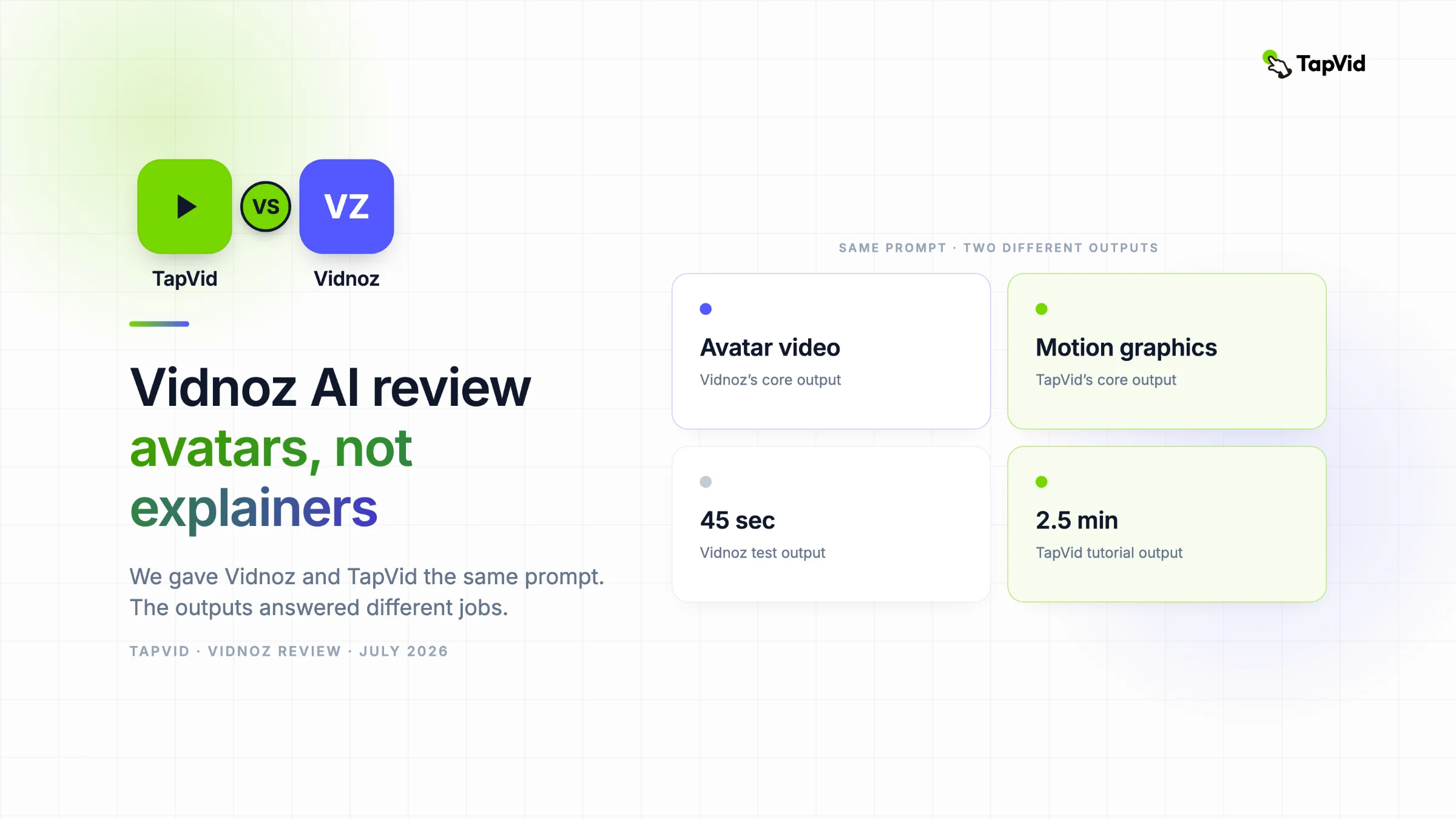
Vidnoz is great for quick talking-head avatar videos, spokesperson clips, and fast video translation. For a structured, information-dense motion-graphics explainer generated from a prompt, TapVid is the better fit. We gave both the same prompt: Vidnoz returned an avatar next to a stock photo of the Statue of Liberty, TapVid returned a two-and-a-half minute animated tutorial.
Vidnoz AI is a fast, generous AI avatar video generator. It turns a script or a one-line prompt into a talking-head presenter video, with 1,900+ avatars, 140+ languages, and a free daily tier. It is not built for structured motion-graphics explainers. We handed it the same prompt we gave TapVid, and the gap was hard to miss.
01
What Makes TapVid Different?
Quick disclosure before we start: this review is published by the TapVid team, and we tested Vidnoz directly on its free tier. We note where TapVid fits as an alternative, and we have kept it fair about where Vidnoz genuinely does its job well.
Here is where TapVid sits, so the comparison has a frame of reference. TapVid is built for structured motion-graphics output, not avatars. The difference shows up in three places.
Input: You describe what your video needs to teach or sell, or you drop a PDF or a URL. You are not writing lines for a presenter to read.
Output: A structured, chaptered motion-graphics video with animated diagrams, on-screen text, data callouts, and kinetic typography, plus voiceover and music synced for you. Built to explain something, not to fill 45 seconds with a talking head.
Workflow: TapVid plans the scenes, writes the script, and animates each step from your prompt. You edit in plain language ("make the intro shorter"). No timeline, no avatar to cast, no template to fight.
02
What Is Vidnoz AI?
Vidnoz AI is a cloud-based AI video platform built around talking-head avatars. You pick an avatar, give it a script (typed, generated from a prompt, or imported from a PPT or PDF), choose a voice, and Vidnoz produces a presenter-style video. No camera, no actor, no editing suite.
Its catalog is large: 1,900+ AI avatars, 3,381 templates across Education, Explainer, Business, Breaking News, and Social Media, plus voices in 140+ languages. It also bundles voice cloning, an AI video translator, text-to-speech, and a newer "Expressive Avatars" mode.
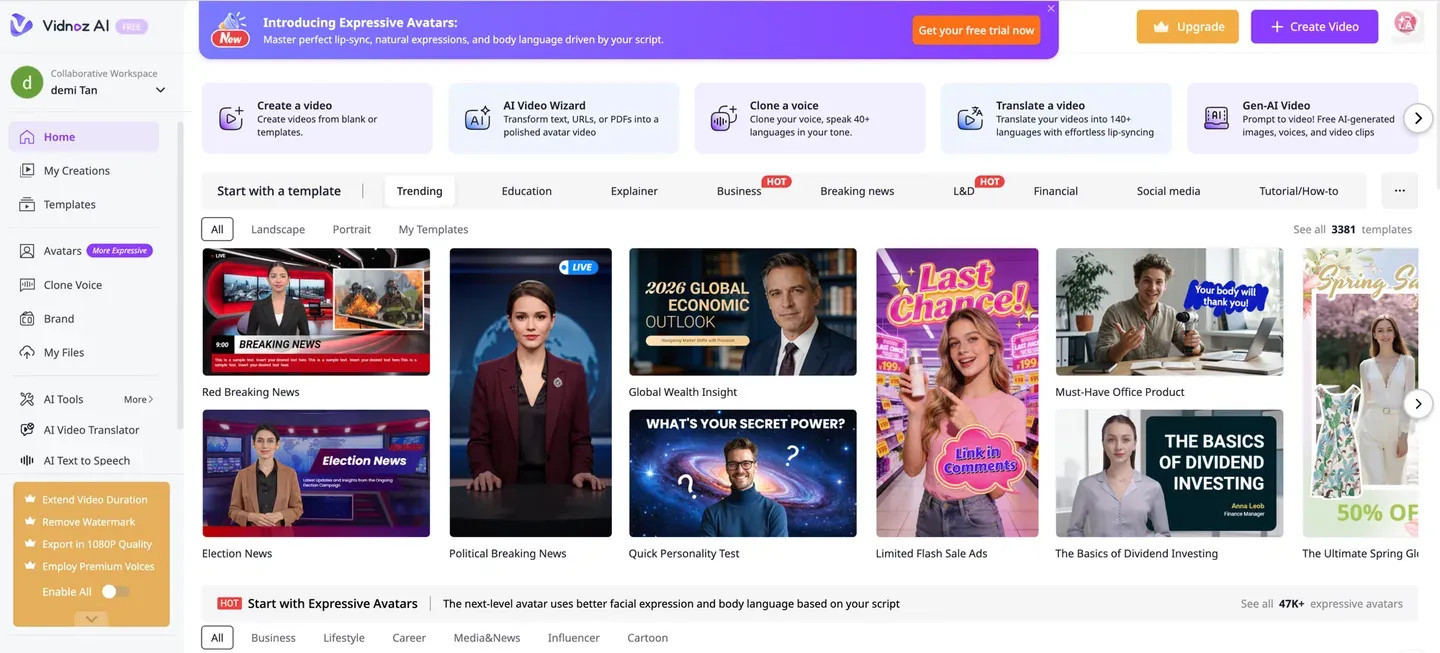
Vidnoz is popular for a reason. It is genuinely fast, the free tier is easy to start with, and for a straightforward "avatar reads my script" job it does exactly what it says.
03
Key Features
1. AI avatars. 1,900+ avatars across business, casual, and news-anchor looks. This is the core of the product and what most people come for.
2. AI Video Wizard. Vidnoz’s prompt-to-video path. You can write a topic, paste a script, or import a PPT, PDF, or Word file, pick a scene count, format, and tone, and it drafts a scripted video for you.
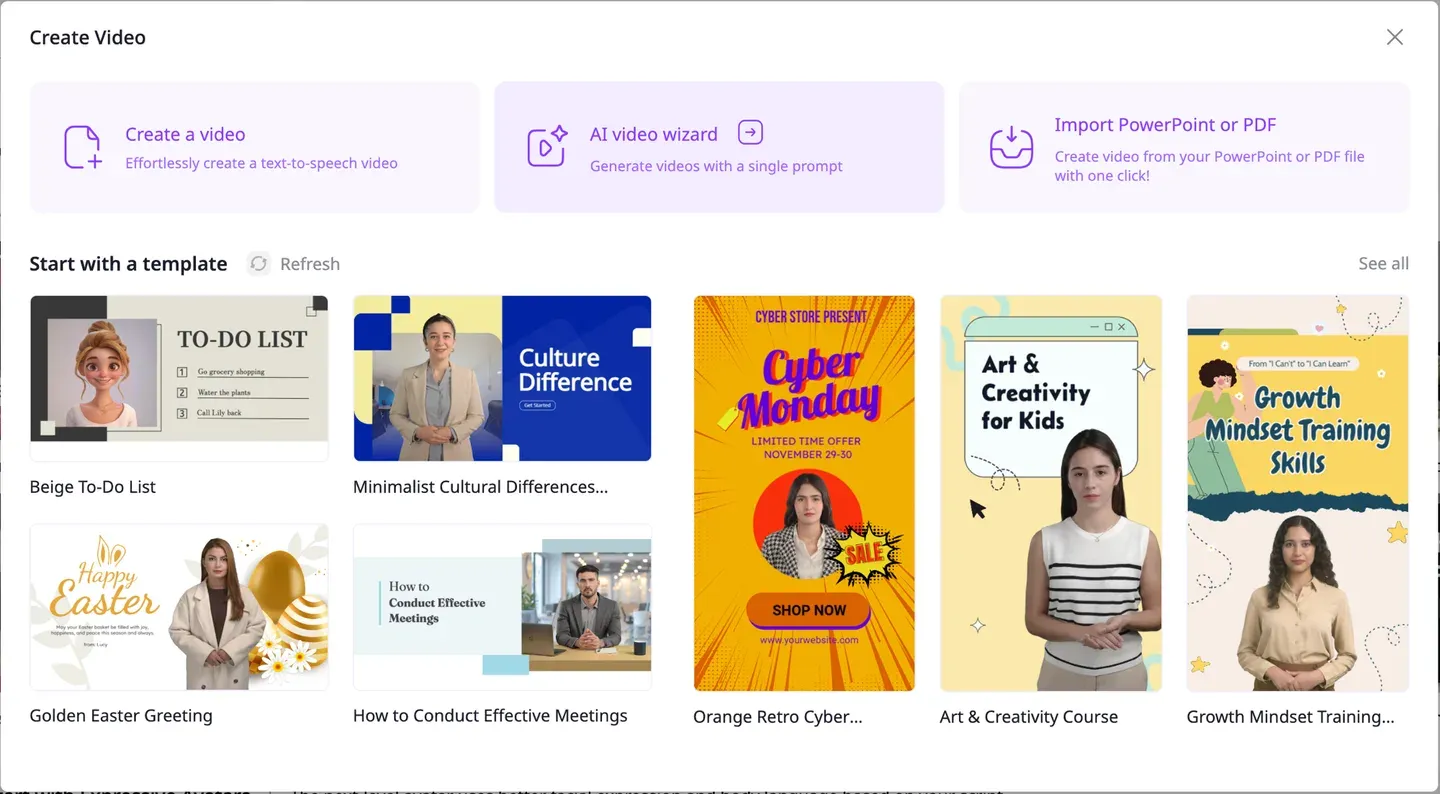
3. Templates. 3,381 templates for news, ads, education, and social formats. 4. Voice cloning and 140+ language voices. 5. AI Video Translator, which localizes an existing video into 140+ languages with lip-sync, a real strength if translation is your main job. 6. Talking Photo and Expressive Avatars for animating a still into a speaking presenter.
Notice the pattern: every path leads to a presenter on screen reading text. That is the product. It is also the thing to keep in mind when your video is not meant to have a presenter at all.
04
Vidnoz vs TapVid: A Direct Comparison
Both tools take a text prompt and hand you a finished video. What lands on screen, and how much of your idea survives, is where they split.
Vidnoz starts from: "Who is my presenter and what do they say?" TapVid starts from: "What does my audience need to understand, and how do I show it?"
| Vidnoz | TapVid | |
|---|---|---|
| Core output | Talking-head avatar video | Structured motion graphics |
| Visual style | Presenter + template + stock footage | Animated diagrams, text, data, kinetic type |
| Best input | A script for an avatar to read | A prompt, PDF, or URL to explain |
| Information density | One presenter summarizing | Step-by-step, chaptered teaching |
| Editing model | Regenerate the scene | Plain-language prompts |
| Honors a "no presenter" brief | No, it defaults to an avatar | Yes |
| Free tier | About 1 min/day, 720p, watermark | Free to start, 720p, watermark |
| Best for | Spokesperson, translation, social templates | Explainers, demos, tutorials, teaching |
When Vidnoz wins: you want a presenter on screen, fast. A spokesperson update, a news-style clip, a template social ad, or a translated version of an existing video. Vidnoz is built for that and gets you there quickly.
When TapVid wins: your video needs to explain or teach something, and a talking head is not the point.
05
Real-World Test: The Same Prompt, Two Very Different Videos
This is the part most reviews skip. We gave Vidnoz and TapVid the identical prompt and compared what came back.
The prompt, word for word, given to both: "Create a simple beginner tutorial animation teaching the core rules of Go: placing stones, liberties, capturing, and surrounding territory to win, on a small board, step by step with short on-screen text. Style: motion graphics, no photorealistic images."
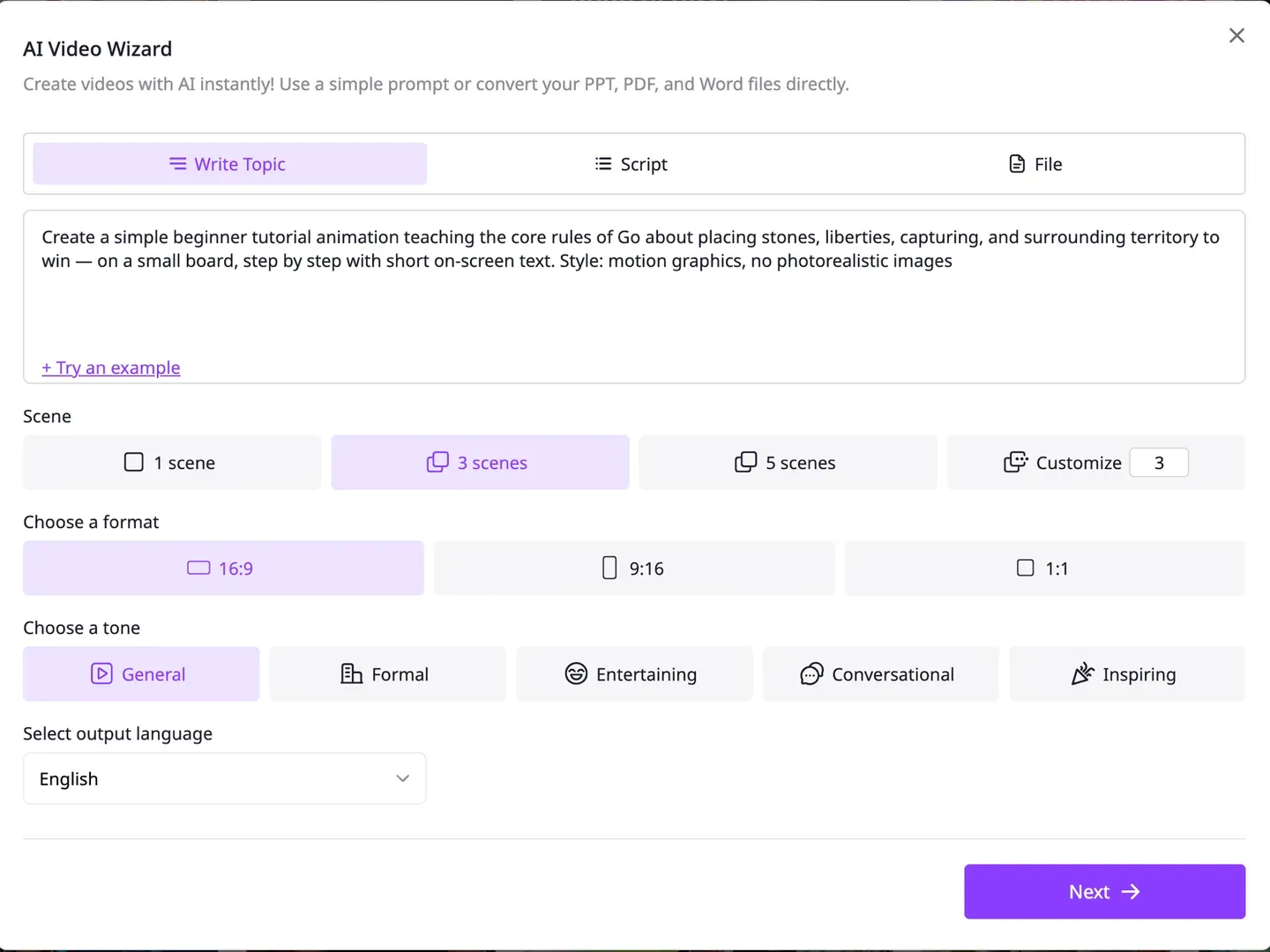
What Vidnoz produced: its AI Video Wizard drafted a three-scene script, then routed it into an avatar template. There was no motion-graphics option to choose. The output is a presenter reading the script.
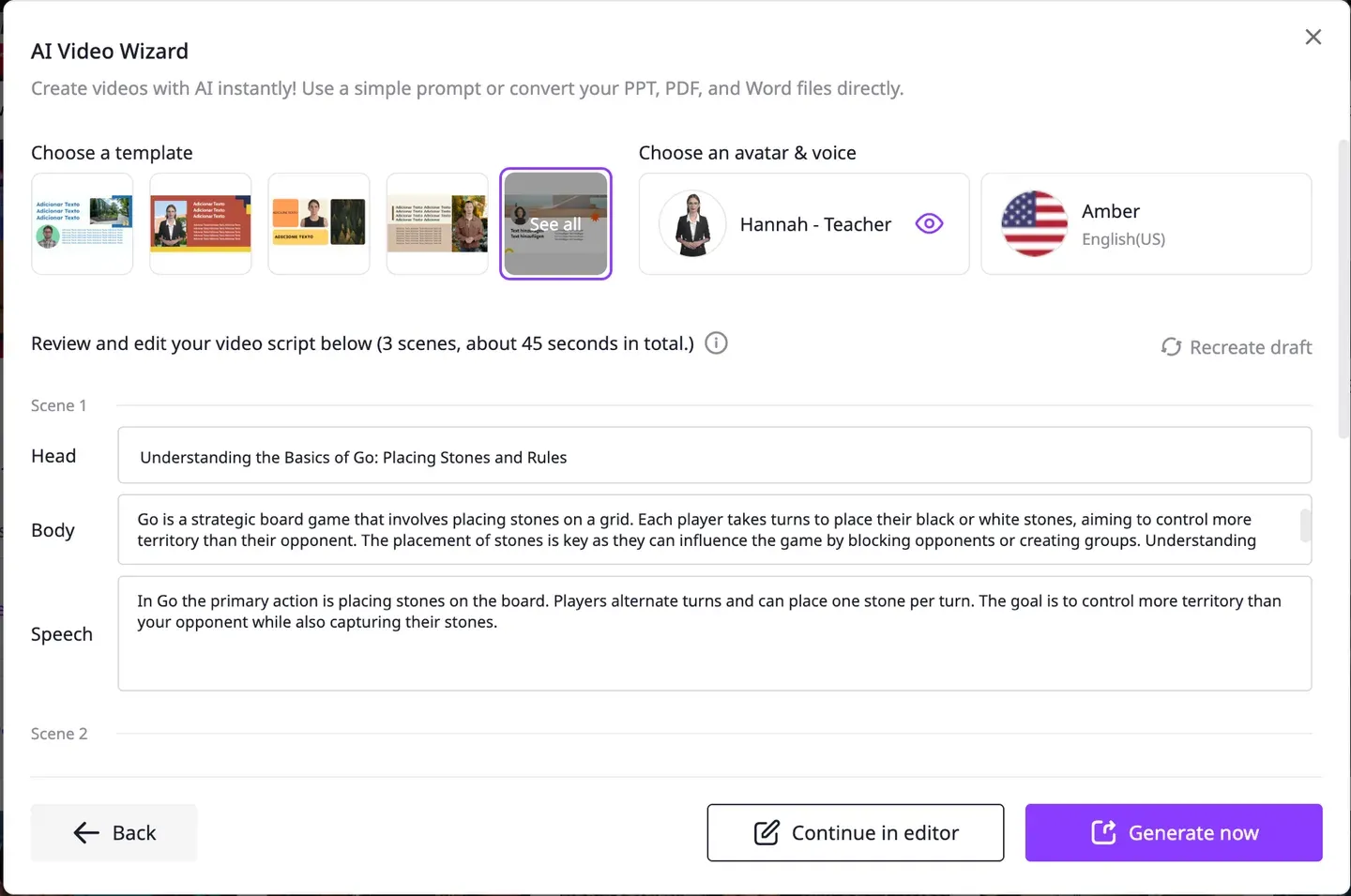
The finished 45-second video was an avatar in a business suit, standing beside a stock photograph of the Statue of Liberty, with the caption "Every stone placed on the board has liberties."
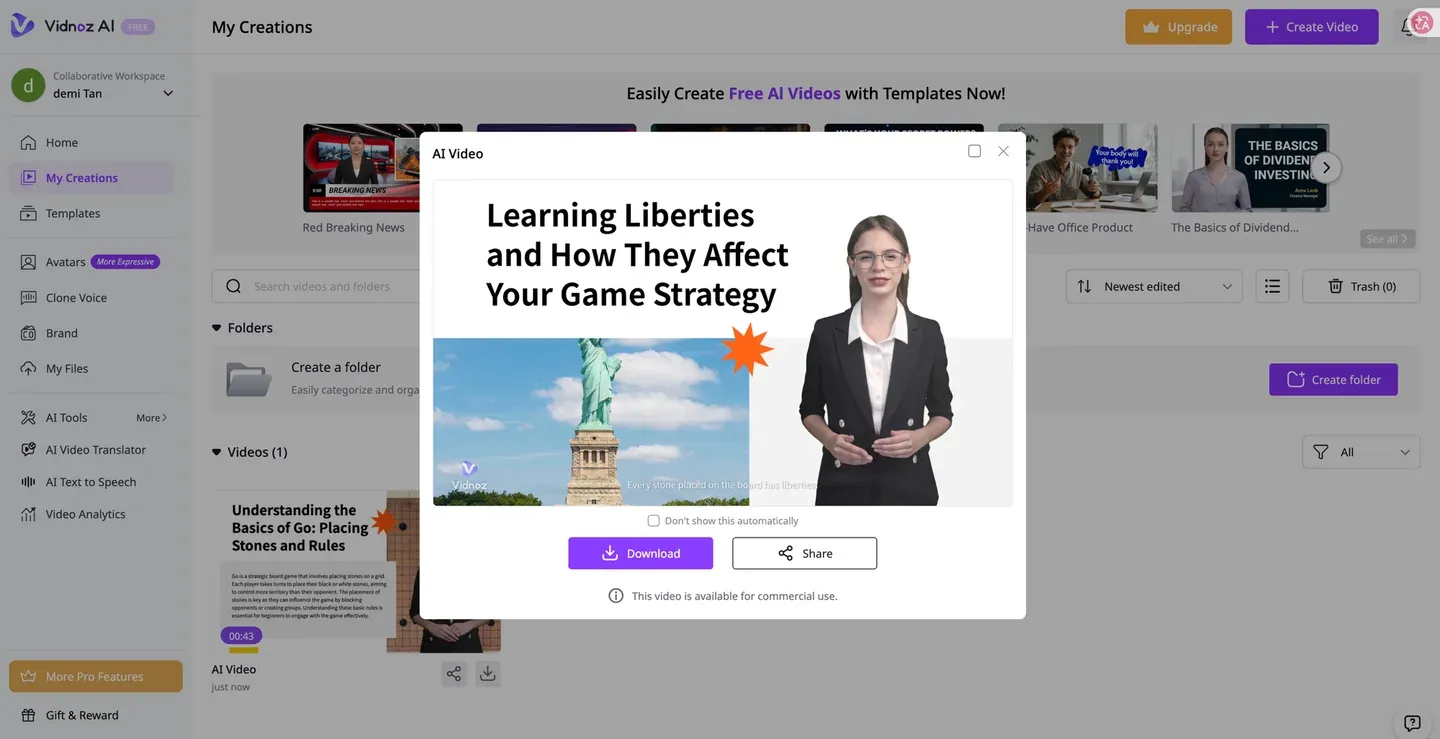
That is worth sitting with. The prompt said "motion graphics, no photorealistic images," and Vidnoz produced a photorealistic avatar plus a stock photo. It read the Go term "liberties," the empty spaces around a stone, as the Statue of Liberty and pulled a matching image. None of the actual rules got taught visually.
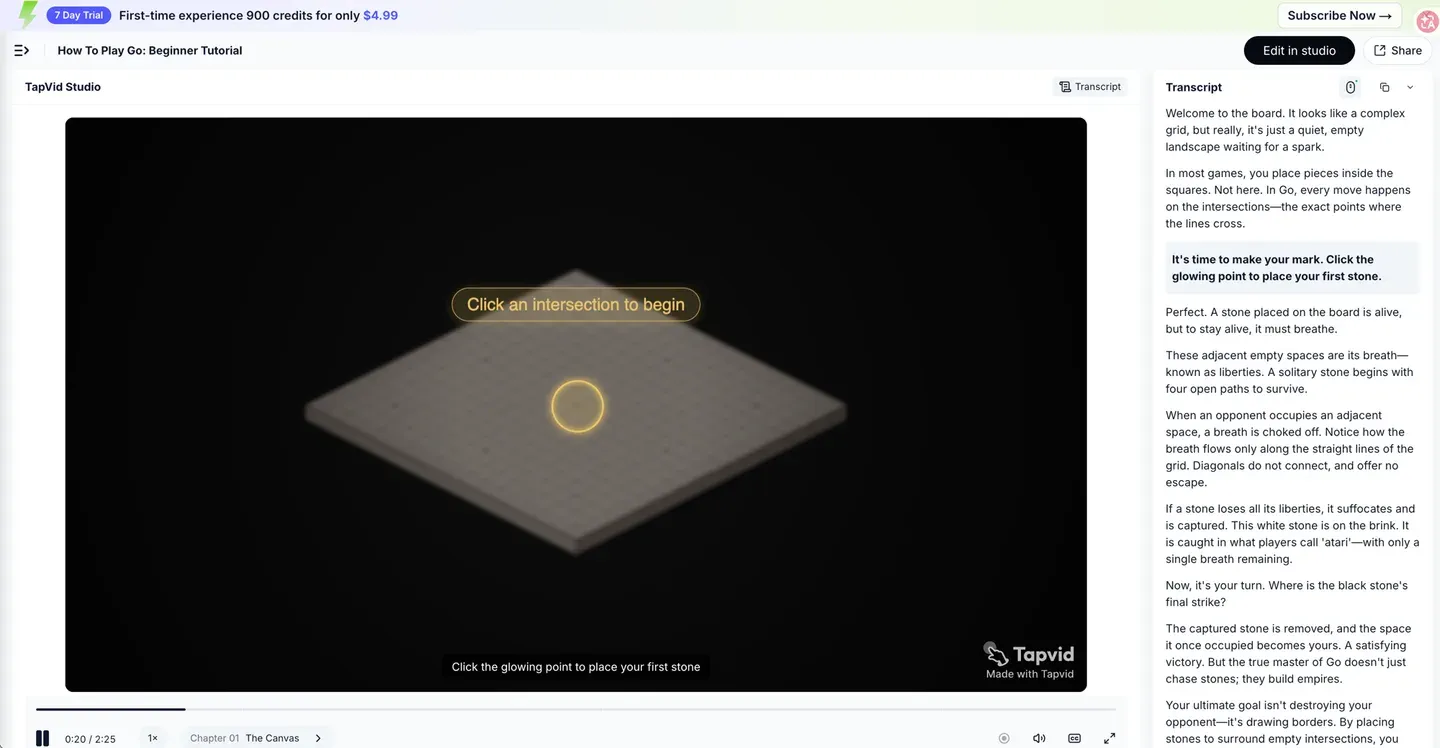
Same prompt into TapVid returned a two-and-a-half minute tutorial titled "How To Play Go: Beginner Tutorial," built as an animated board with on-screen text and chapters. It taught intersections, then liberties correctly (a stone "must breathe," and its adjacent empty spaces are "its breath, known as liberties"), then the real term "atari" for a stone with one breath left, then capturing, and finally surrounding territory to win. The board was interactive, prompting you to click an intersection to place a stone.
Where Vidnoz turned "liberties" into the Statue of Liberty, TapVid taught liberties as the concept a Go player actually needs. That is the difference between a presenter reading around a topic and a video built to explain it.
The takeaway: for a spokesperson clip or a translated video, Vidnoz would have been the faster, better tool. For this brief, a structured explainer with no presenter, TapVid produced the video the prompt actually asked for and Vidnoz could not.
06
Pricing
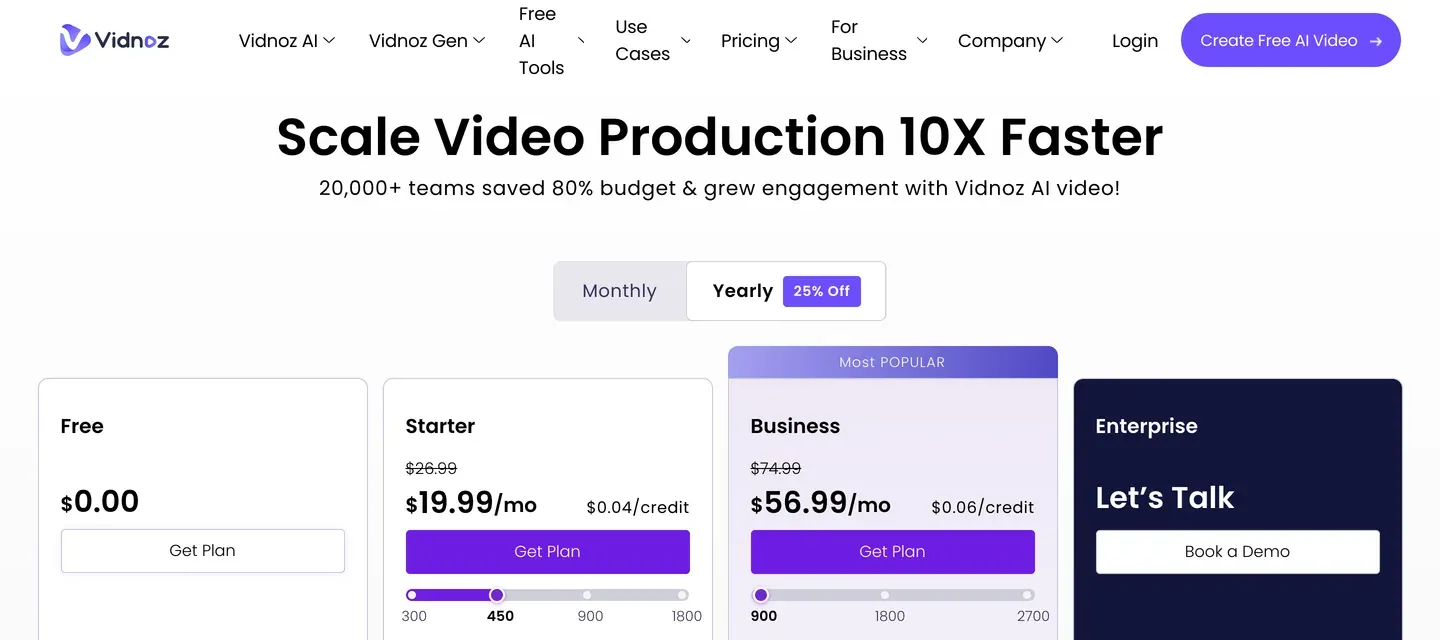
Vidnoz pricing was verified against vidnoz.com/pricing and the in-product free tier in July 2026. The free entry point is generous for a quick try: 30 credits per day, about one minute of video, valid for 24 hours, at 720p with a Vidnoz watermark. Credits do not roll over.

| Plan | Monthly | Annual | Notable |
|---|---|---|---|
| Free | $0 | $0 | About 1 min/day, 720p, watermark |
| Starter | $26.99 | $19.99/mo | 1080p, no watermark, up to 60-min videos |
| Business | $74.99 | $56.99/mo | Voice cloning, translation, brand kit, team |
| Enterprise | Custom | Custom | API access, Avatar Pro, dedicated support |
A note before you subscribe: across G2 and Trustpilot, a recurring complaint is around billing and cancellation, including unexpected annual charges. Test on the free tier first. TapVid’s plans start free and scale by monthly credits, with a low-cost first-time trial for a fuller run.
07
Pros
- Large library: 1,900+ avatars and 3,381 templates cover most presenter-style formats.
- Genuinely fast for talking-head videos, and simple enough for a first-time user.
- Generous free daily credits with no credit card required.
- Strong AI video translation into 140+ languages with lip-sync, a real advantage for localization.
- Voice cloning included on higher plans.
08
Cons
- Every path leads to a presenter. Ask for a no-presenter or motion-graphics brief and it still hands you an avatar.
- Based on G2 reviews, the default AI voices can sound robotic and lip-sync drifts on longer scripts.
- Based on user reviews, avatar diversity is limited, and most avatars have a business look.
- You only see the result after it generates, so fine-tuning the script or visuals mid-way is limited.
- Recurring billing and cancellation complaints on Trustpilot; free outputs are watermarked at 720p.
09
Vidnoz Alternatives
| Tool | Best for | Output style | Paid from |
|---|---|---|---|
| Vidnoz | Avatar videos, translation, social templates | Talking-head presenter | $19.99/mo |
| TapVid | Motion-graphics explainers, demos, tutorials | Structured motion graphics | $19/mo |
| HeyGen | Polished talking-head avatars | Realistic presenter | $29/mo |
| Synthesia | Enterprise avatar training videos | Studio-grade avatar | $29/mo |
| Pictory | Repurposing long content into clips | Screen recording + text | $19/mo |
Competitor pricing is approximate. Check each tool’s official pricing page before buying. Quick guide: want a presenter reading your script, fast? Use Vidnoz. Need a structured explainer or product demo with no presenter? Use TapVid. Want a studio-grade corporate avatar? Look at HeyGen or Synthesia. Turning long articles into short social clips? Pictory.
10
Frequently asked questions
Is Vidnoz AI free?
Yes. The free tier gives 30 credits a day, about one minute of video, valid for 24 hours, with no credit card required. Free outputs are 720p with a Vidnoz watermark, and credits do not roll over.
Can Vidnoz make motion-graphics explainers?
Not really. In our test, we asked Vidnoz for a motion-graphics tutorial with no photorealistic images, and it produced an avatar presenter next to a stock photo instead. Vidnoz is built for talking-head videos. For structured motion-graphics explainers, a tool built for that output, like TapVid, is the better fit.
Does Vidnoz have a prompt-to-video feature?
Yes, called the AI Video Wizard. You can type a topic, paste a script, or import a PPT or PDF, and it drafts a scripted video. The output is still an avatar reading the script, not motion graphics.
Is Vidnoz good for marketing or product videos?
It works well for spokesperson-style clips and template-based social ads. For product demos and explainers that need animated UI, diagrams, or a structured walkthrough without a presenter, it is limited.
What is the best Vidnoz alternative for explainers and demos?
For explainers, product demos, and tutorials that need a clean, structured, information-dense motion-graphics look with voiceover included, TapVid is built specifically for that use case.
11
The Bottom Line
Vidnoz AI is a capable, fast, and generous avatar video generator. For a talking-head clip, a spokesperson update, a template social video, or a translated video, it does the job well and cheaply, and the free daily tier makes it easy to try.
The limit is structural. Every path in Vidnoz ends with a presenter reading a script. When your video is meant to explain or teach a concept, you will be working against the grain. Our Go tutorial test made that concrete: asked for a motion-graphics lesson, Vidnoz gave us an avatar next to the Statue of Liberty.
Vidnoz: 4/5 for avatar and presenter videos. Less suited to structured motion-graphics explainers.