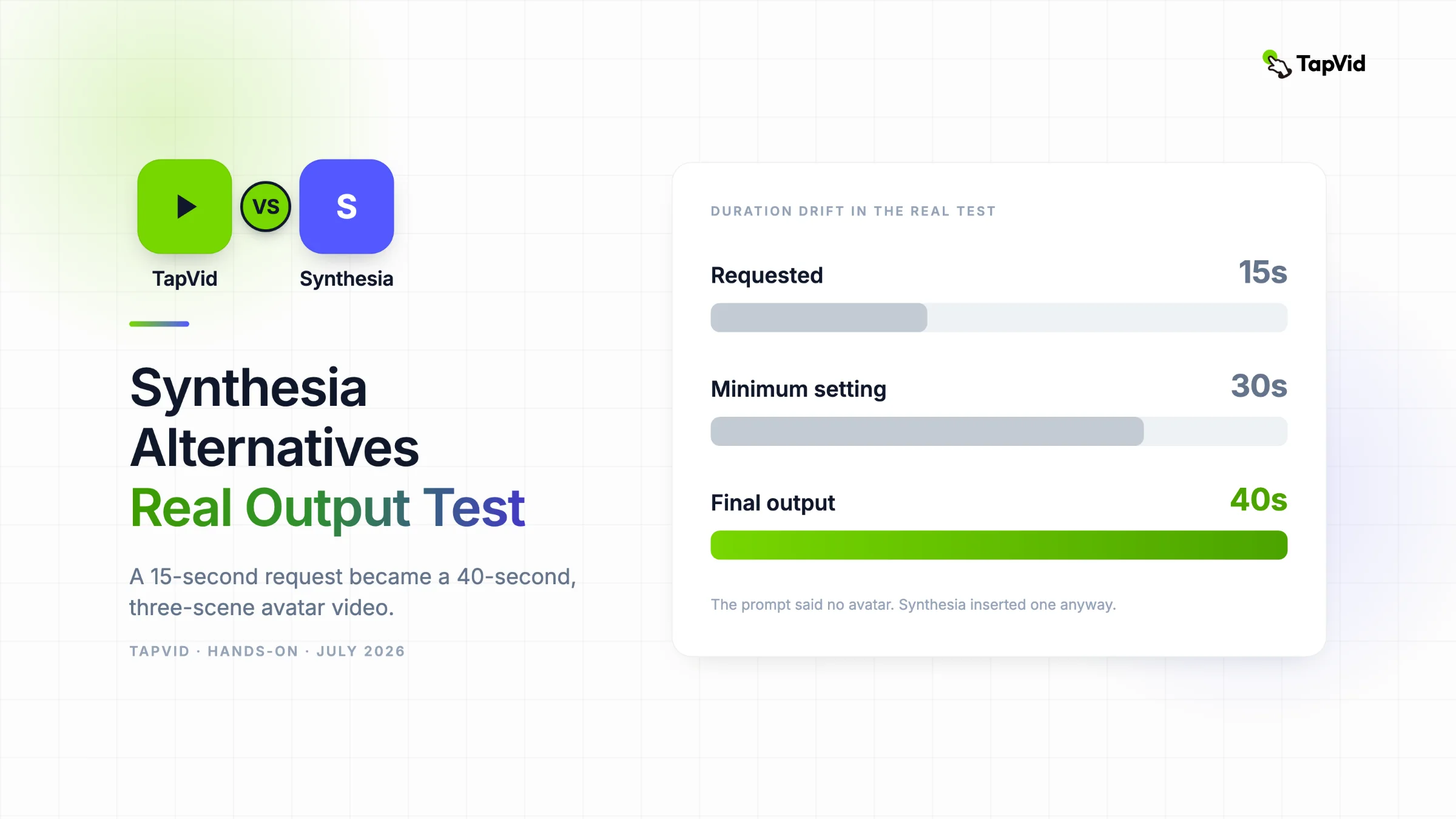

Synthesia completed a playable business video, but the 15-second no-avatar brief became a 40-second, three-scene avatar video with a placeholder logo. For creators who already own an article, PDF, script, PRD, or product page, TapVid is an Explainer Video Engine that turns that existing content into a structured explainer in minutes. The right alternative depends first on whether the presenter is the format.
01
How I ran the same-brief test
Most Synthesia alternative roundups compare avatar counts, languages, and plan prices. Those matter if the correct format is a presenter reading a script. They matter much less when the viewer needs to understand a product flow, chart, framework, or document. I tested both possibilities instead of assuming that every video needs a face.
The shared brief asked for a 15-second, 16:9 TapVid product explainer. It said the audience already had an article, PDF, script, or product page and was blocked by video production. It specified a light background, lime green #78d701, indigo #5359ff, bold kinetic type, no avatar, and the closing line “Turn your content into an explainer video.”
02
The Synthesia test from prompt to final playback
Screenshot evidence: the full test brief entered into Synthesia’s AI Video Assistant.
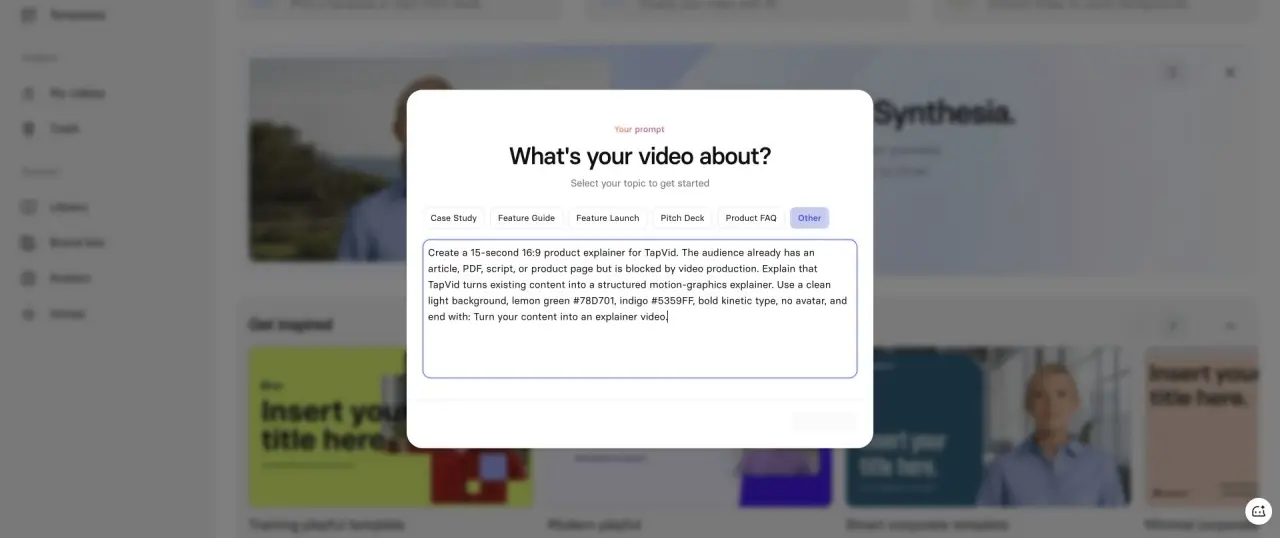
I used a logged-in Basic workspace, not the public lead form. The assistant accepted prompt, script, URL, and file inputs. I selected “Other” so a training or product template would not silently rewrite the job before generation. The first constraint mismatch appeared immediately: the shortest duration available was 30 seconds even though the request was 15.
Screenshot evidence: Synthesia’s generated outline with three scenes and a 30-second setting.
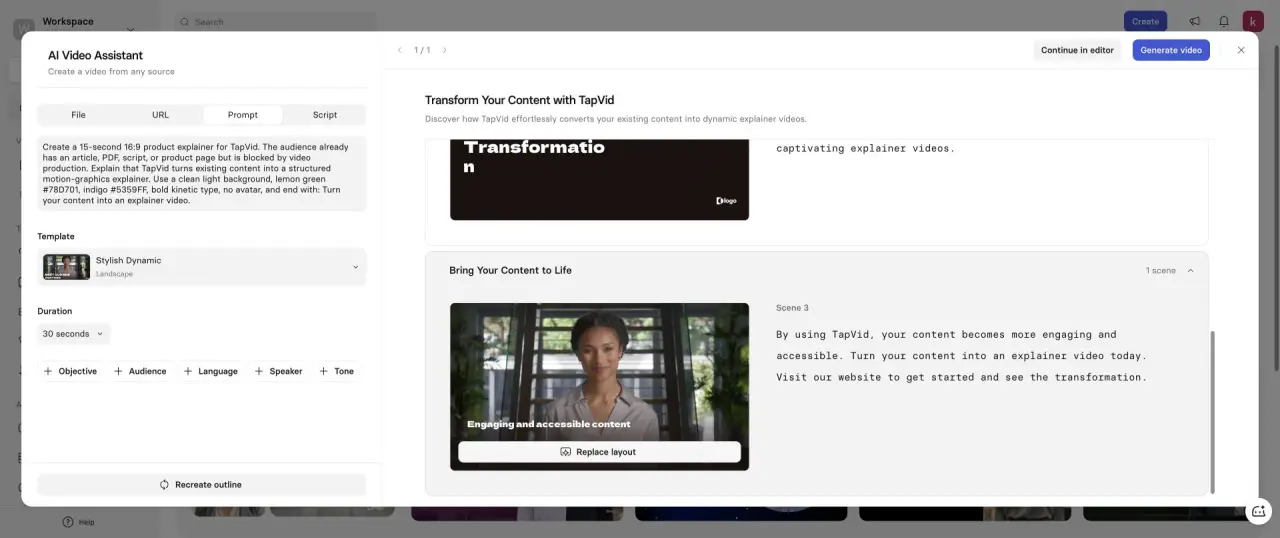
The generated outline expanded the brief into three scenes. The third scene contained a stock presenter, generic copy about engaging and accessible content, and a call to visit a website. The prompt had explicitly said no avatar, so this was not a subtle aesthetic disagreement. The selected “Stylish Dynamic” template imposed a presenter-led format on the request.
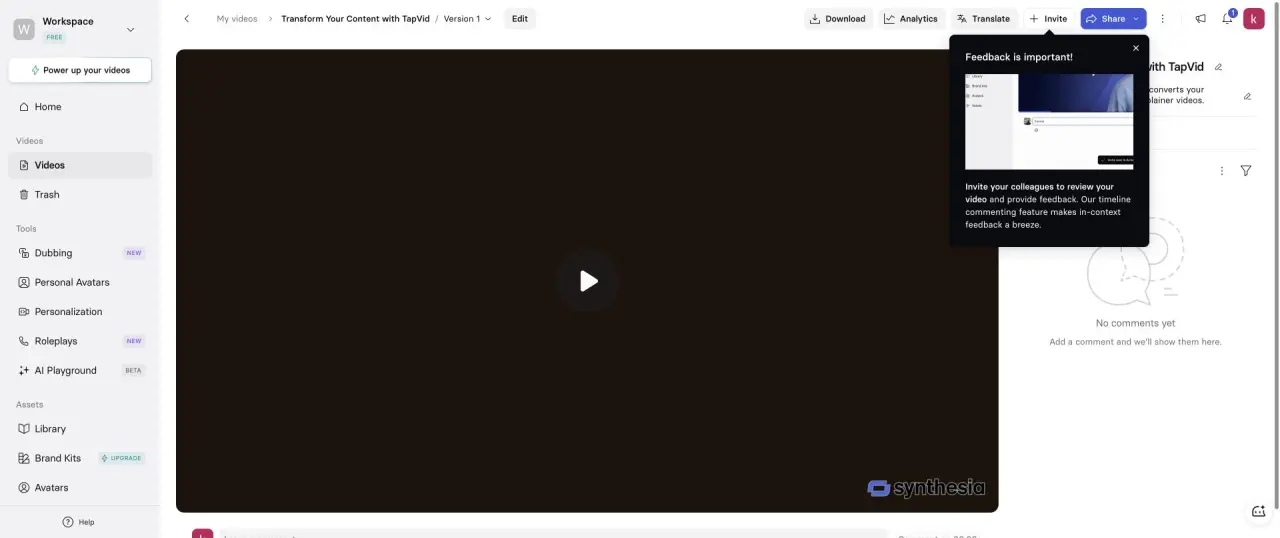
I generated the video instead of stopping at the outline. The final project page showed a 40-second duration, 10 seconds longer than the selected minimum and 25 seconds longer than requested. Playback confirmed a presenter in the scene sequence. The opening also used an abstract placeholder logo rather than the TapVid logo.
Screenshot evidence: completed 40-second Synthesia project ready for playback and download.
Screenshot evidence: Synthesia video playing at 0:02 with the placeholder logo visible.
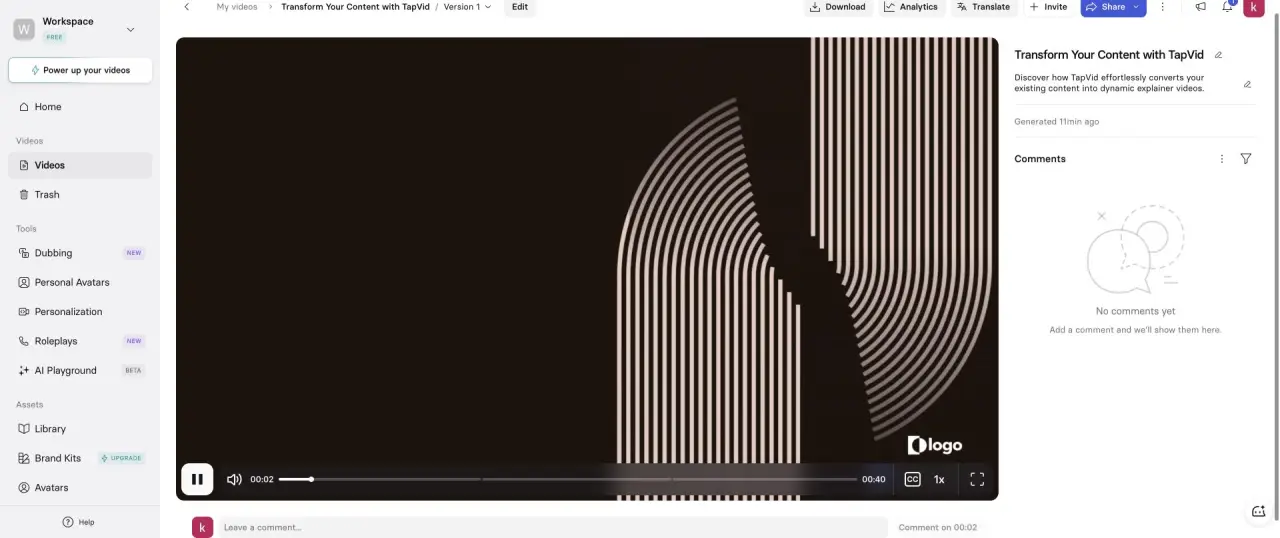
This result is useful because it separates two judgments. The video was complete, playable, and organized into scenes. The product worked. The output also missed the format, duration, and brand instructions that mattered for this specific explainer. I would not solve those misses by buying more credits. I would first choose a template that removes the presenter, edit the outline, provide the real logo, and shorten the script before rendering again.
03
Same-brief results
| Tool | Completed evidence | Duration | Avatar behavior | Main cleanup |
|---|---|---|---|---|
| Synthesia | Outline, render, playback, download page | 40s | Inserted despite no-avatar request | Remove presenter, replace logo, cut 25s |
| HeyGen | Agent run, three scenes, playback, export dialog | 13s | No avatar, as requested | Make the PDF-to-brief step more concrete |
| TapVid | 275KB PDF to completed 60s explainer | Four 15s beats | No avatar by product design | Less frame-level manual control |
| Descript | Plan, three-scene editor, export dialog | 16.4s | No presenter required | 720p watermark on free export |
| Pictory | Nine-scene editor and public export | 39.94s | No presenter required | Generic stock and watermark |
| Fliki | Four scenes and export dialog | 31s | No presenter required | Remove prompt instructions from narration |
04
1. TapVid: best when the source needs to become the visual explanation
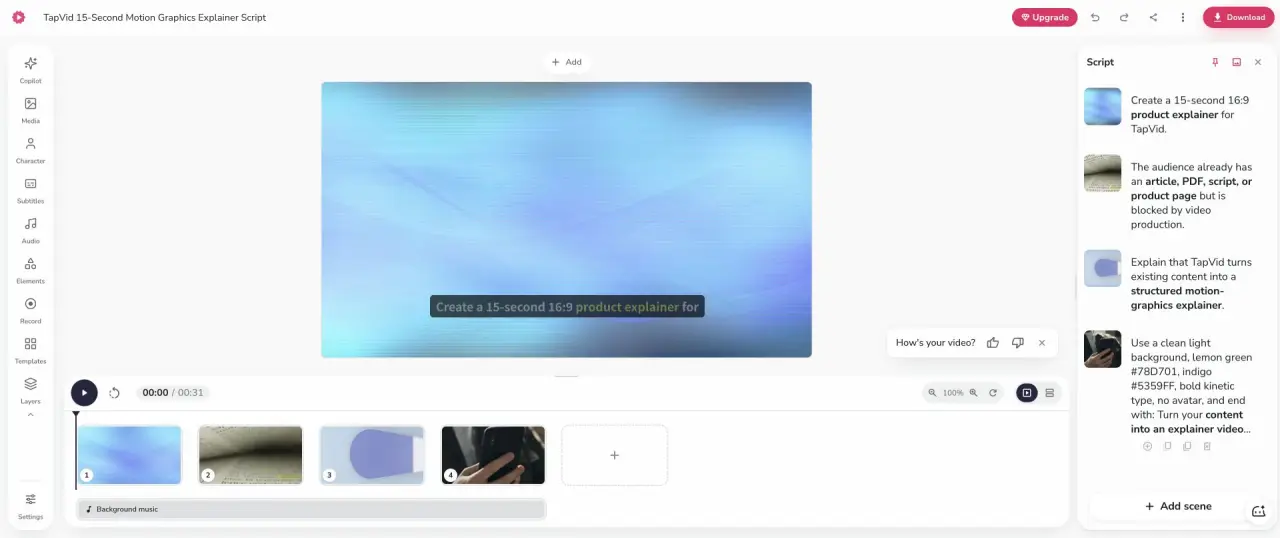
Screenshot evidence: TapVid brief generated from an uploaded article PDF.
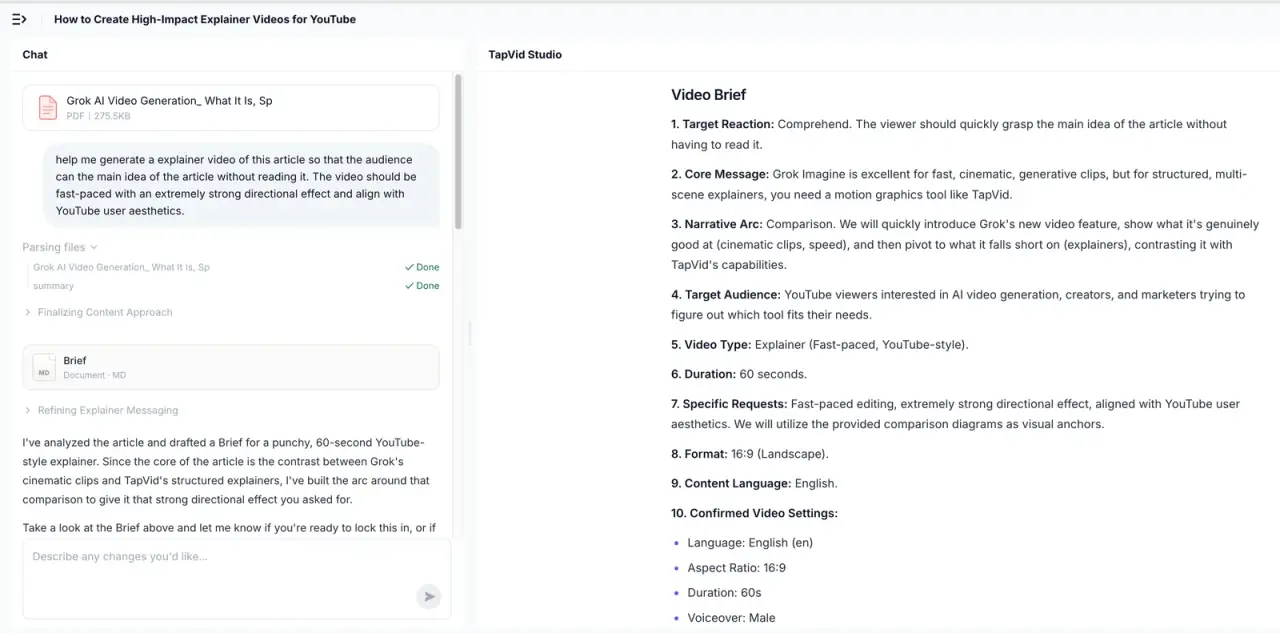
TapVid is an Explainer Video Engine, not an avatar platform. I tested it with a 275KB article PDF and one line of direction. It returned a brief that exposed the target audience, core message, narrative arc, desired reaction, duration, aspect ratio, and voice. After approval, it built four 15-second beats and a shot-by-shot script before render. Upload to finished 60-second video took 6 minutes 21 seconds.
The difference is source fidelity. Synthesia can accept documents and links, but the test template reorganized my short prompt around a presenter. TapVid organized a real source document around what viewers had to understand. Choose it for articles, product copy, PDFs, PRDs, and scripts that need motion graphics. Do not choose it when a photorealistic instructor is the message.
05
2. HeyGen: best direct alternative when you still need avatar capability
Screenshot evidence: HeyGen’s finished 13-second, three-scene result from the same brief.
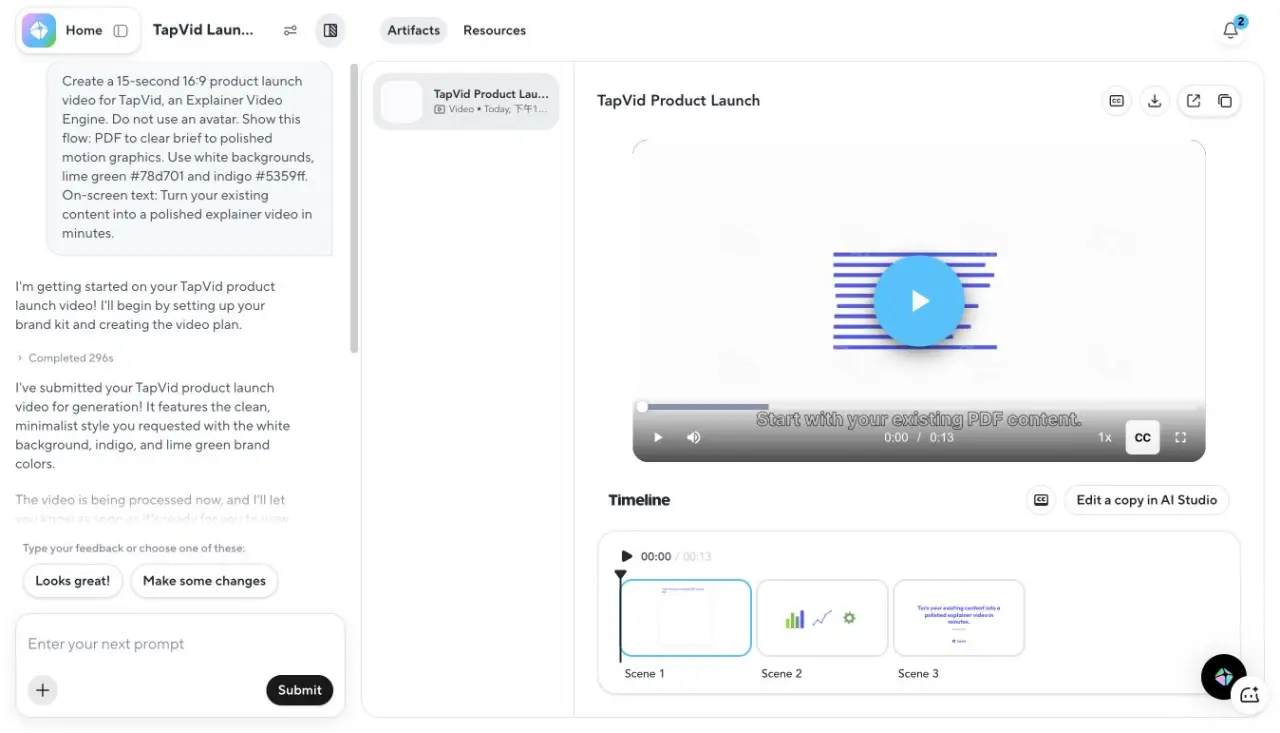
HeyGen was the closest direct Synthesia alternative in this test because it offers avatars but did not force one into the output. After Google sign-in and free-plan onboarding, its Video Agent planned the piece, created brand elements, generated voice and music, assembled B-roll scenes, and produced a 13-second final video. The activity log showed 296 seconds for the agent work and 17 seconds for final processing.
The output used white space, indigo line work, a lime accent, and no presenter. Its export dialog offered 720p on the free plan. Compared with Synthesia, HeyGen followed the negative instruction and duration more closely. Synthesia still offers a more recognizable training and enterprise workspace, with guests, comments, SCORM on enterprise plans, and a large presenter catalog. Choose the operating model, not only the face quality.
06
3. Descript: best for screen recordings, interviews, and voice tracks
Screenshot evidence: Descript’s generated editor at 16.4 seconds.
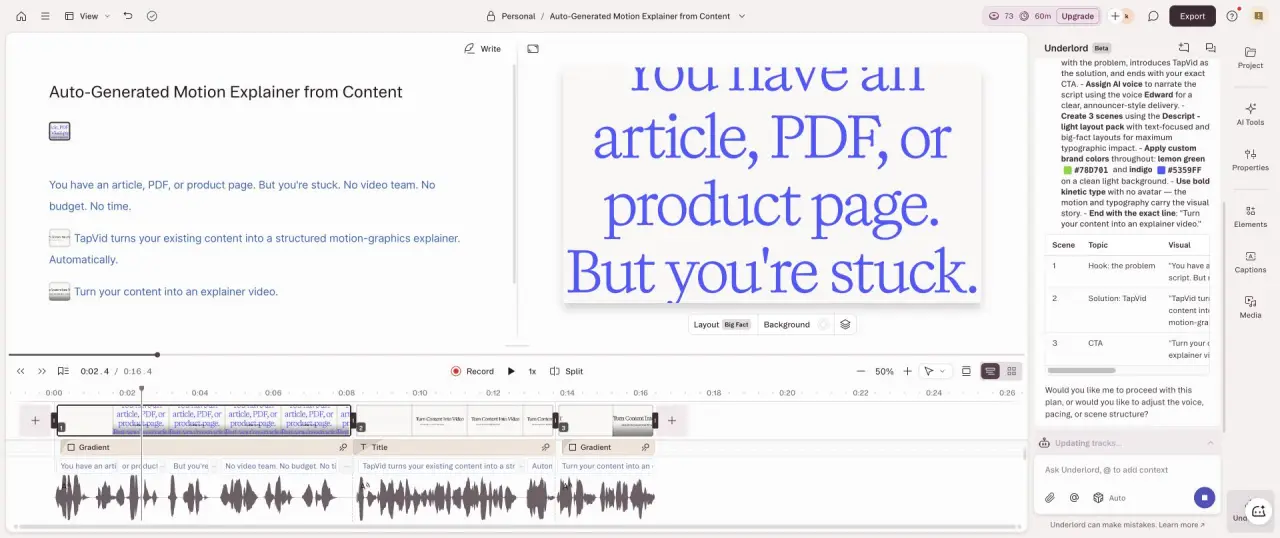
Descript produced the closest duration match in the test. It created a plan, assembled three scenes, and finished at 16.4 seconds. The editor’s useful distinction is that speech and transcript remain the center of the workflow. If a line is wrong, you edit the words rather than opening a scene graph or regenerating a presenter.
The free export dialog offered 720p with a watermark. That is a meaningful limitation, but it is visible before you build a production habit around the app. Choose Descript over Synthesia when you already have a human recording, podcast, webinar, voiceover, or screen capture. A synthetic presenter adds work in those cases.
07
4. Pictory: best for a stock-footage summary of written content
Screenshot evidence: Pictory’s real nine-scene editor result.
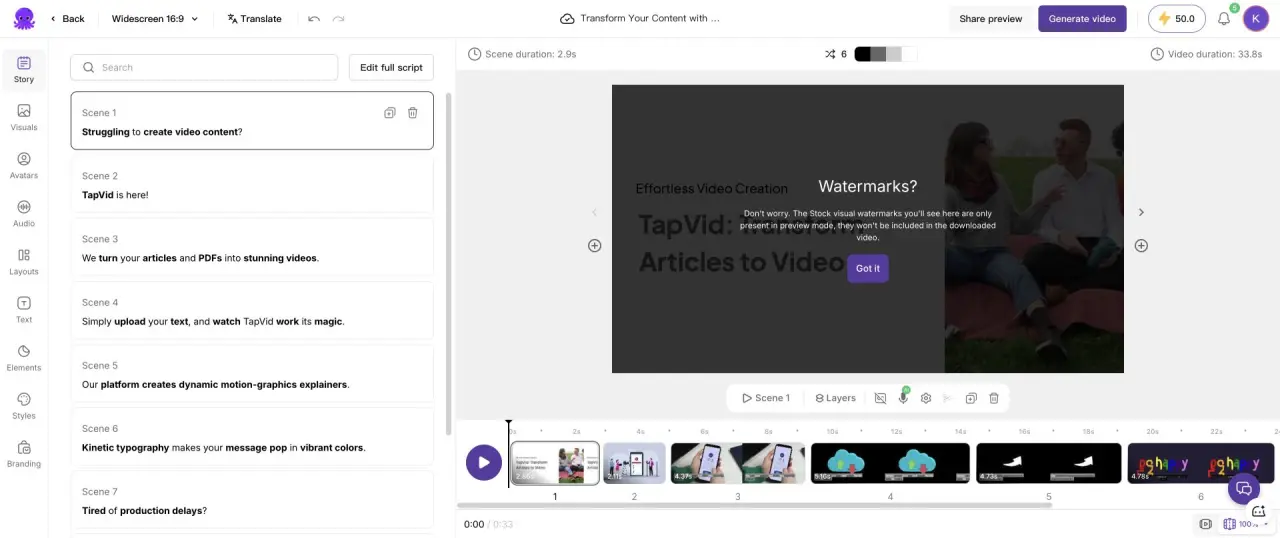
Pictory converted the test into nine captioned stock scenes. The requested 15 seconds became about 29 seconds of generated script, 33.8 seconds in the editor, and 39.936654 seconds in the public exported video. The visual choices were broadly related but not brand-specific, and the final output carried a Pictory watermark.
Pictory is a reasonable Synthesia alternative when a face adds little and a narrated stock montage communicates enough. It is easier to reason about than an avatar workspace for blog summaries. It is weaker for a product mechanic that needs custom diagrams, exact screens, or visual continuity across scenes.
08
5. Fliki: best for a simple voice-led scene list
Screenshot evidence: Fliki’s four-scene, 31-second generated project.
Fliki produced a 31-second video in four scenes and offered 720p export on the free plan. The problem was instruction separation. Parts of the production prompt appeared in the narration, which meant the script needed manual cleanup. This is exactly the kind of failure a feature table cannot show.
Fliki works when you want to paste text, pick a voice, review a small scene list, and export. Synthesia is the stronger choice when the presenter must look consistent across a training library. TapVid is stronger when the content’s logic needs to become the motion system.
09
The format test to run before comparing price
Ask whether the video loses meaning if the presenter disappears. If yes, compare Synthesia and HeyGen with the same avatar type, voice, language, and script. Review pronunciation, gestures, lip sync, regeneration cost, moderation, guest review, and export. If the answer is no, compare the non-avatar tools using the source that will appear in production.
Next, measure format drift before render. In my Synthesia test, the 30-second minimum was visible before generation, and the avatar was visible in the outline. Both misses could have been corrected before spending another generation. A useful AI assistant is not only one that creates. It is one that exposes the decision while it is still cheap to change.
Finally, separate preview quality from output rights. Synthesia’s Basic workspace let me complete and play a video, but the visible output retained Synthesia branding. HeyGen’s free dialog exposed 720p. Descript, Pictory, and Fliki each had their own watermark or export constraint. Record those limits in the same test sheet as duration and editing time.
10
Current Synthesia plan facts worth checking
The official pricing page displayed Basic at $0 per month with 1,200 monthly credits and up to 10 minutes of video. Starter displayed $29 monthly or $18 per month on annual billing during the July 22 check. Creator displayed $89 monthly or $64 per month on annual billing. The page listed 9 avatars on Basic, 125+ on Starter, 180+ on Creator, and 240+ on Enterprise. Current promotions, dubbing allowances, and annual credit pools can change, so the source link matters more than a copied pricing card.
Credits also change the unit calculation. Synthesia’s self-serve credit guide states that each video second uses two credits. A 40-second output therefore consumes more than a 15-second output even when the extra length came from the system’s interpretation. Keep the final duration in your cost model.
11
Frequently asked questions
What is the closest Synthesia alternative?
HeyGen. Both support avatar-led production, but HeyGen followed the no-avatar constraint and 15-second duration more closely in this specific test.
What is the best Synthesia alternative without avatars?
TapVid for existing content to motion-graphics explainer, Descript for recorded speech and screens, Pictory for stock-footage summaries, and Fliki for a simple narrated scene workflow.
Can Synthesia make videos without an avatar?
Yes, but template choice matters. The “Stylish Dynamic” assistant flow used in this test inserted an avatar despite the instruction. Review the generated outline before rendering.
Is Synthesia free?
A Basic plan was available at $0 during the test. It included a limited avatar set and monthly credits. The completed project retained Synthesia branding.
Why did a 15-second request become 40 seconds?
The assistant’s shortest duration setting was 30 seconds, and its generated narration and scenes expanded the output further. That is why duration should be checked at prompt, outline, editor, and final playback stages.
12