
TapVid
    API & MCPPricingBlogAbout
    Blog›Powtoon vs Animaker vs AI: The Animation Maker Comparison for 2026
    Back to Blog

    Powtoon vs Animaker vs AI: The Animation Maker Comparison for 2026

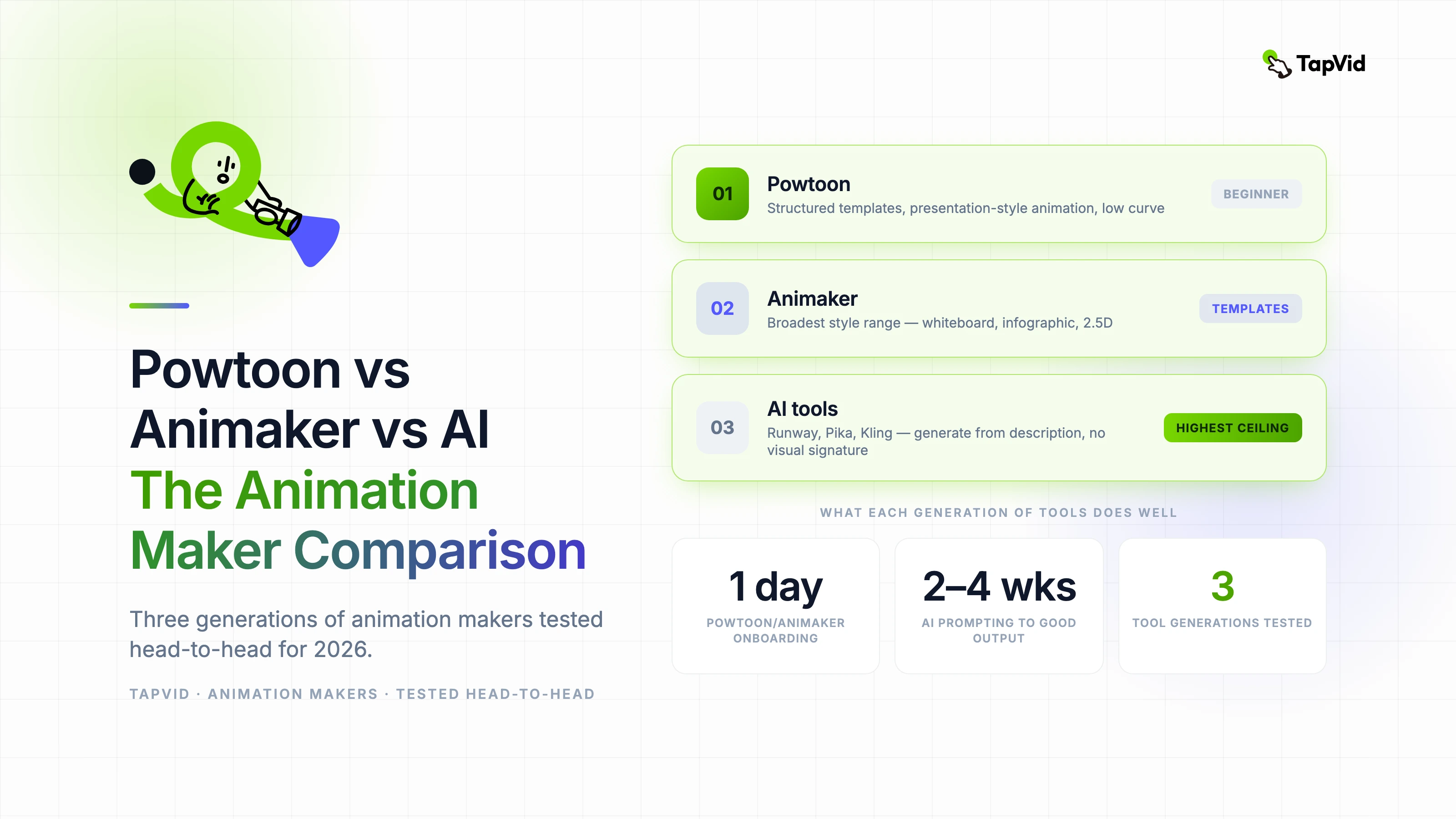
    A hands-on comparison of Powtoon, Animaker, and modern AI animation makers — what each generation of tools does well and where to invest your time in 2026.

    Compare
    Demi TanDemi TanApril 13, 2026 · 9 min readApr 13, 2026 · 9 min readDiscord
    Demi TanDemi TanGTM Lead, TapVid

    Connect with the author, meet other video creators, and watch hands-on tutorials.

    Join our Discord
    April 13, 20269 min read
    Powtoon vs Animaker vs AI The Animation Maker Comparison
    Summarize with6 assistants
    ChatGPTPerplexityTapVidvideoClaudeGeminiGrok
    Create videos from your AI agentConnect TapVid API & MCP→

    In this article

    1. 01What Powtoon and Animaker still do well
    2. 02Where AI animation makers change the picture
    3. 03The direct comparison: feature by feature
    4. 04Which to choose for your actual situation
    Summarize withAPI & MCP →
    ChatGPTPerplexityTapVidClaudeGeminiGrok

    I've used Powtoon since its early days when it was the go-to tool for explainer slides and presentation-style animation. Animaker came along and carved up a big part of that market. Now a third wave of AI-native tools is making both feel dated — and I've tested all three generations head-to-head to give you the comparison that marketing pages never will.

    01

    What Powtoon and Animaker still do well

    Powtoon built its reputation on structured templates and presentation-style animation — slides that move. For teams that need to produce internal communications, training materials, or pitch decks that animate without a designer, it's still a viable option. The learning curve is low, the output is predictable, and the library of pre-built characters and scenes covers the most common corporate use cases.

    Animaker extended that model with more character customization and a broader range of animation styles, including whiteboard, infographic, and 2.5D. For marketers and educators who want to produce animated explainers without any animation background, Animaker's template library is genuinely comprehensive. It's a tool that works because it's constrained — you can't produce something wildly off-brand because the design system doesn't let you.

    The limitation both tools share: the output looks like those tools. Experienced viewers recognize Powtoon's character set and Animaker's motion style immediately. For external-facing brand content, that recognition carries a certain low-budget signal that's hard to escape.

    02

    Where AI animation makers change the picture

    AI-native animation tools — Runway, Pika, Kling, and the generation of tools built on diffusion models — don't operate from templates. They generate from description, which means the output has no pre-baked visual signature. A well-prompted AI animation can look like professional motion design, stylized illustration, photorealistic live action, or anything in between.

    The tradeoff is a steeper skill curve on the input side. Getting good output from an AI animation tool requires learning to write prompts effectively, which is a non-trivial skill. Powtoon and Animaker give you handles to grab; AI tools require you to describe what you want, and the precision of that description determines your results.

    For independent creators and small teams with some design sensibility, the AI tools have passed the break-even point where the output quality justifies the learning investment. For teams that need reliable, fast, low-skill output, the legacy tools still have a role.

    03

    The direct comparison: feature by feature

    • Template library: Powtoon — extensive corporate/education templates. Animaker — broader style range including whiteboard. AI tools — no templates; output quality depends on prompting skill.
    • Learning curve: Powtoon and Animaker are beginner-friendly within a day. AI tools require 2–4 weeks of prompting practice to produce consistently good results.
    • Output visual quality ceiling: AI tools are significantly higher. A skilled AI tool user can produce motion design that would require a professional in Powtoon or Animaker.
    • Cost: Powtoon and Animaker both have free tiers with meaningful limits. AI tools like Runway and Pika also have free tiers; paid plans are comparable in price.
    • Commercial licensing: Animaker and Powtoon have clear commercial rights on paid tiers. AI tools vary — check each tool's policy, especially for client work.
    • Collaboration features: Powtoon and Animaker have team plans with decent collaboration. AI tools are still catching up on multi-seat collaboration workflows.

    04

    Which to choose for your actual situation

    If you're a solo creator or small team that produces regular branded content and you're willing to invest time in learning: AI tools will give you the best long-term return. The quality ceiling is higher, the visual signature is yours rather than the tool's, and the skill compounds over time.

    If you're a team that needs non-designers to produce animated content without training investment, Animaker's template system is still the most efficient path to consistent, presentable output. Powtoon is the better pick for presentation-native workflows.

    The migration question is worth taking seriously if you're currently paying for Powtoon or Animaker. Free tiers on AI tools are generous enough to run a genuine pilot. Spend two weeks generating content with Runway or Pika on the free tier before renewing your legacy subscription.
    Demi Tan

    Written and edited by

    Demi Tan

    GTM @TapVid | Found by humans & machines | SEO · GEO · Creators

    Demi Tan invites you to join the conversation with fellow video creators on Discord.

    Join Demi on Discord →

    Use the materials you already have

    From yourfilesfilesto a ready-to-publish video

    WEB→ VIDEOPPT→ VIDEOPDF→ VIDEOASSETS→ VIDEOAUDIO→ VIDEOVIDEO→ VIDEOTALKING HEAD→ VIDEOWEB→ VIDEOPPT→ VIDEOPDF→ VIDEOASSETS→ VIDEOAUDIO→ VIDEOVIDEO→ VIDEOTALKING HEAD→ VIDEO

    Keep reading

    Related stories

    Best AI video generators compared through five completed hands-on tests
    Compare·20 min read

    Best AI Video Generators: 5 Tools Tested

    A hands-on ranking of five AI video generators, with completed outputs, exact failures, export limits, original reviews, and current official evidence.

    Apr 9, 2026

    TapVid vs TapNow — two AI video tools for two different users, compared
    Compare·10 min read

    TapVid vs TapNow (2026): Two Different Tools for Two Different Users

    TapVid vs TapNow, an honest side-by-side of features, pricing, and who each tool is actually built for. We tested both. Here's what we found.

    Jun 28, 2026

    Comparison between character-led animation and source-grounded explainer workflows
    Compare·12 min read

    Anijam AI Review 2026: Best for Character Animation

    An Anijam AI review based on hands-on scenarios and current official plan evidence, including character consistency, pricing conflicts, limits, and fit.

    Jun 24, 2026

    Ready to create your first video?

    Join thousands of product teams using AI to create professional videos in minutes.

    Your first video in under 5 minutes →Book a demo →
    Tapvid

    TapVid turns the materials your business already has into an accurate video that explains the job clearly and is ready to publish.

    TikTokInstagramXDiscordYouTube

    TapVid

    Features

    AI Explainer Video GeneratorAI Motion Graphics GeneratorAI Product Demo Video GeneratorProduct Demo Video MakerExplainer Video TemplatesVideo Production Plan TemplateVideo Creative Brief TemplateCorporate Video TemplateVideo Sales Letter TemplateVideo Production Proposal TemplatePromo Video TemplateVideo Production TemplateAI Product Video GeneratorAI B-Roll GeneratorTalking Head EditingClone VideoPrompt to VideoText to Video AIText to Motion GraphicsAnimated Video MakerAnimated Explainer Video MakerKinetic Typography GeneratorAnimated Chart MakerAnimated Collage MakerFree AI Video Generator

    Convert to Video

    Screenshot to VideoImage to VideoAssets to VideoAudio to VideoVideo to Video AIPDF to VideoPPT to VideoArticle to VideoBlog to VideoURL to VideoScript to VideoGoogle Slides to VideoWord to Video

    Use Cases

    AI Study Video MakerSaaS Explainer VideoAI Video AutomationSaaS Video ProductionIndustrial Video ProductionProduct Launch Video MakerAI Ad Video GeneratorDocumentary Video MakerAnimated Social Media Video MakerInfographic Video MakerPodcast to VideoWhiteboard Animation MakerWhiteboard Explainer VideoEcommerce Video AdsStartup Explainer VideoEducational VideoTutorial VideoCustomer OnboardingHelp Center VideoAPI Docs Video

    Solutions

    Explainer VideoProduct Demo VideoMeeting Recap VideoWebinar ClipsMarketing VideoFeature AnnouncementCompetitive ComparisonNewsletter VideoLanding Page VideoInvestor Pitch Video

    Featured Guides

    Video Prompt LibraryMiniMax H3 Prompt LibraryBest Faceless YouTube NichesCollage Animation Guide

    Company

    All FeaturesAboutBlogPricingGet in Touch

    © 2026 TapVid. All rights reserved.

    Privacy
    Terms of Service