
I've been running Veo 3 through actual client projects for the past six weeks — not benchmarks, not isolated prompts, but real deliverables with real deadlines. The results surprised me in ways I didn't expect, and some limitations I assumed would be dealbreakers turned out not to matter much at all. Here's what I found.
01
What Veo 3 actually is — and what it isn't
Veo 3 is Google DeepMind's third-generation video generation model. It produces up to two-minute clips from text or image prompts, with noticeably better temporal consistency than its predecessors. That last part matters more than any other spec number. Temporal consistency is what makes AI video look like video instead of a slideshow of nearly-related images.
What Veo 3 isn't is a replacement for a motion designer. It doesn't understand brand systems, it has no concept of composition hierarchy, and it won't know that your client's red and the model's red are two different colors. Every output requires human review and, in most cases, compositing work before it's client-ready.
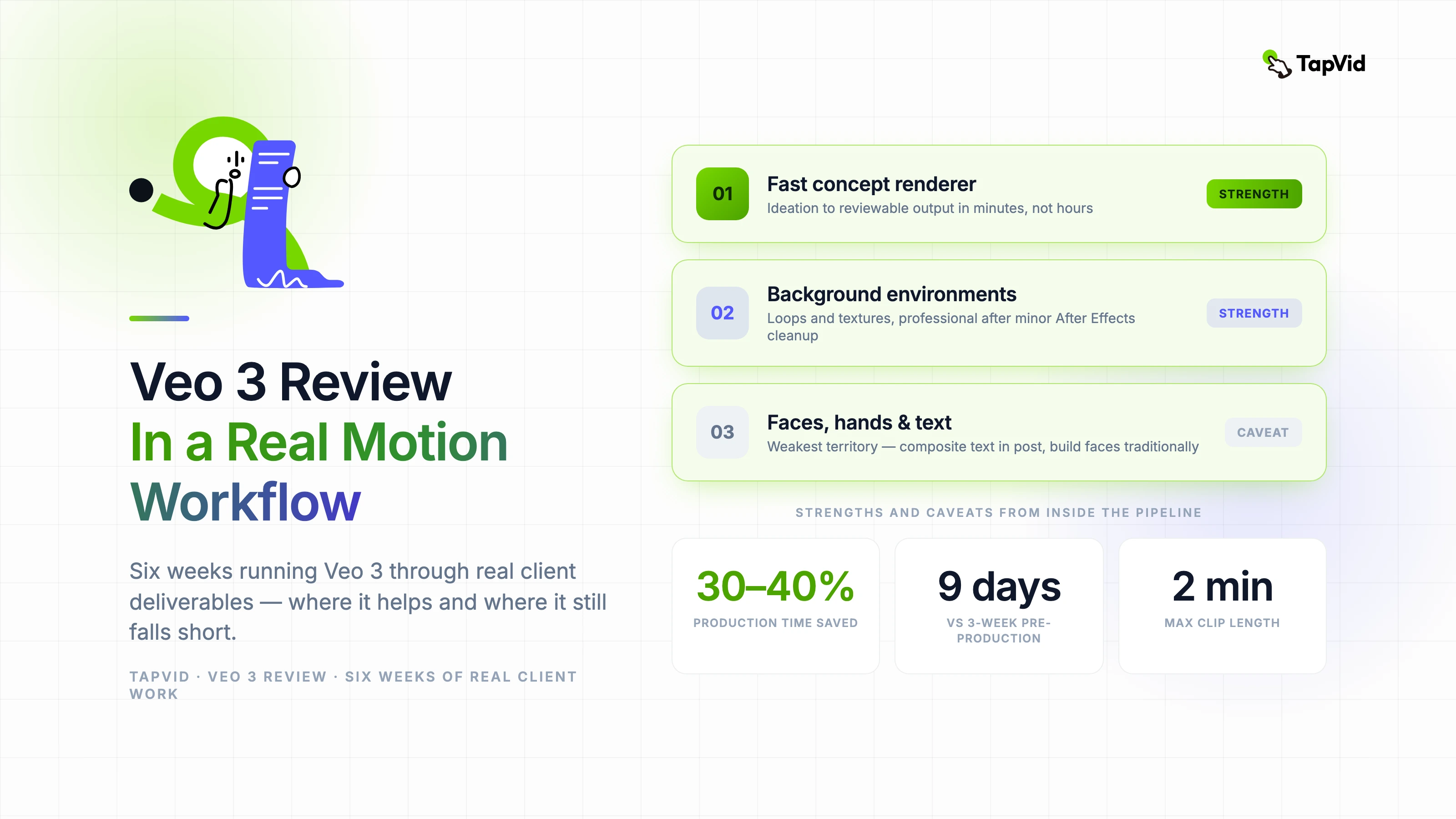
The positioning I've settled on: Veo 3 is a fast concept renderer. It takes ideas from verbal to visual faster than any tool I've used. The gap between ideation and reviewable output, which used to be measured in hours, is now measured in minutes.
02
Where Veo 3 fits in a real motion design pipeline
The first place I tested it was concepting. When a client brief comes in and I need to show them three directional options before committing to full production, Veo 3 lets me generate rough visual references that are infinitely more communicative than static storyboards. Clients respond to motion. They understand it intuitively in a way that even the best static frames don't convey.
The second use case that genuinely surprised me was background generation. Product videos often need environmental backgrounds — office spaces, abstract data visualizations, textured loops — that would normally require stock footage licenses or custom animation time. Veo 3 produces background loops that, with minor cleanup in After Effects, look entirely professional.
What I don't use it for: hero animation, character work, or anything that requires precise timing tied to a music track. The model has no sense of musical beat and its timing is probabilistic. For sound-synced work, you're still building that by hand.
03
Prompt structure that actually works for motion design
After roughly 200 prompts across six projects, I've found a structure that produces consistently usable outputs. Lead with the camera behavior, then the subject, then the environment, then the visual style. 'Slow push in on a glowing holographic interface, floating in a dark server room, soft blue ambient lighting, cinematic depth of field' produces far more usable results than 'AI hologram in a server room.'
Negative prompting matters more in Veo 3 than it did in earlier models. Explicitly stating what you don't want — 'no text overlay, no lens flare, no jump cuts' — shapes the output meaningfully. The model seems to weight negative constraints more reliably than it did in Veo 2.
- Lead with camera movement: push in, pull back, orbit, static
- Describe subject behavior precisely — "slowly rotating" beats "moving"
- Specify lighting type: ambient, directional, rim, neon glow
- Add style reference: "cinematic", "flat graphic", "motion graphics style"
- Use negatives for what the model tends to add by default: no lens flare, no text
04
The limitations I actually ran into on client work
Hands and faces are still the model's weakest territory. For any shot requiring a recognizable human face — spokesperson videos, testimonial-style content, product demos with human interaction — the output rate for client-ready frames is low enough that I'm faster building those shots traditionally.
Text rendering remains unreliable. If your scene involves readable text in frame, don't rely on Veo 3 to generate it correctly. Composite the text in post. Every time.
The other real limitation is output resolution. At current quality tiers, upscaling is almost always necessary for broadcast or large-format use. That's an extra step in the pipeline that needs to be budgeted. It's not a dealbreaker — upscaling tools are fast and good — but it's not zero cost.
05
How it changed my actual production schedule
On a recent SaaS product launch video, I used Veo 3 for background environments, abstract data visualization loops, and concept direction. What would have been a three-week pre-production process took nine days. The client got more rounds of direction review because I could generate alternatives in minutes instead of hours.
The honest number: I'd estimate Veo 3 saved 30–40% of total production time on that project, concentrated almost entirely in the concepting and environmental asset phases. On projects with less background work and more character animation, that number drops significantly. Know what type of project you're working on before deciding how much weight Veo 3 can carry.