
Ein Erklärvideo funktioniert, wenn es eine schwierige Idee einfach macht. Das Problem 2026: „KI-Erklärvideo-Tool" fasst vier sehr unterschiedliche Arten von Werkzeugen zusammen, und eine Liste, die sie von eins bis zehn sortiert, verschleiert das. Ein Avatar-Tool und ein Motion-Graphics-Tool konkurrieren nicht um denselben Platz, sie erledigen unterschiedliche Aufgaben.
01
So sieht ein TapVid-Erklärvideo aus
Ich arbeite in Produkt und Design und erstelle daher oft Erklärvideos. Hier sind die Tools, zu denen ich tatsächlich greifen würde, gruppiert nach dem Ansatz, den sie verwenden. Finde die Kategorie, die zu deinem Video passt, und wähle aus dieser Auswahlliste. Quelle
02
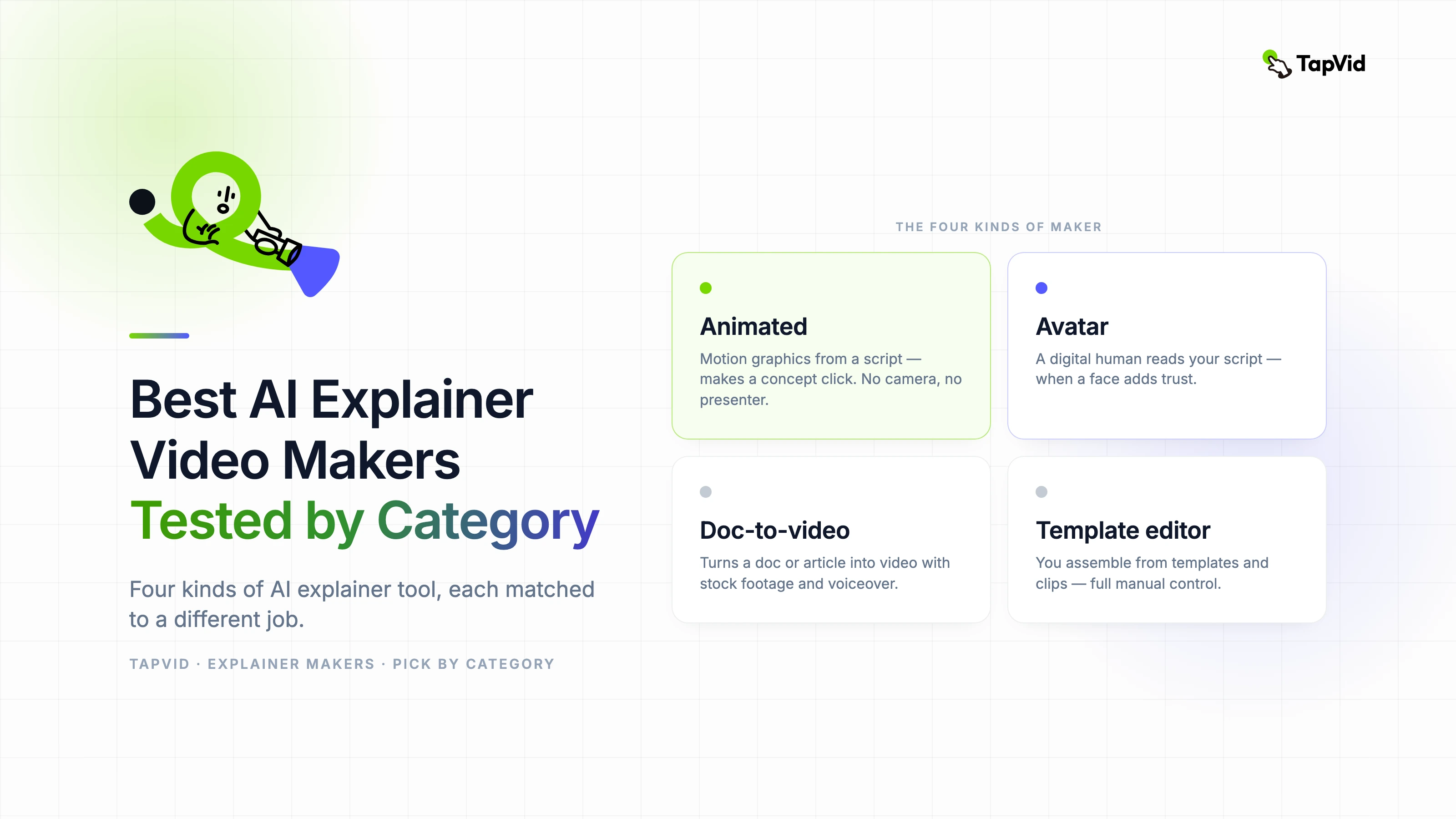
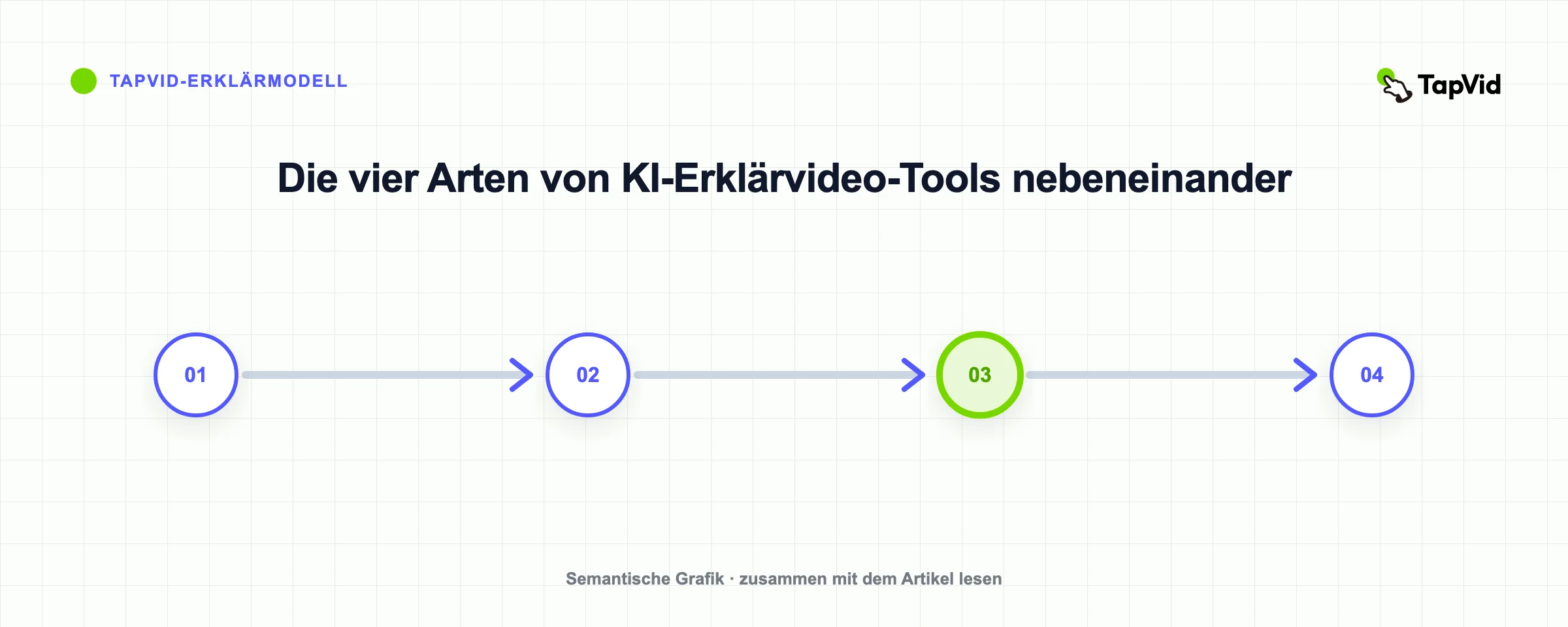
Die vier Arten von KI-Erklärvideo-Tools
- Animiert (Motion Graphics): baut das Erklärvideo aus einem Skript in bewegte Formen, Text und Illustrationen. Am besten, um ein Konzept verständlich zu machen. Keine Kamera, kein Moderator.
- Avatar: ein digitaler Mensch liest dein Skript auf dem Bildschirm vor. Am besten, wenn ein Gesicht Vertrauen schafft, etwa bei Schulungen oder einer Verkaufsbotschaft.
- Dokument-zu-Video: verwandelt ein Dokument, einen Artikel oder Folien in ein Video mit Stockmaterial und Voiceover. Am besten, um vorhandene Inhalte wiederzuverwenden.
- Vorlagen-Editor: du stellst das Video selbst aus Vorlagen und Clips zusammen. Am besten, wenn du manuelle Kontrolle möchtest.
03
So haben wir die Tools verglichen
Dies ist ein Kategorienvergleich und nicht die Behauptung, dass ein Tester in jedem Produkt einen kostenpflichtigen Render abgeschlossen hat. Produktdaten und Gratisregeln wurden mit aktuellen offiziellen Seiten geprüft; TapVid zusätzlich in einem angemeldeten Ultra-Arbeitsbereich.
Wir haben für jedes Tool den gleichen Entscheidungsrahmen verwendet: welches Quellmaterial es akzeptiert, was auf dem Bildschirm erscheint, wie viel manuelle Bearbeitung der Workflow erwartet, was die freie Route einem Creator tatsächlich erlaubt, zu exportieren und welchen Produktionsauftrag das Produkt lösen soll. Diese Kriterien sind wichtiger als die Anzahl der Vorlagen oder KI-Funktionen, da sie bestimmen, ob der erste Entwurf strukturell nützlich ist.
- Quelle: Prompt, Skript, Artikel, PDF, Slides oder Material.
- Ausgabe: Motion Graphics, Avatar, Stockmaterial oder Templates.
- Review: Korrektur vor oder erst nach dem Rendering.
- Limits: Wasserzeichen, Auflösung, Dauer, Credits und Export.
- Einsatz: Konzept, Training, Wiederverwertung, Social oder Art Direction.
Bei der TapVid-Prüfung wurden im angemeldeten Arbeitsbereich Stil, Sprache, Stimme, Seitenverhältnis, Dauer, Untertitel und Hintergrundmusik vor der Generierung angezeigt. Ein etwa 60-Sekunden-Brief zitierte 180 Credits, im Einklang mit der öffentlichen Preisregel von etwa 3 Credits pro erfolgreich wiedergegebener Sekunde. Bestehende abgeschlossene Projekte zeigten den inszenierten Pfad des Produkts von Quelle und Richtung durch Kurz, Gliederung, Zeitschrift, Rendering und Export. Das ist ein nützlicher Beweis für Workflow- und Kostensichtbarkeit, aber es beweist nicht, dass jede Eingabeaufforderung gleich starke Bilder erzeugt.
Der fairste Weg, diesen Leitfaden zu verwenden, besteht darin, ein Tool aus der Kategorie, das zu Ihrem Job passt, zu verfolgen und dann den gleichen 30-Sekunden-Brief durch jeden Finalisten zu führen. Halten Sie das Skript, die Zielgruppe, das Format und die Erfolgskriterien fest. Notieren Sie sich das Datum, da sich die Preise und die Grenzen für freie Stufen schnell ändern. Vergleichen Sie die Anzahl der Korrekturen, die vor der Veröffentlichung erforderlich sind, und nicht nur, welches Produkt zuerst etwas generiert hat. Ein schneller Entwurf, der einen vollständigen Wiederaufbau erfordert, ist langsamer als ein bewusster Workflow, bei dem Sie vor dem Rendern einen schwachen Winkel einfangen können.
04
Schneller Vergleich
| Tool | Kategorie | Bildschirm-Stil | Am besten für | Kostenlose Version |
|---|---|---|---|---|
| TapVid | Animiert | Motion Graphics | Konzept- und Produkt-Erklärvideos | Ja, mit Wasserzeichen |
| Synthesia | Avatar | Talking Head | Mehrsprachige Schulungen und Unternehmen | Begrenzt |
| HeyGen | Avatar | Talking Head | Realistischer Moderator, viele Sprachen | Begrenzt |
| Pictory | Dokument-zu-Video | Stockmaterial | Artikel und Skripte wiederverwenden | Begrenzt |
| Invideo AI | Dokument-zu-Video | Stock plus Avatar | Schnelles Text-zu-Video mit Material | Ja |
| Canva | Vorlage | Vorlagen | Praktische Bearbeitung, vertrauter Editor | Ja |
| Powtoon | Vorlage | Vorlagen | Cartoon-Stil, individuell gebaut | Begrenzt |
05
Animierte Erklärvideo-Tools
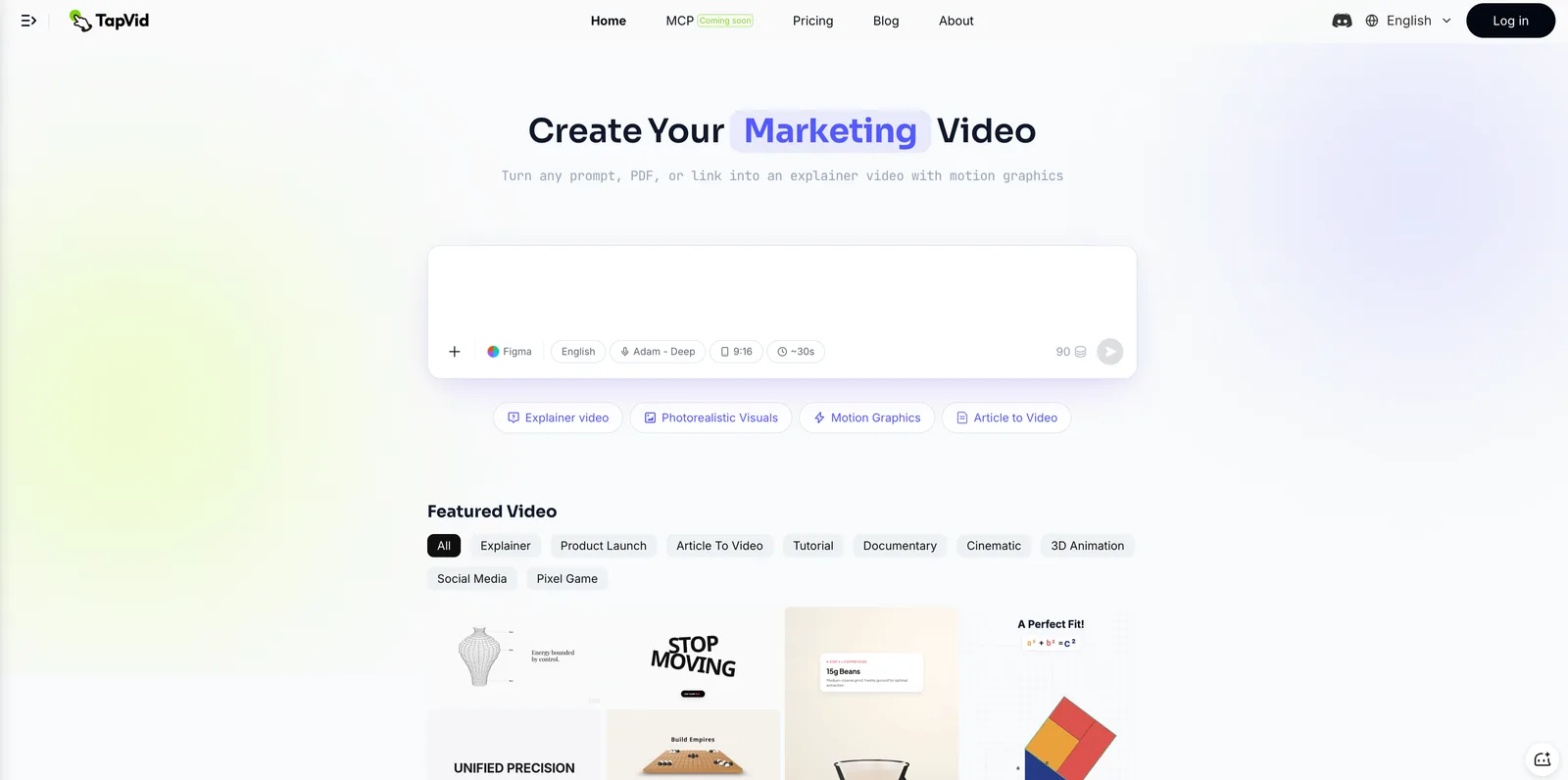
TapVid – am besten, um ein Konzept oder Produkt in ein animiertes Motion-Graphics-Erklärvideo zu verwandeln.
Wenn das Ziel ist, eine Idee verständlich zu machen, trägt Animation das besser als ein Talking Head, weil Bewegung zeigen kann, wie etwas funktioniert. Mit TapVid schreibst du ein Skript oder einen Prompt, und es baut das Erklärvideo mit Erzählung und Untertiteln – ohne Moderator und ohne Schnitt-Timeline.
Wo es passt:
- Konzept-Erklärvideos für etwas Abstraktes oder noch nicht Veröffentlichtes.
- Produkt-Erklärvideos, bei denen du Energie und Bewegung willst, keinen langsamen Rundgang.
- Social- und Werbeschnitte, die schnell Aufmerksamkeit erregen müssen.
Wo es nicht passt, und ich dich woanders hinschicken würde:
- Du brauchst einen menschlichen Moderator vor der Kamera – nutze ein Avatar-Tool.
- Du willst einen langen Artikel mit Stockmaterial wiederverwenden – nutze ein Dokument-zu-Video-Tool.
- Wasserzeichen: die kostenlose Version exportiert mit Wasserzeichen, bezahlte Tarife entfernen es.
Den kompletten Ablauf findest du unter wie man ein KI-Erklärvideo erstellt, oder starte direkt mit dem KI-Erklärvideo-Tool.
Vyond – am besten für praktische animierte Erklärvideos, wenn du einen Designer und Zeit hast. Mehr Kontrolle als die meisten, dafür eine steilere Lernkurve.
06
Avatar-Erklärvideo-Tools
Synthesia – am besten für moderatorgeführte Schulungen und Unternehmens-Erklärvideos in vielen Sprachen. Ein digitaler Mensch liest dein Skript, mit Unterstützung für über 140 Sprachen. Stark für konsistente Vermittlung vor der Kamera. Es kann ein Konzept nicht so animieren wie ein Motion-Tool, daher passt es zu Erklärvideos, die eigentlich skriptbasierte Vorträge sind. Wenn dir das Format gefällt, aber nicht das Tool, wäge die Synthesia-Alternativen ab.
HeyGen – am besten für die realistischsten Avatare. Ähnliche Aufgabe wie Synthesia, mit Fokus auf Avatar-Realismus und mehrsprachiger Ausgabe.
07
Dokument-zu-Video-Erklärvideo-Tools
Pictory – am besten, um einen vorhandenen Artikel, ein Skript oder einen Blogbeitrag in ein Video mit Stockmaterial und KI-Voiceover zu verwandeln. Gut für Wiederverwendung in großem Umfang. Der Look stützt sich eher auf Stock-Clips als auf individuelle Animation.
Invideo AI – am besten für schnelles Text-zu-Video aus einem Prompt, mit Stockmaterial, Musik und optionalem Avatar. Schnell zu einem ersten Entwurf, schwächer bei einem eigenständigen visuellen Stil.
08
Vorlagen-Erklärvideo-Tools
Canva – am besten für praktische Bearbeitung in einem Tool, das du wahrscheinlich schon kennst. Die kostenlose Version ist großzügig für die Grundlagen. Du übernimmst die Zusammenstellung, daher dauert es länger als bei einem Generate-and-go-Tool.
Powtoon – am besten für Cartoon- und Charakter-Erklärvideos, die du aus Vorlagen baust. Für einen bestimmten Stil unterhaltsam, manueller als KI-first-Tools.
09
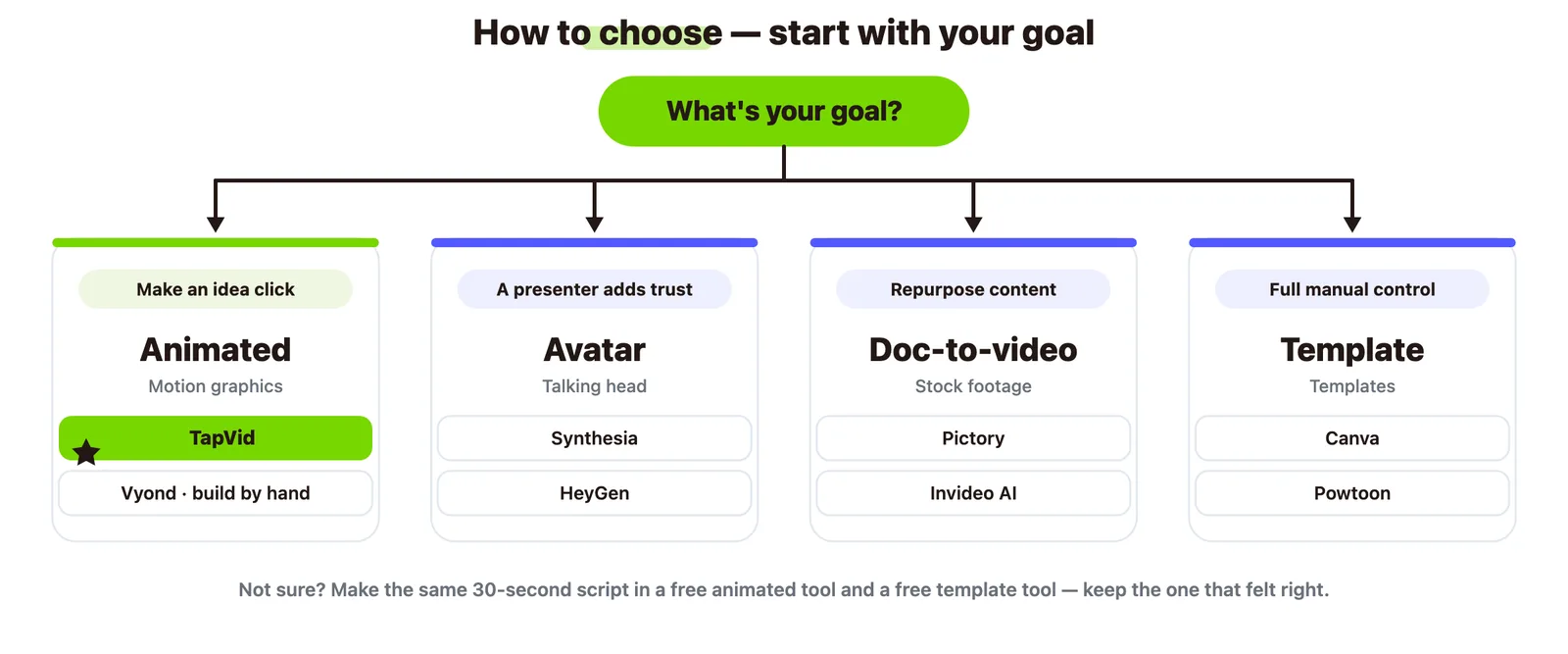
So wählst du aus
- Eine Idee verständlich machen – animiert: TapVid, oder Vyond, wenn du es selbst bauen willst.
- Ein Moderator schafft Vertrauen – Avatar: Synthesia oder HeyGen.
- Vorhandene Inhalte wiederverwenden – Dokument-zu-Video: Pictory oder Invideo AI.
- Volle manuelle Kontrolle – Vorlage: Canva oder Powtoon.
- Unsicher und mit knappem Budget – starte mit einem kostenlosen Animations-Tool und einem kostenlosen Vorlagen-Tool, erstelle dasselbe 30-Sekunden-Skript in beiden und behalte das, das sich richtig angefühlt hat.
10
Häufig gestellte Fragen
Was ist das beste KI-Erklärvideo-Tool?
Es gibt kein einziges bestes, weil die Kategorien unterschiedliche Aufgaben erfüllen. Für animierte Konzept-Erklärvideos TapVid. Für moderatorgeführte Schulungen Synthesia. Für die Wiederverwendung von Artikeln Pictory. Für manuelle Kontrolle Canva.
Was ist das beste kostenlose KI-Erklärvideo-Tool?
TapVid, Invideo und Canva haben alle kostenlose Versionen. Kostenlose Exporte tragen oft ein Wasserzeichen, prüfe also die Bedingungen, bevor du veröffentlichst.
Kann ich ein Erklärvideo ohne Moderator erstellen?
Ja. Animations-Tools wie TapVid und Vorlagen-Tools wie Canva brauchen keinen Moderator und keine Kamera.
Welches Erklärvideo-Tool ist am besten für SaaS?
Für ein animiertes Produkt-Erklärvideo TapVid. Für einen skriptbasierten Moderator-Rundgang ein Avatar-Tool. Viele SaaS-Teams kombinieren ein animiertes Intro mit einem Bildschirm-Rundgang.
Schreiben diese Tools auch das Skript?
Die meisten können ein Skript aus einem Prompt oder einem Dokument entwerfen. Der Entwurf braucht vor der Generierung noch eine menschliche Überarbeitung, sonst wirkt das Video generisch.
11
Das Fazit
Das beste KI-Erklärvideo-Tool ist das, dessen Kategorie zu deinem Video passt. Animiere es, wenn die Aufgabe ist, eine Idee verständlich zu machen, nutze einen Avatar, wenn ein Gesicht Vertrauen schafft, gehe Dokument-zu-Video, wenn du wiederverwendest, und wähle ein Vorlagen-Tool, wenn du es selbst bauen willst. Um den animierten Ansatz an deiner eigenen Idee auszuprobieren, starte mit dem KI-Erklärvideo-Tool.