ECHTE EINGABEPDF · 4 Seiten
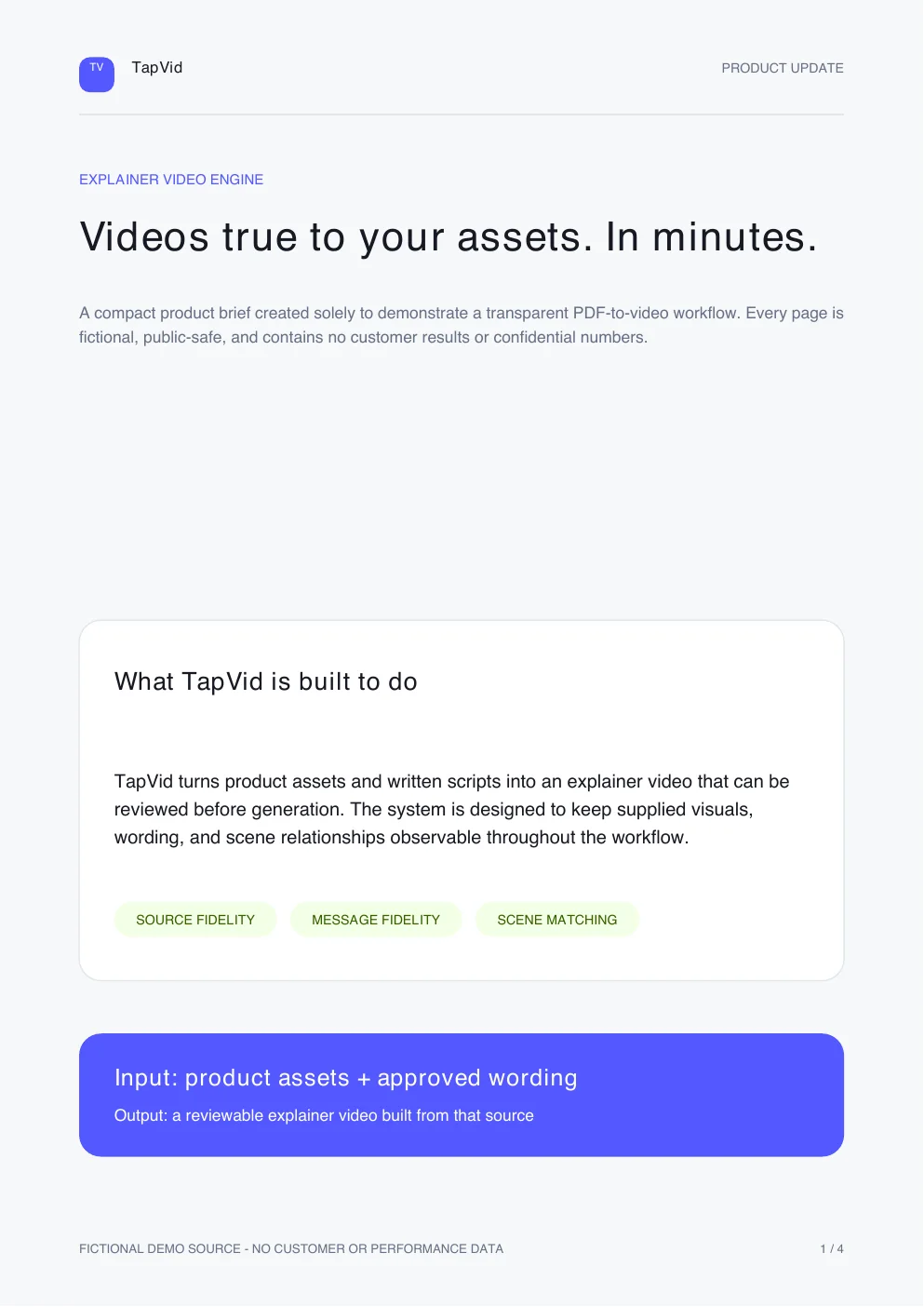
tapvid-product-update.pdf
Verwandle ein PDF in ein echtes Motion-Graphics-Erklärvideo statt in eine Diashow mit Musik. TapVid liest die Struktur, schreibt die Erzählung und animiert sie.

Diese PDF wurde mit TapVid in das hier gezeigte Video verwandelt.
tapvid-product-update.pdf
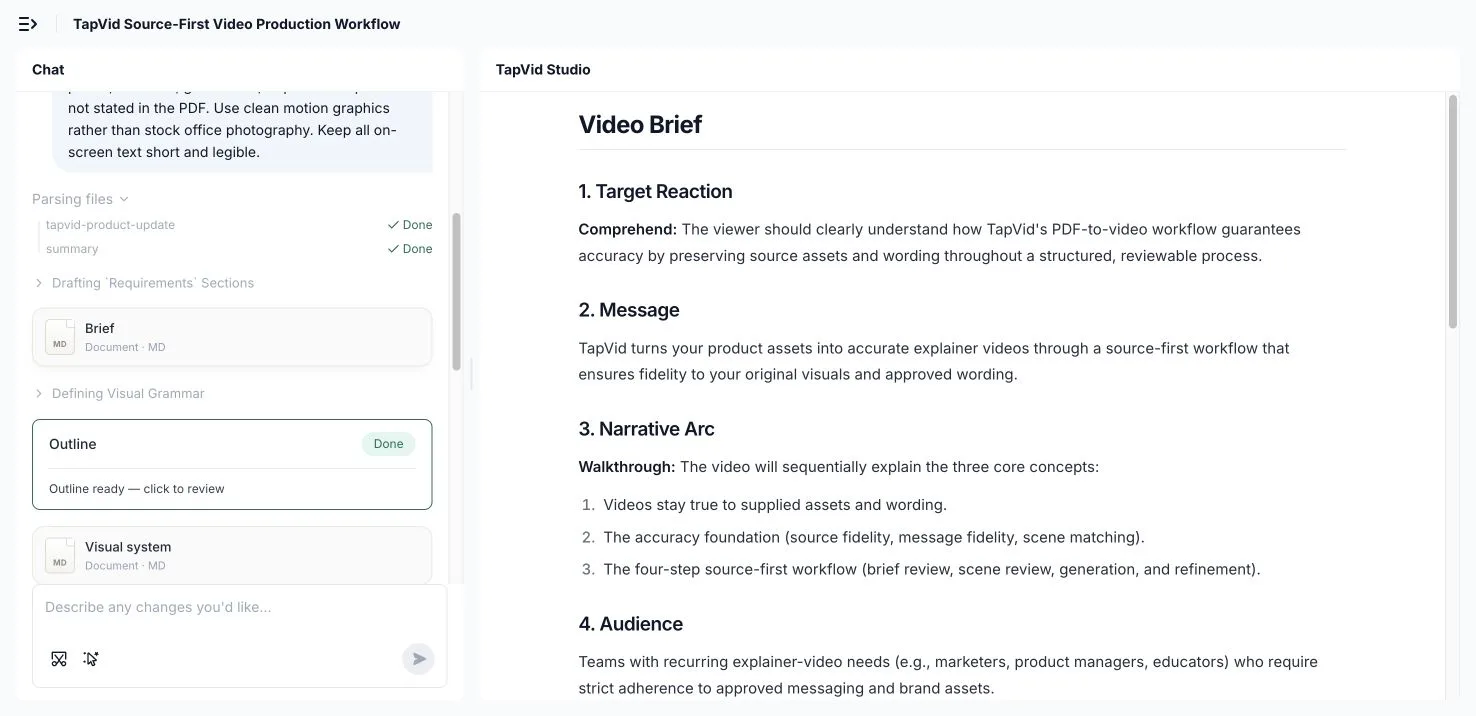
Gib TapVid das Dokument, das du bereits hast. Es liest die Struktur, filtert die Kernpunkte heraus und plant eine Szene-für-Szene-Gliederung, damit du nicht bei einer leeren Timeline anfängst.
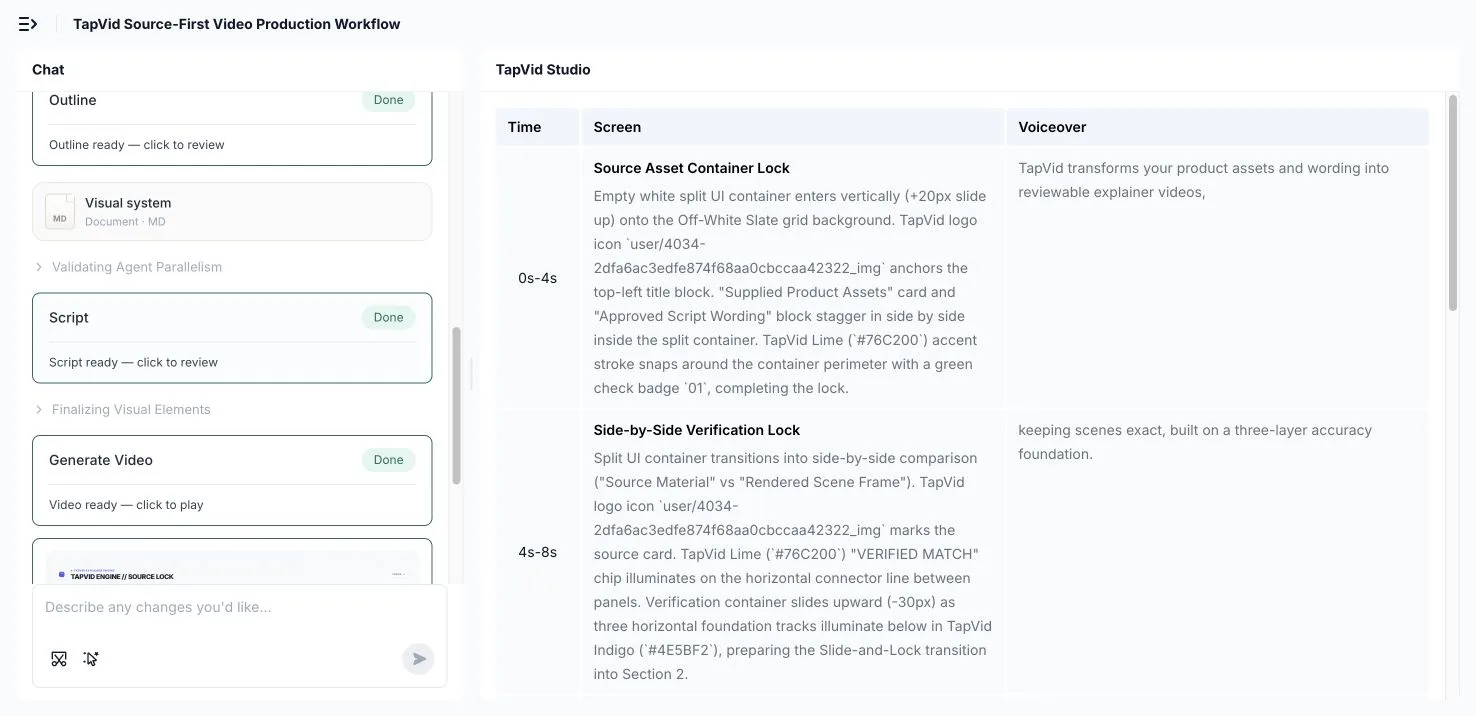
TapVid schreibt die Erzählung, baut Tabellen und Abbildungen als animierte Diagramme neu auf und taktet jeden Abschnitt als Szene, sodass aus einem dichten Dokument eine Geschichte statt einer Textwand wird.
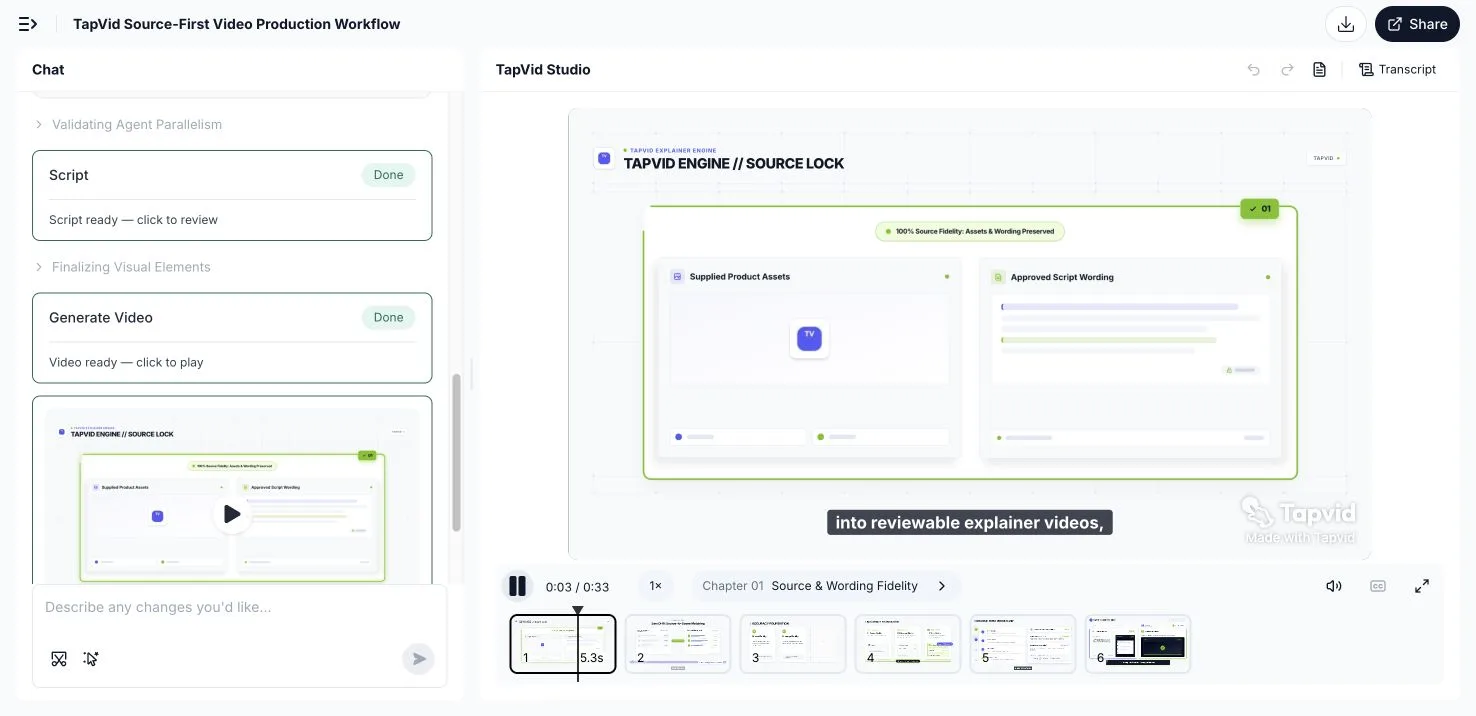
Ändere Tiefe, Stil, Wortlaut oder Länge, indem du es beschreibst, und exportiere dann ein MP4 oder teile einen Link, sobald es passt.
Lade dein PDF hoch oder füge einen Link zum Dokument als Quelle ein.
TapVid strukturiert die Abschnitte um, schreibt die Erzählung und animiert Abbildungen und Daten.
Passe Tiefe, Stil oder Länge per Prompt an und exportiere dann ein MP4 oder teile einen Link.
Ein PDF als Folien zu exportieren, ergibt ein Video, das fast niemand zu Ende schaut. Folien sind zum Lesen im eigenen Tempo gemacht, nicht zum Ansehen auf einem Timer – automatisch abgespielt entsteht nur ein langsamer, statischer Clip, der die Zuschauer in den ersten zehn Sekunden verliert. Der Inhalt ist da; es fehlen Tempo, Erzählung und Bewegung.
PDF zu Video macht aus einem Dokument automatisch ein fertiges Erklärvideo. Statt Seiten abzufotografieren, liest TapVid die Struktur deines PDFs, teilt es in Szenen auf, schreibt sprechfertige Erzählung und baut Abbildungen und Daten als animierte Diagramme neu auf. Das Ergebnis ist ein Motion-Graphics-Erklärvideo, das dieselben Informationen in einer Form transportiert, die Menschen wirklich ansehen.
Da das Video aus deinem eigenen Dokument erzeugt wird, spiegelt es deine Formulierungen und deine Daten wider statt einer generischen Vorlage. Du wählst Tiefe, Stil und Länge und kannst jede Szene neu erzeugen, indem du die Änderung beschreibst – so wird aus einem Bericht ein sehenswertes Erklärvideo, ganz ohne Designer oder Editor.
TapVid baut das Dokument in Szenen und Erzählung neu auf, statt statische Seiten abzuspielen, sodass das Ergebnis sehenswert ist.
Tabellen und Daten im PDF werden als Motion Graphics neu aufgebaut, sodass ein datenreicher Bericht auf dem Bildschirm klar lesbar ist.
Sprechfertige Erzählung wird aus dem Dokument erzeugt, und du kannst sie vor dem Rendern umschreiben.
Ändere Tiefe, Wortlaut, Stil oder Länge, indem du es beschreibst. Keine Keyframes, kein Scrubbing, keine Render-Warteschlange.
Exportiere ein MP4 für Landingpage, E-Mail, Onboarding oder Social Media oder teile direkt einen Link.
Verwandle ein Dokument, das einen Designer und einen Editor Tage kosten würde, in ein Erklärvideo, das du am selben Tag fertigstellst.
Ein Konverter deckt die Dokumente ab, die Teams am liebsten angesehen statt gelesen haben wollen – vom Whitepaper bis zum Compliance-Dokument.
Verwandle ein langes Whitepaper in ein getaktetes Erklärvideo, das die Argumentation ohne 20-seitige Lektüre vermittelt.
Baue Tabellen und Ergebnisse aus einem Bericht oder Studien-PDF als animierte Diagramme und erzählte Zusammenfassung neu auf.
Wandle ein Handbuch oder eine Anleitung in ein Onboarding-Video um, das Nutzer Schritt für Schritt führt.
Verwandle Kursnotizen und Folien-PDFs in eine erzählte Lektion, die Studierende ansehen und wiederholen können.
Nimm ein als PDF gespeichertes Deck und mache daraus ein animiertes Pitch-Video für Investoren oder Kunden.
Verdichte ein dichtes Compliance- oder Richtliniendokument zu einem kurzen Zusammenfassungsvideo, das Menschen wirklich ansehen.
Verwandle Whitepapers, Berichte und Studien-PDFs in Erklärvideos, die gelesen werden, weil man sie ansieht.
Wandle Handbücher, One-Pager und PDF-Decks in Onboarding- und Pitch-Videos um.
Baue Kursmaterial und Richtlinien-PDFs zu erzählten Lektionen und Trainingsclips neu auf.
3 Credits = 1 Sekunde – du zahlst nur für das, was tatsächlich gerendert wird. Kostenlos starten, jederzeit upgraden.
$49/mo
2,000 Credits / Mon.
$99/mo
6,000 Credits / Mon.
$199/mo
14,000 Credits / Mon.
Schließen Sie sich Tausenden von Produktteams an, die mit KI in Minuten professionelle Videos erstellen.