TapVid
    API & MCPPreiseBlogÜber uns

    Seedance-2.5-Promptbibliothek

    Seedance 2.5 Prompts

    Entdecke 120 Community-Prompts mit Creator-Nachweis auf X und 36 redaktionelle TapVid-Vorlagen.

    Promptbibliothek durchsuchen Mit einem Prompt starten Mit Agent verwendenCodex · Claude Code
    Nur als Referenz; kein Leistungsbenchmark des Modells.
    Seedance-2.5-Promptbibliothek156 Prompts
    01 / 156 Prompts02 / 120 Community-Prompts + 36 redaktionelle Vorlagen03 / Nur als Referenz; kein Leistungsbenchmark des Modells.

    Mit einem Prompt starten

    Mit einem Prompt starten

    Wähle einen Prompt, ersetze seine Variablen und behalte wichtige Produktionsvorgaben bei.

    Arbeit speichern

    Erstellter Prompt

    SaaS-Dashboard Enthüllung

    Wähle eine Vorlage, beschreibe das Motiv und erstelle dann deinen Prompt.

    1. 01 Richtung auswählen
    2. 02 Reales Motiv benennen
    3. 03 Erstellen, kopieren und produzieren

    Beliebte Prompts

    Alle Prompts anzeigen →
    Menschlicher Fingerzählbewegungstest
    Aus der CommunityOhne Benchmark

    Menschlicher Fingerzählbewegungstest

    Ein einzelner statischer Gemeinschaftsvergleich, der das gesprochene Zählen und das Ablaufen von Fingerpositionen testet.

    Patrick31. Juli 2026

    Lokalisierte Hilfsübersetzung; der Original-Prompt des Urhebers bleibt unverändert und wird mit Quellenangabe angezeigt.

    Unterwasser-Tierorchester
    Aus der CommunityOhne Benchmark

    Unterwasser-Tierorchester

    Ein kompaktes Konzept-Prompt, das Meerestiere in ein kinoreifes Orchester verwandelt, 3,000 Fuß unter Wasser.

    Maria11. Aug. 2026

    Lokalisierte Hilfsübersetzung; der Original-Prompt des Urhebers bleibt unverändert und wird mit Quellenangabe angezeigt.

    Erstpersonen-Drachenreiter
    Aus der CommunityOhne Benchmark

    Erstpersonen-Drachenreiter

    Eine vertikale Reiter-Perspektive-Fantasy-Sequenz mit explizierter Anatomie, Flug, Wasser, Kamera- und Geräuschbeschränkungen.

    Nexora11. Aug. 2026

    Lokalisierte Hilfsübersetzung; der Original-Prompt des Urhebers bleibt unverändert und wird mit Quellenangabe angezeigt.

    Cyberpunk-Superhelden-Actionszene
    Aus der CommunityOhne Benchmark

    Cyberpunk-Superhelden-Actionszene

    Eine kontinuierliche Actionsequenz vom Dach bis zur Skyline, aufgebaut um orangefarbene holografische Energie und ein zusammenbrechendes Portal.

    K10. Aug. 2026

    Lokalisierte Hilfsübersetzung; der Original-Prompt des Urhebers bleibt unverändert und wird mit Quellenangabe angezeigt.

    Europäischer Lifestyle-Influencer-Vlog
    Aus der CommunityOhne Benchmark

    Europäischer Lifestyle-Influencer-Vlog

    Ein 30-Sekunden-Café-Morgen-Vlog, der Handkamera-Bewegung, natürliche Darbietung, Lebensmittelstruktur und Kontinuität betont.

    Ali10. Aug. 2026

    Lokalisierte Hilfsübersetzung; der Original-Prompt des Urhebers bleibt unverändert und wird mit Quellenangabe angezeigt.
    3D-Zeitungszustellungs-Animation
    Aus der CommunityOhne Benchmark

    3D-Zeitungszustellungs-Animation

    Ein kurzer schneller 3D-Stadtfilm mit klaren Hindernisbeats, ausdrucksstarker Schauspielerei, Kameraanweisungen und einem abgeschlossenen Ende.

    Synthia12. Aug. 2026

    Lokalisierte Hilfsübersetzung; der Original-Prompt des Urhebers bleibt unverändert und wird mit Quellenangabe angezeigt.
    Promptbibliothek durchsuchen

    Filtere Creator-Beispiele und redaktionelle Vorlagen, ohne sie als Benchmark zu behandeln.

    156 Prompts

    FÜR KI-AGENTEN

    Die Seedance 2.5 Promptbibliothek in Codex nutzen

    Lass Codex bei Bedarf 156 Prompts durchsuchen, den passendsten auf deine Assets und freigegebenen Texte abstimmen und mit TapVid MCP fortfahren, wenn du ein Video erstellen möchtest.

    Codex liest die öffentlichen Feeds bei Bedarf. Das trainiert Codex nicht und stellt keine native Verbindung zum Seedance 2.5 Modell her.

    Agent-Anweisung öffnen TapVid MCP verbinden
    Lies https://tapvid.ai/video-prompts/seedance-2-5/skill.md und folge den Anweisungen. Durchsuche die TapVid Seedance 2.5 Promptbibliothek für meine Anfrage, passe die passendsten Treffer an meine Assets und freigegebenen Texte an, erhalte die Quellenangaben und frage mich, bevor du ein kostenpflichtiges Werkzeug zur Videogenerierung verwendest.

    QUICK ANSWER

    How do I write a better Seedance 2.5 prompt?

    Lock one subject identity, give every reference a single job, and describe a few timed actions that cause one another. Add one camera intention, explicit continuity rules, and negative constraints; keep final text, logos, and verified claims for post-production.

    See prompt examplesCompare weak vs strongLearn the formulaFix common failuresWatch public outputs

    PRODUCTION GUIDE

    Build the prompt like a small production brief

    Control the dependencies first. Style should finish a coherent shot, not rescue an unclear sequence.

    The six-part formula

    1. 01

      Subject

      Lock one primary subject, its materials, scale, and the details that must stay recognizable.

    2. 02

      Reference roles

      Say which input controls identity, motion, composition, lighting, or finish.

    3. 03

      Timed action

      Write a few causal beats with explicit time ranges instead of a list of unrelated events.

    4. 04

      Camera

      Choose one dominant camera intention and describe its speed, path, and stopping point.

    5. 05

      Continuity

      State what stays fixed across cuts: face, product geometry, wardrobe, light direction, and screen position.

    6. 06

      Constraints

      Exclude generated copy, warped logos, extra objects, random cuts, identity drift, and unsupported claims.

    Plan 30 seconds as three causal beats

    0–10sEstablish

    Show the subject, spatial logic, and one readable visual problem or promise.

    10–20sTransform

    Let one action cause the next while the identity and lighting remain coherent.

    20–30sResolve

    Land on a stable hero frame with deliberate negative space for verified post-production copy.

    Give every reference one job

    For image-to-video, assign roles before describing motion. More inputs help only when they do not compete.

    Preserve
    Use the clearest image to lock face, product shape, color, texture, or layout.
    Move
    Use a motion clip only for tempo, gesture, or physical behavior—not for identity.
    Camera
    Use a framing reference for angle, lens feel, camera path, and subject distance.
    Finish
    Use a style board for palette, light, atmosphere, and surface treatment after identity is locked.

    Camera move cheat sheet

    MoveBest forControl note
    Locked shotInterfaces, comparisons, and product geometryLet the subject provide the motion.
    Slow dolly-inFeature reveal or emotional emphasisName the final framing so it does not overshoot.
    Lateral trackProcess, shelf, or environment revealState the screen direction and keep it consistent.
    OrbitOne stable hero objectLimit the arc; a full spin often exposes unstable geometry.
    Top-down descendUnboxing, assembly, and layoutKeep the optical axis centered on the main object.
    Rack focusMove attention between two planesUse only two focus targets and name the order.

    PROMPT REWRITE

    From vague idea to controllable direction

    This is an editorial rewrite, not a benchmark result. Its advantage is explicit production logic, not extra adjectives.

    Weak prompt

    “Make a cool cinematic video of a CRM dashboard with dramatic camera movement and lots of features.”

    No stable identity, causal action, timing, end frame, or rule for generated interface text.

    Stronger prompt

    Create a polished 10-second 16:9 product reveal for a calm CRM analytics workspace. Preserve the supplied dashboard layout and brand-indigo accent; do not invent interface copy. 0–4s: begin on a locked wide view as three clean data panels assemble from existing layout regions. 4–7s: use one slow dolly-in while a single pipeline chart resolves and the surrounding panels remain fixed. 7–10s: stop on a stable hero frame with the primary metric area highlighted and clear negative space at upper right for post-production copy. Maintain panel geometry, light direction, and indigo accent across the shot. No handheld shake, extra widgets, warped logos, generated text, or random cuts.

    Fix the prompt before rerolling

    Treat a failed output as a production diagnosis. Change the smallest instruction that explains the symptom.

    Identity drifts

    Likely causeToo many identity references or no explicit invariant.

    Prompt fixChoose one identity source and list the exact features that must persist.

    Scenes change randomly

    Likely causeEvents are listed without cause, timing, or an end state.

    Prompt fixReduce the sequence to three timed beats and make each beat trigger the next.

    Generated text is unreadable

    Likely causeThe prompt asks the model to typeset final copy or a logo.

    Prompt fixReserve a clean area and add verified text and supplied branding in post-production.

    Motion feels chaotic

    Likely causeSubject, camera, background, and effects all move at once.

    Prompt fixKeep one dominant movement; lock or simplify the other motion layers.

    References conflict

    Likely causeTwo inputs compete for identity, composition, or style.

    Prompt fixAssign every reference one job and state which source wins if roles overlap.

    Pre-generation checklist

    • One primary subject is named and its invariants are explicit.
    • Every reference has exactly one production role.
    • Actions are causal, timed, and physically plausible.
    • The camera has one dominant intention and a clear end frame.
    • Continuity rules cover identity, geometry, lighting, and direction.
    • Text, logos, claims, and captions are reserved for post-production.

    TRACEABLE PUBLIC EXAMPLES

    See what detailed prompt structures can produce

    These are public source examples, not outputs from TapVid's 36 editorial templates. Use them to study structure, then validate your own direction.

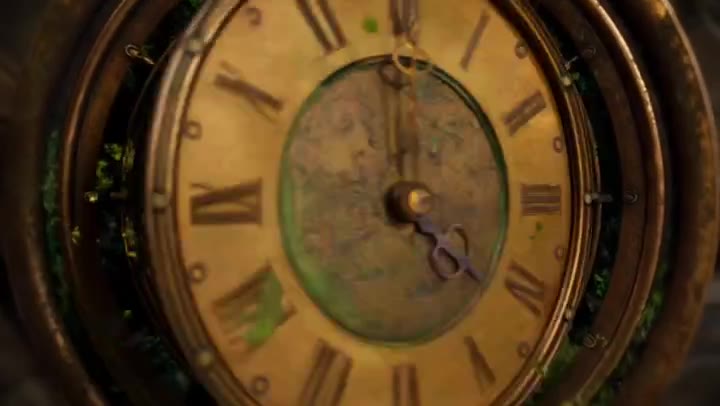
    Steampunk clockwork Seedance 2.5 public output preview
    PUBLIC OUTPUT REFERENCE · NOT TAPVID TEST

    Steampunk Clockwork Odyssey

    30-second cinematic sequence

    Three timed chapters, continuous travel, recurring clock geometry, and an explicit return to the opening frame.

    Source checked August 7, 2026

    Watch public output Original source: Volcano Ark Seedance 2.5 promotion page Preview license: Kinovi MIT collection
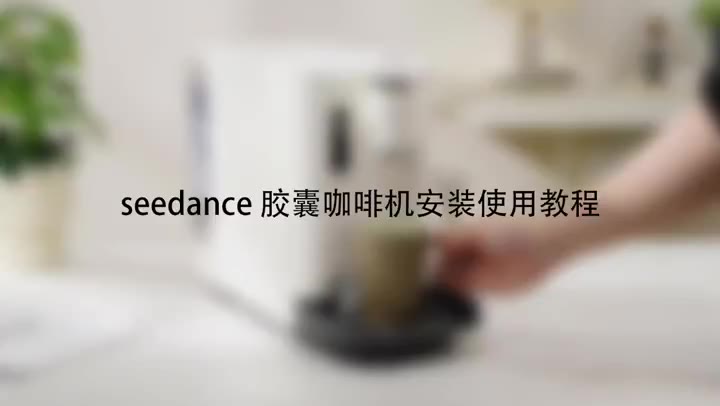
    Capsule coffee machine Seedance 2.5 public output preview
    PUBLIC OUTPUT REFERENCE · NOT TAPVID TEST

    Capsule Coffee Machine Tutorial

    Product tutorial

    Stable product geometry, ordered handling steps, close-up detail, and a clean completion state.

    Source checked August 7, 2026

    Watch public output Original source: Volcano Ark Seedance 2.5 promotion page Preview license: Kinovi MIT collection
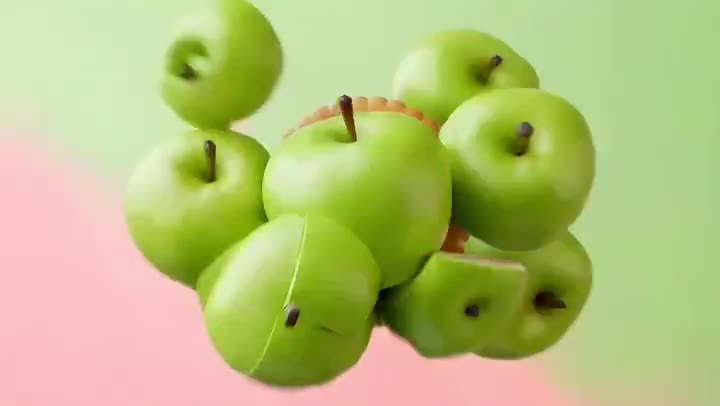
    Fruit cookie commercial Seedance 2.5 public output preview
    PUBLIC OUTPUT REFERENCE · NOT TAPVID TEST

    Fruit Cookie Commercial

    Ecommerce product ad

    Material transformation, appetizing texture, restrained camera movement, and a stable final packshot.

    Source checked August 7, 2026

    Watch public output Original source: Volcano Ark Seedance 2.5 promotion page Preview license: Kinovi MIT collection

    LEARN BY INTENT

    Learn by workflow, then continue with the right tool

    Use a focused prompt detail to study the shot. When the idea needs a complete explanation, bring your existing article, script, PDF, PRD, or product copy into the matched TapVid workflow.

    SaaS product demo

    Reveal one interface capability without inventing microcopy.

    Study prompt Open TapVid tool

    Product ad

    Show handling, texture, and a stable packshot.

    Study prompt Open TapVid tool

    Explainer

    Turn a system or process into a causal visual sequence.

    Study prompt Open TapVid tool

    Social launch

    Build a fast hook with a controlled final message area.

    Study prompt Open TapVid tool

    SEEDANCE → TAPVID

    Use the model shot as a hook, then explain the whole idea.

    01Generate a visual hook from a controlled prompt.
    02Add accurate copy, data, logos, and captions in post.
    03Bring your source article, script, PDF, or PRD into TapVid for the complete explainer.

    Evidence ledger

    Release source
    Official Seedance 2.5 page
    Release source checked
    August 7, 2026
    Prompt status
    Editorially reviewed; not yet benchmarked by TapVid.
    Preview status
    Real product screenshots, attributed photo references, and original illustrative keyframes.

    Fragen zu Seedance-Prompts

    Was enthält die Bibliothek?

    Sie enthält 120 zugeordnete Community-Prompts und 36 redaktionelle TapVid-Vorlagen, insgesamt 156 Prompts.

    Hat TapVid diese Prompts getestet?

    Es wird keine Leistung behauptet. Die Bibliothek ist unbenchmarkt und dient als Referenz.

    Woher stammen die Community-Prompts?

    Sie behalten die Creator-Zuordnung und verlinken den Originalbeitrag auf X.

    Kann ich einen Prompt bearbeiten?

    Ja. Ersetze Variablen und passe das Briefing an, ohne erforderliche Referenzen, Timing oder Leitplanken zu verlieren.

    RELATED TAPVID TOOLS

    Continue from a shot to a structured product story.

    AI Explainer Video GeneratorAI Product Demo Video GeneratorProduct Launch Video Maker

    FROM HOOK TO EXPLAINER

    A model shot can win attention. Your content still needs to explain the idea.

    Bring your own article, script, PDF, PRD, or product copy to TapVid. The Explainer Video Engine turns that existing content into a polished, structured explainer video.

    Turn your content into a video
    Tapvid

    TapVid verwandelt die Materialien, die dein Unternehmen bereits hat, in ein präzises Video, das die Aufgabe klar erklärt und sofort veröffentlicht werden kann.

    TikTokInstagramXDiscordYouTube

    Frag die KI nach TapVid.

    ✦G

    TapVid

    Motion Graphics

    Generator für kinetische TypografieKI-Motion-Graphics-GeneratorMaker für animierte DiagrammeMaker für animierte CollagenInfografik-Video-MakerLogo-Animation erstellen

    Erklärvideos

    Videopräsentation erstellenKI-Erklärvideo-GeneratorWhiteboard-Animations-MakerKI-Lernvideo-Maker

    Produkt- & Werbevideos

    Produktdemo-VideosProduktvideos für OnlineshopsVideos zur ProdukteinführungVideoanzeigen

    Kreative Videos

    Kostenloser KI-Video-GeneratorKI-Dokumentarfilm-MakerMaker für animierte Social-Media-VideosKI-B-Roll-GeneratorMaker für animierte VideosIntro und Outro erstellen

    In Video umwandeln

    URL zu VideoPDF zu VideoBilder / Assets zu VideoPPT zu VideoArtikel zu VideoSkript zu VideoSOP als VideoWord zu Video
    Weitere Konverter
    Google Slides zu VideoText-zu-Video-KIAudio to VideoPodcast zu VideoVideo-zu-Video-KI

    Branchen

    SaaSE-CommerceBildungFertigungImmobilienvideos erstellen

    Prompts & Vorlagen

    Gemini Omni 1.1 Flash Prompt-BibliothekMiniMax H3 Prompt-BibliothekSeedance 2.5 Prompt-BibliothekErklärvideo-VorlagenVideoproduktionsplan-VorlageVideo-Creative-Briefing-VorlageVideo-Produktionsangebotsvorlage

    Vergleichen

    HeraMotion.soVEEDLeaddeCreatifySynthesia
    Weitere Vergleiche
    HeyGenMotionvid AITapNowPictoryInVideoFlikiLumen5

    Unternehmen

    PreiseÜber unsKontaktMCPBlog

    © 2026 TapVid. Alle Rechte vorbehalten.

    Datenschutz
    Nutzungsbedingungen