
커뮤니티 출처벤치마크 미실시
인간 손가락 세기 동작 테스트
말로 숫자를 세고 손가락 위치를 맞추는 단일 정적 샷 커뮤니티 비교 테스트.
참고용 현지화 번역입니다. 제작자의 원본 프롬프트는 변경하지 않고 출처와 함께 표시합니다.
Seedance 2.5 프롬프트 라이브러리
X 크리에이터 출처가 표시된 커뮤니티 프롬프트 120개와 TapVid 편집 템플릿 36개를 확인하세요.
참고용 라이브러리이며 모델 성능 벤치마크가 아닙니다.프롬프트로 시작하기
프롬프트를 고르고 변수를 바꾼 뒤 중요한 제작 조건을 유지하세요.
작업 저장
완성된 프롬프트
템플릿을 고르고 대상을 설명한 다음 프롬프트를 만드세요.
말로 숫자를 세고 손가락 위치를 맞추는 단일 정적 샷 커뮤니티 비교 테스트.
참고용 현지화 번역입니다. 제작자의 원본 프롬프트는 변경하지 않고 출처와 함께 표시합니다.

바다 동물을 영화 같은 오케스트라로 변환하는 간단한 개념 프롬프트, 수중 3,000 피트.
참고용 현지화 번역입니다. 제작자의 원본 프롬프트는 변경하지 않고 출처와 함께 표시합니다.

해부학, 비행, 물, 카메라, 음향 제한이 있는 수직 라이더 POV 판타지 시퀀스.
참고용 현지화 번역입니다. 제작자의 원본 프롬프트는 변경하지 않고 출처와 함께 표시합니다.

주황색 홀로그램 에너지와 무너지는 포털을 중심으로 한 연속적인 옥상에서 스카이라인까지의 액션 시퀀스.
참고용 현지화 번역입니다. 제작자의 원본 프롬프트는 변경하지 않고 출처와 함께 표시합니다.

핸드헬드 움직임, 자연스러운 연기, 음식 질감 및 연속성을 강조한 30초 카페 아침 브이로그.
참고용 현지화 번역입니다. 제작자의 원본 프롬프트는 변경하지 않고 출처와 함께 표시합니다.

명확한 장애물 비트, 표현력 있는 연기, 카메라 지시, 그리고 해결된 결말을 가진 빠른 3D 도시 단편.
참고용 현지화 번역입니다. 제작자의 원본 프롬프트는 변경하지 않고 출처와 함께 표시합니다.
크리에이터 예시와 편집 템플릿을 벤치마크로 간주하지 않고 필터링할 수 있습니다.
AI 에이전트용
Codex가 필요할 때 156개 프롬프트를 검색하고 가장 가까운 결과를 사용자의 에셋과 승인된 문구에 맞게 조정한 뒤, 생성을 선택하면 TapVid MCP로 이어가게 하세요.
Codex는 필요할 때 공개 피드를 읽습니다. 이는 Codex를 학습시키지 않으며 Seedance 2.5 모델에 대한 네이티브 연결도 아닙니다.
https://tapvid.ai/video-prompts/seedance-2-5/skill.md 를 읽고 지침을 따르세요. 내 요청에 맞는 후보를 TapVid Seedance 2.5 프롬프트 라이브러리에서 찾아 내 에셋과 승인된 문구에 맞게 조정하고, 출처 표시를 유지하며, 유료 동영상 생성 도구를 사용하기 전에 내게 확인하세요.QUICK ANSWER
Lock one subject identity, give every reference a single job, and describe a few timed actions that cause one another. Add one camera intention, explicit continuity rules, and negative constraints; keep final text, logos, and verified claims for post-production.
PRODUCTION GUIDE
Control the dependencies first. Style should finish a coherent shot, not rescue an unclear sequence.
Lock one primary subject, its materials, scale, and the details that must stay recognizable.
Say which input controls identity, motion, composition, lighting, or finish.
Write a few causal beats with explicit time ranges instead of a list of unrelated events.
Choose one dominant camera intention and describe its speed, path, and stopping point.
State what stays fixed across cuts: face, product geometry, wardrobe, light direction, and screen position.
Exclude generated copy, warped logos, extra objects, random cuts, identity drift, and unsupported claims.
Show the subject, spatial logic, and one readable visual problem or promise.
Let one action cause the next while the identity and lighting remain coherent.
Land on a stable hero frame with deliberate negative space for verified post-production copy.
For image-to-video, assign roles before describing motion. More inputs help only when they do not compete.
| Move | Best for | Control note |
|---|---|---|
| Locked shot | Interfaces, comparisons, and product geometry | Let the subject provide the motion. |
| Slow dolly-in | Feature reveal or emotional emphasis | Name the final framing so it does not overshoot. |
| Lateral track | Process, shelf, or environment reveal | State the screen direction and keep it consistent. |
| Orbit | One stable hero object | Limit the arc; a full spin often exposes unstable geometry. |
| Top-down descend | Unboxing, assembly, and layout | Keep the optical axis centered on the main object. |
| Rack focus | Move attention between two planes | Use only two focus targets and name the order. |
PROMPT REWRITE
This is an editorial rewrite, not a benchmark result. Its advantage is explicit production logic, not extra adjectives.
“Make a cool cinematic video of a CRM dashboard with dramatic camera movement and lots of features.”
No stable identity, causal action, timing, end frame, or rule for generated interface text.
Create a polished 10-second 16:9 product reveal for a calm CRM analytics workspace. Preserve the supplied dashboard layout and brand-indigo accent; do not invent interface copy. 0–4s: begin on a locked wide view as three clean data panels assemble from existing layout regions. 4–7s: use one slow dolly-in while a single pipeline chart resolves and the surrounding panels remain fixed. 7–10s: stop on a stable hero frame with the primary metric area highlighted and clear negative space at upper right for post-production copy. Maintain panel geometry, light direction, and indigo accent across the shot. No handheld shake, extra widgets, warped logos, generated text, or random cuts.
Treat a failed output as a production diagnosis. Change the smallest instruction that explains the symptom.
Likely causeToo many identity references or no explicit invariant.
Prompt fixChoose one identity source and list the exact features that must persist.
Likely causeEvents are listed without cause, timing, or an end state.
Prompt fixReduce the sequence to three timed beats and make each beat trigger the next.
Likely causeThe prompt asks the model to typeset final copy or a logo.
Prompt fixReserve a clean area and add verified text and supplied branding in post-production.
Likely causeSubject, camera, background, and effects all move at once.
Prompt fixKeep one dominant movement; lock or simplify the other motion layers.
Likely causeTwo inputs compete for identity, composition, or style.
Prompt fixAssign every reference one job and state which source wins if roles overlap.
TRACEABLE PUBLIC EXAMPLES
These are public source examples, not outputs from TapVid's 36 editorial templates. Use them to study structure, then validate your own direction.
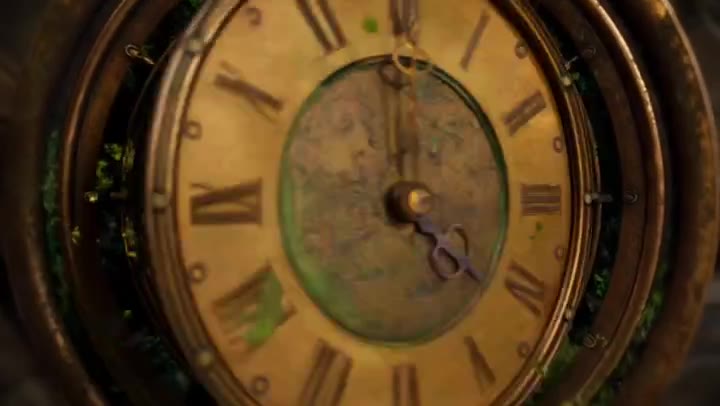
30-second cinematic sequence
Three timed chapters, continuous travel, recurring clock geometry, and an explicit return to the opening frame.
Source checked August 7, 2026
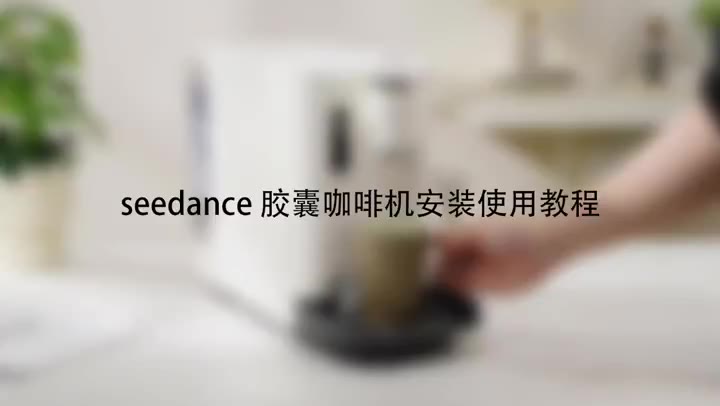
Product tutorial
Stable product geometry, ordered handling steps, close-up detail, and a clean completion state.
Source checked August 7, 2026
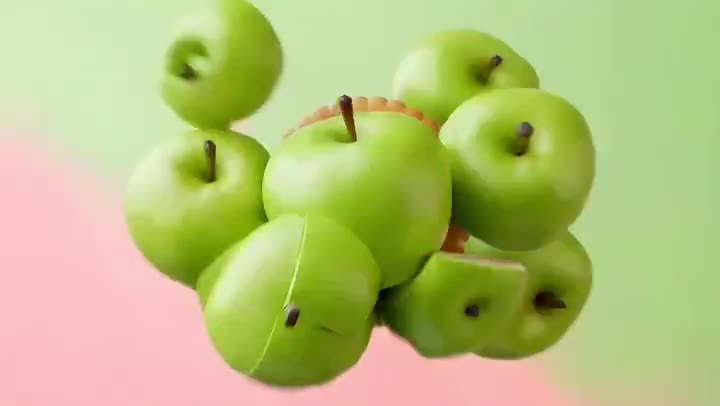
Ecommerce product ad
Material transformation, appetizing texture, restrained camera movement, and a stable final packshot.
Source checked August 7, 2026
LEARN BY INTENT
Use a focused prompt detail to study the shot. When the idea needs a complete explanation, bring your existing article, script, PDF, PRD, or product copy into the matched TapVid workflow.
Reveal one interface capability without inventing microcopy.
Show handling, texture, and a stable packshot.
Turn a system or process into a causal visual sequence.
Build a fast hook with a controlled final message area.
SEEDANCE → TAPVID
출처가 표시된 커뮤니티 프롬프트 120개와 TapVid 편집 템플릿 36개, 총 156개가 포함됩니다.
성능을 주장하지 않습니다. 이 라이브러리는 벤치마크하지 않은 참고 자료입니다.
크리에이터 출처를 유지하고 X의 원문 게시물로 연결합니다.
네. 필요한 참조 자료, 타이밍과 제한 조건을 유지하면서 변수와 지시문을 조정할 수 있습니다.
RELATED TAPVID TOOLS
FROM HOOK TO EXPLAINER
Bring your own article, script, PDF, PRD, or product copy to TapVid. The Explainer Video Engine turns that existing content into a polished, structured explainer video.