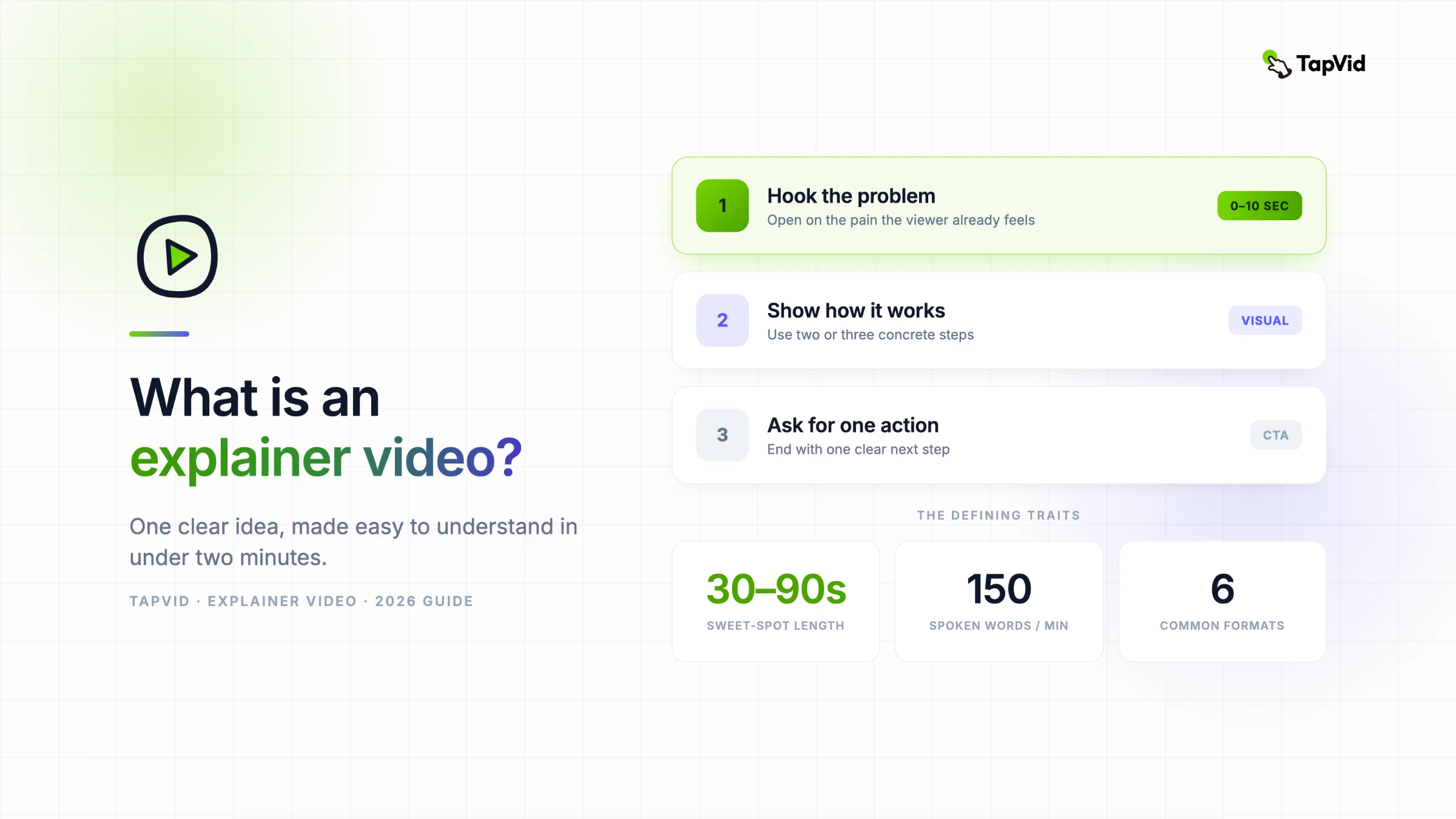

¿Qué es un video explicativo? Es un video corto, normalmente de 30 a 90 segundos, que hace que un producto, servicio o idea se entienda rápido. Combina visuales sencillos con voz en off o subtítulos y guía al espectador por un mensaje claro. A diferencia de un video tutorial, no tiene que mostrar cada clic o paso; primero aclara qué es algo, por qué importa o cómo funciona.
¿Ya tienes un guion o PDF? Conviértelo en un video explicativo
01
Qué es realmente un video explicativo
Si alguna vez has llegado a una homepage, has visto un clip de 60 segundos y has pensado «ah, ahora lo entiendo», ya has conocido un video explicativo. Esta guía cubre qué son, los tipos principales, cuándo encaja cada uno y cómo se producen ahora que ya no necesitas un estudio y un calendario de seis semanas para hacer uno.
En esencia, un video explicativo responde dos preguntas en menos de dos minutos: ¿qué problema resuelve esto y por qué debería importarme? Esa restricción es justo la clave. Un buen explicativo elimina todo excepto la única idea que el espectador necesita para dar el siguiente paso.
Para un equipo de marketing o producto, el flujo de trabajo práctico parte del contenido que ya posee: un artículo, PDF, guion aprobado, PRD, texto de producto, capturas de pantalla o una página web. TapVid convierte este conjunto de materiales de origen en un vídeo explicativo y cubre todo el proceso: desde el brief y el guion hasta las escenas, la animación, los subtítulos, la música y la exportación. Los nombres de producto, las cifras, las formulaciones aprobadas y las imágenes proporcionadas se mantienen vinculados a la fuente. Esto no sustituye su criterio. En la prueba práctica que aparece a continuación, aun tuve que aprobar el brief y el guion y después revisar la versión final.
La mayoría de los videos explicativos comparten algunos rasgos:
- Corto. La encuesta de Wyzowl de 2026 encontró que la mayoría de los encuestados consideraban que de 30 segundos a dos minutos era el rango más efectivo. Si necesita más tiempo, asegúrese de que el tema realmente necesita profundidad a nivel de tutorial.
- Un solo mensaje. Un explicativo de landing page vende el valor central. No intenta cubrir los planes de precios, los casos límite y la historia del fundador a la vez.
- Lo visual primero. La imagen lleva el peso. La voz en off y los subtítulos la apoyan, pero un buen explicativo sigue teniendo sentido sin sonido, lo cual importa porque una gran parte del video social se ve en silencio.
- Hecho para convertir. Todo explicativo apunta a algún sitio: registrarse, reservar una demo, seguir leyendo. Si no lo hace, es solo una animación bonita.
La gente recurre a los videos explicativos porque la atención escasea y leer es lento. Ver a alguien mostrarte cómo funciona una herramienta exige una fracción del esfuerzo de descifrar tres párrafos de texto. Por eso los videos explicativos aparecen una y otra vez en la fase de investigación de una compra, cuando el comprador aún decide si tu producto merece siquiera una mirada más de cerca.
02
Dónde se usan los videos explicativos
El formato es flexible, y por eso encuentras videos explicativos casi en cualquier lugar donde una empresa necesita que algo se entienda rápido:
- Homepages y landing pages, donde un video hero hace el trabajo pesado en cuanto llega un visitante.
- Anuncios de pago en YouTube, Meta y TikTok, donde los primeros tres segundos deciden si alguien sigue mirando.
- Onboarding de producto, enseñando al nuevo usuario el flujo de trabajo que hace que tu herramienta enganche.
- Ventas y email, insertado en un seguimiento para que el prospecto capte el pitch a su ritmo.
- Formación interna y educación, convirtiendo un documento de procesos denso en algo que la gente realmente termina de ver.
En la encuesta de video marketing 2026 de Wyzowl, el 96% de los encuestados dijo haber visto un explicativo para conocer un producto o servicio, y el 85% afirmó que un video lo había convencido de comprar. Una minirrevisión de Frontiers in Communication encontró efectos positivos sobre el conocimiento en varios estudios, pero también señala que los resultados varían y que el video no supera de forma constante al texto acompañado de visualización. Tu resultado dependerá del mensaje, la audiencia, la ubicación y la calidad de producción.
03
Los principales tipos de videos explicativos
No todos los explicativos son iguales. El estilo que elijas determina el costo, el tiempo de producción y la sensación con la que se queda el espectador. Estos son los seis formatos que cubren casi todos los casos reales.
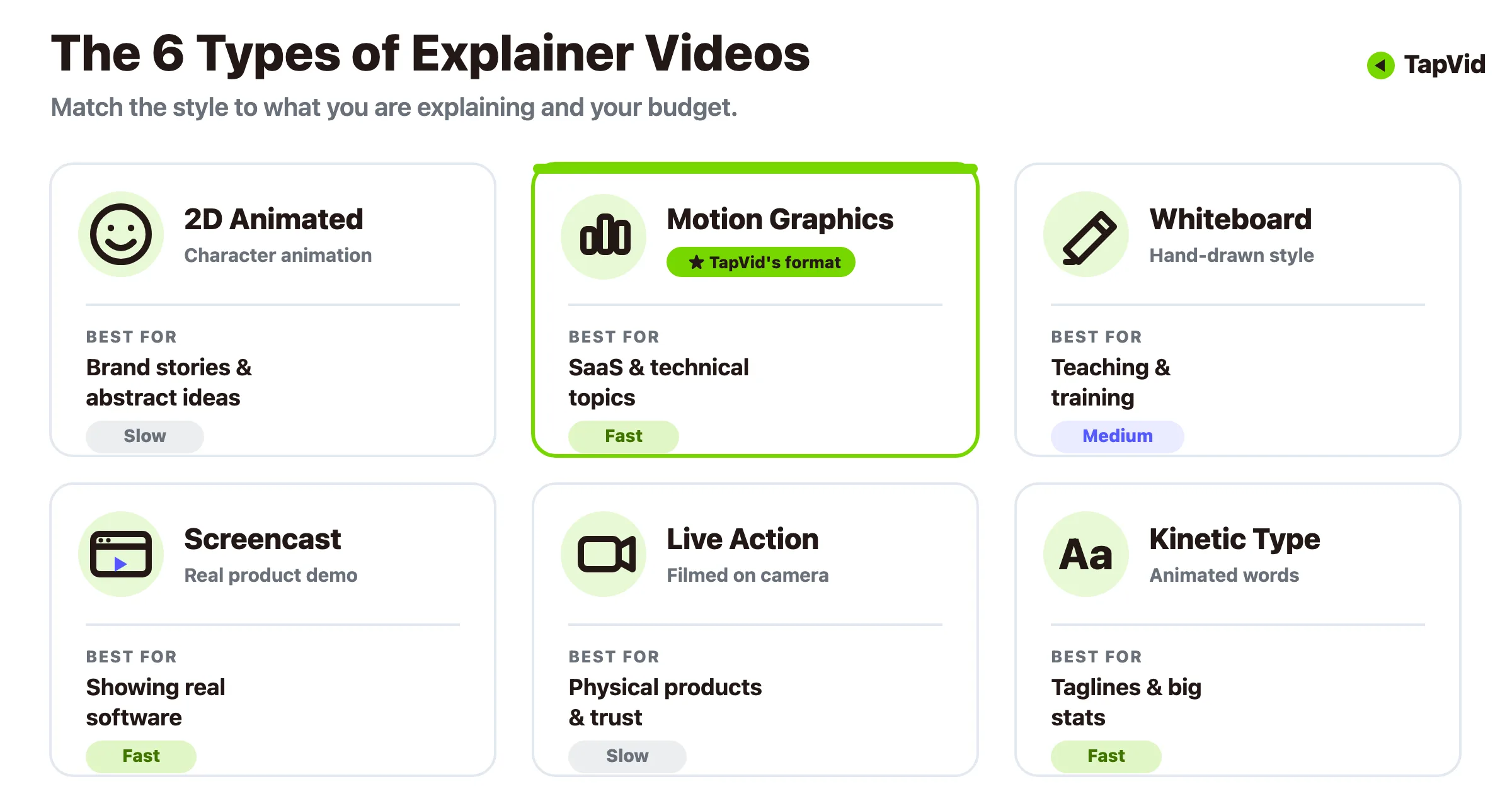
Animado (personaje 2D). El formato más popular, y con razón. Los personajes y las escenas te permiten dramatizar una idea abstracta, como un servicio de suscripción o un concepto fintech, que sería incómodo de filmar. Encaja con el storytelling y la personalidad de marca, aunque la animación totalmente personalizada es la más cara y lenta de producir por la vía tradicional.
Motion graphics. Iconos, texto, gráficos y formas moviéndose en sincronía, sin personajes ni trama. Los motion graphics brillan cuando necesitas explicar algo técnico o cargado de datos de forma limpia y profesional. Es el formato caballo de batalla para SaaS y B2B, y también el estilo que las herramientas de IA generan mejor a partir de un guion escrito.
Animación de pizarra. Ilustraciones dibujadas a mano que aparecen como si alguien las estuviera esbozando en vivo. Se percibe como educativa y confiable, así que encaja con explicaciones de políticas, formación y cualquier tema donde quieras sonar como un profesor paciente en lugar de un marketero.
Screencast y demo de producto. Grabaciones reales de tu software en acción, a menudo con una voz en off o subtítulos señalando lo importante. Nada genera tanta confianza en un producto digital como ver la UI real haciendo su trabajo. Para un recorrido paso a paso de este estilo, nuestra guía de videos de demo de producto desglosa el flujo de trabajo.
Acción real. Personas reales, escenarios reales, filmados con cámara. Construye confianza humana y funciona bien para productos físicos, servicios y marcas lideradas por sus fundadores. También es el formato con más probabilidades de necesitar un rodaje, un equipo y un presupuesto mayor.
Tipografía cinética. El texto como estrella, animado a un ritmo. Ideal para momentos cortos y contundentes donde las palabras llevan todo el mensaje, como la revelación de un eslogan o una estadística llamativa.
La mayoría de los proyectos reales mezclan dos o tres de estos formatos. Un explicativo de SaaS podría abrir con motion graphics para plantear el problema, cortar a un screencast para mostrar el producto y cerrar con tipografía cinética para la llamada a la acción.
04
¿Qué tipo deberías hacer?
El estilo correcto depende de qué estás explicando y de cuánto puedes gastar. Aquí tienes una forma rápida de decidir sin darle demasiadas vueltas.
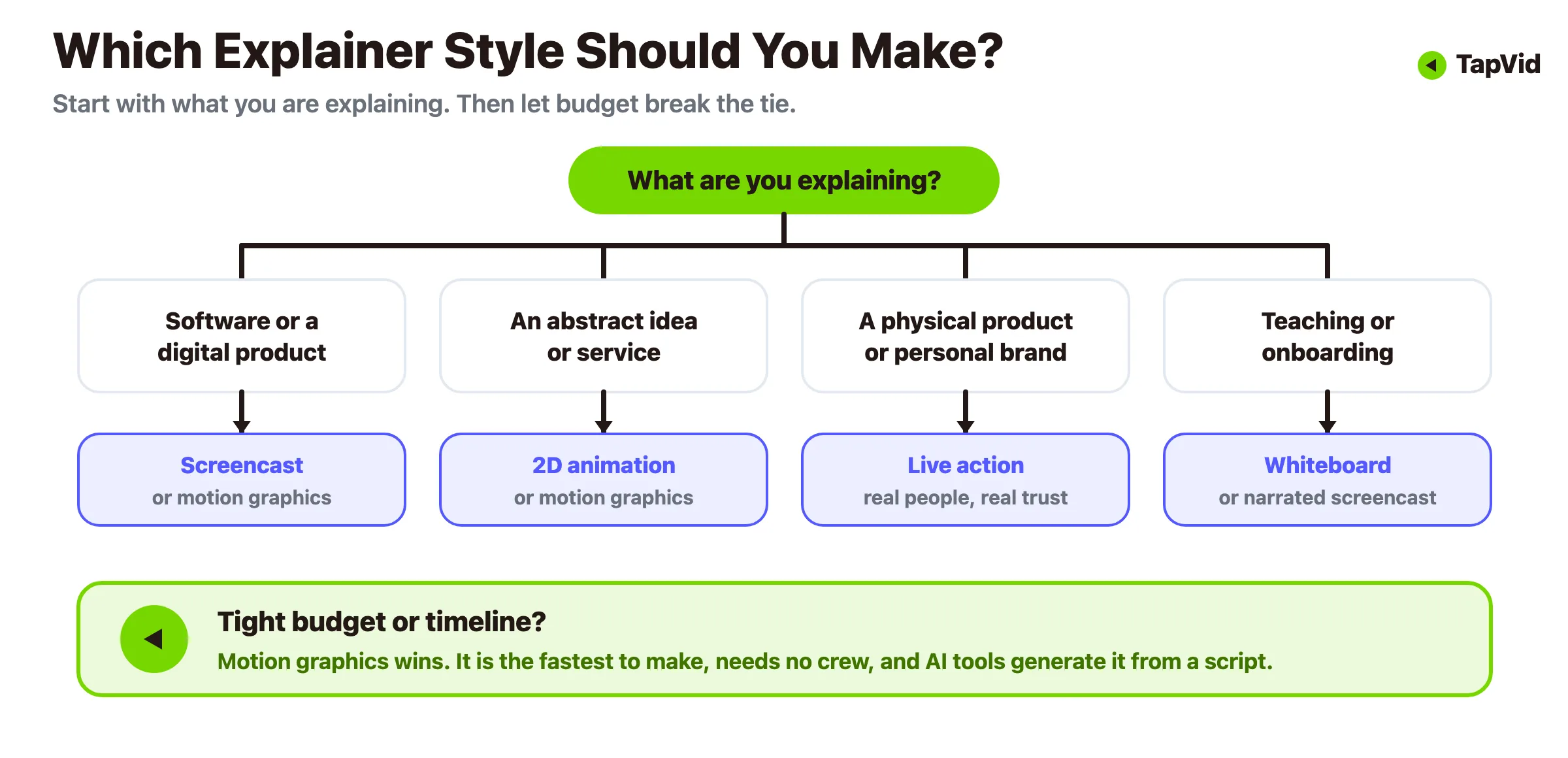
- ¿Explicas software o un producto digital? Empieza con un screencast si quieres pruebas de que funciona, o con motion graphics si quieres una visión general pulida que oculte las partes desordenadas de la UI.
- ¿Explicas una idea abstracta, un servicio o un concepto? Recurre a la animación 2D o a los motion graphics, que pueden visualizar lo que una cámara no puede.
- ¿Vendes un producto físico o una marca personal? La acción real se gana una confianza que la animación no puede fingir.
- ¿Enseñas o haces onboarding? La pizarra o un screencast narrado se siente como un recorrido útil en lugar de un pitch.
- ¿Presupuesto o plazos ajustados? Los motion graphics y los screencasts son los más rápidos y baratos de producir, sobre todo con herramientas de IA, mientras que el 2D personalizado y la acción real son los que más cuestan.
Cuando el presupuesto es el factor decisivo, los motion graphics suelen ganar. Se ven profesionales, no requieren actores ni rodaje, y es el formato que las herramientas de texto a video manejan con limpieza. Nuestro creador de videos explicativos animados está construido exactamente alrededor de este camino.
05
Qué hace bueno a un video explicativo
El estilo acapara la atención, pero la estructura es lo que hace que un explicativo funcione. Casi todos los efectivos siguen el mismo arco sencillo:
1. Engancha con el problema (0 a 10 segundos). Abre con el dolor que tu espectador ya siente. Sáltate la animación del logo y el arranque lento. Si la primera línea no aterriza, el resto nunca se ve. 2. Presenta la solución. Di lo que haces en una frase llana. Sin jerga, sin palabras de moda. 3. Muestra cómo funciona. Dos o tres pasos concretos, no una lista completa de funciones. El objetivo es «me veo usando esto», no «aquí está todo nuestro changelog». 4. Demuestra el beneficio. ¿Cómo es la vida después de usarlo? Tiempo ahorrado, dinero ganado, dolor de cabeza resuelto. 5. Pide una sola acción. Registrarse, reservar una demo, empezar una prueba gratis. Un siguiente paso claro, no un menú de cinco.
Mantén el guion ajustado. Una regla práctica útil: 150 palabras habladas duran alrededor de un minuto, así que el guion de un explicativo de 90 segundos debería quedar cerca de 200 a 220 palabras. Si no puedes decirlo en ese espacio, el mensaje aún no está lo bastante afilado. Para profundizar en los guiones y el ritmo detrás de los videos que más convierten, mira nuestro análisis de videos explicativos que convierten.
El video de lanzamiento de Dollar Shave Club es el ejemplo clásico de este arco bien ejecutado. Abre con una frustración real (las cuchillas cuestan demasiado), enuncia la solución en una línea contundente, muestra cómo funciona la suscripción en unos pocos golpes rápidos y aterriza en una sola llamada a la acción. Dura unos 90 segundos. La lección se sostiene incluso sin presupuesto de comedia: elige un dolor, una solución, una petición, y recorta todo lo demás.
Video explicativo vs otros formatos de video
La gente suele confundir algunos primos cercanos, así que conviene trazar las líneas:
| Formato | Trabajo de espectador | La mejor evidencia | Siguiente paso típico |
|---|---|---|---|
| Vídeo explicativo | Comprender el problema, el mecanismo y el valor | Imágenes con propósito más una narrativa clara | Obtenga más información o pruebe el producto |
| Demostración del producto | Evaluar cómo funciona el producto | Interfaz de usuario real, capturas de pantalla proporcionadas o un recorrido del producto | Inicie una prueba o reserve una demostración |
| Tutorial | Completar una tarea correctamente | Pasos exactos, estados y resultado esperado | Repita el flujo de trabajo |
| Vídeo promocional | Observe una oferta, lanzamiento o campaña | Disparos de productos, detalles de la oferta y un gancho directo | Haga clic, compre o regístrese |
La conclusión es adecuar el formato al momento del recorrido del comprador. Un visitante frío necesita un explicativo, un lead templado quiere una demo y un cliente nuevo necesita un tutorial.
06
Cómo se hacen los videos explicativos: dos caminos
Durante años, hacer un video explicativo significaba una sola cosa: contratar un estudio. Ese camino todavía existe, y sigue produciendo trabajos preciosos. Solo que es lento y caro. El camino más nuevo usa IA para comprimir todo el proceso. Aquí va la comparación honesta.
El camino tradicional del estudio. Una producción profesional puede tardar desde dos semanas hasta varios meses. El resumen de costos actualizado de HubSpot cita un promedio de $10,983 de una encuesta de Wyzowl, mientras que los proyectos reportados iban de $600 a $250,000. El rango es amplio porque cambian el alcance, el estilo de animación, la voz, el diseño sonoro y las rondas de revisión. Un estudio a medida sigue teniendo sentido para una pieza insignia con dirección artística precisa, pero cuesta más justificarlo cuando necesitas un flujo repetible de explicativos.
El camino asistido por IA. Las herramientas de texto a video han colapsado ese calendario. Escribes un guion, eliges un estilo, y la herramienta ensambla los motion graphics, las transiciones y el ritmo por ti. Sin software de edición, sin equipo de rodaje, sin esperas de ocho semanas. El costo es el control: la salida de la IA necesita una pasada de revisión humana, y para una película de marca insignia quizá sigas queriendo un estudio. Pero para los explicativos del día a día que la mayoría de los equipos realmente necesita ,recorridos de funciones, clips de onboarding, variaciones de anuncios, es un modelo económico completamente distinto. Escribimos una comparación de costos completa aquí si quieres ver los números lado a lado.
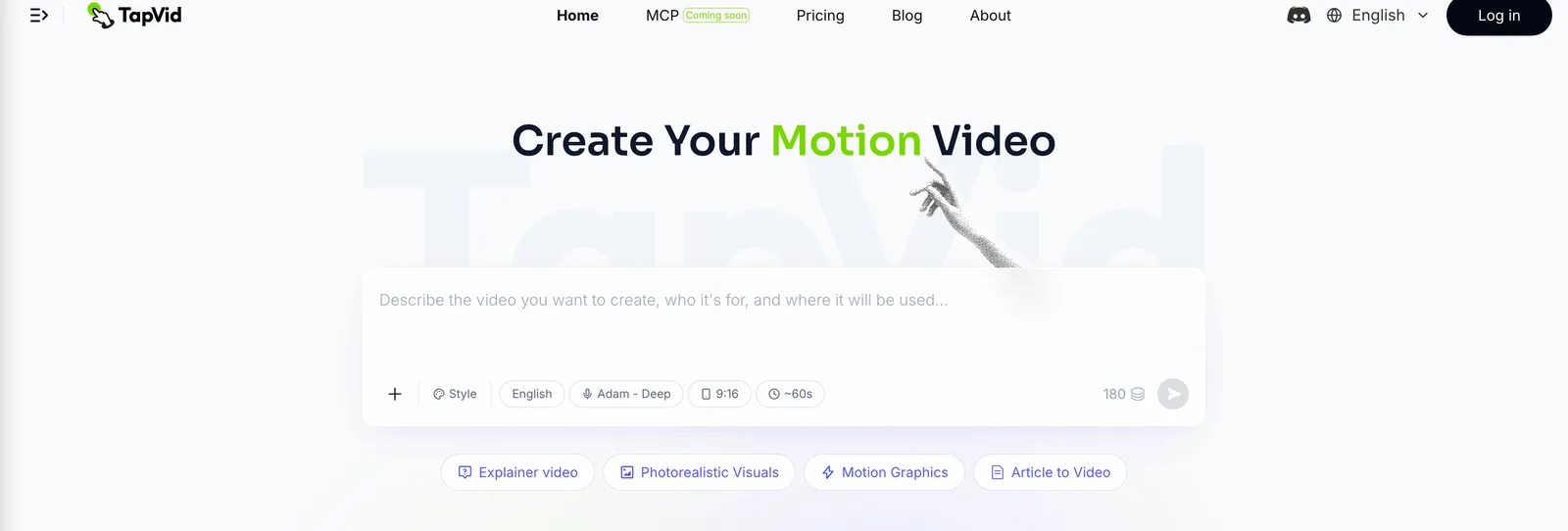
Este es el hueco para el que se construyó TapVid. Describes lo que quieres en texto llano, y nuestro generador de videos explicativos con IA convierte el guion en un explicativo de motion graphics estructurado, sin línea de tiempo que arrastrar. Encaja especialmente bien con el caso de uso SaaS, y por eso mantenemos un flujo de trabajo dedicado de video explicativo para SaaS.
07
Cómo hacer uno con IA, paso a paso
La forma más rápida de entender el camino de la IA es verlo funcionar una vez. Convertí uno de nuestros propios artículos en un explicativo y cronometré todo el proceso, así que aquí está, con lo que cada etapa muestra en realidad.
Paso 1: Dale la fuente y una línea de dirección. Solté un PDF de 275KB de un artículo del blog y añadí una sola instrucción: haz un explicativo de ritmo rápido, estilo YouTube, para que la gente capte la idea sin leer el texto. Ese fue todo el input, un archivo y una frase.
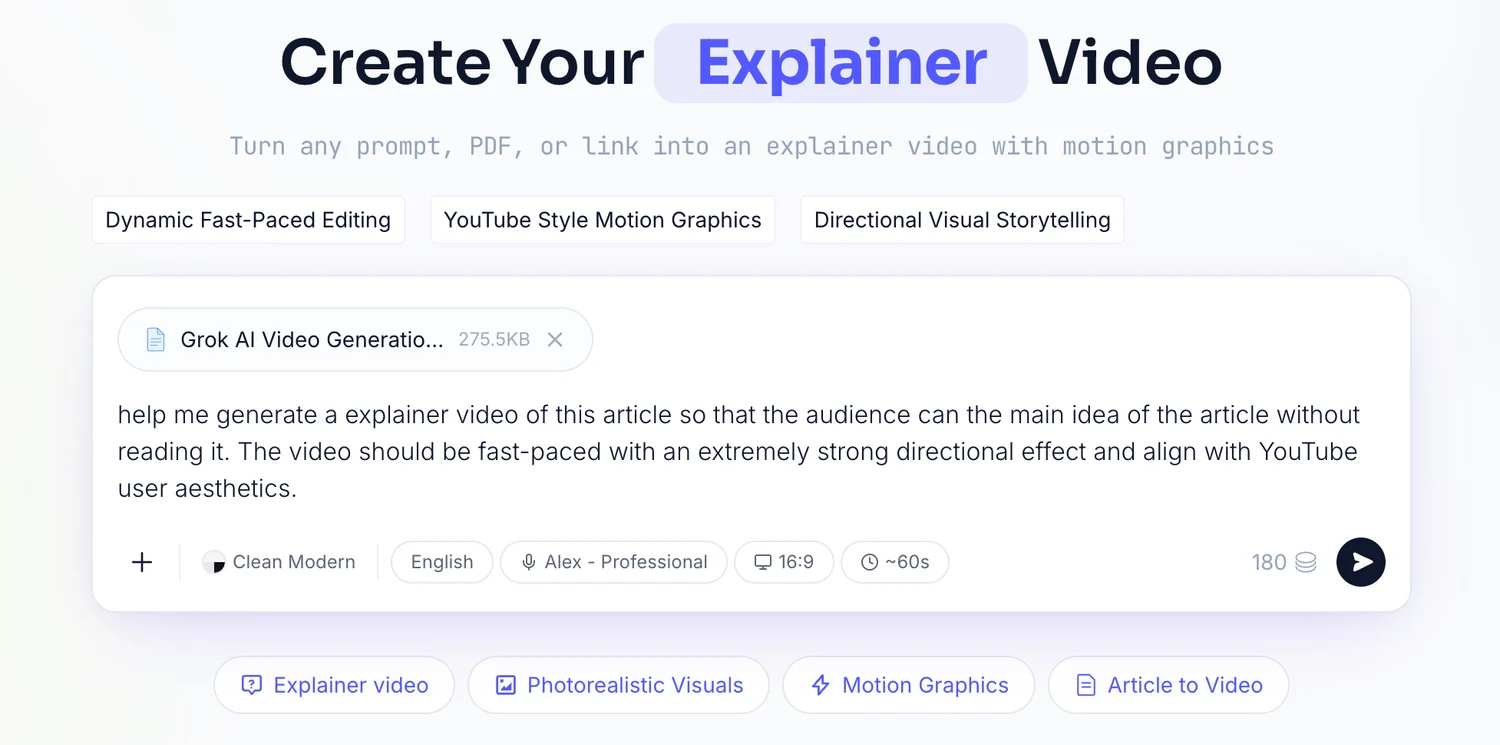
Paso 2: Lee el brief que te devuelve. TapVid analizó el archivo y devolvió un brief: reacción objetivo, mensaje central, arco narrativo, audiencia, una duración de 60 segundos, un formato 16:9 y una voz en off masculina. Lo contrasté con lo que tenía en mente y lo aprobé tal cual.
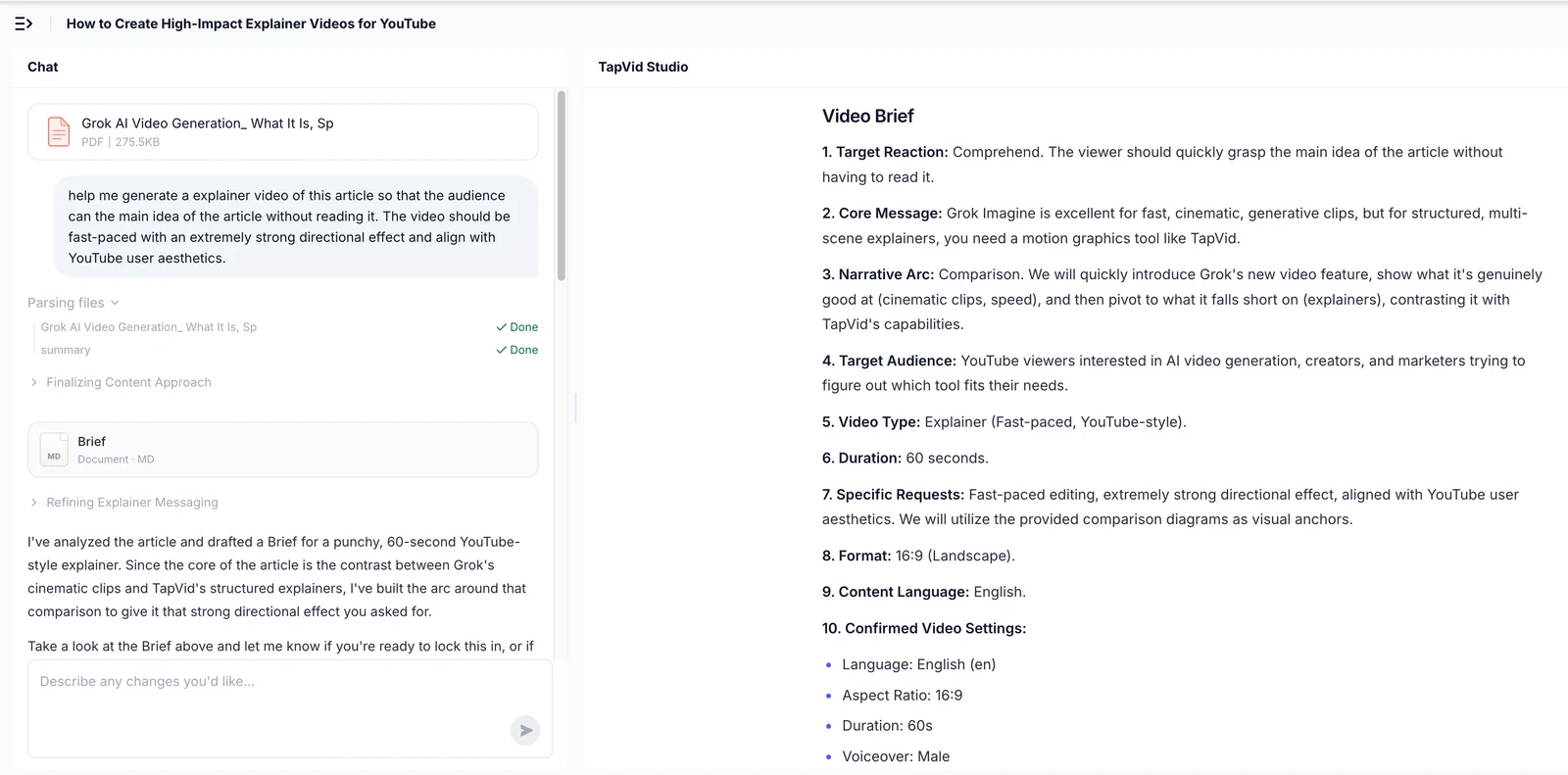
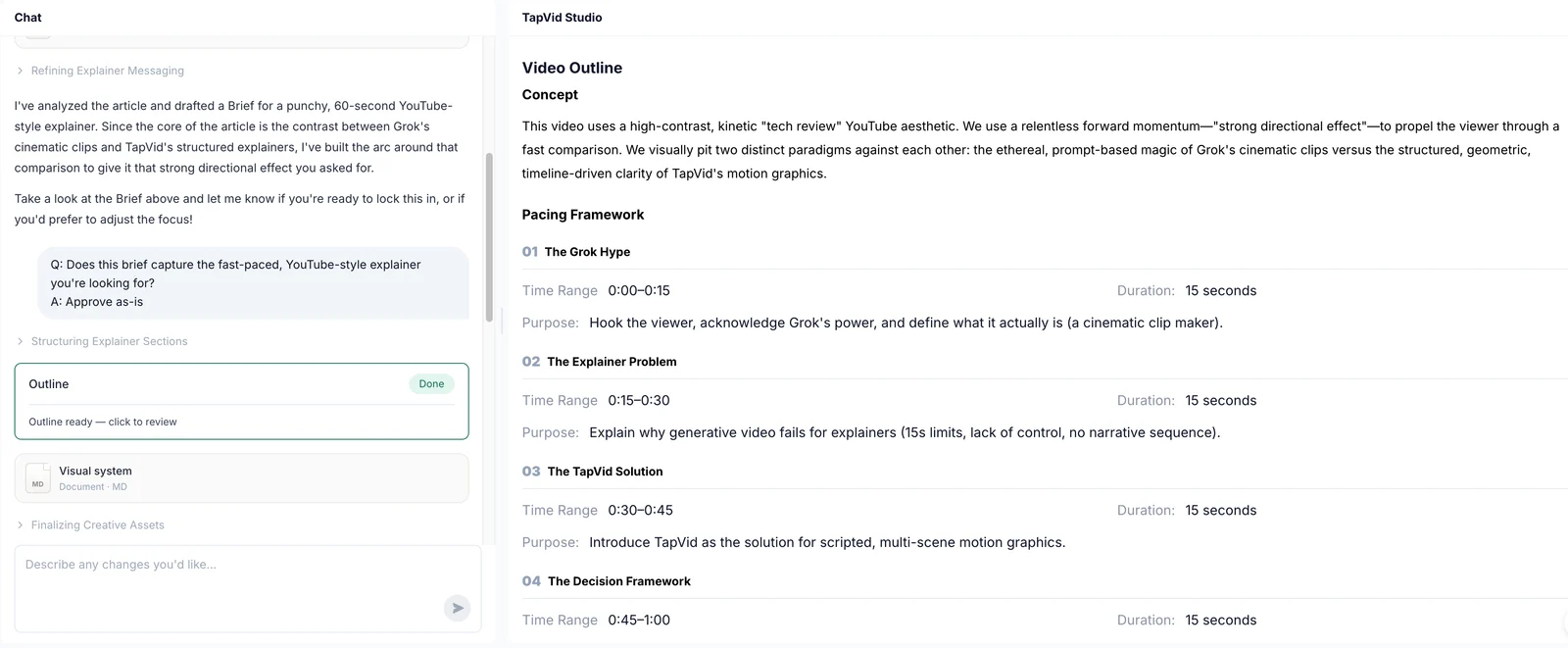
Paso 3: Revisa el esquema. Después llegó un esquema de cuatro bloques de 15 segundos, cada uno con un propósito declarado. Este es el lugar más barato para detectar una estructura equivocada, antes de que nada se renderice.
Paso 4: Aprueba el guion plano a plano. Luego, un guion plano a plano con la acción en pantalla y la voz en off escritas por código de tiempo. Lo leí una vez y lo aprobé.
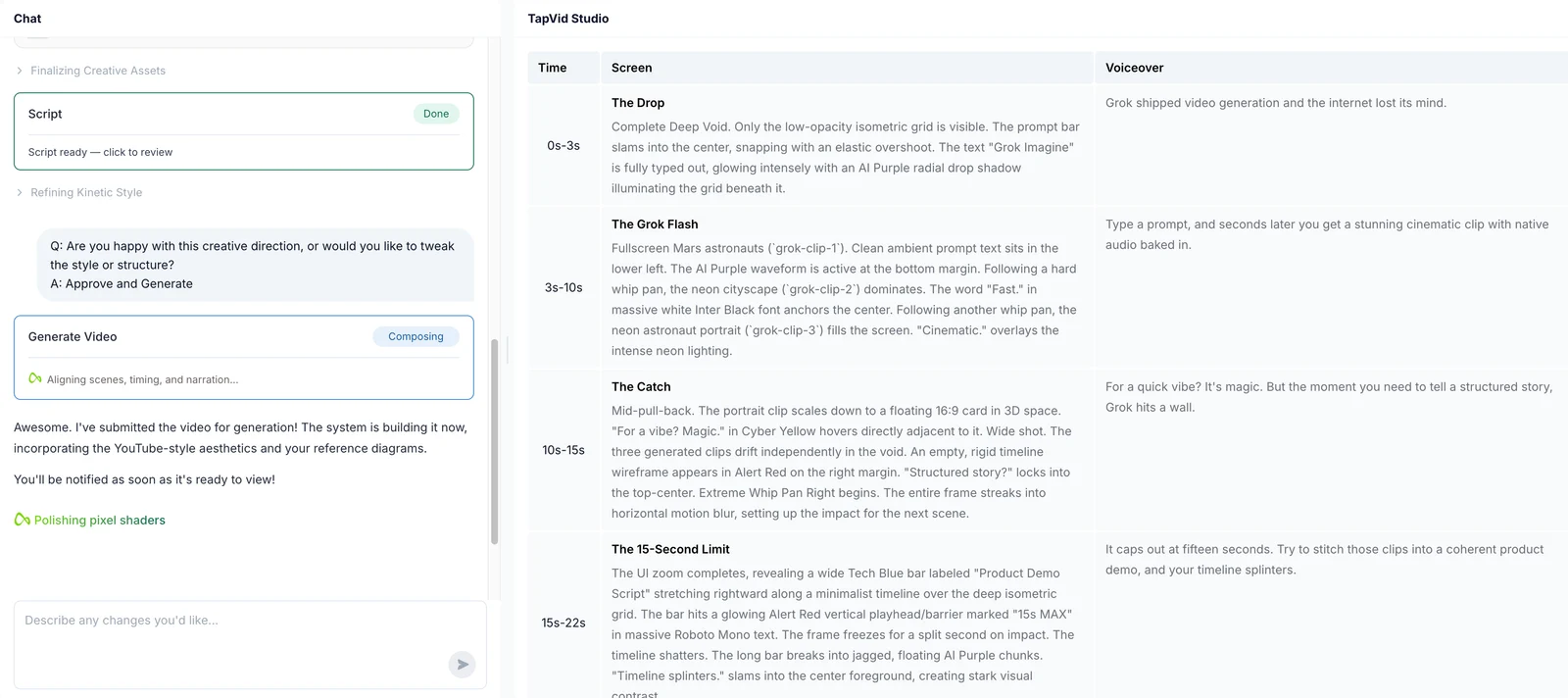
Paso 5: Renderiza y revisa. Del upload al video terminado pasaron unos seis minutos, con tres puntos donde realmente tomé una decisión: el prompt, el brief y el guion. Todo lo demás corrió solo. La última pasada es humana: míralo una vez con ojos frescos y corta cualquier cosa que se arrastre antes de publicar.
La versión corta, aplicable a cualquier herramienta: escribe un guion ajustado usando el arco de gancho a CTA de arriba, elige motion graphics como estilo por defecto, genera el borrador, añade subtítulos porque mucho video se ve en silencio, y luego revisa y publica. Para un recorrido más largo con ejemplos, nuestra guía paso a paso para hacer un video explicativo con IA cubre cada etapa en detalle, y la guía de ejemplos de videos explicativos muestra cómo se ve lo bueno en distintas industrias.
08
Cuándo probablemente no necesitas uno
Una guía honesta debería decirlo en voz alta: no toda página necesita un video explicativo. Si tu producto es genuinamente simple y una sola captura de pantalla lo hace obvio, un video puede frenar a la gente en lugar de ayudar. Si aún no tienes un mensaje claro, un video solo hará que la confusión avance más rápido. Y si estás a punto de gastar $12,000 en una película de estudio para una landing page que recibe 40 visitas al mes, ese dinero está mejor invertido primero en otra parte.
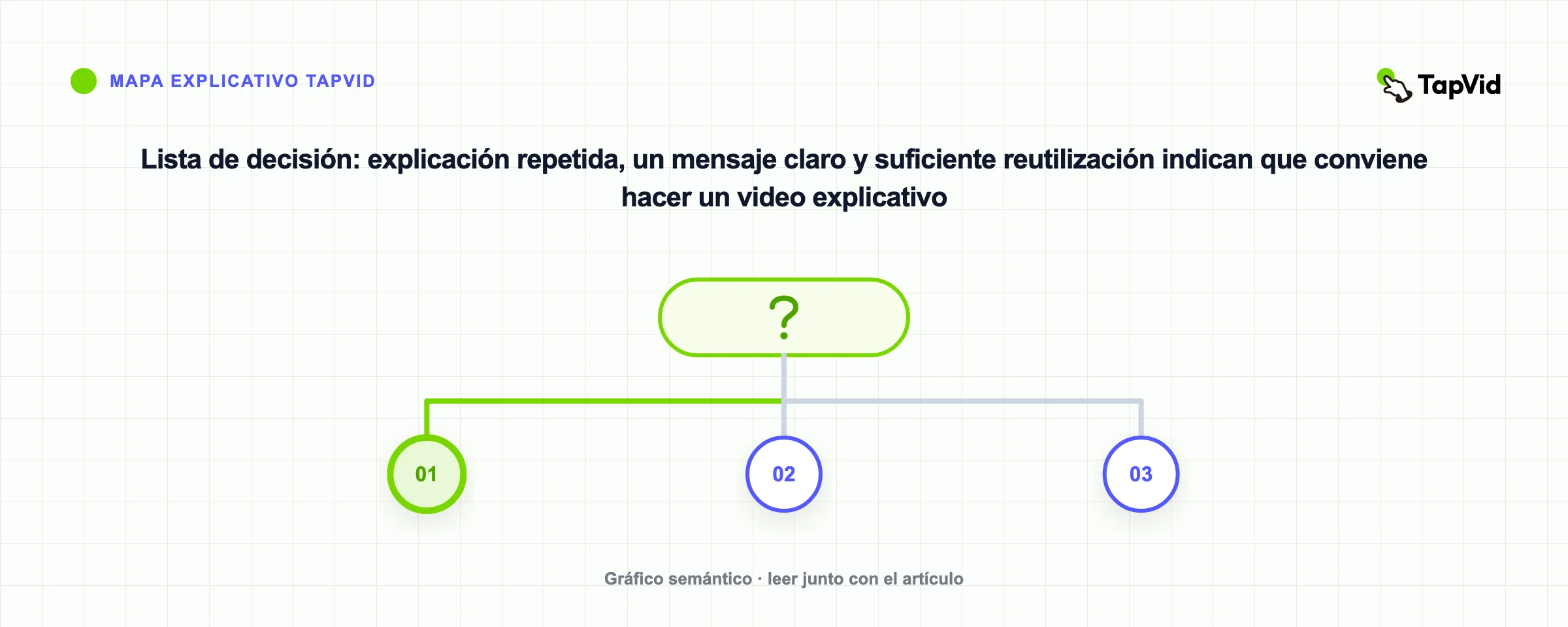
El mejor momento para hacer un explicativo es cuando te descubres explicando lo mismo una y otra vez: en demos, en emails, en tickets de soporte. Esa repetición es la señal. Convierte la explicación que ya estás dando en un video, y deja que hable por ti a escala.
09
Preguntas frecuentes
¿Qué es un video explicativo, en una frase?
Un video corto, normalmente de 30 a 90 segundos, que explica qué hace un producto o una idea y por qué importa, y luego dirige al espectador hacia un siguiente paso claro.
¿Cuánto debería durar un video explicativo?
Apunta a entre 30 y 90 segundos. Las tasas de finalización caen bruscamente pasados los dos minutos, así que si necesitas más tiempo, divide el contenido en un tutorial aparte o en una serie.
¿Cuánto cuesta un video explicativo?
Los costos varían mucho. El resumen actualizado de HubSpot cita un promedio de $10,983 de Wyzowl, con proyectos reportados entre $600 y $250,000. Las herramientas asistidas por IA pueden reducir el trabajo de producción para explicativos repetibles. Consulta nuestro desglose de costos completo para los detalles.
¿Cuál es el tipo de video explicativo más popular?
Los explicativos animados, especialmente la animación de personajes 2D y los motion graphics, son los más comunes porque pueden visualizar ideas abstractas que serían difíciles o caras de filmar.
¿Cuál es la diferencia entre un video explicativo y una demo de producto?
Un video explicativo vende la idea a alto nivel y está hecho para convertir a un espectador frío. Una demo de producto profundiza en cómo funciona realmente el software y suele dirigirse a alguien ya interesado. Muchos equipos hacen ambos.
¿Puedo hacer un video explicativo sin conocimientos de diseño o edición?
Sí. Las herramientas de IA de texto a video como el generador de videos explicativos de TapVid convierten un guion escrito en un video de motion graphics terminado, así que no necesitas software de animación ni un equipo de producción.
10
Convierte tu próxima explicación en un video
Si te descubres explicando lo mismo en cada demo y en cada email, ahí está tu video explicativo esperando a que lo hagas. No necesitas un presupuesto de estudio ni un calendario de ocho semanas para empezar. Escribe el guion, elige motion graphics y deja que TapVid se encargue de la animación. Mira lo que cuesta en nuestra página de precios, o entra directamente al generador de videos explicativos con IA y convierte tu primer guion en un video hoy mismo.