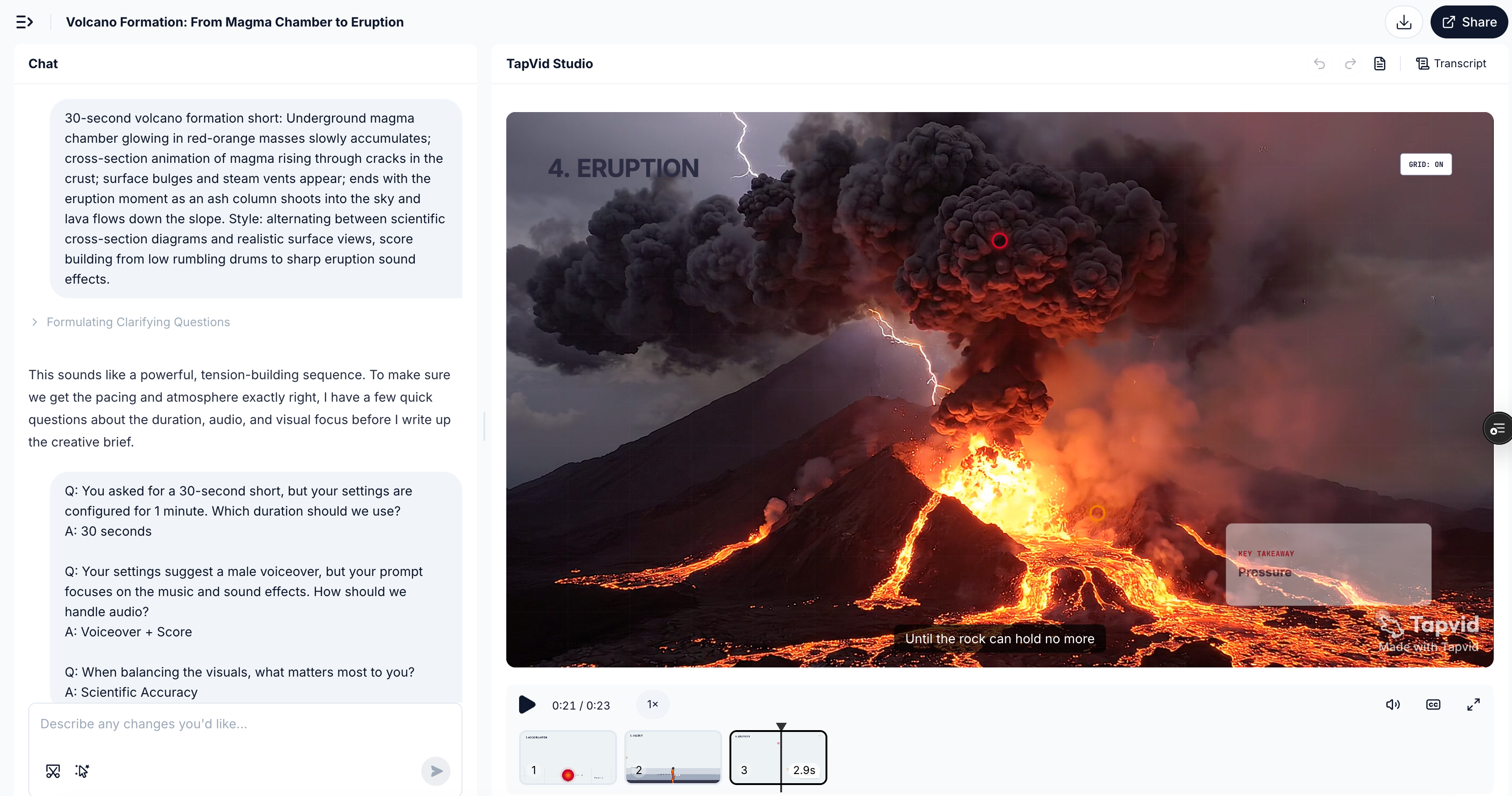

01 / 156 則提示詞02 / 120 則社群提示詞 + 36 則編輯範本03 / 僅供參考,未進行模型效能基準測試。
從提示詞開始創作
從提示詞開始創作
選擇一則提示詞,替換其中的變數,並保留重要的製作限制。
儲存創作進度
已產生提示詞
SaaS 儀表板揭示
選擇一個範本,描述主體,然後產生提示詞。
- 01 選擇創作方向
- 02 說明真實主體
- 03 產生、複製並製作
熱門提示詞
查看全部提示詞


瀏覽提示詞庫
篩選創作者案例和編輯範本,但不要將任何一組內容視為基準測試。
供 AI Agent 使用
在 Codex 中使用 Seedance 2.5 提示詞庫
讓 Codex 按需搜尋 156 條提示詞,把最接近的方案改寫成適合你的素材和已確認文案的版本,並在你選擇生成時繼續使用 TapVid MCP。
Codex 會按需讀取公開資料來源。這不會訓練 Codex,也不是 Seedance 2.5 模型的原生連線。
請讀取 https://tapvid.ai/video-prompts/seedance-2-5/skill.md 並遵循其中的指令。根據我的需求搜尋 TapVid Seedance 2.5 提示詞庫,把最接近的候選改寫成適合我的素材和已確認文案的版本,保留來源歸屬,並在使用任何付費影片生成工具前徵得我的確認。QUICK ANSWER
How do I write a better Seedance 2.5 prompt?
Lock one subject identity, give every reference a single job, and describe a few timed actions that cause one another. Add one camera intention, explicit continuity rules, and negative constraints; keep final text, logos, and verified claims for post-production.
PRODUCTION GUIDE
Build the prompt like a small production brief
Control the dependencies first. Style should finish a coherent shot, not rescue an unclear sequence.
The six-part formula
- 01
Subject
Lock one primary subject, its materials, scale, and the details that must stay recognizable.
- 02
Reference roles
Say which input controls identity, motion, composition, lighting, or finish.
- 03
Timed action
Write a few causal beats with explicit time ranges instead of a list of unrelated events.
- 04
Camera
Choose one dominant camera intention and describe its speed, path, and stopping point.
- 05
Continuity
State what stays fixed across cuts: face, product geometry, wardrobe, light direction, and screen position.
- 06
Constraints
Exclude generated copy, warped logos, extra objects, random cuts, identity drift, and unsupported claims.
Plan 30 seconds as three causal beats
0–10sEstablish
Show the subject, spatial logic, and one readable visual problem or promise.
10–20sTransform
Let one action cause the next while the identity and lighting remain coherent.
20–30sResolve
Land on a stable hero frame with deliberate negative space for verified post-production copy.
Give every reference one job
For image-to-video, assign roles before describing motion. More inputs help only when they do not compete.
- Preserve
- Use the clearest image to lock face, product shape, color, texture, or layout.
- Move
- Use a motion clip only for tempo, gesture, or physical behavior—not for identity.
- Camera
- Use a framing reference for angle, lens feel, camera path, and subject distance.
- Finish
- Use a style board for palette, light, atmosphere, and surface treatment after identity is locked.
Camera move cheat sheet
| Move | Best for | Control note |
|---|---|---|
| Locked shot | Interfaces, comparisons, and product geometry | Let the subject provide the motion. |
| Slow dolly-in | Feature reveal or emotional emphasis | Name the final framing so it does not overshoot. |
| Lateral track | Process, shelf, or environment reveal | State the screen direction and keep it consistent. |
| Orbit | One stable hero object | Limit the arc; a full spin often exposes unstable geometry. |
| Top-down descend | Unboxing, assembly, and layout | Keep the optical axis centered on the main object. |
| Rack focus | Move attention between two planes | Use only two focus targets and name the order. |
PROMPT REWRITE
From vague idea to controllable direction
This is an editorial rewrite, not a benchmark result. Its advantage is explicit production logic, not extra adjectives.
“Make a cool cinematic video of a CRM dashboard with dramatic camera movement and lots of features.”
No stable identity, causal action, timing, end frame, or rule for generated interface text.
Create a polished 10-second 16:9 product reveal for a calm CRM analytics workspace. Preserve the supplied dashboard layout and brand-indigo accent; do not invent interface copy. 0–4s: begin on a locked wide view as three clean data panels assemble from existing layout regions. 4–7s: use one slow dolly-in while a single pipeline chart resolves and the surrounding panels remain fixed. 7–10s: stop on a stable hero frame with the primary metric area highlighted and clear negative space at upper right for post-production copy. Maintain panel geometry, light direction, and indigo accent across the shot. No handheld shake, extra widgets, warped logos, generated text, or random cuts.
Fix the prompt before rerolling
Treat a failed output as a production diagnosis. Change the smallest instruction that explains the symptom.
Identity drifts
Likely causeToo many identity references or no explicit invariant.
Prompt fixChoose one identity source and list the exact features that must persist.
Scenes change randomly
Likely causeEvents are listed without cause, timing, or an end state.
Prompt fixReduce the sequence to three timed beats and make each beat trigger the next.
Generated text is unreadable
Likely causeThe prompt asks the model to typeset final copy or a logo.
Prompt fixReserve a clean area and add verified text and supplied branding in post-production.
Motion feels chaotic
Likely causeSubject, camera, background, and effects all move at once.
Prompt fixKeep one dominant movement; lock or simplify the other motion layers.
References conflict
Likely causeTwo inputs compete for identity, composition, or style.
Prompt fixAssign every reference one job and state which source wins if roles overlap.
TRACEABLE PUBLIC EXAMPLES
See what detailed prompt structures can produce
These are public source examples, not outputs from TapVid's 36 editorial templates. Use them to study structure, then validate your own direction.
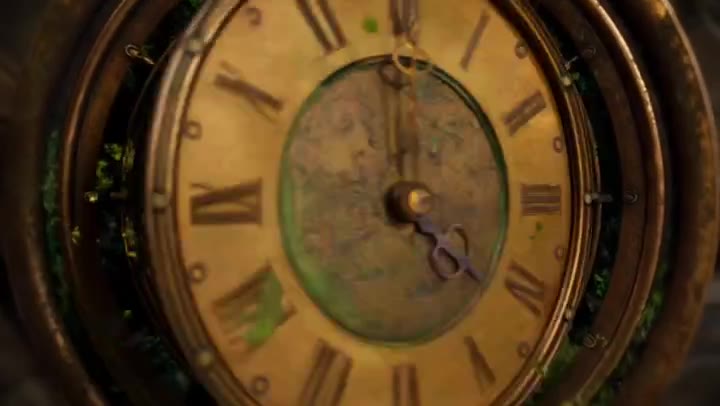
PUBLIC OUTPUT REFERENCE · NOT TAPVID TEST
Steampunk Clockwork Odyssey
30-second cinematic sequence
Three timed chapters, continuous travel, recurring clock geometry, and an explicit return to the opening frame.
Source checked August 7, 2026
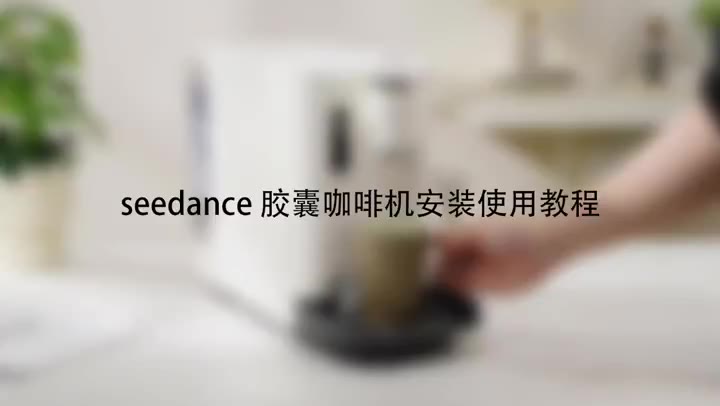
PUBLIC OUTPUT REFERENCE · NOT TAPVID TEST
Capsule Coffee Machine Tutorial
Product tutorial
Stable product geometry, ordered handling steps, close-up detail, and a clean completion state.
Source checked August 7, 2026
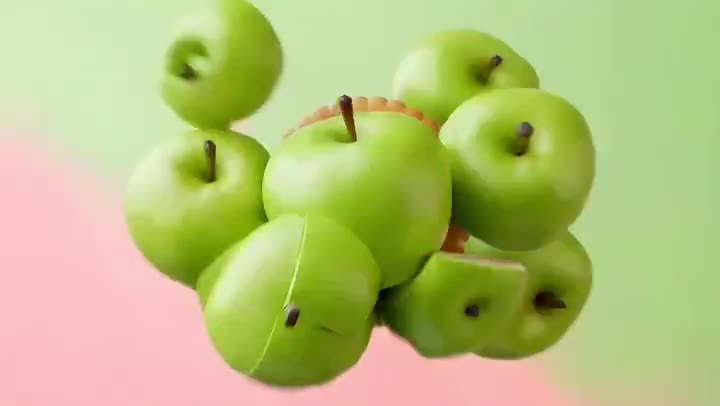
PUBLIC OUTPUT REFERENCE · NOT TAPVID TEST
Fruit Cookie Commercial
Ecommerce product ad
Material transformation, appetizing texture, restrained camera movement, and a stable final packshot.
Source checked August 7, 2026
LEARN BY INTENT
Learn by workflow, then continue with the right tool
Use a focused prompt detail to study the shot. When the idea needs a complete explanation, bring your existing article, script, PDF, PRD, or product copy into the matched TapVid workflow.
SaaS product demo
Reveal one interface capability without inventing microcopy.
Product ad
Show handling, texture, and a stable packshot.
Explainer
Turn a system or process into a causal visual sequence.
Social launch
Build a fast hook with a controlled final message area.
SEEDANCE → TAPVID
Use the model shot as a hook, then explain the whole idea.
01Generate a visual hook from a controlled prompt.
02Add accurate copy, data, logos, and captions in post.
03Bring your source article, script, PDF, or PRD into TapVid for the complete explainer.
Evidence ledger
- Release source
- Official Seedance 2.5 page
- Release source checked
- August 7, 2026
- Prompt status
- Editorially reviewed; not yet benchmarked by TapVid.
- Preview status
- Real product screenshots, attributed photo references, and original illustrative keyframes.
Seedance 提示詞常見問題
這個提示詞庫包含什麼?
包含 120 則標示來源的社群提示詞和 36 則 TapVid 編輯範本,共 156 則。
TapVid 實測過這些提示詞嗎?
我們不作成效聲明。此資料庫未經基準測試,僅作為參考。
社群提示詞來自哪裡?
每則均保留創作者歸屬,並連結至 X 原始貼文。
我可以修改提示詞嗎?
可以。請在保留必要參考資訊、時間和限制條件的前提下,替換變數並調整需求。
RELATED TAPVID TOOLS
Continue from a shot to a structured product story.
FROM HOOK TO EXPLAINER
A model shot can win attention. Your content still needs to explain the idea.
Bring your own article, script, PDF, PRD, or product copy to TapVid. The Explainer Video Engine turns that existing content into a polished, structured explainer video.