
TL;DR
약 10분 만에 출처-영상 변환 REST 연동을 구축한 뒤, 작업 상태 저장, 안전한 폴링, 재시도로 실제 비동기 렌더링을 처리하세요.
이 텍스트-영상 변환 API 튜토리얼에서는 TapVid를 사용해 공개 출처 URL 하나를 영어 30초, 16:9 모션 그래픽 작업으로 변환합니다. 연동 과정은 짧습니다. 자료를 업로드하고, 작업을 생성하고, 상태를 폴링하고, 서명된 다운로드 URL을 요청하면 됩니다. 렌더링은 비동기 방식이며 10분 안에 완료된다고 보장되지 않습니다. 통제된 테스트에는 훨씬 더 오래 걸렸습니다. 바로 이런 이유로 아래 제작용 코드는 작업 ID를 저장하고 일시적인 네트워크 장애에도 계속 작동하도록 구성했습니다.
01
이 튜토리얼의 text-to-video API 의미
“Text to video”는 여러 다른 제품을 다룹니다. 일부 API는 짧은 프롬프트를 5초짜리 시네마틱 클립으로 전환합니다. 다른 사람들은 이미지를 애니메이션화하거나, 스크립트 위에 디지털 프레젠터를 배치하거나, 스톡 영상을 조립합니다. TapVid는 다른 작업을 수행합니다: 크리에이터가 소유한 원본 자료를 구조화된 다중 장면 정보 비디오로 변환합니다. 이 튜토리얼에서는 입력이 모호한 시각적 프롬프트가 아닙니다. 이는 공개 TapVid API 및 MCP 페이지이며, 청중, 지속 시간, 종횡비, 메시지 및 금지된 주장을 정의하는 브리프가 포함되어 있습니다. 출력 대상은 하나의 고립된 샷이 아니라 전체 30초 정보 비디오입니다. 에이전시와 소기업의 경우, 프롬프트 기반 장면 편집은 하나의 장면을 재생성하고 나머지 장면은 그대로 유지할 수 있음을 의미합니다.
“Build it in 10 minutes”라는 구절은 네 개의 REST 작업을 통합하는 것을 의미하며, 10분 렌더링을 약속하는 것이 아닙니다. 비디오 생성은 비동기식입니다. 생성 엔드포인트는 즉시 `202 Accepted`를 반환하며, 상태는 장기간 변함이 없을 수 있고, 생성 보고서가 완료된 후에도 내보내기 준비를 계속할 수 있습니다. 진실된 클라이언트는 요청 지연 시간과 생성 지연 시간을 구분합니다. 작업이 수락된 것을 표시하고, ID를 저장하며, 현재 상태를 보고하고, 나중에 다시 시작합니다. 브라우저 탭이나 네트워크 연결이 사라졌다는 이유만으로 활성 작업을 중복 작업으로 대체하지 않습니다.
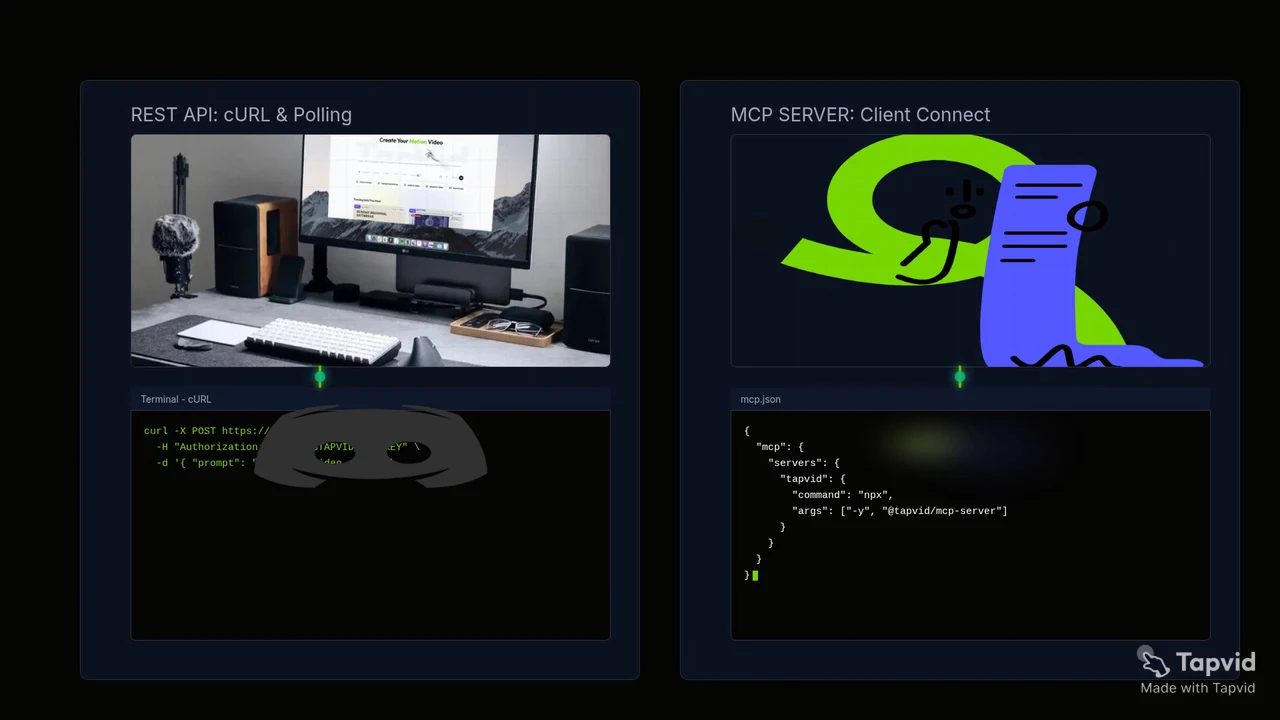
이것은 이 튜토리얼에 사용된 브리프가 포함된 공개 API 및 MCP 페이지에서 만든 실제 30초 TapVid 출력입니다. 우리는 TapVid Studio에서 완성된 5장면 프로젝트를 검증하고, 전체 결과를 재생한 뒤, 이 로컬 MP4를 다운로드했습니다. 소스에서 완성된 비디오 워크플로와 다운로드 가능한 출력을 증명합니다. 이는 이전에 중단된 REST 폴을 소급적으로 완전한 REST 벤치마크로 전환하지 않습니다.
02
코드 전에 계약 확인
현재 공식 게이트웨이는 `https://api.tapvid.ai/api/public/v1`이며, 모든 요청은 HTTPS를 통해 `Authorization: Bearer YOUR_KEY`를 사용합니다. 키를 TapVid API 키에서 생성하고 `process.env.TAPVID_API_KEY` 로 로컬 코드에서 불러오십시오. 블로그, 저장소, 프런트엔드 번들, 스크린샷 또는 클라이언트 측 애플리케이션에 표시된 스크립트에 하드코딩하지 마십시오. 생성 흐름은 1개에서 30개의 자료 ID, 필수 프롬프트, 선택적 제목인 `16:9` 또는 `9:16`, `30s`부터 `5m`까지의 지속 시간, 그리고 선택적 언어를 허용합니다. 이것들은 와이어 값이므로 맞춤법과 구두점이 중요합니다.
- HTTPS를 통해TapVid API의 공개REST베이스 `https://api.tapvid.ai/api/public/v1`를 사용하세요.
- server에서 `process.env.TAPVID_API_KEY`를 읽습니다.
- URL이나 file 하나만 보냅니다.
- `materialId`와 202 뒤 `videoId`를 저장합니다.
- `pollAfterSeconds`와 재개 timeout을 씁니다.
| 항목 | 제한 | 주의 |
|---|---|---|
| File | 100 MB | multipart |
| URL | HTTPS, 4,096자 | internal host 불가 |
| Materials | 30 | ID 저장 |
| Prompt | 12,000자 | source 기반 |
| Ratio | `16:9` or `9:16` | enum 정확히 |
| Duration | 30초, 60초, 2m, 3m, 4m, 또는 5m | enum 정확히 |
03
1단계: URL 또는 파일 upload
먼저 원본 형식은 정확히1개만 업로드하세요. URL은HTTPS `url`이 포함된JSON으로 보내고, 파일은100 MB 이하의 파일1개를multipart form data로 보냅니다. URL 문자열은 최대4,096자이며 내부 호스트를 대상으로 할 수 없습니다. 이TapVid MCP/API 예제에서는 공개되어 있고 테스트에 충분히 안정적이며 설명 대상 서비스를 소개하는 `https://tapvid.ai/api-mcp`를 사용합니다. 업로드 응답은`materialId`를 반환합니다. 이를 비공개 애플리케이션 상태로 취급하세요. 사람이 읽을 수 있는 슬러그가 아니며 분석 라벨이나 공개 로그에 넣어서는 안 됩니다.
export TAPVID_API_KEY="replace-with-your-local-secret"

curl -X POST https://api.tapvid.ai/api/public/v1/materials \
  -H "Authorization: Bearer ${TAPVID_API_KEY}" \
  -H "Content-Type: application/json" \
  -d '{ "url": "https://tapvid.ai/api-mcp" }'
cURL 예제는 요청을 쉽게 따라갈 수 있도록 환경 변수만 설정합니다. 공유 머신이나 CI 시스템에서는 오래 지속되는 값을 셸 히스토리로 내보내는 대신 플랫폼 비밀 저장소를 사용하십시오. JSON 응답에는 `materialId`와 `type`이 포함되어야 합니다. 곧 만들 작업 기록으로 두 가지를 모두 저장하십시오. 업로드가 `payload_too_large`와 함께 실패하면, 생성 프롬프트를 변경해도 도움이 되지 않습니다. 재료를 고쳐 주세요. URL이 거부된 경우, HTTPS, 길이, 도달 가능성, 리디렉션 및 소스가 가져올 수 있는지 여부를 확인하십시오.
04
2단계: 비동기 video job create
원본 업로드가 성공한 후에만 비디오를 생성하십시오. 필수 `userPrompt`는 최대 12,000자까지 포함할 수 있지만, 길이는 테스트 가능한 브리프를 대체할 수 없습니다. 청중, 출처 경계, 의도된 지속 시간, 종횡비, 언어, 필수 순서 및 금지된 주장을 명시하십시오. 예제는 자동 선택에 의존하지 않고 30초와 16:9를 명시적으로 요청합니다. 응답은 `videoId`, `status`, `createdAt`와 함께 HTTP 202 형태로 도착합니다. 공식 HTTP Semantics 명세은 202를 처리에 대해 수락된 것으로 정의하며, 완료되지 않은 것으로 정의합니다. 동영상이 다운로드 가능하거나 승인된 것은 아닙니다.
curl -X POST https://api.tapvid.ai/api/public/v1/video/create \
  -H "Authorization: Bearer ${TAPVID_API_KEY}" \
  -H "Content-Type: application/json" \
  -d '{
    "materialIds": ["MATERIAL_ID_FROM_UPLOAD"],
    "userPrompt": "Create a concise 30-second English explainer for developers. Stay faithful to the supplied source and do not invent claims.",
    "title": "TapVid API developer explainer",
    "aspectRatio": "16:9",
    "duration": "30s",
    "language": "en"
  }'
다음 네트워크 호출 전에 `videoId`를 지속하십시오. 이 한 줄은 통제된 테스트에서 확인된 가장 중요한 생산 변화입니다. 프로세스는 생성 후 첫 번째 상태 응답 이전에 충돌할 수 있습니다. ID가 메모리에만 존재하는 경우, 애플리케이션은 재개할 수 없으며 두 번째 유료 작업을 생성할 수 있습니다. ID를 귀하의 요청 ID, 자료 ID, 프롬프트 수정, 요청된 설정 및 사용자 옆에 저장하십시오. 상태 엔드포인트는 쿼리 매개변수 `video_id`를 기대하고, 생성 응답은 카멜-case `videoId`를 사용합니다. 현재 공식 와이어 이름을 메모리에서 정규화하는 대신 정확히 복사하십시오.
05
3단계: 저장, poll, download
허용된 ID를 사용하여 `GET /video/status`를 투표하고 `pollAfterSeconds`를 존중하십시오. 문서화된 터미널 상태는 `completed`와 `failed`이며, 중간 상태에는 `queued`와 `running`이 포함됩니다. 진행은 0에서 1까지의 분수이며, 남은 예상 시간이 아닙니다. 완료되면, `creditsUsed`가 여전히 null인지 다시 한 번 투표하십시오. 이는 정산이 터미널 업데이트를 따라갈 수 있기 때문입니다. 그런 다음 `GET /video/download`를 해상도, 워터마크 및 자막 옵션과 함께 요청하십시오. 서명된 `downloadUrl`은 약 1시간 후에 만료됩니다. 서명된 URL이 아닌 내구성 있는 비디오 ID를 저장하고, 사용자가 다시 필요할 때 URL을 새로 고칩니다.
import { writeFile } from 'node:fs/promises'

const apiKey = process.env.TAPVID_API_KEY
if (!apiKey) throw new Error('TAPVID_API_KEY is required')

const base = 'https://api.tapvid.ai/api/public/v1'
const headers = { Authorization: `Bearer ${apiKey}` }

async function request(path, init = {}, { attempts = 1 } = {}) {
  let lastError
  for (let attempt = 1; attempt <= attempts; attempt += 1) {
    try {
      const response = await fetch(`${base}${path}`, {
        ...init,
        headers: { ...headers, ...init.headers },
      })
      const data = await response.json()
      if (response.ok) return { response, data }
      if (response.status !== 429 && response.status < 500) {
        const error = new Error(`HTTP ${response.status}: ${data.code ?? 'unknown'}`)
        error.retryable = false
        throw error
      }
      lastError = new Error(`retryable HTTP ${response.status}`)
    } catch (error) {
      if (error?.retryable === false) throw error
      lastError = error
    }
    if (attempt === attempts) break
    await new Promise((resolve) => setTimeout(resolve, attempt * 1000))
  }
  throw lastError
}

const { data: material } = await request('/materials', {
  method: 'POST',
  headers: { 'Content-Type': 'application/json' },
  body: JSON.stringify({ url: 'https://tapvid.ai/api-mcp' }),
})

const { response: createResponse, data: video } = await request('/video/create', {
  method: 'POST',
  headers: { 'Content-Type': 'application/json' },
  body: JSON.stringify({
    materialIds: [material.materialId],
    userPrompt: 'Create a concise 30-second English explainer for developers. Stay faithful to the source.',
    title: 'TapVid API developer explainer',
    aspectRatio: '16:9',
    duration: '30s',
    language: 'en',
  }),
})

if (createResponse.status !== 202) throw new Error('Expected 202 Accepted')

// Persist before the next network call. A lost poll must not cause a duplicate create.
await writeFile('.tapvid-job.json', JSON.stringify({ videoId: video.videoId }))

let status
for (let poll = 0; poll < 180; poll += 1) {
  const result = await request(
    `/video/status?video_id=${encodeURIComponent(video.videoId)}`,
    {},
    { attempts: 4 },
  )
  status = result.data
  if (status.status === 'completed' || status.status === 'failed') break
  await new Promise((resolve) =>
    setTimeout(resolve, Math.max(status.pollAfterSeconds ?? 5, 5) * 1000),
  )
}

if (!status) throw new Error('No status received')
if (status.status === 'failed') throw new Error(status.error?.code ?? 'generation_failed')
if (status.status !== 'completed') throw new Error('Polling timeout; resume with the saved videoId')

const query = new URLSearchParams({
  video_id: video.videoId,
  resolution: '1080P',
  watermark: 'true',
  subtitle: 'false',
})
const { data: download } = await request(`/video/download?${query}`, {}, { attempts: 4 })
console.log({ status: download.status, expiresAt: download.expiresAt })
Node.js 예제는 제한된 재시도에서 읽고, 폴링 전에 허용된 비디오 ID를 디스크에 기록합니다. 실제 서비스에서는 로컬 JSON 파일을 데이터베이스 행으로 교체하고 큐 워커를 사용하십시오. 헬퍼는 네트워크 오류, HTTP 429 및 서버 오류를 재시도합니다. 시간이 잘못된 인수나 자격 증명을 복구해 줄 것처럼 정상적인 400이나 401을 다시 시도하지 않습니다. 180명의 상한선은 근로자에게 명확한 최종 조건을 조성합니다. 그 한도에 도달하면 코드는 ID를 유지하고, 다른 생성 요청을 제출하는 대신 재개 가능한 타임아웃을 보고합니다.
06
실제 REST 테스트 결과
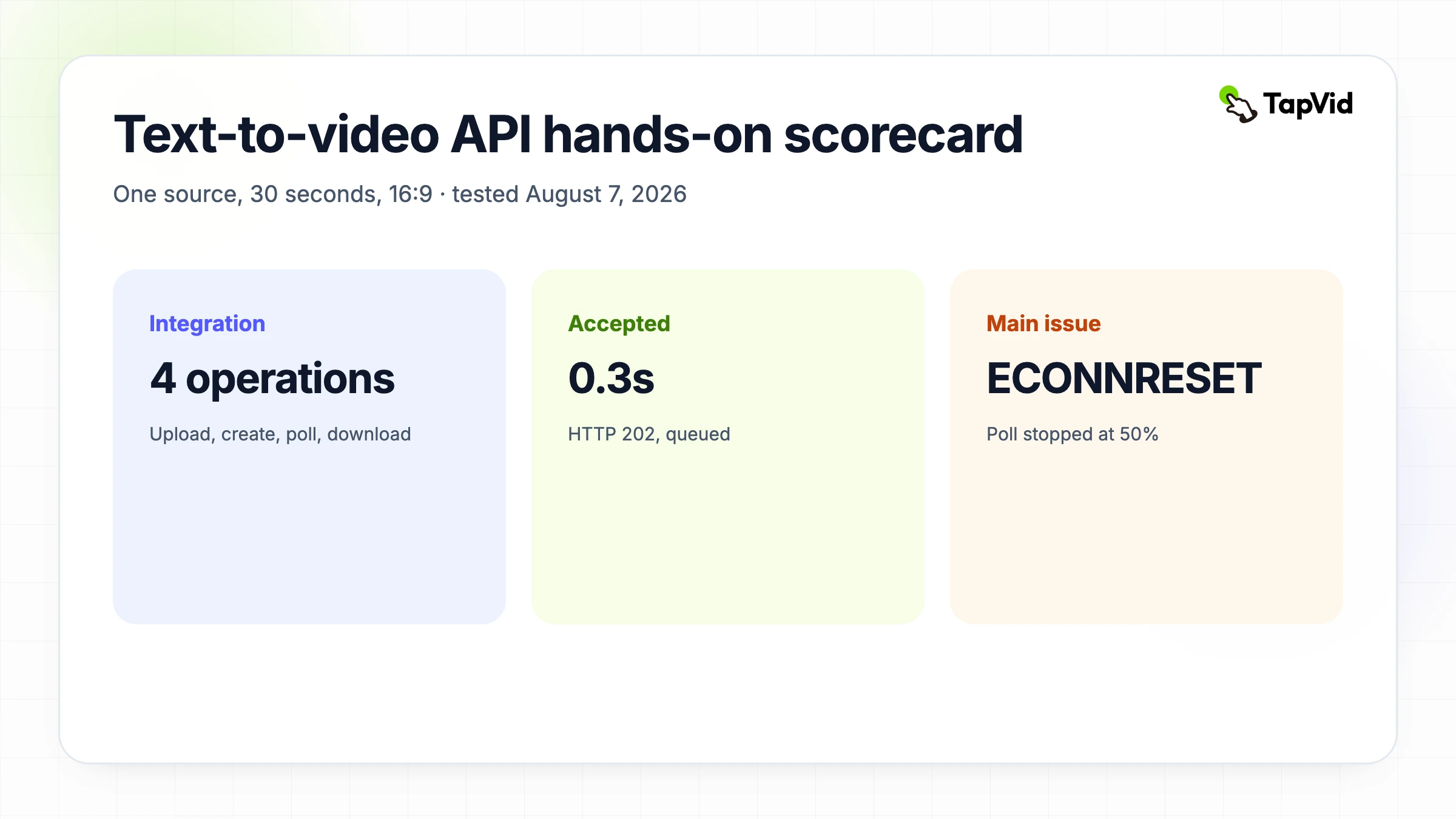
2026년 8월 7일 REST 테스트는 MCP 테스트와 동일한 소스, 프롬프트, 30초 지속 시간, 16:9 비율 및 영어를 사용했습니다. 자료 업로드가 약 1.4초 만에 HTTP 200을 반환했습니다. 생성이 HTTP 202를 반환하고 약 0.3초 만에 대기열에 배치되었습니다. 첫 번째 실행 상태는 약 81초에 나타났습니다. 약 331초에 작업이 여전히 50%로 실행되고 있다고 보고했습니다. 로컬 노드 프로세스는 TLS 연결이 설정되기 전에 `ECONNRESET`를 받았습니다. 그것은 설문 조사 클라이언트 실패였으며, 문서화된 비디오 작업 실패가 아니었습니다.
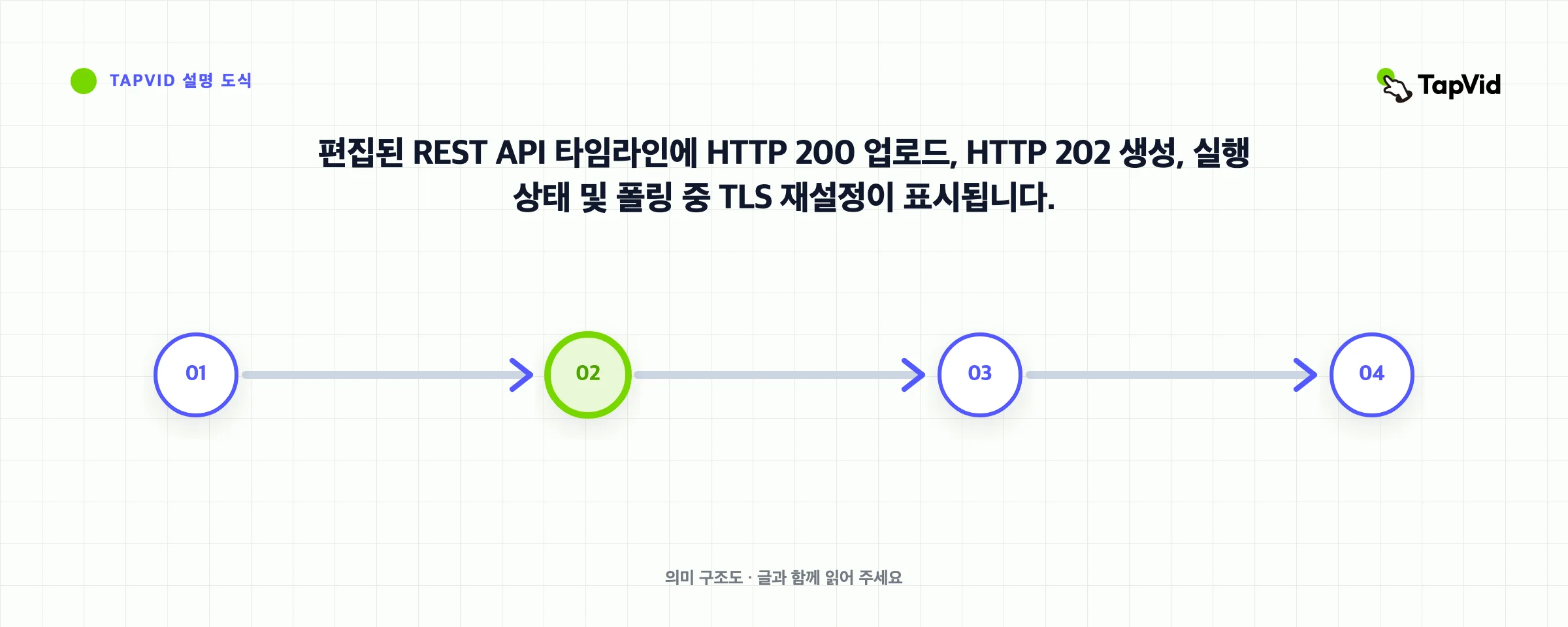
첫 번째 테스트 스크립트는 개인 비디오 ID를 프로세스 메모리에만 보관했기 때문에, 프로세스가 종료된 후에는 수락된 작업을 재개할 수 없었습니다. 중복 작업이 생성되지 않았습니다. 계정 사용 카운터는 이미 MCP 및 REST 실행 전반에 걸쳐 90 크레딧에서 180 크레딧으로 증가했으며, 이는 생성당 90 크레딧과 승인된 총 상한에 일치합니다. 이것이 최종 샘플이 폴링 전에 ID를 지속하고 GET 요청에 제한된 재시도를 제공하는 이유입니다. 이것이 바로 이 기사에서 REST 실행이 10분 안에 다운로드 가능한 파일을 생성했다고 주장하지 않는 이유이기도 합니다. 증거는 고정된 렌더링 시간 약속이 아니라 빠른 요청 수락을 뒷받침합니다.
07
중복 비용 없이 오류 처리
오류를 의미에 따라 처리하십시오. `unauthorized`는 키를 확인하거나 취소하는 것을 호출합니다. `invalid_request`는 필드를 수정하는 것을 호출합니다. `payload_too_large`는 재료를 줄이기 위해 호출합니다. `insufficient_credits`는 제한을 변경하기 전에 중지하고 승인을 받는 것을 호출합니다. `rate_limited`는 `Retry-After`를 존중하는 것을 요구합니다. `internal_error` 및 전송 실패는 제한된 재시도를 받을 수 있습니다. `invalid_state` 다운로드 시 일반적으로 생성 또는 내보내기가 준비되지 않았음을 의미합니다. 5초 이내에 중복 생성이 거부될 수 있지만, 이는 나중에 발생하는 충돌에 대한 완전한 동일성 전략이 아닙니다.
| 조건 | Retry | 대응 |
|---|---|---|
| unauthorized | No | key 수정 |
| invalid_request | No | body 수정 |
| insufficient_credits | No | 중단 |
| rate_limited | Yes | Retry-After |
| network/server | 제한 | read retry |
| create 뒤 응답 손실 | 재생성 금지 | ID 재개 |
08
운영 체크리스트
신뢰할 수 있는 통합은 작동하는 해피패스 스니펫 이상의 것이 필요합니다. 서버 측에 비밀을 저장하십시오. 승인된 ID를 원자적으로 지속합니다. 상태 전환, 요청 지연 시간, 생성 지연 시간, 크레딧 및 안전 오류 코드를 기록합니다. 최대 투표 창과 재개 가능한 상태를 추가하십시오. 소스 업로드 권한, 생성‐지출 권한, 내보내기 권한 및 출판 권한을 구분합니다. 서명된 URL을 영구 자산으로 저장하기보다 새로 고칩니다. 429와 네트워크 재설정을 모두 테스트하십시오. 사용자에게 마지막으로 확인된 상태를 표시하십시오. 마지막으로, 외부 공개 전에 생성된 설명서의 출처 충실도, 실제 재생 시간, 장면 순서, 캡션 가독성, 오디오, 권리 및 브랜드를 검토하십시오.
- key는 server에만.
- ID atomic 저장.
- latency 분리.
- interval과 timeout.
- read/write 구분.
- signed URL 갱신.
- secret 없이 credits 기록.
- 사람이 검수와 공개.
09
무작위 clip이 아닌 완성 explainer에 사용
승인된 콘텐츠를 여러 장면, 내레이션, 동작 및 다운로드 가능한 출력이 포함된 일관된 설명으로 변환하는 작업이 있을 때 이 텍스트‐비디오 API를 사용하십시오. 그것을 원시 모델 벤치마크라고 설명하거나 시네마틱 프롬프트‐투‐클립 엔진의 시각적 동작을 약속하지 마십시오. 프롬프트를 대화식으로 탐색하고 싶으시다면, 동반 자료 Claude 및 TapVid MCP 튜토리얼 은 동일한 출처와 간략한 내용을 MCP를 통해 보여줍니다. 지속적인 애플리케이션 제어를 원하신다면, 여기에서 REST 흐름을 유지하고 배포 전에 현재 TapVid API 및 MCP 개요를 검토하십시오.
10
Frequently asked questions
항상 10분에 완성되나요?
아니요. 4연동 통합은 빠르게 구축할 수 있지만, 생성 및 내보내기는 비동기식입니다. 제어된 MCP 실행이 완료되기까지 약 28분이 걸렸으며, REST 폴러는 터미널 상태가 되기 전에 연결이 끊겼습니다.
HTTP 202는 무엇인가요?
이는 생성 요청이 비동기 처리에 대해 수락되었다는 의미입니다. 반환된 videoId와 설문 상태를 유지하십시오; 이는 비디오가 완전한 것을 의미하지 않습니다.
얼마나 자주 poll하나요?
상태에 의해 반환되는 pollAfterSeconds 값을 사용하십시오. 일시적인 실패에 대한 제한된 재시도와 저장된 비디오 ID에서 재개할 수 있는 전체 타임아웃을 추가합니다.
download URL 기한은?
현재 문서는 약 한 시간이라고 설명합니다.
watermark를 없앨 수 있나요?
default는 on이고 제거에는 active subscription이 필요합니다.