
TL;DR
Define un espectador, un desencadenante, una solución provisional, un mecanismo, una prueba y una CTA. Redacta la historia oral, asigna a cada línea una función visual, graba una lectura cronometrada, elimina las repeticiones antes de la prueba, verifica cada afirmación y entrega a producción un guion aprobado en dos columnas, con fuentes y notas de pronunciación.
Un guion para video explicativo tiene dos responsabilidades: debe sonar natural al hablarse y dar al componente visual un trabajo significativo. Esta guía ofrece plantillas de 60 y 90 segundos, un ejemplo completo de SaaS con una bandeja de entrada compartida, funciones visuales línea por línea, tres reescrituras y una comparación con el video de 66.837 segundos producido en la prueba de TapVid del 6 de agosto.
Crea tu video explicativo con TapVid
01
1. Copia estas plantillas de guion de 60 y 90 segundos
Utilice una plantilla como una secuencia de trabajos de comunicación, no como copia terminada. Reemplace cada paréntesis con el lenguaje que utiliza su espectador y la evidencia que su equipo puede verificar. La versión de 60 segundos está diseñada para un problema y un mecanismo. La versión de 90 segundos gana su tiempo extra añadiendo pruebas o un segundo caso de uso, no repitiendo el beneficio en diferentes palabras.
| Ritmo | Plantilla de 60 segundos | Extensión de 90 segundos |
|---|---|---|
| Enganche | [Papel], cuando [momento de activación] ocurre, [fricción específica] sigue. | Agregue una consecuencia visible que aumente el costo de la fricción. |
| Problema | La solución alternativa habitual es [a la antigua manera], pero falla porque [razón]. | Mostrar cómo la solución alternativa afecta a una segunda persona, paso o sistema. |
| Mecanismo | [Producto o método] cambia el proceso por [mecanismo observable]. | Demuestre el mecanismo a través de dos latidos conectados. |
| Prueba | Ahora [el mismo disparador] produce [estado resuelto que el espectador puede ver]. | Añade un ejemplo verificado, una comparación o un estado del producto. |
| CTA | Para [primer resultado deseado], [una acción concreta]. | Mantenga una acción; use segundos adicionales para dejar claro el destino. |
- Escribe el gancho después del resumen del mensaje para que nombre la situación correcta en lugar de perseguir la novedad.
- Use el mismo problema en la apertura y la prueba; cambiar los problemas hace que el resultado no esté relacionado.
- Describe el mecanismo con verbos como rutas, compara, asigna, resalta o convierte.
- Mantenga el CTA visible y hablable; un menú de navegación no es un final de script.
02
2. Empieza por un brief del mensaje con seis preguntas
Un guión se vuelve más fácil cuando ya se han fijado seis decisiones: espectador, momento de activación, solución alternativa actual, mecanismo, prueba y siguiente acción. Estos son más útiles que un objetivo amplio, como aumentar la conciencia, porque determinan lo que el espectador escucha y ve. Escribe una o dos oraciones para cada campo y pídele al propietario del producto o sujeto que las apruebe antes de pulir la apertura.
Para la prueba de bandeja de entrada compartida, el espectador era un pequeño equipo de soporte de SaaS. El desencadenante fue una nueva solicitud que llegó mientras varios compañeros de equipo estaban activos. La solución era la coordinación manual en una bandeja de entrada. El mecanismo era reglas de enrutamiento que asignaban solicitudes al canal y al propietario correctos. La prueba fue una solicitud que llegó una vez y recibió una respuesta coordinada. La siguiente acción fue crear la primera regla.
- ¿Quién es el espectador y qué papel está desempeñando cuando aparece el problema?
- ¿Qué evento exacto desencadena la necesidad de que se explique el producto, el proceso o la idea?
- ¿Qué hace el espectador ahora, y dónde esa solución se vuelve lenta, arriesgada o confusa?
- ¿Qué mecanismo observable cambia el proceso antiguo en lugar de simplemente prometer un mejor resultado?
- ¿Qué pantalla aprobada, ejemplo, cambio de estado o fuente demuestra que el mecanismo funciona?
- ¿Qué acción individual debe tomar el espectador inmediatamente después de entender la explicación?
03
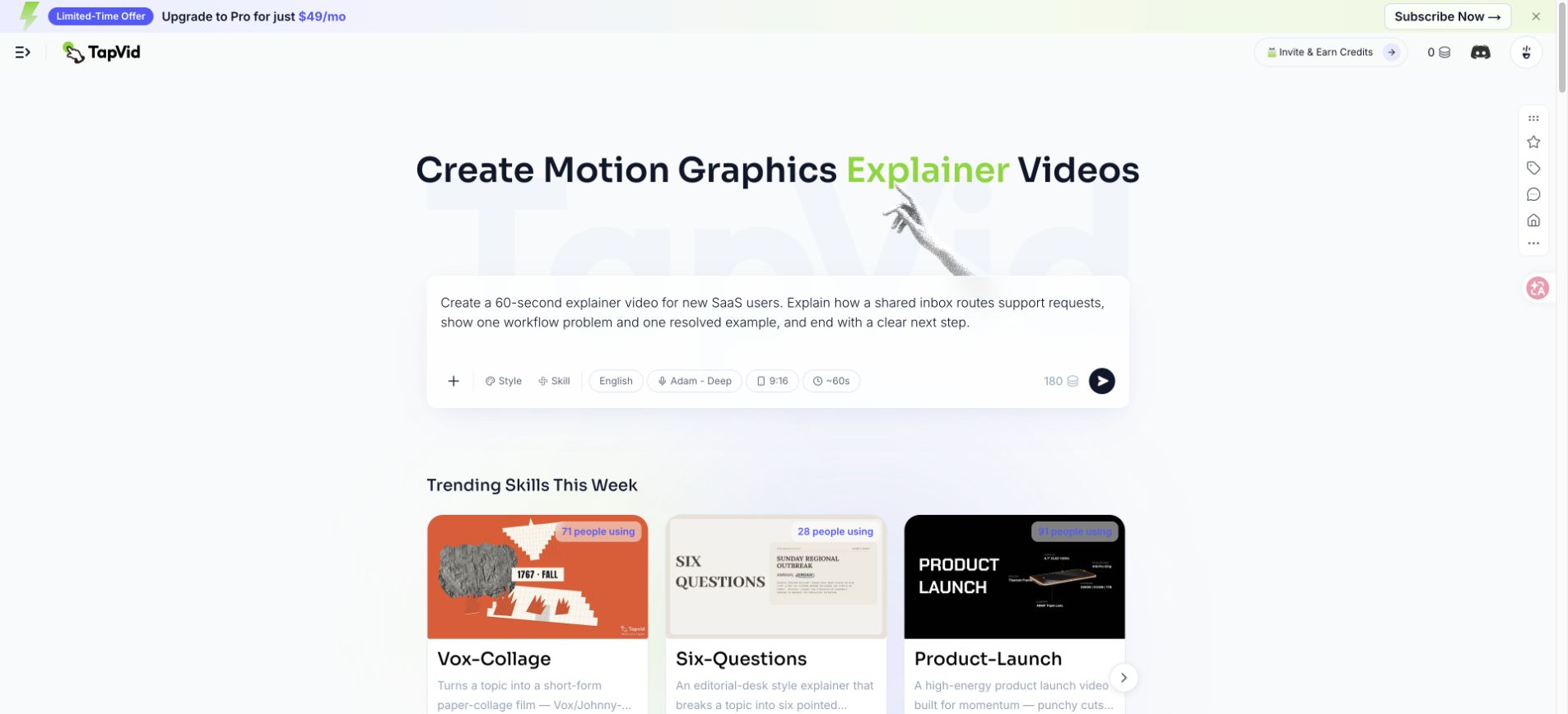
3. Planifica la duración con una lectura cronometrada, no solo con una fórmula
El recuento de palabras da un rango inicial, pero el ritmo hablado cambia con el vocabulario y la intención. Los nombres de productos, acrónimos, números y términos desconocidos necesitan más tiempo que frases conversacionales cortas. Una pausa deliberada puede tener sentido, especialmente antes de la prueba o la CTA. El texto en pantalla también necesita tiempo de espera visual, incluso cuando el narrador ha seguido adelante. Grabe una lectura aproximada antes de que se apruebe un guión gráfico.
| Blanco | Palabras de planificación | Historia disponible | Prioridad de edición |
|---|---|---|---|
| 30 segundos | 55 a 75 | Disparador, mecanismo, resultado, CTA | Eliminar el contexto, la ubicación ya suministra |
| 60 segundos | 120 a 150 | Gancho, problema, mecanismo, prueba, CTA | Mecanismo de protección y una prueba visible |
| 90 segundos | 175 a 220 | Estructura completa más segundo ritmo o prueba más profunda | Recorte las declaraciones de beneficios repetidas |
| 120 segundos | 235 a 300 | Proceso técnico o secuencia educativa | Dividir si la audiencia o CTA cambia |
- Marque la pronunciación y la expansión de los acrónimos antes de juzgar si una oración encaja.
- Permita que los números visibles, las etiquetas de la interfaz y las comparaciones tengan tiempo suficiente para leerlos y comprobarlos.
- Deja un pequeño margen para las transiciones de música, los cambios de escena y las versiones localizadas.
- Vuelva a probar la lectura completa después de cada cambio estructural porque los ritmos posteriores pueden perder su tiempo.
- No cuente el fotograma final como tiempo de CTA útil si desaparece antes de que un espectador pueda responder.
04
4. Usa una estructura de cinco partes y asigna una función a cada momento
La estructura de cinco partes es gancho, problema, mecanismo, prueba y CTA. Su valor no son las etiquetas. Crea una cadena causal. El gancho identifica una situación. El problema muestra por qué el estado actual es importante. El mecanismo explica lo que cambia. La prueba muestra el estado cambiado en las mismas condiciones. La CTA le da al entendimiento un destino. Eliminar cualquier enlace hace que el guión se sienta como un anuncio o un fragmento de tutorial.
| Ritmo | Obra | Versión débil | Dirección más fuerte |
|---|---|---|---|
| Enganche | Gana relevancia rápidamente | Gestionar el apoyo es difícil. | Dos compañeros de equipo responden a la misma solicitud, y ninguno ve la otra respuesta. |
| Problema | Haz que el costo sea concreto | Tu bandeja de entrada es ineficiente. | El cliente recibe respuestas contradictorias, mientras que otra solicitud no tiene propietario. |
| Mecanismo | Explica el cambio | Nuestra plataforma agiliza el soporte. | Las reglas de enrutamiento envían cada solicitud al canal correcto y asignan un propietario. |
| Prueba | Resolver la apertura | Los equipos se vuelven más productivos. | La siguiente solicitud aparece una vez, llega al propietario correcto y recibe una respuesta coordinada. |
| CTA | Nombra el siguiente paso | Obtenga más información hoy. | Cree su primera regla de enrutamiento. |
- Dale al gancho de cinco a ocho segundos en un guión enfocado de 60 segundos.
- Usa el problema para añadir consecuencia, no para reafirmar el gancho con adjetivos más fuertes.
- Gaste la mayor parte en el mecanismo porque ahí es donde se crea la comprensión.
- Prueba la respuesta visual a la misma pregunta planteada por la situación inicial.
- Termine con una acción y un destino en lugar de una lista de opciones de navegación de productos.
05
5. Usa un guion de audio y elementos visuales en dos columnas
Un documento de solo narración está incompleto porque el equipo visual debe adivinar lo que cada línea necesita probar. Un documento solo de guión gráfico también está incompleto porque el movimiento puede ocultar un argumento débil. Coloque el audio hablado y el trabajo visual al lado del otro. Agregue columnas opcionales para el tiempo, el texto en pantalla, la fuente, la transición y el revisor. El formato convierte el guión en un contrato de producción en lugar de un párrafo inspirador.
| Columna | Contenido requerido | Revisar la pregunta |
|---|---|---|
| Tiempo | Inicio, fin y retención visual estimados | ¿Se puede hablar la línea y leer la evidencia de forma natural? |
| Audio | Una idea hablable con notas de pronunciación | ¿Lo entendería un espectador sin ver el documento? |
| Trabajo visual | Contexto, mecanismo, comparación, prueba o CTA | ¿Lo visual añade evidencia en lugar de decoración? |
| Texto en pantalla | Solo etiquetas, números o CTA esenciales | ¿Se puede leer en el ancho móvil? |
| Fuente | Pantalla, documento, URL o propietario aprobado | ¿Se pueden rastrear todas las implicaciones fácticas? |
| Transición | Razón por la que sigue la siguiente escena | ¿Sobrevive la conexión de la historia sin un efecto llamativo? |
- Asigne un trabajo visual por línea; divida la línea cuando le pida al marco que haga un trabajo no relacionado.
- Escriba las etiquetas de la interfaz de usuario exactamente como aparecen en la versión aprobada del producto.
- Señale las imágenes que sean conceptuales para que los revisores no las confundan con el comportamiento literal del producto.
- Mantenga una columna de revisores para la aprobación del producto, editorial, de la marca, legal y final cuando sea relevante.
06
6. Guion completo para un SaaS de bandeja de entrada compartida, con funciones visuales
La siguiente tabla es el script de trabajo utilizado para el vídeo explicativo práctico de la bandeja de entrada compartida. Es intencionalmente estrecho. No explica los informes, las integraciones, los permisos o toda la categoría de soporte. Cada línea avanza una historia: las respuestas duplicadas se convierten en un flujo de trabajo enrutado con un propietario y una acción siguiente. La columna de origen en un archivo de producción enlazaría con pantallas y documentación aprobadas.
| Tiempo | Historia | Trabajo visual | Texto en pantalla | Revisar la pregunta |
|---|---|---|---|---|
| 0 a 6s | Dos compañeros de equipo responden a la misma solicitud de soporte, y ninguno ve la otra respuesta. | Muestra una solicitud dividida en dos rutas de respuesta conflictivas. | Dos respuestas. Un cliente. | ¿Es comprensible el problema antes de que aparezca el producto? |
| 6 a 13s | Otra solicitud espera sin un propietario claro. | Mantenga la bandeja de entrada compartida ocupada y aísle un elemento no asignado. | No asignado | ¿La segunda consecuencia se profundiza en lugar de repetir el gancho? |
| 13 a 20s | La coordinación manual convierte cada nuevo mensaje en una pequeña decisión de enrutamiento. | Muestra a los compañeros de equipo revisando, enviando mensajes y revisando la bandeja de entrada. | ¿Quién es el dueño de esto? | ¿Es concreta y creíble la solución? |
| 20 a 29s | Las reglas de enrutamiento cambian el proceso antes de que nadie tenga que preguntar. | Introduzca una regla que conecte el tipo de solicitud, el canal y el propietario. | Si se factura, enviar a facturación | ¿Puede el espectador ver el mecanismo en lugar de solo escuchar un beneficio? |
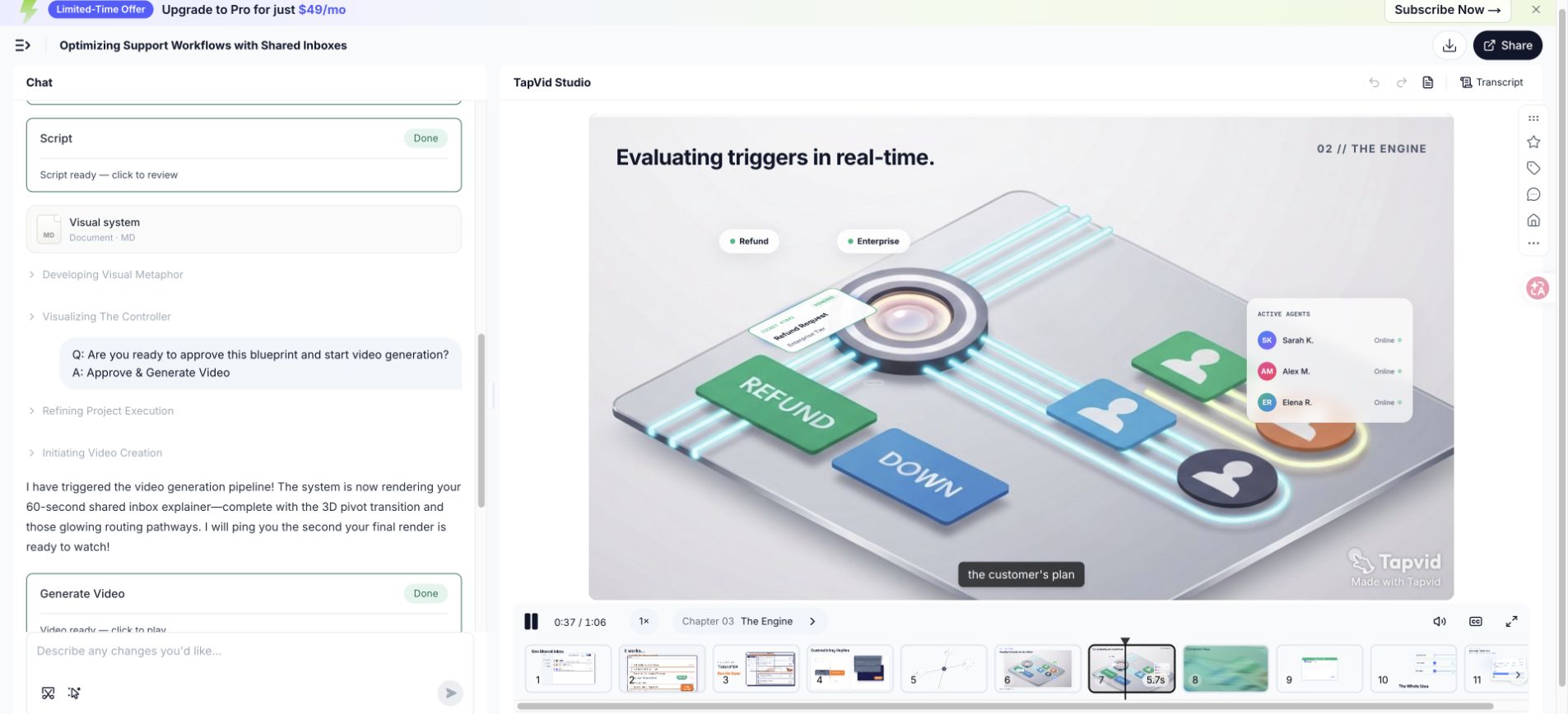
| 29 a 38s | Cada solicitud se mueve al canal correcto y recibe un propietario. | Anima tres solicitudes que viajan a distintos canales etiquetados. | Facturación, Técnico, Cuenta | ¿Las etiquetas de los canales son legibles y se aprueba el comportamiento del producto? |
| 38 a 47s | Los compañeros de equipo ven el mismo estado, contexto y siguiente paso. | Muestra una vista coordinada con el propietario, el estado y la conversación. | Propietario: Maya | ¿El marco prueba la coordinación sin exponer una interfaz de usuario densa? |
| 47 a 56s | Ahora el siguiente cliente recibe una respuesta clara en lugar de respuestas contradictorias. | Vuelve a la solicitud de apertura y resuélvela a través de una ruta. | Una petición. Un propietario. Una respuesta. | ¿La prueba resuelve el problema exacto de apertura? |
| 56 a 64s | Cree su primera regla de enrutamiento y dé a cada solicitud una ruta clara. | Muestre la acción de la regla, luego mantenga el CTA final. | Crea tu primera regla de enrutamiento | ¿Hay una acción visible y tiempo suficiente para leerla? |
- El producto se introduce solo cuando comienza el mecanismo, por lo que la apertura permanece centrada en el espectador.
- La prueba vuelve al mismo patrón de solicitud, lo que hace que la comparación de antes y después sea fácil de seguir.
- El CTA continúa el mecanismo pidiendo una primera regla, en lugar de cambiar a una promesa de registro no relacionada.
- El plan hablado es un poco más largo que 60 segundos una vez que se incluyen las retenciones visuales, lo que la prueba confirmó.
Si su producto no puede admitir uno de estos estados, cambie el script antes de la producción. No pida a la animación que implique una asignación, estado o automatización que el producto no proporciona. Un ejemplo ficticio aún puede enseñar la estructura de escritura, pero un vídeo de producto de marca debe distinguir el flujo ilustrativo del comportamiento real. La verificación es parte de la escritura de guiones, no un pase legal final.
07
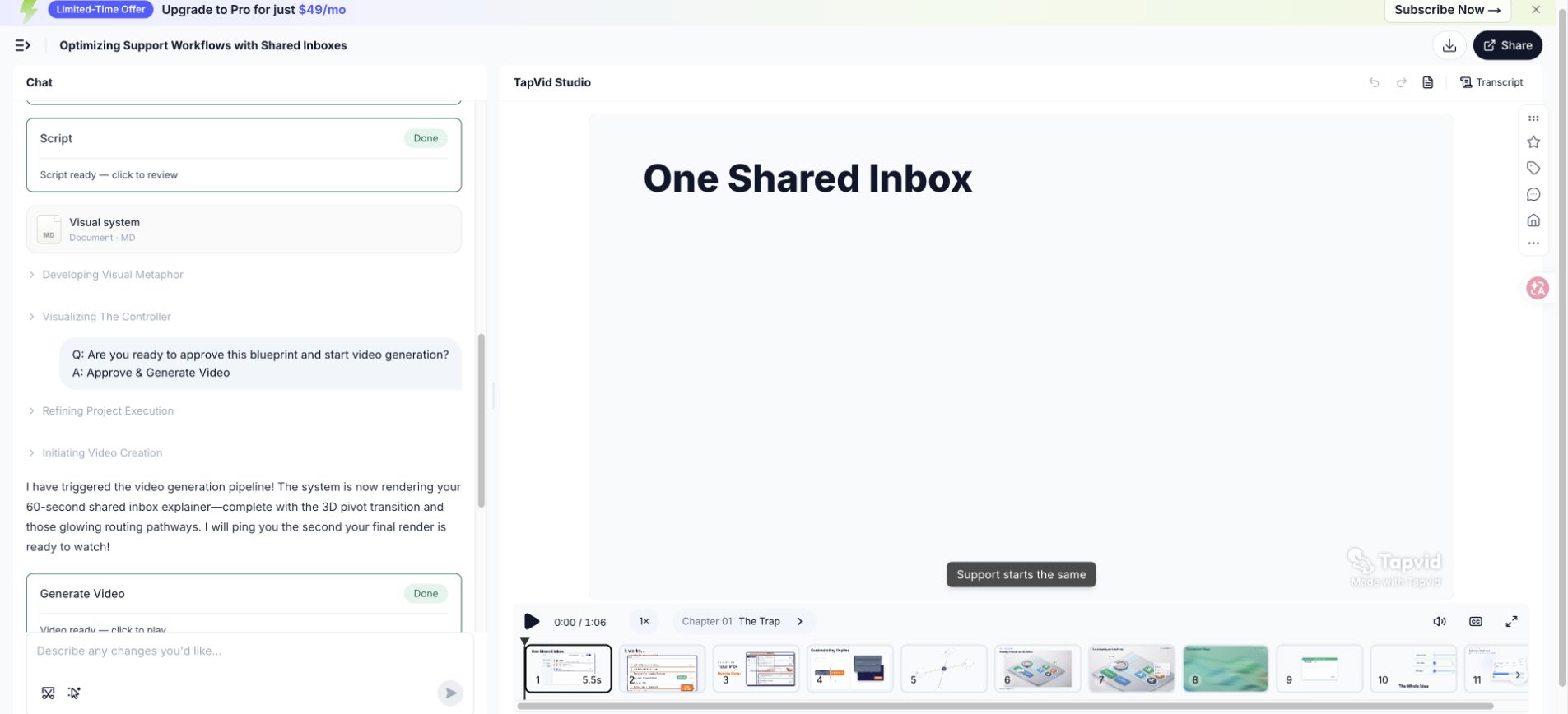
7. Compara el guion con el renderizado de 66.837 segundos
El vídeo de prueba exportado medía 66,837 segundos, por lo que el resumen de aproximadamente 60 segundos produjo un resultado unos 6,8 segundos más largo que el objetivo redondo. Esa diferencia es evidencia editorial útil. El script incluye varias etiquetas, una secuencia de mecanismos y una retención de CTA. Eliminar todas las pausas o acelerar la voz protegería el número, pero debilitaría la comprensión. Una segunda revisión debería cortar el lenguaje antes de comprimir la evidencia.
| Área de escritura | ¿Por qué necesita tiempo? | Opción de segunda revisión |
|---|---|---|
| Consecuencias de apertura | Dos estados de fracaso establecen trabajo duplicado y no propietario | Combínalos en una oración mientras mantienes dos ritmos visuales |
| Solución alternativa manual | El espectador necesita reconocer el antiguo proceso | Elimina la frase pequeña decisión de enrutamiento y deja que el visual la muestre |
| Mecanismo de reglas | Las etiquetas y el movimiento necesitan tiempo de lectura | Mantén la espera y acorta la narración a su alrededor |
| Estado coordinado | El propietario, el estado y el contexto compiten por la atención | Mostrar solo los campos necesarios para demostrar la propiedad |
| CTA | La acción debe permanecer legible | Proteja la retención; acorte el in-in-in en su lugar |
- Primer corte: eliminar la configuración repetida que el visual ya comunica.
- Segundo corte: reemplazar las frases nominales largas con un sujeto claro y un verbo activo.
- Tercer corte: retire los ejemplos secundarios antes de tocar el mecanismo o la prueba.
- Tiempo final: graba la nueva lectura y vuelve a reproducirla con la escena real.
08
8. Reescribe los comienzos débiles, las listas de funciones y las CTA
Una buena edición cambia el trabajo que realiza una oración. No solo reemplaza palabras sencillas por otras más enérgicas. Los ejemplos a continuación identifican el fallo, conservan la información necesaria y vuelven a conectar la línea al espectador, problema, mecanismo, prueba o acción. Utilice este proceso cada vez que una parte interesada solicite hacer el guión más emocionante sin identificar lo que el espectador aún no entiende.
| Problema | Antes | Después | ¿Por qué funciona la edición? |
|---|---|---|---|
| Apertura pesada en jerga | Las operaciones de soporte modernos requieren orquestación omnicanal en los puntos de contacto con los clientes distribuidos. | Dos compañeros de equipo responden a la misma solicitud, mientras que otra solicitud espera sin propietario. | La revisión le da al espectador un papel, una escena y una consecuencia que se pueden visualizar. |
| Volcado de características | Nuestra plataforma incluye enrutamiento, etiquetas, canales, estado, análisis, integraciones y automatización. | Las reglas de enrutamiento envían cada solicitud al canal correcto y le dan un propietario. | La revisión selecciona un mecanismo y muestra cómo cambia el proceso. |
| CTA vago | Transforma la experiencia de tu cliente y aprende más hoy. | Cree su primera regla de enrutamiento. | La revisión pide una acción que continúe la explicación. |
- Encierra en un círculo sustantivos abstractos y pregunta qué hace realmente una persona o un sistema.
- Reemplace las afirmaciones de categoría con un momento de activación que el espectador previsto reconozca.
- Mantenga las características solo cuando participen en el mecanismo mostrado por la historia.
- Mueva la prueba junto a la reclamación que respalda en lugar de cobrar beneficios vagos al final.
- Vuelva a escribir el CTA como un verbo visible más objeto, como crear una regla o revisar el primer borrador.
09
9. Haz una lectura en voz alta y recorta en el orden correcto
Grabe la lectura aproximada en un teléfono o portátil en una habitación tranquila. El objetivo no es la calidad de la voz. Es escuchar la respiración, el ritmo, la ambigüedad y el tiempo. Marque cada lugar en el que reinicie, agregue una palabra no planificada o enstresque el término incorrecto. Las correcciones naturales a menudo revelan la oración más simple que tu boca esperaba. Comparte la grabación con el guión para que los revisores evalúen el lenguaje hablado en lugar de la prosa de la página silenciosa.
Cortar en un orden deliberado. Elimine primero la configuración repetida, luego los adjetivos que no cambian el significado, los ejemplos secundarios, los viajes laterales de las características y los CTA adicionales. Proteja el mecanismo, la evidencia aprobada, el contexto de seguridad o cumplimiento requerido y el tiempo suficiente para la comprensión visual. Si la historia sigue siendo demasiado larga después de esos cortes, reduzca la promesa o aumente el tiempo de ejecución en lugar de hablar anormalmente rápido.
- Lea una vez el significado y registre la duración natural sin perseguir al objetivo.
- Lea de nuevo con la energía deseada y marque las respiraciones, el énfasis, la pronunciación y la sintaxis incómoda.
- Coloque la grabación contra escenas aproximadas y agregue tiempo de retención visual para las etiquetas y la evidencia.
- Corte el contexto repetido, los modificadores, los ejemplos secundarios y las acciones adicionales en ese orden.
- Registre el guión revisado desde el principio porque un corte local puede cambiar el ritmo posterior.
- Pídale a un oyente desconocido que indique el problema, el mecanismo, la prueba y el CTA después de escucharlo una vez.
10
10. Adapta el marco a distintos tipos de explicación
Los cinco trabajos siguen siendo útiles en todas las categorías, pero su énfasis cambia. Un vídeo de un producto SaaS generalmente necesita una prueba visible del flujo de trabajo. Un servicio profesional puede explicar el diagnóstico, el proceso y la confianza en lugar de una interfaz. Un concepto técnico necesita definiciones precisas y una abstracción cuidadosamente elegida. La incorporación puede asumir la intención y comenzar más cerca de la tarea. La educación puede requerir controles o resúmenes de recuperación en lugar de un CTA de conversión.
| Caso de uso | Enfoque de apertura | Evidencia del mecanismo | CTA típico |
|---|---|---|---|
| Producto SaaS | Momento de activación dentro de un flujo de trabajo | Cambio de estado de la interfaz de usuario o flujo de producto simplificado | Inicie el primer flujo de trabajo o prueba |
| Servicio profesional | Costo o riesgo del enfoque actual | Método de diagnóstico, proceso o entregable | Reservar una evaluación o revisión |
| Concepto técnico | Pregunta o concepto erróneo | Diagrama, comparación o modelo paso a paso | Explora el siguiente concepto o aplica el modelo |
| Incorporación | Tarea que el usuario que ha iniciado sesión quiere completar | Pasos exactos aprobados de la interfaz de usuario y resultado | Completa la tarea en el producto |
| Formación | Situación en la que se debe tomar una decisión | Procedimiento, ejemplo y verificación de conocimientos | Practicar o confirmar la comprensión |
| Habilitación interna | Cambio en la política, proceso o responsabilidad | Flujo de trabajo de antes y después con los propietarios | Utilice el nuevo proceso o material de referencia |
- Mantenga una audiencia por guión corto; cree variantes cuando los roles necesiten pruebas o lenguaje diferentes.
- Utilice una interfaz real solo cuando el comportamiento exacto importe y la pantalla permanezca lo suficientemente actual.
- Indique las suposiciones en las explicaciones técnicas para que la simplificación no se convierta en inexactitud.
- Reemplace la prueba de venta con confirmación de tarea cuando el espectador ya haya decidido usar el producto.
- Utilice una acción de aprendizaje en lugar de una CTA de marketing cuando la retención y la aplicación sean el objetivo.
No copie una estructura SaaS exitosa en una explicación médica, financiera, legal o sensible a la seguridad sin una revisión del tema. El script puede necesitar el contexto requerido, el lenguaje de riesgo o una acción diferente. El marco organiza la comunicación, pero no reemplaza la responsabilidad del dominio. Nombra al experto que aprueba en el traspaso y mantén la fuente utilizada para cada declaración sensible.
11
11. Usa la IA como apoyo sin inventar detalles del producto
La IA puede ayudar a organizar el material de origen, generar frases alternativas, identificar repeticiones, proponer divisiones de escenas y probar si la estructura está completa. No debería decidir qué afirmaciones de productos son ciertas. Dale un paquete de evidencia aprobado, audiencia explícita, mecanismo, tiempo de ejecución, reclamos prohibidos, terminología y CTA. Pídale que marque la evidencia que falta en lugar de completar los huecos con detalles que suenan probablemente.
- Proporcione el resumen del mensaje aprobado y los pasajes de la fuente, no una solicitud sin restricciones para explicar a la empresa.
- Separe los hechos del producto citados de las instrucciones escritas para que el modelo pueda preservar los límites de la reclamación.
- Pida dos o tres alternativas para un ritmo específico en lugar de reescribir el guión completo repetido.
- Requiere que cada número, capacidad y comparación apunten a una fuente suministrada o a una revisión del propietario.
- Mantenga los nombres de las versiones, las etiquetas de la interfaz de usuario, la pronunciación, los límites del plan y los precios actuales fuera de las suposiciones genéricas.
- Revise el lenguaje generado para los intensificadores vacíos, las conclusiones repetidas y las transiciones que implican causalidad.
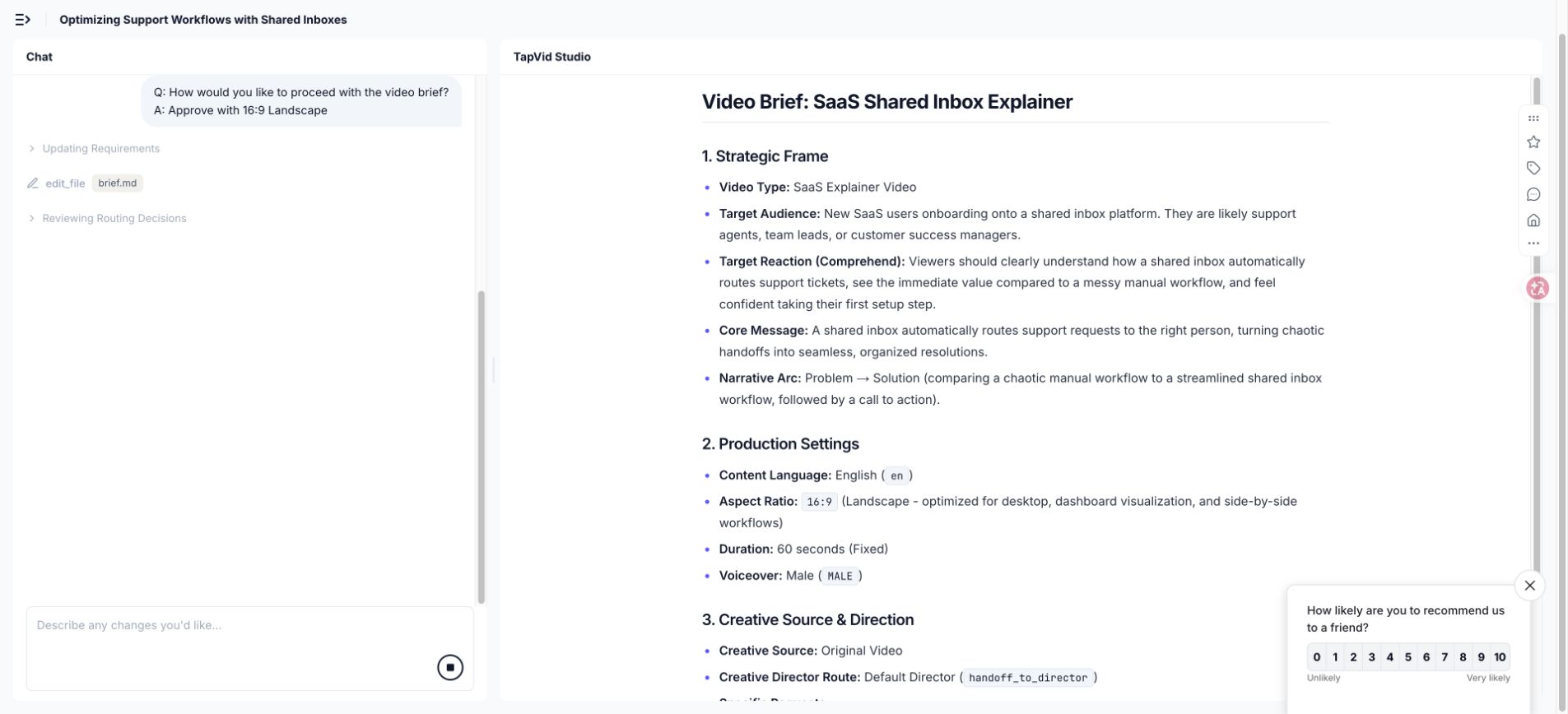
En la ejecución de TapVid, el resumen generado recomendó pasar de 9:16 a 16:9 porque la explicación se basó en una historia dirigida por la interfaz. Esa fue una propuesta útil, pero aún así requería aprobación. Utilice el mismo estándar para las sugerencias de scripts. Un modelo puede mostrar una compensación; el creador decide si coincide con el espectador, la ubicación, la evidencia y la marca.
12
12. Prepara un traspaso a producción que evite las conjeturas
Un guión listo para la producción es más que una narración aprobada. Incluye tiempo, trabajos visuales, pantallas requeridas, enlaces fuente, texto en pantalla, pronunciación, dirección de la música, proporción, subtítulos, restricciones de marca, transiciones y el estado de cada aprobación. El objetivo es eliminar suposiciones silenciosas. Un diseñador debe saber qué elementos son evidencia, cuáles son ilustrativos y cuáles se pueden cambiar para la claridad visual.
| Artículo de ensanse | Lo que impide |
|---|---|
| Script de dos columnas aprobado | Narración y imágenes a la deriva en diferentes explicaciones |
| Paquete de pruebas y propietario de la reclamación | Capacidades, números o comparaciones no verificadas que ingresan al vídeo |
| Lista de pronunciación y terminología | Nombres de productos, acrónimos, nombres y términos técnicos incorrectos |
| Limitaciones visuales y de marca | Tipo, paleta, lenguaje de iconos, perspectiva y movimiento inconsistentes |
| Notas de pie de foto y accesibilidad | Líneas ilegibles, falta de contexto y significado dependiente del sonido |
| Relación de aspecto y plan de colocación | Imágenes importantes que se están recortando o reconstruyendo tarde |
| Estado de aprobación y registro de cambios | Comentarios antiguos que se reintroducen después de que se cerrara una decisión |
- Marque la pantalla de cada producto con su fecha de captura y la versión o plan que representa.
- Explique si los diagramas conceptuales son comportamiento literal, comportamiento simplificado o metáfora pura.
- Incluya zonas de cultivo seguras y comprobaciones de texto móvil para cada relación de aspecto prevista.
- Nombra quién puede aprobar los cambios fácticos, editoriales, de marca, legales y de exportación.
- Solicitar la aprobación del script de nuevo cuando una revisión visual cambia el comportamiento implícito del producto.
Mantenga una breve revisión de traspaso utilizando el documento real. Lea el resumen del mensaje, reproduzca la narración aproximada, inspeccione las pruebas y camine a través de escenas difíciles. Las preguntas respondidas en esta reunión deben escribirse en el traspaso. Una decisión verbal que nunca llega al archivo se convierte en una inconsistencia futura cuando otro compañero de equipo o herramienta reanuda el proyecto.
13
13. Planifica la localización y los subtítulos antes de producir
La localización cambia el tiempo, los saltos de línea, el énfasis y, a veces, el diseño de la escena. Una traducción directa puede expandirse lo suficiente como para chocar con las retenciones visuales. La interfaz de usuario del producto no puede usar la misma longitud de etiqueta o incluso el mismo nombre de la característica. El humor y las metáforas pueden perder su función. Planifique texto editable, sincronización de escena flexible, áreas de subtítulos seguras y evidencia de interfaz localizada antes de bloquear cada señal de movimiento a la forma de onda en inglés.
Traduce el trabajo de comunicación de cada ritmo, luego reconstruye el lenguaje hablado natural. El gancho localizado debe identificar el mismo momento de activación, pero no necesita el mismo orden de palabras. El mecanismo y la prueba deben preservar el significado fáctico. El CTA debe usar el término que se encuentra en la interfaz de destino. Grabe una lectura nativa o fluida y vuelva a cronometrar la secuencia visual en lugar de forzar cada idioma en la duración del inglés.
- Mantenga una hoja de terminología para los nombres de los productos, las etiquetas de la interfaz de usuario, los acrónimos y las palabras que deben permanecer sin traducir.
- Mantenga la narración, los subtítulos y las etiquetas en pantalla como campos editables separados siempre que la producción lo permita.
- Compruebe la velocidad de lectura y los saltos de línea en el tamaño final de la pantalla, especialmente para ubicaciones móviles.
- Revise los números, las unidades, los formatos de fecha, la puntuación y la dirección del texto en la escena renderizada.
- Utilice un revisor fluido que entienda el producto y el público objetivo, no solo la gramática.
- Exporte y vea todas las versiones localizadas porque el texto correcto aún puede ser descronometrado o recortado.
Mantenga la paridad estructural en el paquete de contenido para que cada idioma reciba los mismos ejemplos, pruebas, limitaciones, preguntas frecuentes y acciones. La paridad no significa redacción literal. Significa que el espectador localizado recibe las mismas decisiones y pruebas útiles. Cuando una pantalla de origen o producto solo esté disponible en inglés, explique esa restricción en lugar de eliminar silenciosamente los detalles de apoyo.
14
14. Preguntas frecuentes sobre guiones para videos explicativos
Usa estas respuestas como guía. Continúe con el flujo de trabajo de producción y 15-example analysis. Planifique subtítulos con la guía W3C.
¿Cuántas palabras debería contener un guión de vídeo explicativo de 60 segundos?
Un rango de planificación de alrededor de 120 a 150 palabras habladas es común, pero la terminología, las pausas, la energía y el tiempo de lectura visual pueden mover el resultado. Grabe una lectura natural, colóquela contra escenas ásperas y proteja el tiempo para etiquetas importantes, pruebas y la CTA. La prueba documentada se exportó a los 66,837 segundos a pesar de un resumen de aproximadamente 60 segundos.
¿Cuál es la mejor estructura para un guión de vídeo explicativo?
El gancho, el problema, el mecanismo, la prueba y el CTA es una estructura inicial confiable porque crea una explicación causal. Adapte el énfasis al espectador. La incorporación puede comenzar cerca de la tarea, mientras que un concepto técnico puede necesitar una definición. El guión final aún debería dejar claro el cambio, la evidencia y la siguiente acción.
¿Debería el guión describir cada característica del producto?
No. Incluya características solo cuando participen en el mecanismo o prueba para el problema del espectador seleccionado. Las capacidades adicionales pueden convertirse en vídeos separados, contenido de ayuda o copia de página de apoyo. Un breve vídeo explicativo que muestra un resultado coherente generalmente enseña más que una lista que nombra cada parte del producto.
¿Puedo usar el humor en un guión de vídeo explicativo?
Usa el humor cuando aclara el problema, se adapta a la audiencia y deja suficiente atención para el mecanismo. Evite chistes que requieran más contexto que el producto, debiliten un tema serio o se conviertan en el recuerdo principal mientras la explicación desaparece. Pruebe la línea con personas que coincidan con la audiencia prevista.
¿Puede la IA escribir todo el guión?
La IA puede organizar y editar el material suministrado, pero el editor debe verificar el comportamiento del producto, los números, las comparaciones, las afirmaciones confidenciales y las implicaciones. Dé al sistema fuentes aprobadas y exija que exponga la evidencia que falta. Los revisores humanos todavía tienen alcance, énfasis, ritmo hablado, imágenes, marca y aprobación final.
¿Cuál es la diferencia entre la narración y el texto en pantalla?
La narración lleva el argumento hablado. El texto en pantalla debe conservar etiquetas, números, distinciones y acciones que los espectadores deben inspeccionar o recordar. Repetir cada frase hablada en la pantalla sobrecarga el marco. Deje que los dos canales dividan la explicación mientras permanecen sincronizados.
¿Cuándo debería contratar a un guionista profesional o a un equipo de producción?
Traiga ayuda especializada cuando el mensaje afecte a un lanzamiento importante, el producto sea técnicamente complejo, las afirmaciones sean delicadas, la narración personalizada sea importante, varias partes interesadas necesiten facilitación o el equipo no pueda revisar la narrativa hablada y la lógica visual. Un fuerte resumen interno y un paquete de pruebas aún hacen que el trabajo externo sea más rápido y seguro.
¿Qué se debe aprobar antes de que comience la generación de vídeo?
Apruebe la audiencia, el problema, el mecanismo, la prueba, la CTA, la evidencia de la fuente, el guión hablado completo, los trabajos de la escena, las pantallas requeridas, la terminología, el rango de tiempo de ejecución, la voz, la relación de aspecto, el sistema visual, los subtítulos, las afirmaciones prohibidas y los aprobadores nombrados. La generación debe comenzar a partir de una decisión de producción controlada, no a partir de un estímulo de lluvia de ideas no resuelto.