
Most PowerPoint decks already contain the raw material for a useful video. The problem is that decks are built for presenters, not for viewers watching alone. If you convert a deck slide-for-slide, you usually get a boring video that keeps all the weaknesses of the original presentation. The better move is to preserve the thinking and rebuild the sequence for video attention. This is the workflow I recommend when teams need to move quickly.
01
Why slide-to-video conversions usually fail
A slide deck assumes a presenter is in the room filling the gaps. A video has to carry the explanation on its own. That is why a direct export from PowerPoint rarely works as a finished piece.
The common failure is density. A slide that is acceptable for a live talk becomes overwhelming in video because the viewer has no control over the pace and no speaker physically guiding attention.
02
What to fix before you convert anything
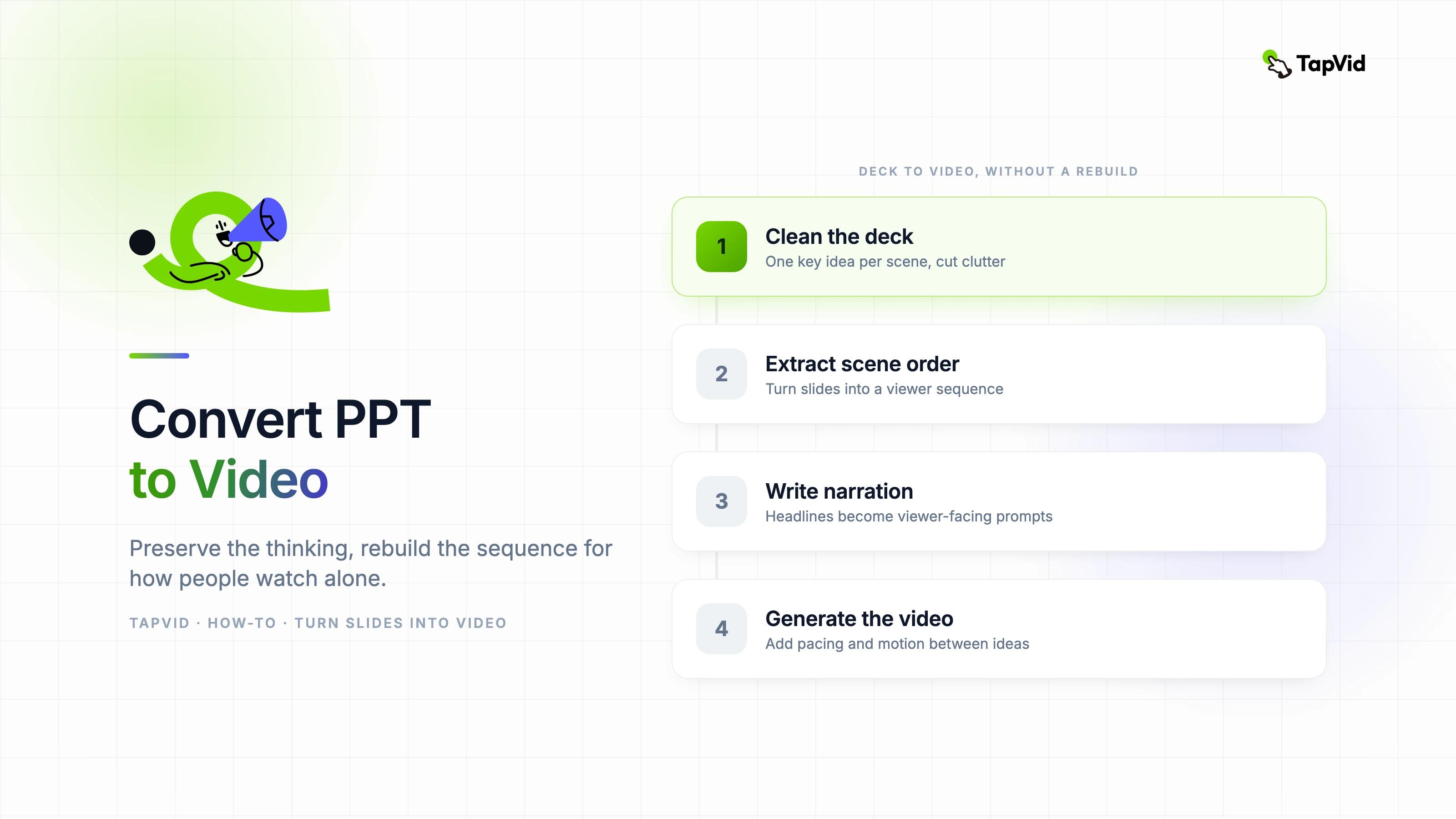
- Remove slide clutter and keep one key idea per scene.
- Rewrite headlines so they work as viewer-facing narration prompts.
- Break long bullet slides into multiple shorter visual beats.
- Decide what the viewer should do or understand by the end.
- Mark any slides that need motion, zoom, or visual emphasis to stay readable.
03
The easiest workflow for teams with existing decks
My preferred workflow is: clean the deck, extract the scene order, write narration, then generate or edit the video around that structure. That order matters because it forces the deck to become source material rather than the final output.
Once the slides are simplified, you can turn them into a much clearer video by adding narration, pacing, and motion between ideas. The viewer experiences a guided explanation instead of a recorded presentation.
04
Where AI helps most in PPT to video workflows
AI is strongest when the deck already contains the logic but lacks production polish. It can read the source material, suggest scene sequencing, create draft narration, and generate visual transitions that make the content feel like a video instead of a slideshow.
That is the reason TapVid is a better fit than a simple export tool for many teams. It does not just convert slides into a file. It restructures them into a viewing experience.
05
A final quality check before publishing
Watch the result once with sound and once without sound. If the video only makes sense with narration, the visuals are too dependent on explanation. If it only works visually and the narration adds nothing, the script is weak.
The goal is balance. A strong PPT-to-video conversion preserves the useful thinking from the deck while removing the friction that made the deck hard to watch in the first place.