
Storyboarding is where most animation projects die quietly. The creative direction is good, the script is finished, and then it stalls for two weeks while someone draws thumbnail sequences by hand. I've been evaluating storyboard AI tools from an engineering perspective for the past year, and the gap between the best tools and manual storyboarding has become large enough to matter for production timelines.
01
What storyboard AI tools actually do
The best storyboard AI tools in 2026 fall into two categories. The first takes a script or scene description as input and generates sequential visual frames representing the scene — essentially automatic storyboard generation from text. The second category takes hand-drawn or rough storyboard panels and refines them into cleaner, more detailed frames.
Both categories are genuinely useful for different stages of pre-production. Script-to-storyboard tools are valuable in early creative development, where speed of visual ideation matters more than refinement. Panel refinement tools are more useful in later pre-production, where you have a direction established and need to communicate it clearly to an animation team.
The technical distinction: script-to-storyboard tools are primarily large language model + image generation pipelines; they interpret the script semantically and generate frames that represent the implied visual content. Panel refinement tools are primarily image-to-image transformation systems.
02
The top storyboard AI tools evaluated
- Storyboard That (AI features): best for structured narrative storyboarding with character consistency. The AI-assisted panel generation maintains character appearance across frames better than most competitors. Good for animation pre-production where character continuity matters.
- Boords AI: strongest integration of storyboard with animatic generation. The ability to export from storyboard directly to a rough animatic with timing controls makes it the most production-integrated tool tested. Teams that use Boords reduce the gap between storyboard approval and first animatic.
- Midjourney (manual workflow): not a dedicated storyboard tool, but the character consistency features added in 2025 make it viable for generating storyboard panels with consistent characters across frames. Requires more manual workflow setup.
- Kling AI (image-to-video for animatic): using still storyboard panels as input to Kling's image-to-video feature generates rough animatics in minutes. This workflow — static panels in, moving animatic out — is one of the more interesting AI pre-production applications I've tested.
- Canva AI (quick storyboards): best option for non-technical teams that need to produce visual storyboards for client communication rather than production handoff. Fast, low skill requirement, output quality adequate for approval purposes.
03
The character consistency problem
The hardest technical problem in AI storyboarding is character consistency — making the same character look identical across 30 or 40 separate frames. This is easy for a human storyboarder who has a character sheet; it's difficult for AI image generation, which tends to produce plausible variations rather than exact reproductions.
The approaches that work best in 2026: using image conditioning (a reference frame of the character) for every subsequent frame generation; using model fine-tuning to lock a character appearance across generations; or using tools like Storyboard That that are specifically architected around maintaining character consistency. The fine-tuning approach produces the best results but requires more setup time — worth it for projects with recurring characters, not worth it for one-off productions.
04
How AI storyboarding integrates with the rest of pre-production
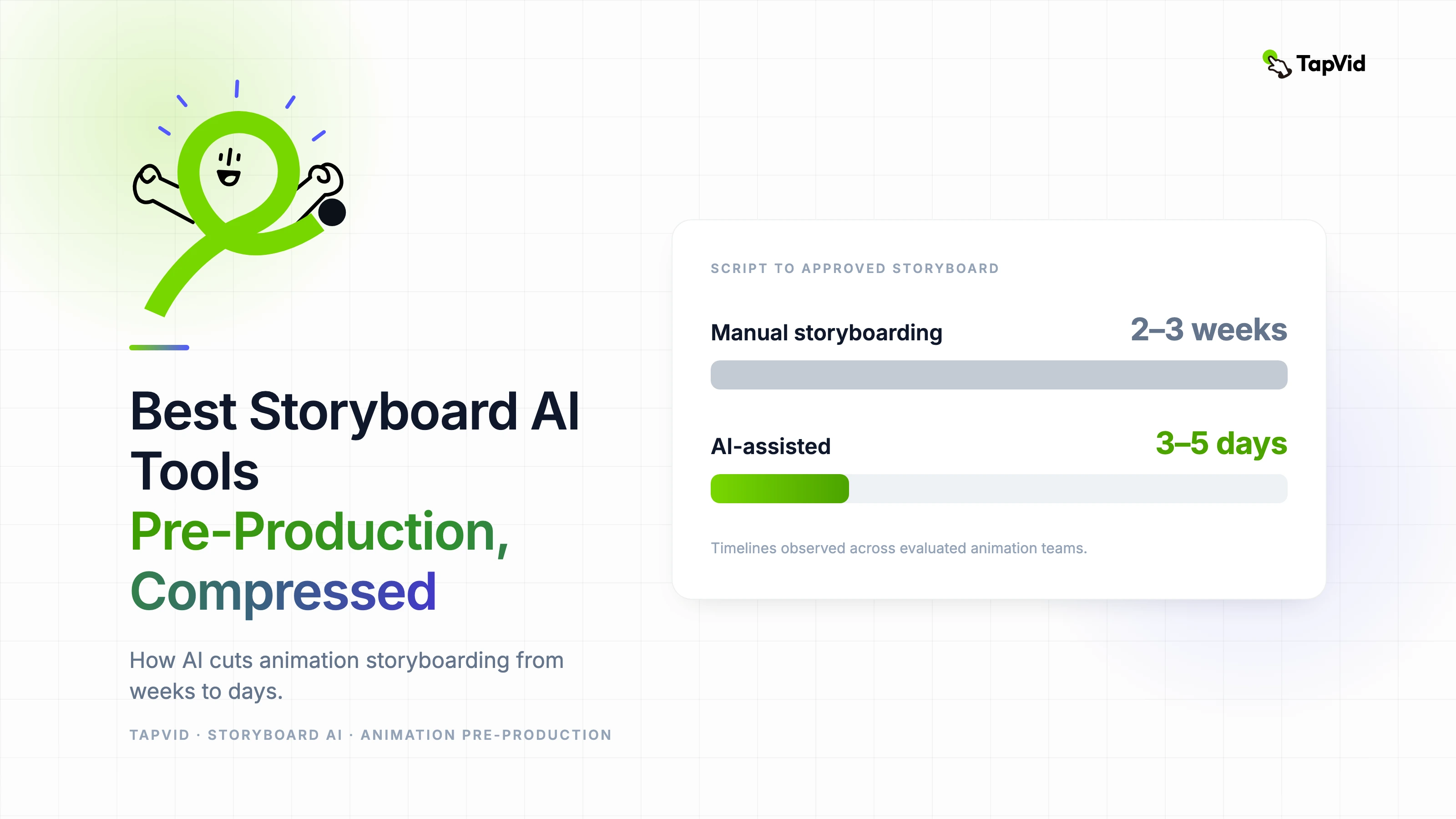
The workflow I've seen work best: use script-to-storyboard AI for first-draft visual development, present rough panels for creative direction approval, then use panel refinement tools or Midjourney to develop approved panels to presentation quality. This compresses the pre-production timeline significantly — we've seen teams go from script to approved storyboard in 3–5 days rather than 2–3 weeks.
The downstream integration matters too. Storyboard AI tools that export in formats that work with previz and animatic software reduce handoff friction. Boords' animatic export and the ability to use Kling for animatic generation from still panels are the two integrations that have had the most practical impact in the workflows I've evaluated.
05
Where AI storyboarding isn't ready yet
Complex action sequences with specific spatial relationships between characters are still difficult for AI storyboard tools to generate reliably. The 'over the shoulder shot' from a specific character's position relative to another — the bread and butter of live-action storyboarding — requires spatial reasoning that current models handle inconsistently.
Camera language is also underdeveloped. Specifying 'dolly in as character turns' or 'rack focus to background element as protagonist speaks' requires precise visual language that current tools don't reliably interpret. These are solvable problems — the architecture for better spatial reasoning is being actively developed — but they mean human storyboard artists remain essential for complex live-action and high-choreography animation projects.