
我完整跑完 Pictory 渲染,並用同一份 brief 實測 5 個替代品。本文提供時長漂移、指令遺漏、匯出限制和失敗過程。
01
實測方法
當您想要將劇本變成幾乎沒有設定的旁白素材蒙太奇時,Pictory就有效。它並不適合每項「文字到影片」工作。當現有文章、PDF、腳本或產品頁面必須成為結構化的動態圖像解說影片時,TapVid會更好。Fliki是我完成的最接近的股票媒體替代品。當成績單是編輯介面時,描述會更好。合成是用於演講者主導的培訓。Canva AI既便宜又容易訪問,但它生成的文字在這次測試中嚴重失敗。
Google 註冊後,帳號取得 14 天試用和 50 個 AI credits,但專案最短只能選 30 秒。腳本預估 29 秒,9 個場景的編輯器顯示 33.8 秒,最終 HTML 影片精確時長是 39.936654 秒。畫面主要是通用庫存素材,最終有 Pictory 浮水印。相對要求的 15 秒,成片超出 166%。
02
實測方法 — 怎麼選
提示要求為已經擁有文章、PDF、腳本或產品頁面但被生產阻止的受眾提供15秒的16:9產品解釋。它指定了一個乾淨的淺色背景,檸檬綠#78D701,靛藍#5359FF,粗體動態文字,沒有頭像,以及確切的最後一行「將您的內容變成解說影片」。這故意結合了內容要求、視覺約束和可衡量的持續時間。
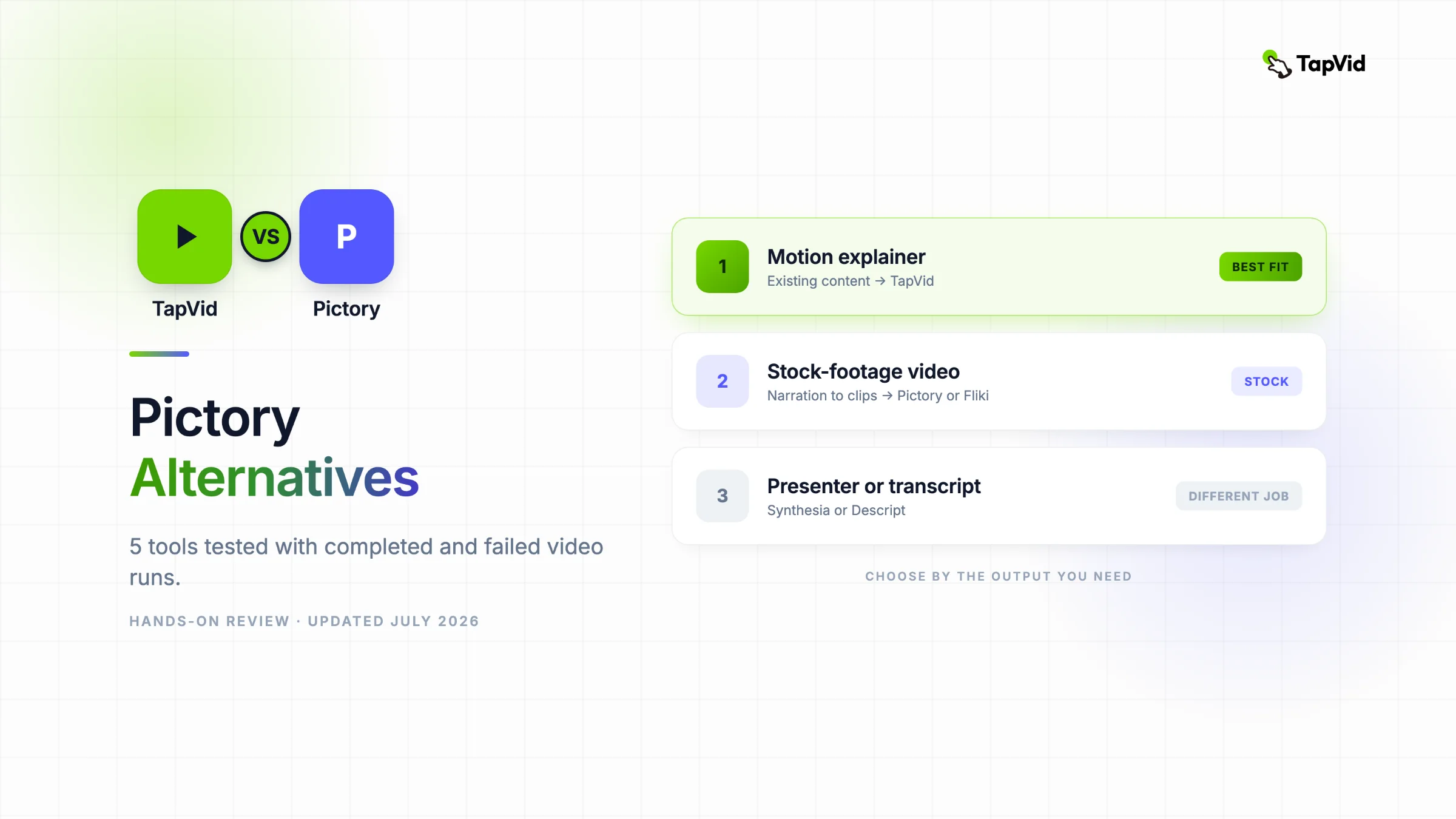
既有文章、PDF、腳本要變成有結構的動效講解影片,選 TapVid;接受庫存素材拼接,選 Fliki;以文字、旁白、字幕為主,選 Descript;明確需要數位人講課,選 Synthesia;Canva 更適合手動模板編輯。只有速度比精確時長和品牌一致性更重要時,才繼續選 Pictory。 — 實測方法
| Tool | 實測方法 | Pictory 完整基準實測 | Export | 怎麼選 |
|---|---|---|---|---|
| Pictory | Pictory 完整基準實測 | 15s / 39.94s | Watermark | Google 註冊後,帳號取得 14 天試用和 50 個 AI credits,但專案最短只能選 30 秒。腳本預估 29 秒,9 個場景的編輯器顯示 33.8 秒,最終 HTML 影片精確時長是 39.936654 秒。畫面主要是通用庫存素材,最終有 Pictory 浮水印。相對要求的 15 秒,成片超出 166%。 |
| TapVid | 5 個真正跑過的替代品 | 60s / 4×15s | Not retested | TapVid:真實上傳 275KB 文章 PDF,經過 brief、四段敘事與逐鏡腳本檢查,6 分 21 秒取得講解影片。 |
| Fliki | 5 個真正跑過的替代品 | 15s / 31s | 720p MP4 | Fliki:4 個庫存素材場景,總長 31 秒,720p MP4 已完成;但它把部分製作指令直接當成旁白。 |
| Descript | 5 個真正跑過的替代品 | 15s / 16.4s | 720p | Descript:3 個場景、16.4 秒、消耗 27 個 AI credits,是無程式碼成片中最接近 15 秒的。 |
| Synthesia | 5 個真正跑過的替代品 | 15s / 40s | Free plan | Synthesia:3 個場景、最終 40 秒;即使要求不要數位人,仍插入 Actor,還保留 logo 佔位符。 |
| Canva AI | 5 個真正跑過的替代品 | 15s / n/a | Not tested | Canva AI:確實生成影片資產,但主文案是不可讀亂碼,播放也停在 0.0 秒,無法作為可用結果。 |
03
Pictory 完整基準實測
Pictory 完整基準實測
輸入: 15s
測試設定
- 29s
- 33.8s
觀察結果
- 39.936654s
Google 註冊後,帳號取得 14 天試用和 50 個 AI credits,但專案最短只能選 30 秒。腳本預估 29 秒,9 個場景的編輯器顯示 33.8 秒,最終 HTML 影片精確時長是 39.936654 秒。畫面主要是通用庫存素材,最終有 Pictory 浮水印。相對要求的 15 秒,成片超出 166%。
我使用Google註冊,獲得14天試用與50個AI點數。新手設定中,我選擇業務與行銷、業務與行銷職務、11至200人規模的公司,並把TapVid(tapvid.ai)填為網站。提示詞欄位不接受把15秒設為專案目標。Pictory的最短片長是30秒,因此系統在生成前擴展了需求。
Pictory首先製作了一個名為「用TapVid轉換您的內容」的七句腳本。它的腳本估計顯示29秒。影片首選項步驟估計了24個點數點的生成成本。生成後,編輯包含九個場景,報告了33.8秒。視覺效果是通用的庫存蒙太奇,包括辦公室對話、電話鏡頭、雲圖形和抽象剪輯。確切的綠色和靛藍方向沒有保持一致。
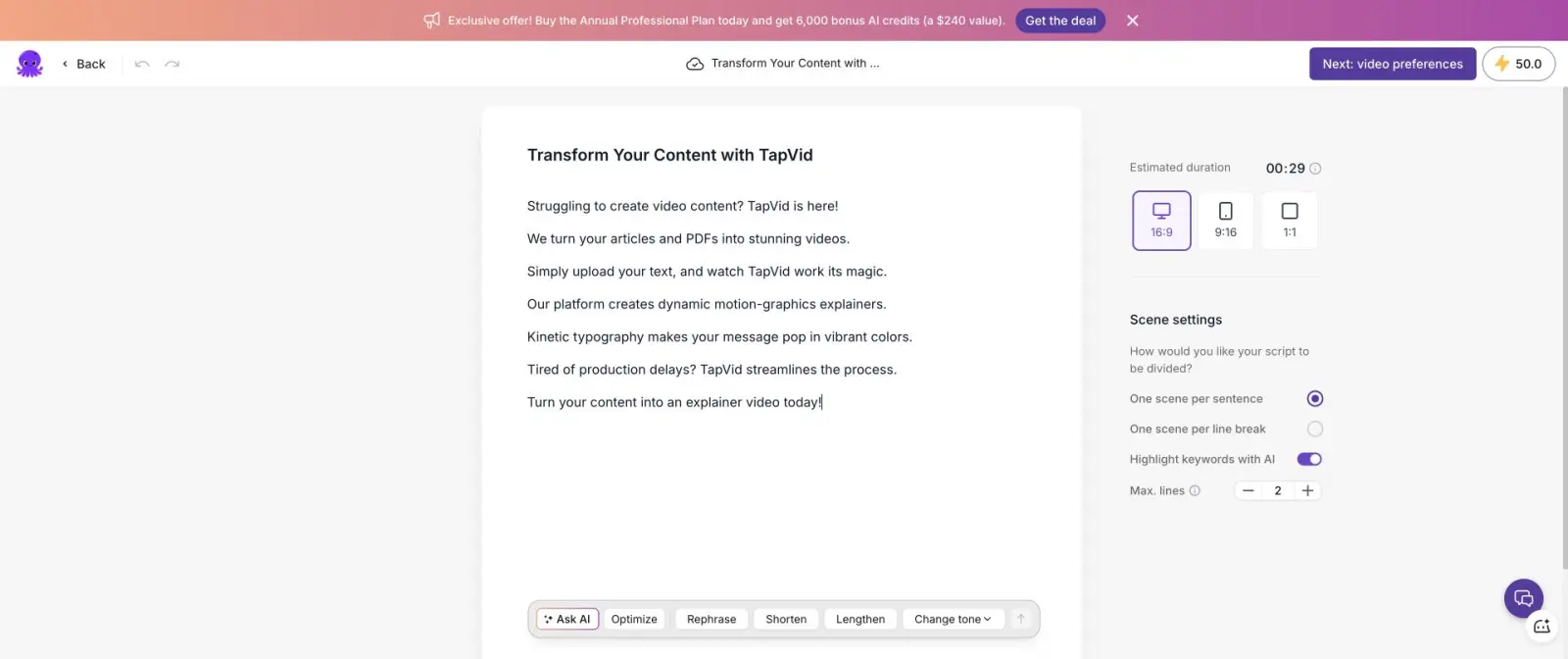
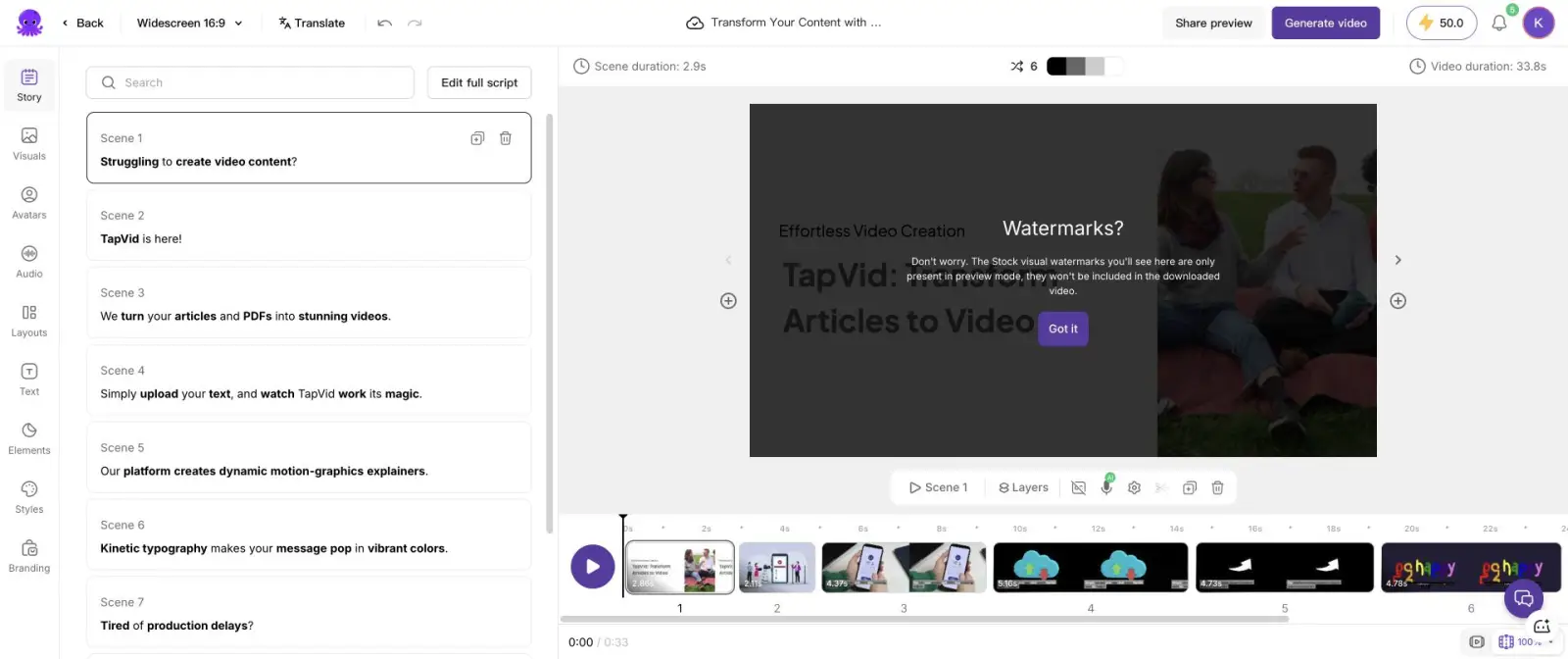
我選擇了免費的「用水印生成」路徑,並等待渲染完成。在最後的共享頁面上,玩家報告了00:39。檢查HTML影片的精確持續時間為39.936654秒。因此,測試經歷了四個不同的時間值:請求的15秒,腳本中的29秒,編輯器中的33.8秒,最終檔案中的39.94秒。這比請求的持續時間超支了166%。
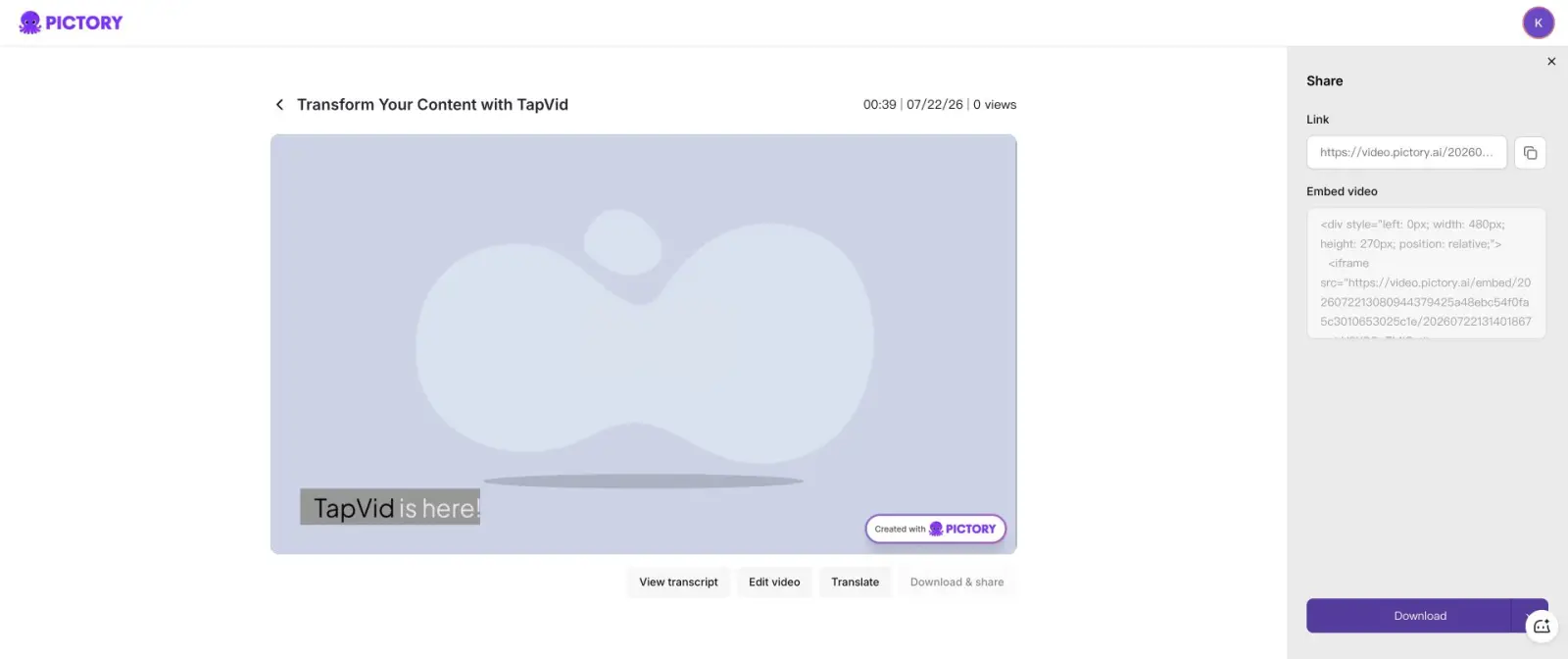
Google 註冊後,帳號取得 14 天試用和 50 個 AI credits,但專案最短只能選 30 秒。腳本預估 29 秒,9 個場景的編輯器顯示 33.8 秒,最終 HTML 影片精確時長是 39.936654 秒。畫面主要是通用庫存素材,最終有 Pictory 浮水印。相對要求的 15 秒,成片超出 166%。 — 實測了,但不進入排名
04
1. TapVid — 5 個真正跑過的替代品
1. TapVid — 5 個真正跑過的替代品
TapVid:真實上傳 275KB 文章 PDF,經過 brief、四段敘事與逐鏡腳本檢查,6 分 21 秒取得講解影片。
適合
- TapVid:真實上傳 275KB 文章 PDF,經過 brief、四段敘事與逐鏡腳本檢查,6 分 21 秒取得講解影片。
不適合
- 既有文章、PDF、腳本要變成有結構的動效講解影片,選 TapVid;接受庫存素材拼接,選 Fliki;以文字、旁白、字幕為主,選 Descript;明確需要數位人講課,選 Synthesia;Canva 更適合手動模板編輯。只有速度比精確時長和品牌一致性更重要時,才繼續選 Pictory。
TapVid和Pictory都可能接受文字,但它們解決了不同的生產問題。Pictory將腳本句子對映到庫存剪輯。TapVid是一個解說影片引擎:它將現有文章、PDF、腳本、PRD、產品文案或連結轉換為簡短的敘事大綱、場景計劃、腳本和動態圖像渲染。來源在過程中保持可見,而不是消失在股票搜尋後面。
在我真正的TapVid執行中,我上傳了一篇275KB的文章PDF和一個簡短的方向。第一個檢查點返回了目標反應、核心資訊、敘事脈絡、觀眾、60秒持續時間、16:9格式和聲音。下一個檢查站將故事分為四個15秒的節拍。然後,逐鏡頭的腳本在生成之前顯示了時間碼和畫外音。上傳完成的影片花了6分21秒。
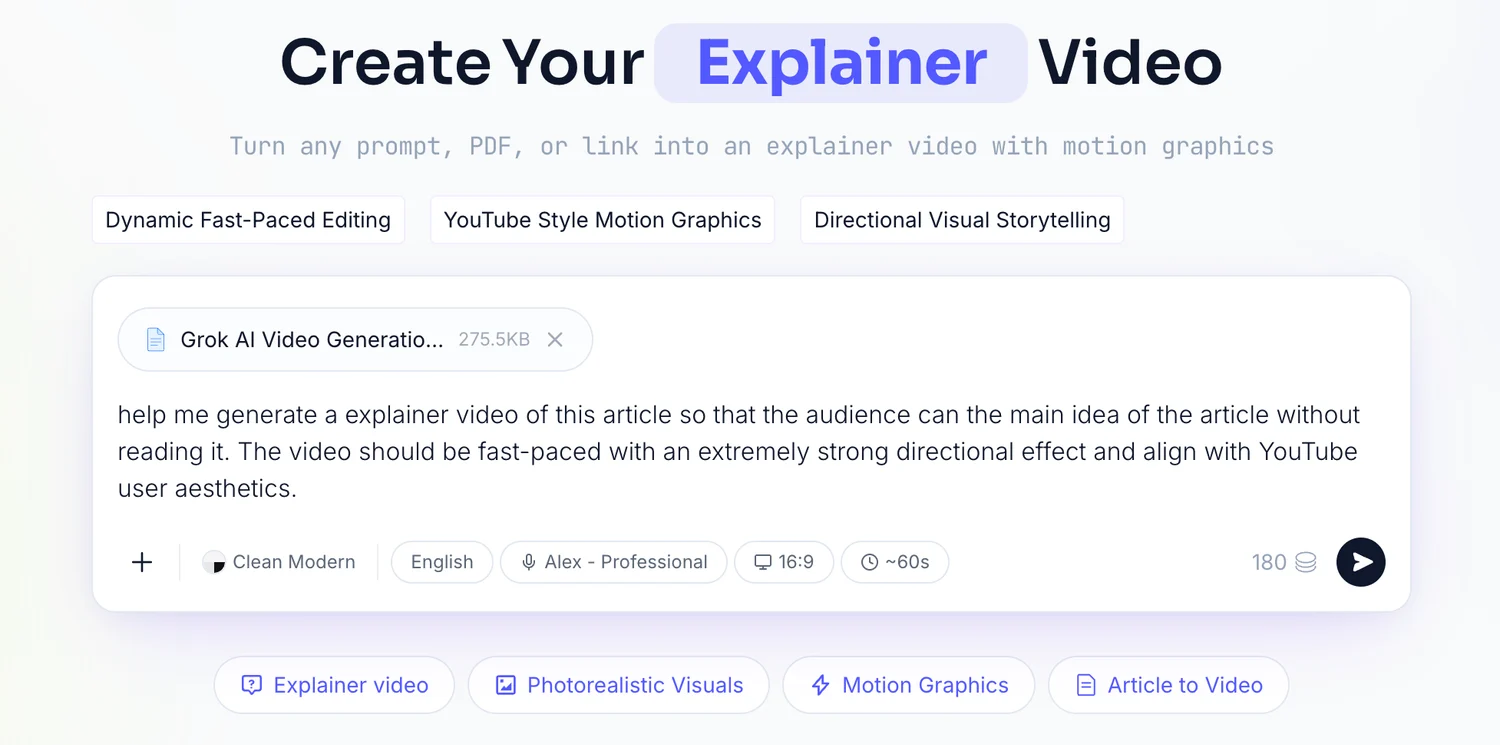
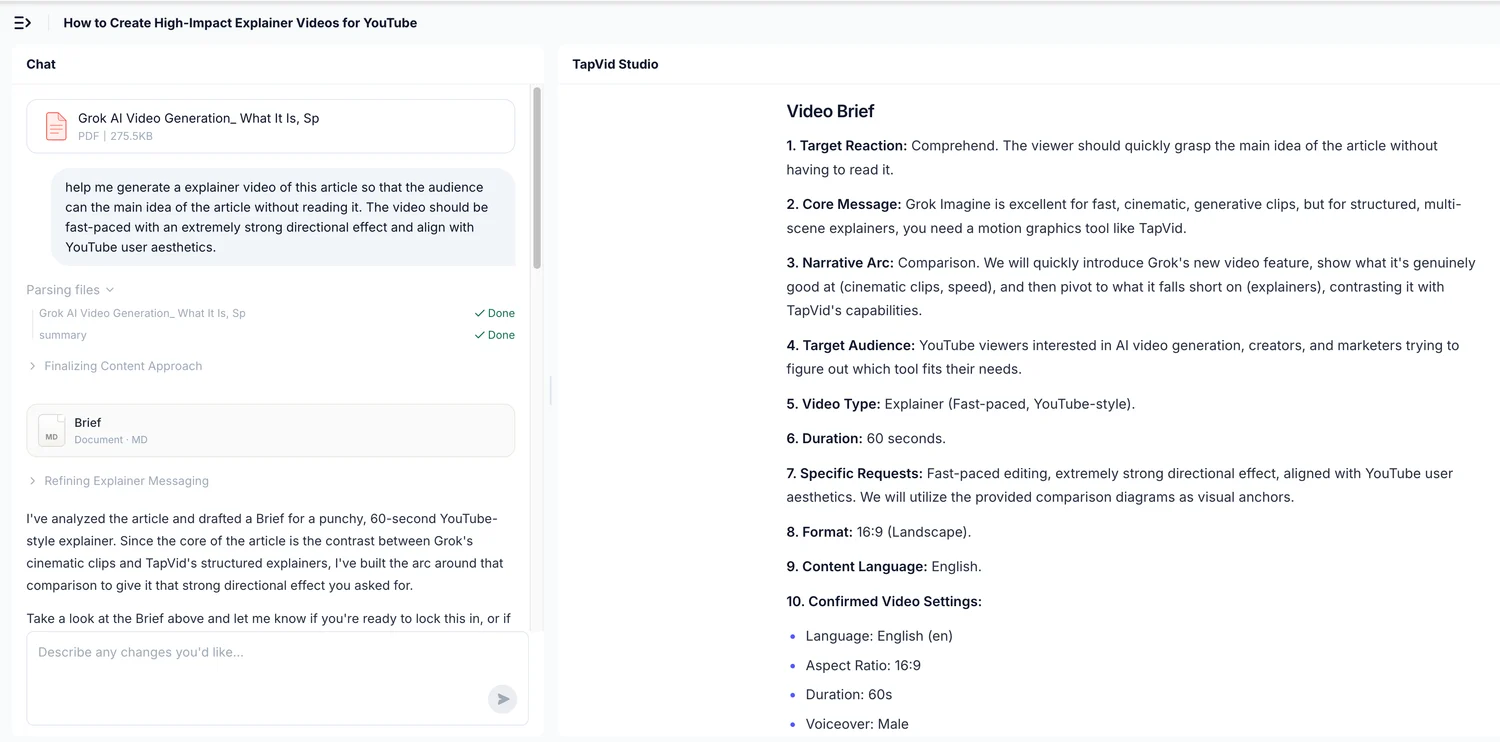
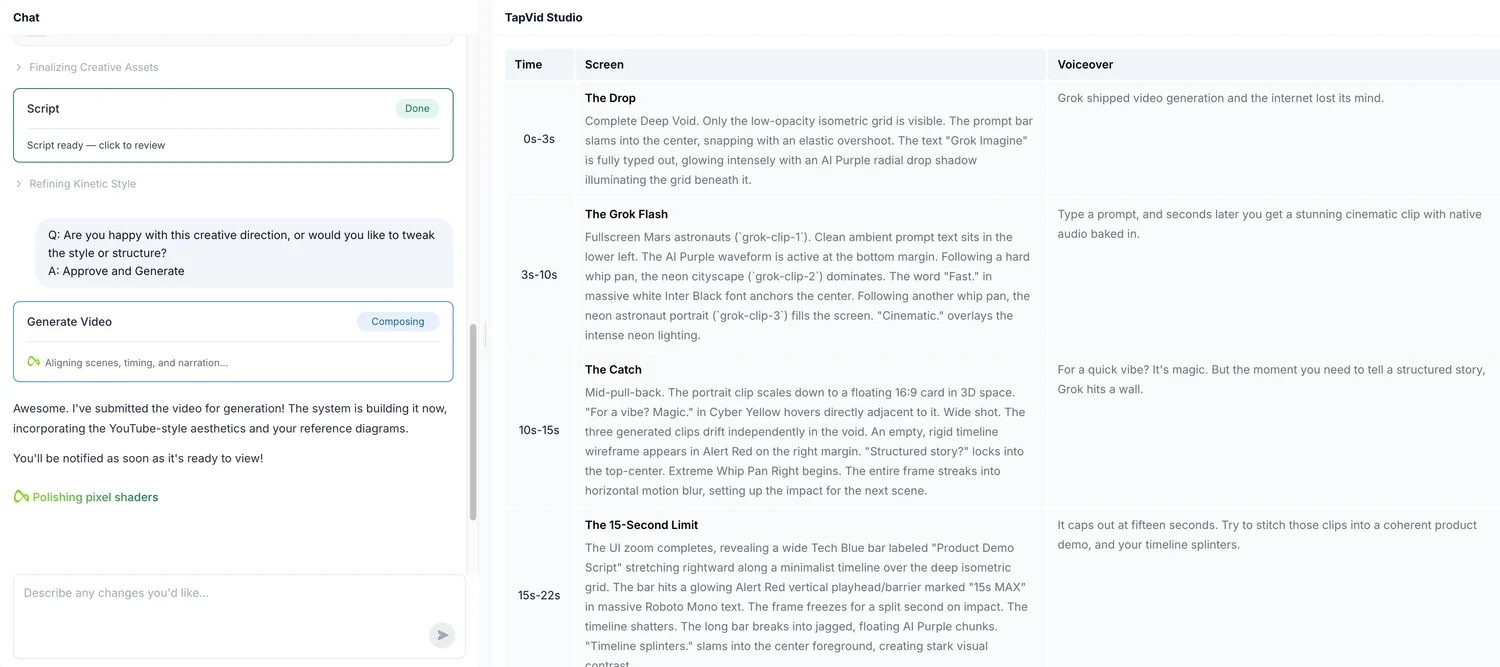
當影片必須解釋來源而不是僅僅說明句子時,請選擇TapVid。它與產品釋出、文章到影片的再利用、知識解說影片和腳本創作者內容特別相關。不要選擇它作為數字人類演示者或手動時間線合成。我使用了之前的完整PDF執行作為證據,沒有在登入帳戶中的重複測試上再花費90個學分。
05
2. Fliki — 5 個真正跑過的替代品
Fliki透過Google註冊、行銷職務,以及以Product Demo Videos作為使用情境,完成Script to video流程。它保留16:9格式,產出4個場景,長度分別為3.75、7.25、5及14秒。編輯器顯示總長31秒,是要求的15秒兩倍以上。素材是通用圖庫與抽象畫面,類型與Pictory相近。
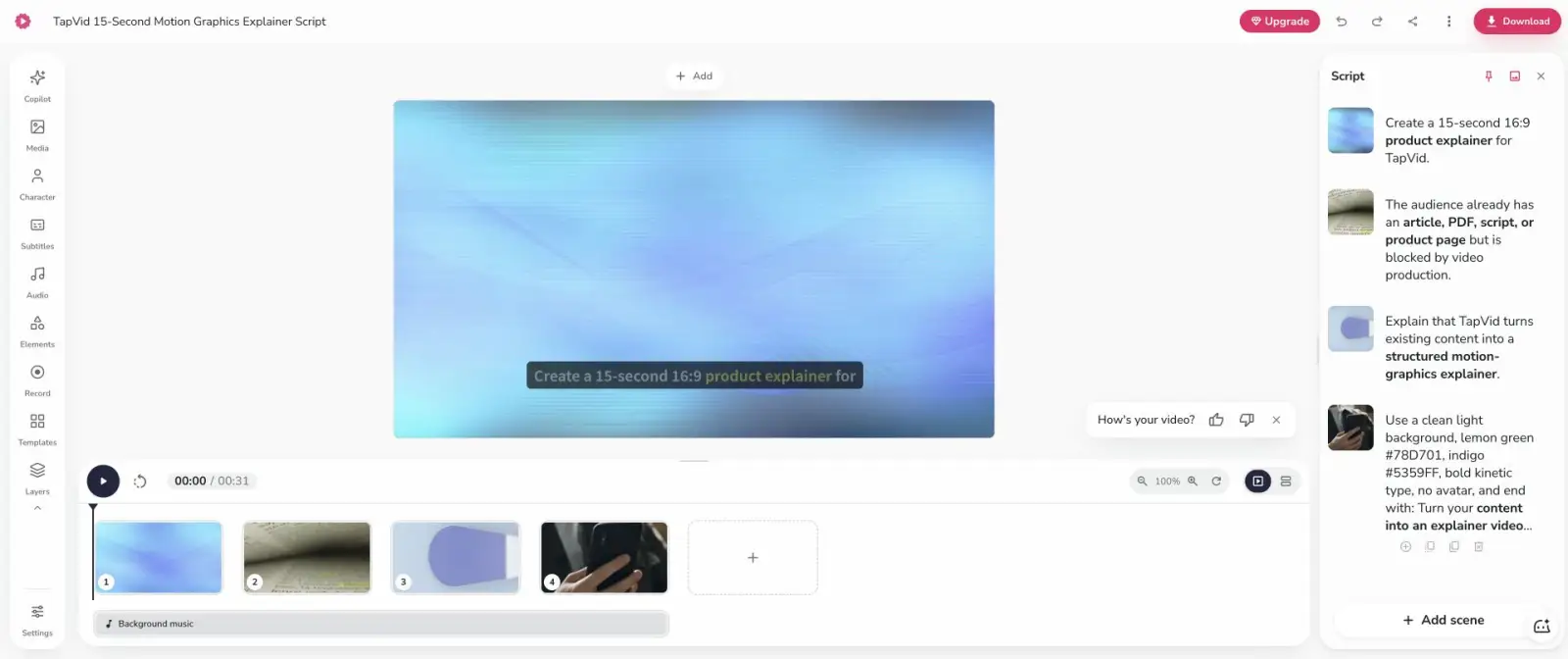
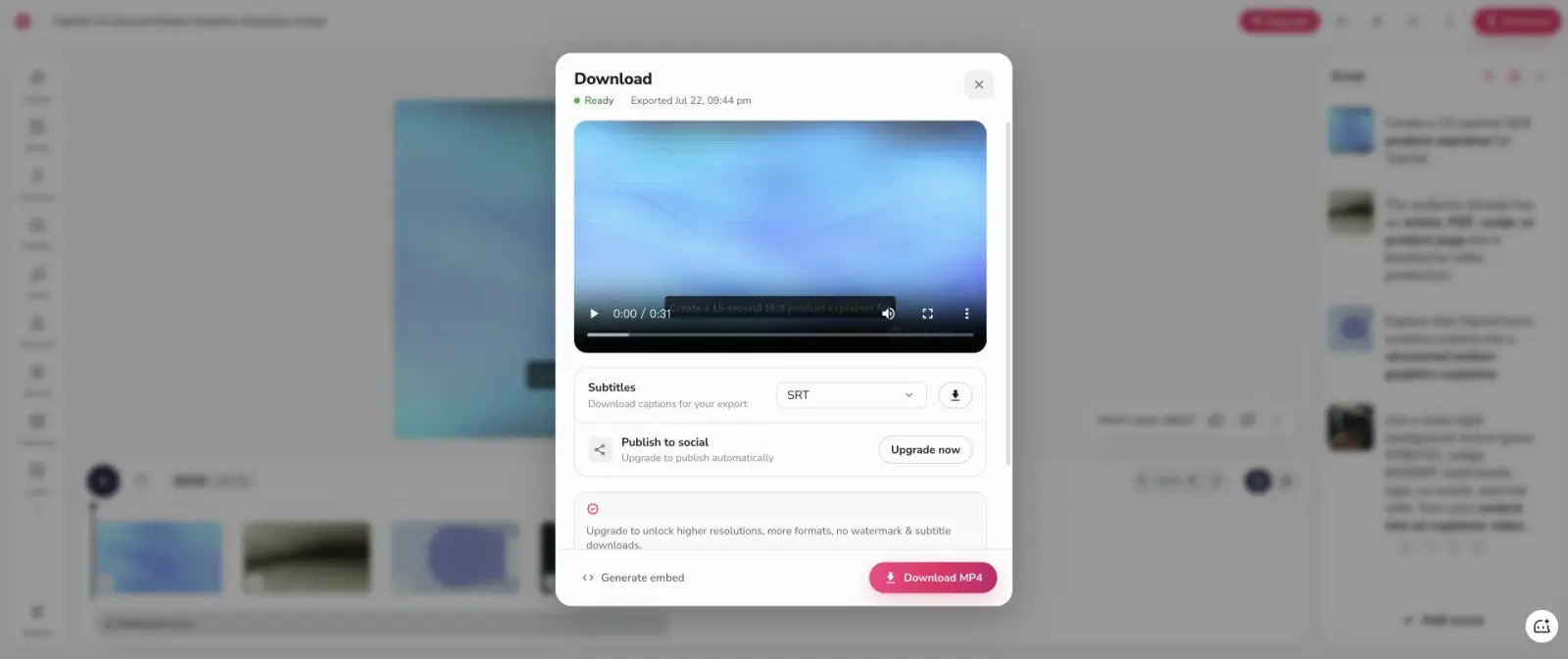
重要的失敗是及時解釋。在這個工作流程中,Fliki將大部分製作指令視為旁白。「建立15秒16:9產品解說影片」等臺詞出現在場景腳本中,而不是控制專案。匯出到達Ready,並提供720p MP4。更高的解析度、更多的格式和水印去除是升級專案。如果您願意與製作需求分開寫一個乾淨的敘述腳本,Fliki是一個可信的Pictory替代品。
06
3. Descript — 5 個真正跑過的替代品
在已完成的無程式測試中,Descript產生了最接近的持續時間。它的Underlord首先提出了一個三場景計劃,並要求我核准聲音、結構、確切顏色、無頭像規則和CTA。然後,它生成了可編輯的文字記錄、語音軌道、排版和時間線。最終持續時間為16.4秒,僅比目標高出1.4秒。
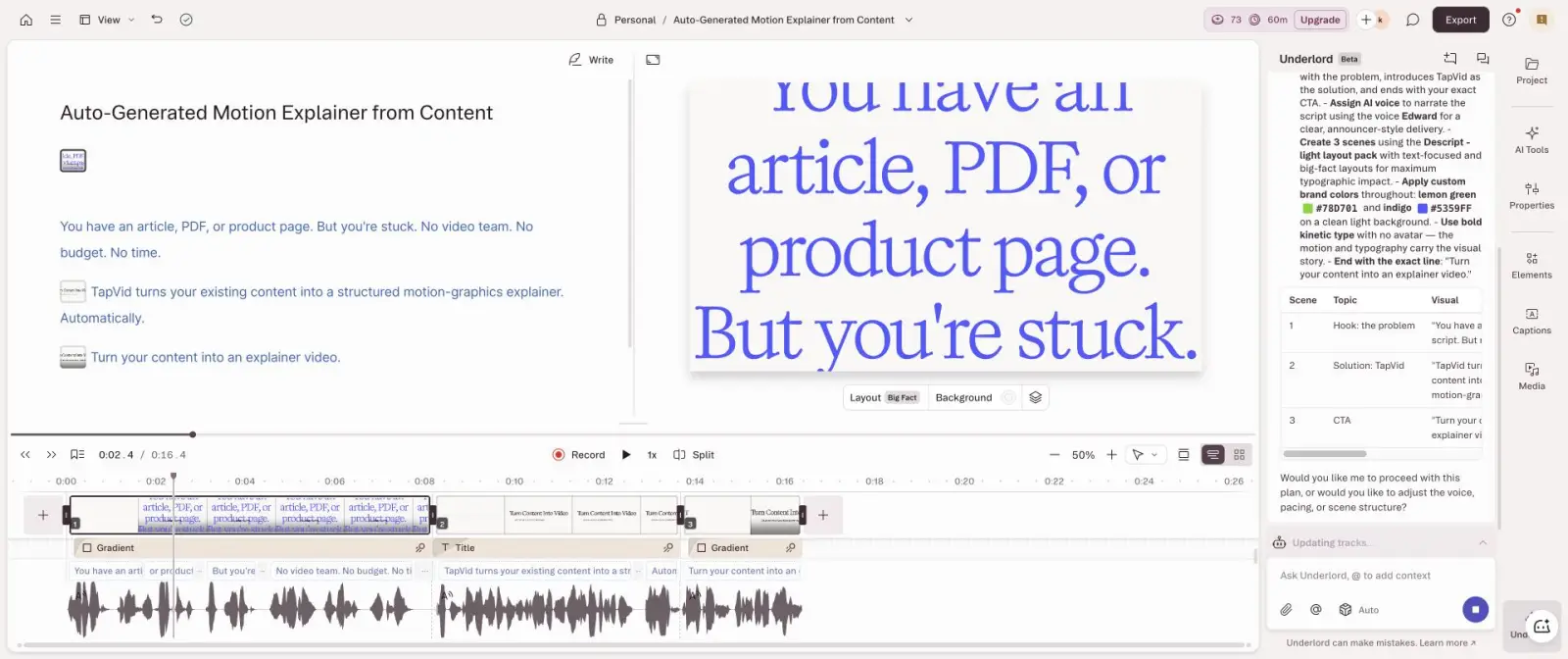
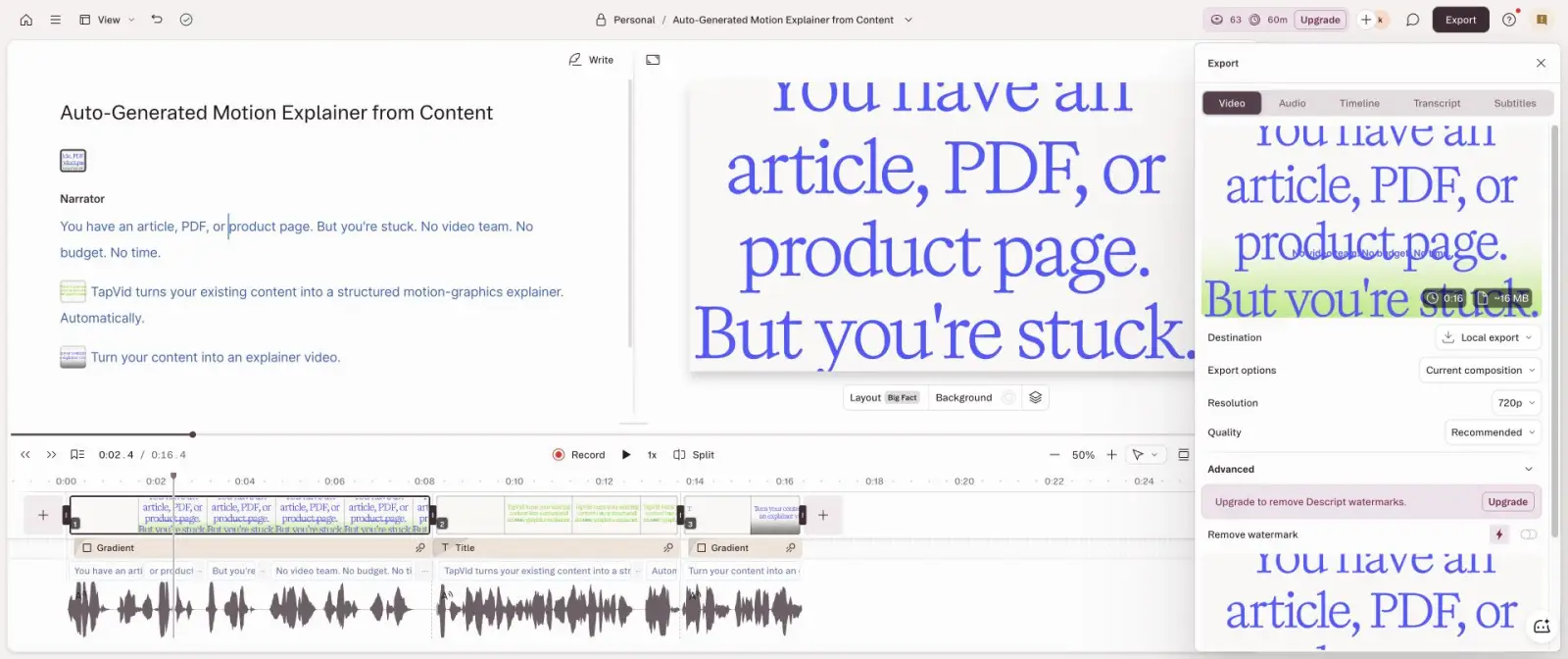
該帳戶從100個註冊AI積分開始,到73個結束,因此規劃和生成使用了27個。最終的筆錄保持簡潔,並保留了核心主張。本地匯出提供帶有水印的720p,估計檔案約為16MB。與Pictory相比,Descript使用較少的股票蒙太奇決策,並提供了更好的句子級控制。對於播客、會說話的編輯、字幕和敘述的解說影片來說,這是更好的選擇,其中文字是主時間線。
07
4. Synthesia — 5 個真正跑過的替代品
4. Synthesia — 5 個真正跑過的替代品
優點
- 既有文章、PDF、腳本要變成有結構的動效講解影片,選 TapVid;接受庫存素材拼接,選 Fliki;以文字、旁白、字幕為主,選 Descript;明確需要數位人講課,選 Synthesia;Canva 更適合手動模板編輯。只有速度比精確時長和品牌一致性更重要時,才繼續選 Pictory。
缺點
- Synthesia:3 個場景、最終 40 秒;即使要求不要數位人,仍插入 Actor,還保留 logo 佔位符。
Synthesia:3 個場景、最終 40 秒;即使要求不要數位人,仍插入 Actor,還保留 logo 佔位符。
Synthesia的免費工作空間包括一個編輯器、每月1200個積分,以及測試時每月最多10分鐘的影片。它的人工智慧影片助手不接受15秒的專案時長;30秒是最小選擇器。生成的大綱有三個場景,並插入了一個演員,儘管製作需求明確說沒有頭像。
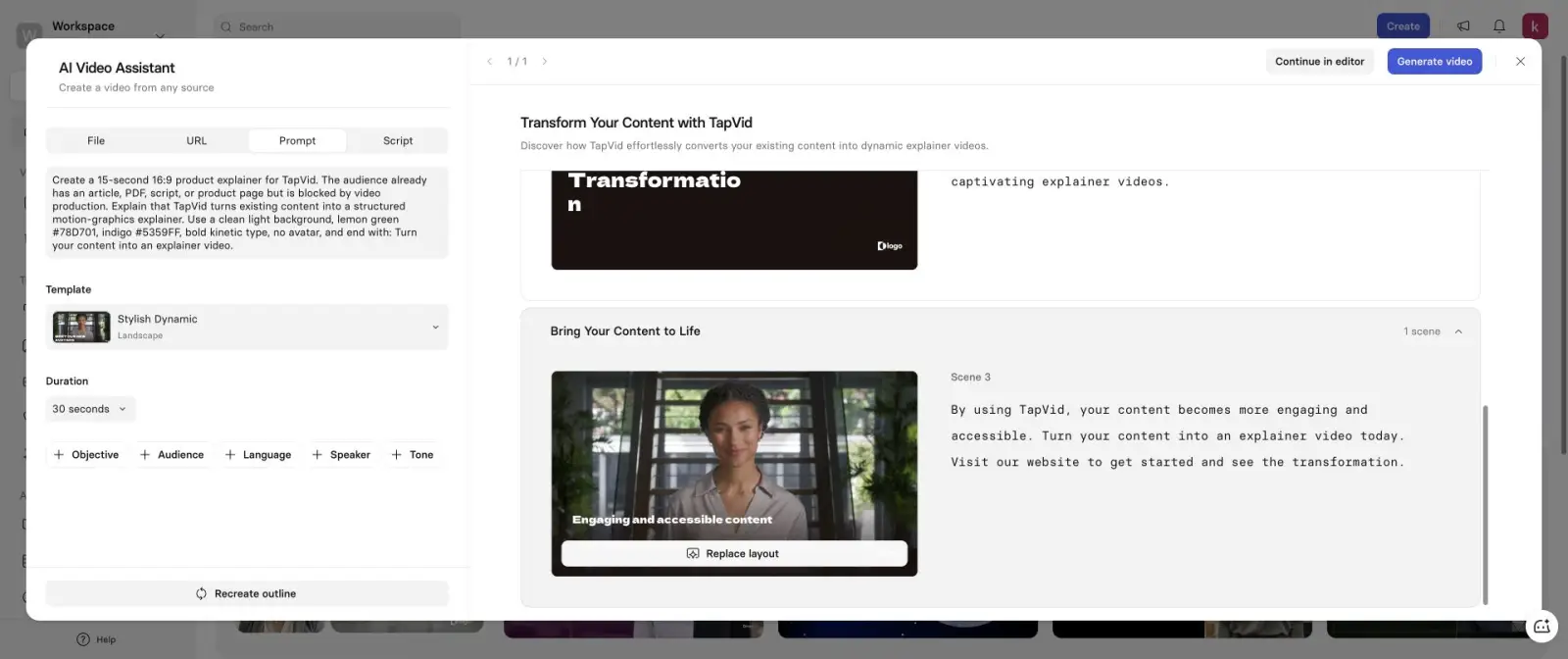
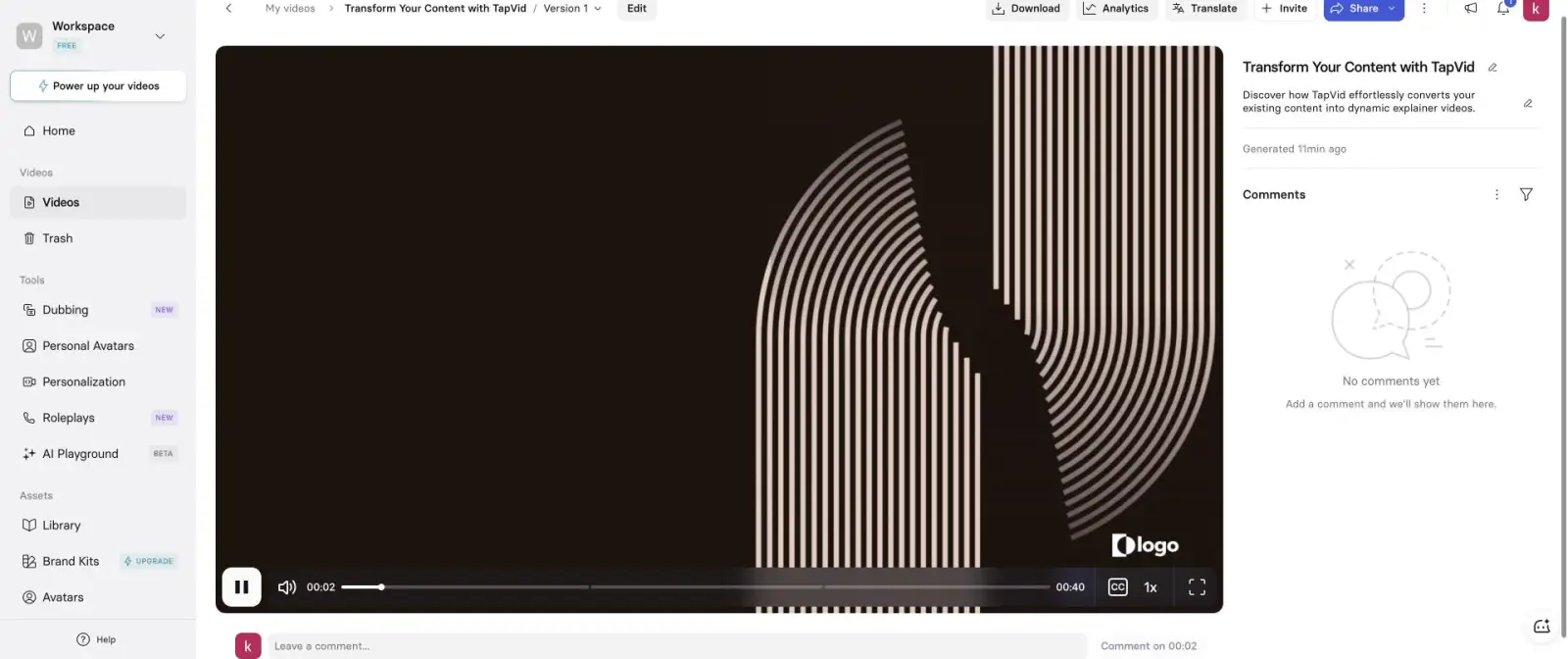
最後一個玩家測量了40秒。視覺語言是深色股票模板,而不是要求的淺綠色和靛藍運動系統,一個區塊仍然顯示佔位符「徽標」。這不是一般的品質故障。這是一個類別不匹配。Synthesia是圍繞演講者主導的培訓、入職、內部溝通和本地化而設計的。當頭像是交付機制時,請選擇它。不要選擇它作為無頭像動態圖像的Pictory替代品。
08
5. Canva AI — 5 個真正跑過的替代品
Canva AI已經在已登入的帳戶中可用。我選擇了影片剪輯模式,16:9,高品質,沒有音訊,然後貼上了固定的製作需求。Canva表示,它已經建立了包含顏色、無頭像和CTA的15秒解說影片。視覺資產存在,但螢幕上的主要副本是無法閱讀的胡言亂語。開頭類似於「Aauadice aacp:idrins」,然後是破碎的顏色程式和發明的碎片。
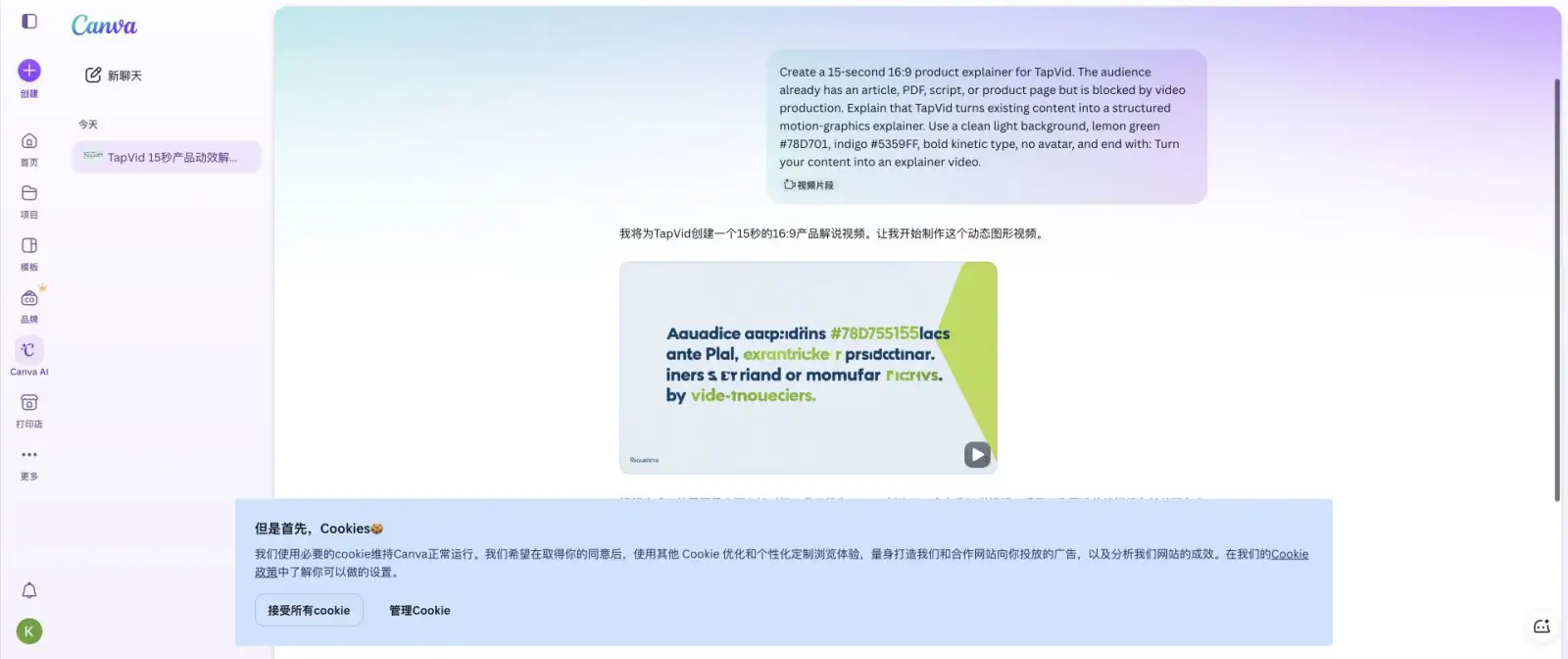
在檢查期間,播放沒有從0.0秒開始,因此我無法驗證聲稱的持續時間或獲得值得信賴的匯出結果。Canva仍然是一個強大的手動模板編輯器,但這種特定的人工智慧影片輸出對於文字關鍵型產品解說影片來說是無法使用的。我把它作為負面對照,而不是作為推薦。工具不應該僅僅因為它可以返回資產就進行排名。
09
實測了,但不進入排名
VEED建立了一個真實的專案和一個五場景腳本。儘管有16:9的請求,但它預設為縱向9:16,並顯示29秒的預覽估計值。然後螢幕保持在「我們正在生成您的影片」上幾個小時,因此沒有完成的人工製品來得分。InVideo完成了Google OAuth,但在8步中的第4步中需要出生年份,並警告以後無法更改該值。我沒有在使用者帳戶上發明不可變的個人資料。跑道完成了谷歌彈出視窗,但在主頁上返回「未找到或過期的OIDC互動」。

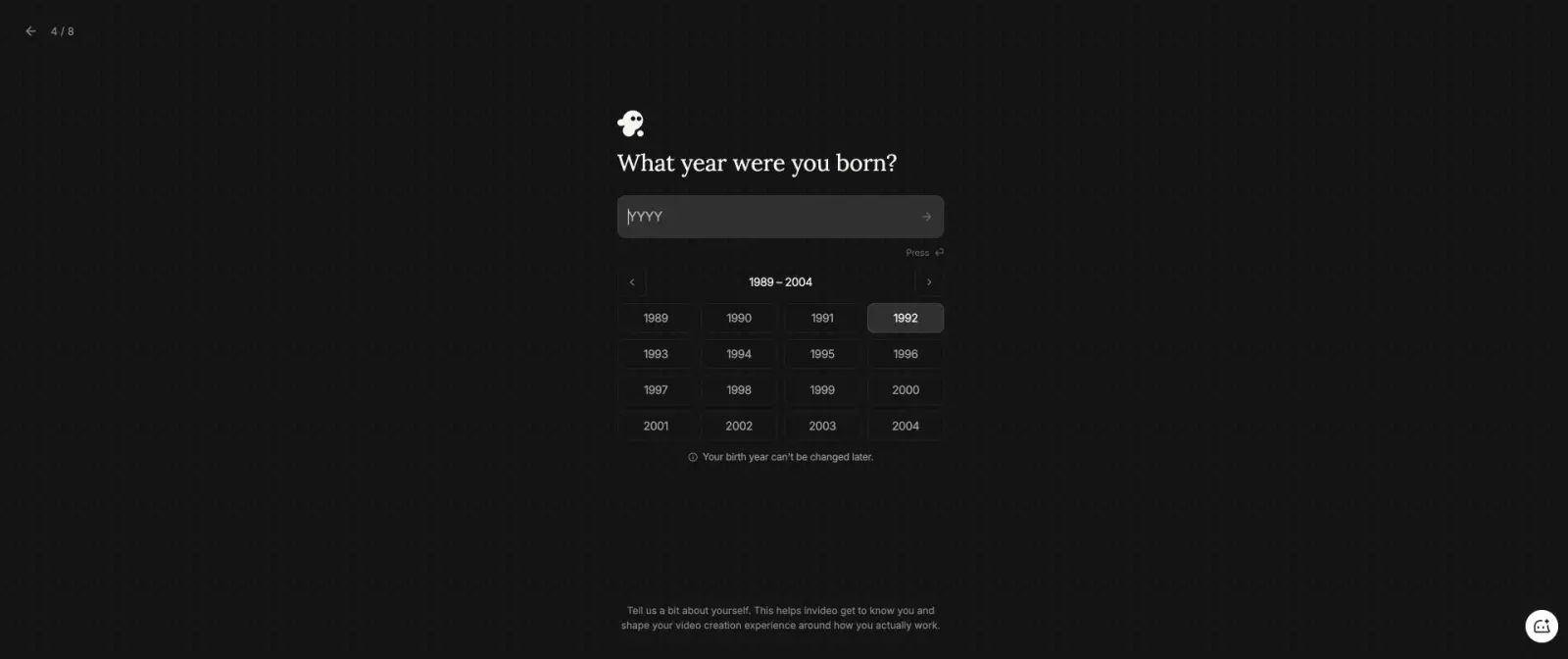
VEED 生成 5 段腳本,卻在要求 16:9 時預設成 9:16,並持續數小時停在生成中;InVideo 要求填寫日後不能修改的出生年份,我沒有替使用者捏造個資;Runway 完成 Google OAuth 後報 OIDC 過期。三者都沒有可評分成片。 — 實測方法
10
怎麼選
怎麼選
TapVid
TapVid:真實上傳 275KB 文章 PDF,經過 brief、四段敘事與逐鏡腳本檢查,6 分 21 秒取得講解影片。
Fliki
Fliki:4 個庫存素材場景,總長 31 秒,720p MP4 已完成;但它把部分製作指令直接當成旁白。
Descript
Descript:3 個場景、16.4 秒、消耗 27 個 AI credits,是無程式碼成片中最接近 15 秒的。
Synthesia
Synthesia:3 個場景、最終 40 秒;即使要求不要數位人,仍插入 Actor,還保留 logo 佔位符。
Canva AI
Canva AI:確實生成影片資產,但主文案是不可讀亂碼,播放也停在 0.0 秒,無法作為可用結果。
Pictory
Google 註冊後,帳號取得 14 天試用和 50 個 AI credits,但專案最短只能選 30 秒。腳本預估 29 秒,9 個場景的編輯器顯示 33.8 秒,最終 HTML 影片精確時長是 39.936654 秒。畫面主要是通用庫存素材,最終有 Pictory 浮水印。相對要求的 15 秒,成片超出 166%。
- TapVid:真實上傳 275KB 文章 PDF,經過 brief、四段敘事與逐鏡腳本檢查,6 分 21 秒取得講解影片。
- Fliki:4 個庫存素材場景,總長 31 秒,720p MP4 已完成;但它把部分製作指令直接當成旁白。
- Descript:3 個場景、16.4 秒、消耗 27 個 AI credits,是無程式碼成片中最接近 15 秒的。
- Synthesia:3 個場景、最終 40 秒;即使要求不要數位人,仍插入 Actor,還保留 logo 佔位符。
- Canva AI:確實生成影片資產,但主文案是不可讀亂碼,播放也停在 0.0 秒,無法作為可用結果。
- Pictory: Google 註冊後,帳號取得 14 天試用和 50 個 AI credits,但專案最短只能選 30 秒。腳本預估 29 秒,9 個場景的編輯器顯示 33.8 秒,最終 HTML 影片精確時長是 39.936654 秒。畫面主要是通用庫存素材,最終有 Pictory 浮水印。相對要求的 15 秒,成片超出 166%。
既有文章、PDF、腳本要變成有結構的動效講解影片,選 TapVid;接受庫存素材拼接,選 Fliki;以文字、旁白、字幕為主,選 Descript;明確需要數位人講課,選 Synthesia;Canva 更適合手動模板編輯。只有速度比精確時長和品牌一致性更重要時,才繼續選 Pictory。 — 5 個真正跑過的替代品
11
實測方法 — Limits
2026 年 7 月 22 日,我統一輸入 15 秒、16:9 的產品講解 brief,要求兩個準確品牌色、動效大字、不要數位人,並指定最後一句 CTA。只看到官網或腳本不算完成,必須進入成片編輯器或播放器,並檢查真實時長與匯出介面。 — 實測了,但不進入排名
12
常見問題
Pictory 最好的替代品是什麼?
TapVid最適合將現有文章、PDF、腳本或產品頁面轉換為結構化的動態圖像解說影片。Fliki是最接近的素材庫片段替代品。Descript最適合轉錄優先編輯,當頭像演示者有意編輯時,Synthesia最好。
Pictory 實際生成多長?
製作需求要求15秒。Pictory至少需要30秒,腳本估計為29秒,在編輯器中顯示33.8秒,並製作了持續39.936654秒的最終HTML影片。
哪個替代品最接近 15 秒?
是的,在2026年7月22日的測試中。免費路徑被標記為「生成帶水印」,最終共享的玩家顯示了一個圖片標記。預覽庫存水印在最終渲染中不存在。
哪個替代方案最接近15秒?
描述在已完成的無程式測試中最接近,為16.4秒。Hera產生了21.0秒,Fliki產生了31秒,Pictory產生了39.94秒,Synthesia產生了40秒。
實測了,但不進入排名?
Canva對於手動模板編輯很有用,但此測試中人工智慧生成的影片包含不可讀的文字,播放不會從0.0秒開始。如果不手動重建,我不會使用該輸出。
13