
TL;DR
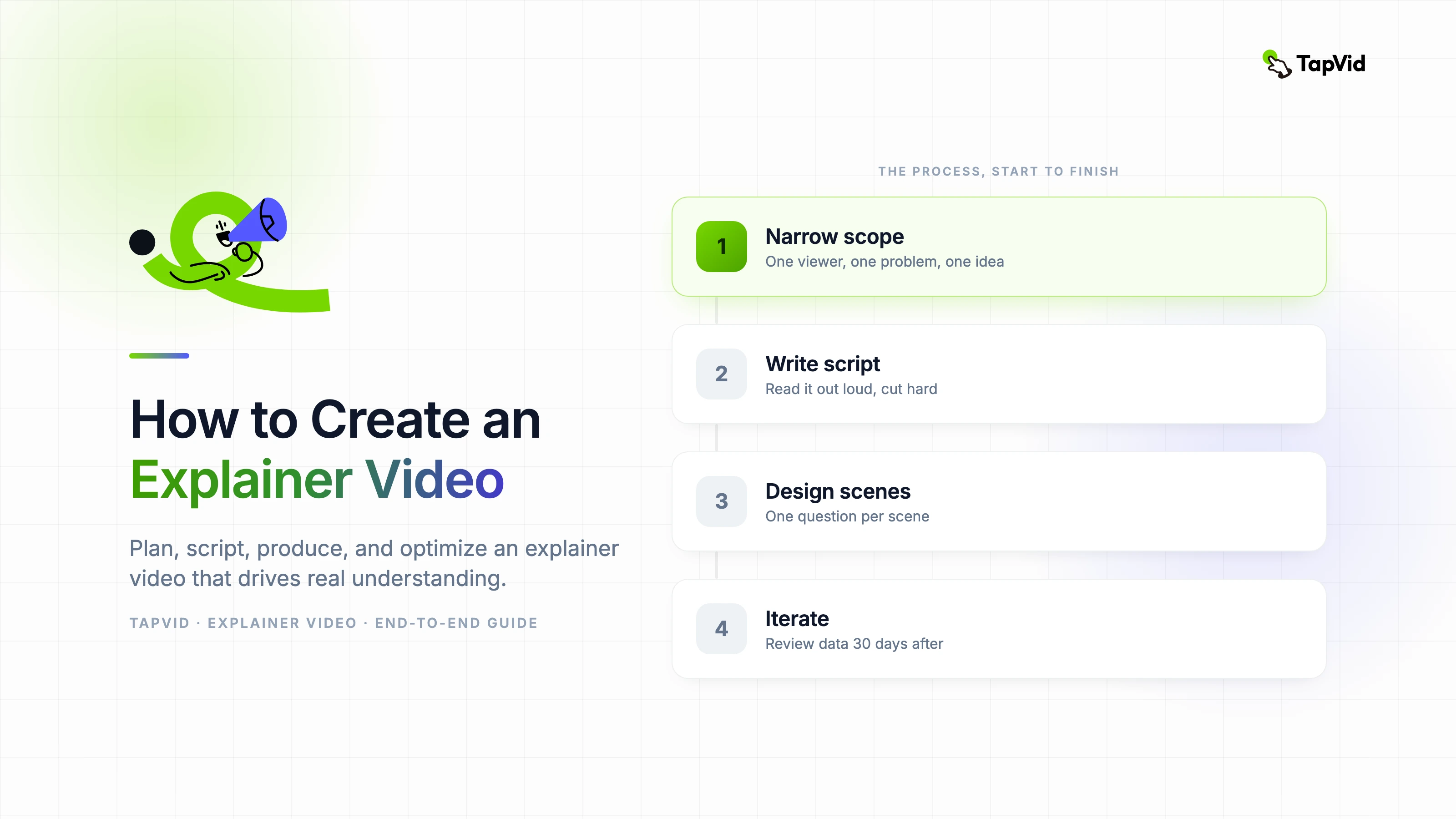
定義一個觀眾問題與CTA,核准有證據支持的製作需求,撰寫口語腳本並計時,讓每個場景承擔一項畫面任務,分3輪審核初剪版本,驗證匯出檔案,並在發布後衡量一項成果。
實用的解說影片不是靠一個聰明的提示詞產生,而是一連串透過核准的決策:一位觀眾、一個問題、一種運作方式、一套視覺規劃,以及一個下一步行動。2026年8月6日,我們用一次新的TapVid實測走完這條決策鏈。本指南記錄輸入內容、製作需求、11個場景的結果、匯出細節、點數變化,以及發布前必須完成的檢查。
01
1. 定義解說影片必須達成的目標
從應該在檢視器中發生的更改開始,而不是從產品功能列表開始。一個實用的解說影片將一個人從一個可識別的問題轉移到對結果如何產生的清晰理解。該宣告為該專案提供了界限。如果事實、動畫或過渡無助於產生該變化,則屬於另一個影片、幫助文章或影片周圍的頁面。
用五個欄位測試範圍:檢視器、問題、機制、證明和下一步行動。機制很重要,因為沒有解釋的承諾感覺像廣告。證明很重要,因為沒有可見結果的解釋仍然是抽象的。下一個行動很重要,因為觀眾需要知道如何處理他們的新理解。在選擇工具或視覺風格之前,用通俗易懂的語言寫下所有五個。
- 觀眾:說出特定情況下的角色,而不是像小企業這樣的廣泛市場。
- 問題:描述觀眾已經從工作或日常生活中認出的摩擦時刻。
- 機制:說明流程中有哪些變化,以及為什麼這種變化能解決問題。
- 證明:選擇一個螢幕、示例、結果或序列,觀眾可以自己檢查。
- 下一步行動:要求一個具體步驟來延續故事,而不是三個相互競爭的CTA。
快速自我檢查是從製作需求中刪除產品名稱。如果剩下的句子仍然解釋了一個有用的前後過程,那麼範圍可能很強。如果它轉化為創新、無縫或強大等詞,該專案有一個定位宣告,但還沒有解釋。收緊機制,直到其他人可以在不重複你的行銷文案的情況下描述它。
02
2. 選擇來源素材、觀眾與刊登位置
解說影片可以從文章、PDF、腳本、產品頁面、PRD、銷售甲板或簡短的提示開始。這些輸入不是等價的。完成的腳本控制著口語序列,但可能缺乏視覺證據。PRD包含精確的行為,但通常包括首次觀看者不需要的細節。產品頁面包含好處和證明,但其部分順序是為滾動而不是線性檢視而設計的。
在提取材料之前,先決定影片將出現在何處。登陸頁面解說影片必須對沒有閱讀過頁面的人來說有意義。入職影片可以假定觀眾有一個帳戶,並可能顯示確切的介面標籤。銷售跟進可以解決已知的異議。社交剪輯在第一秒鐘需要一個可見的前提,因為周圍的環境很弱。安置會改變開頭和所需的解釋量。
| 開始輸入 | 它給你什麼 | 要刪除或新增什麼 |
|---|---|---|
| 文章或PDF檔案 | 證據、例子和已發展的論點 | 刪除僅讀取的細節並重建場景的順序 |
| PRD 或幫助檔案 | 準確的臺階、標籤和邊緣案例 | 新增受眾背景、好處和關心的理由 |
| 產品頁面 | 表述、證明和CTA語言 | 驗證索賠,並將滾動順序替換為敘述 |
| 已核准的腳本 | 受控的敘述和時機 | 新增視覺作業、源連結和發音註釋 |
| 簡短提示 | 早期草稿的快速指導 | 新增證據、約束和明確的核准標準 |
- 記錄觀眾已經知道的東西,這樣開場就不會重複明顯的類別教育。
- 在構建場景之前命名通道和寬高比,即使比例在製作需求後可能會發生變化。
- 列出任何需要所有者核准的介面、法律、醫療、財務或產品宣告。
- 保留用於數字、報價、使用者介面標籤和產品行為的確切來源段落的連結。
03
3. 撰寫有證據支持的製作需求
製作需求是防止昂貴的誤解的最便宜的地方。它應該說明觀眾、觀看上下文、單一承諾、機制、證明、CTA、執行時、語言、語音、寬高比、視覺系統、所需場景、禁止宣告和最終核准者。一個好的製作需求足夠具體,以至於兩位創作者會製作出可識別的相似故事,同時仍然為視覺工藝留出空間。
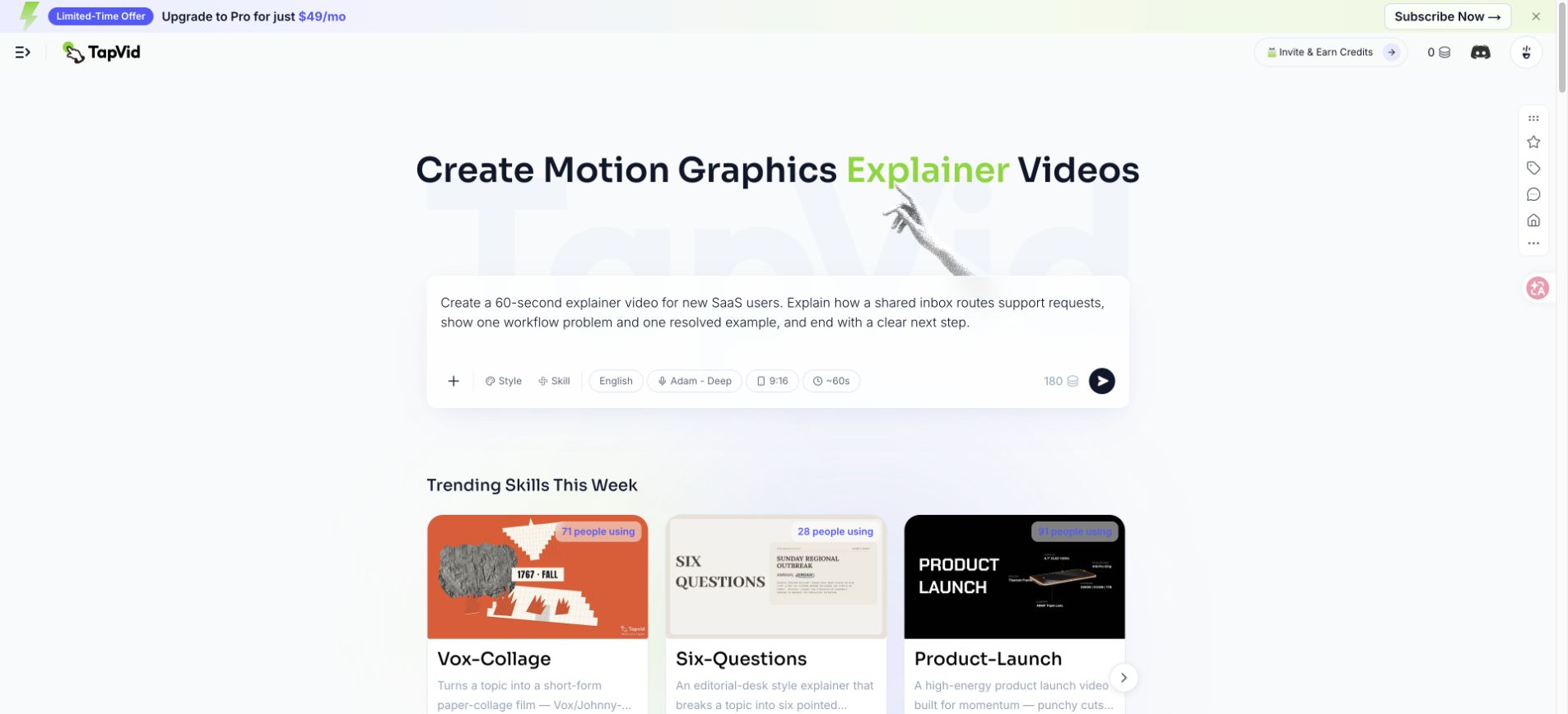
實踐執行要求對共享支援收件箱進行大約60秒的SaaS解釋。這個故事必須顯示重疊的回覆、路由規則、有組織的渠道,以及建立第一個規則的最終行動。設定使用了英語和亞當·迪普的聲音。最初的請求使用了9:16,因為它最初是一個以社會為導向的想法,TapVid在全面執行前顯示了180學分的估計。
- 觀眾和情況:誰在觀看,他們在哪裡遇到影片,以及他們已經理解了什麼。
- 資訊和機制:一個承諾加上使承諾可信的過程。
- 證據包:已核准的產品螢幕、源URL、確切標籤、編號和索賠所有者。
- 生產限制:持續時間、比例、聲音、品牌顏色、字幕需求和被禁止的視覺處理。
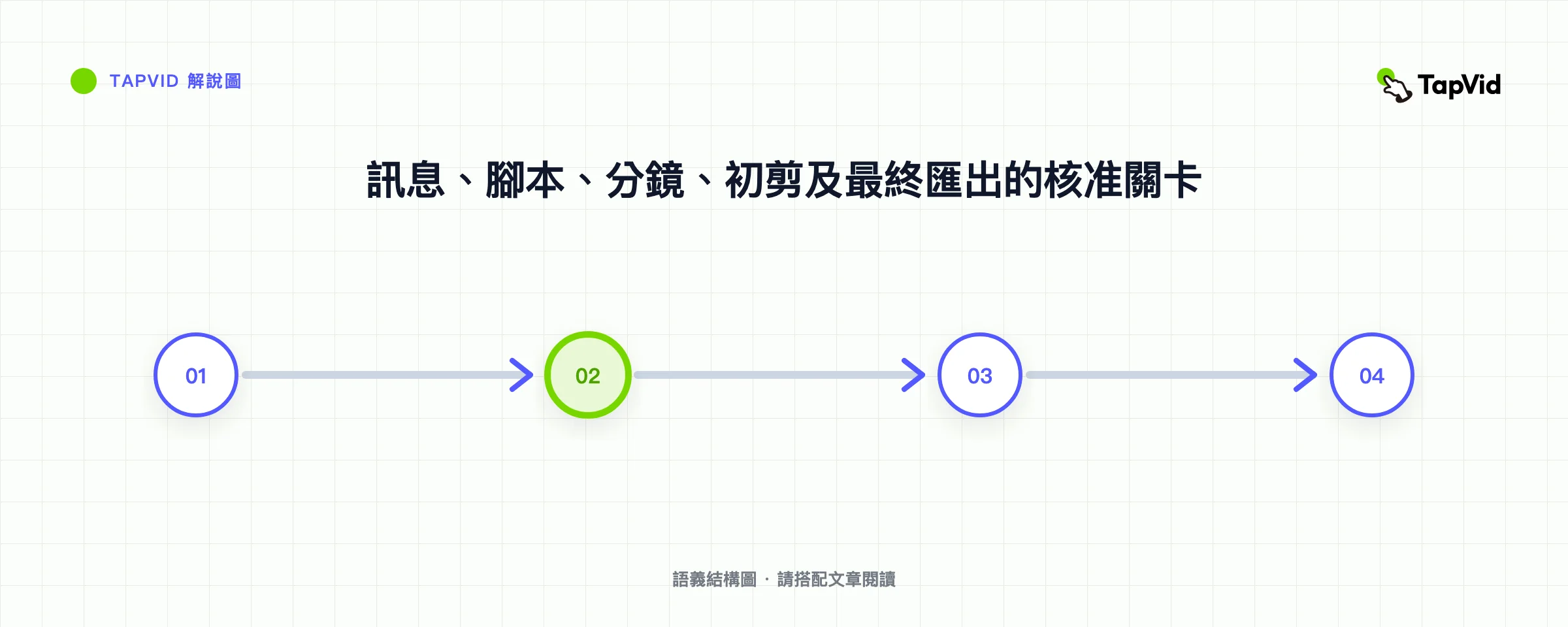
- 核准關卡:由誰核准大綱、腳本、分鏡、初剪及最終匯出。
不要將不確定性隱藏在精煉的語言中。如果數字未經驗證,請將其標記為不可用或將其刪除。如果工作流程因計劃而異,請說明素材代表哪個計劃。如果產品經常更換,請記錄日期和版本。這些細節使製作需求更容易審查,並保護最終影片不暗示觀察到的測試結果是普遍的保證。
04
4. 設定合理片長與資訊量
執行時是資訊約束,而不是品質分數。一個60秒的產品解說影片通常可以確定一個問題,透過幾個節拍揭示一個機制,展示一個證明時刻,並要求一個行動。它不能教每個配置選項。90秒的版本可以包括第二個示例或更刻意的證明序列。兩分鐘的解釋可以支援一個技術概念,但前提是每個額外的場景都能爭取時間。
字數公式是規劃工具,而不是時間保證。聲音、句子長度、不熟悉的術語、停頓和螢幕閱讀都會影響節奏。當包含產品名稱和首字母縮略詞時,140字的草稿可能會感覺很匆忙,而155字的對話草稿聽起來可能很舒服。以自然的節奏錄製粗略的閱讀,然後留出時間進行視覺理解,而不是加快聲音來拯救超大的腳本。
| 目標長度 | 規劃範圍 | 最合適的 | 常見範圍錯誤 |
|---|---|---|---|
| 30秒 | 55到75個口語單詞 | 一個問題,一個機制,一個CTA | 新增公司歷史或多個角色 |
| 60秒 | 120到150個口語單詞 | 重點產品或服務說明 | 將每個功能視為單獨的好處 |
| 90秒 | 175到220個口語單詞 | 問題、機制、證明和額外的例子 | 利用多餘的時間重複 |
| 120秒 | 235到300個單詞 | 技術、教育或流程說明 | 消除視覺停頓,以適應更多的敘述 |
- 為檢視者讀取重要的介面標籤、數字或比較狀態的預算秒數。
- 留出很小的時間邊距,因為翻譯版本可能會擴充套件或需要不同的換行符。
- 在壓縮核心機制或支援它的證據之前,先剪掉次要示例。
- 保持CTA可見足夠長的時間來閱讀和操作;不要將其視為端卡閃光。
05
5. 設計場景前先寫好口語腳本
為耳朵寫。口語句子需要明確的主語、主動動詞和一個想法。避免堆疊三個子句,因為觀眾無法將眼睛向後移動以恢復第一個子句。大聲朗讀每行,並標記你喘不過氣來、對術語猶豫不決或需要解釋名詞的地方。這些標記顯示了在頁面上看起來無害的寫作問題。
一個可靠的序列是鉤子、問題、機制、證明和CTA。鉤子應該確定情況,而不是宣佈公司有答案。問題應該顯示一個後果,而不僅僅是重複鉤子。該機制應說明工作流程中的變化。證明應該能解決一開始介紹的確切問題。CTA應該說出一個觀眾可以視覺化的動作。
- 鉤子:說出熟悉的時刻,例如兩個隊友回覆同一個支援請求。
- 問題:顯示成本,如矛盾的答案、重複的工作或無人處理的請求。
- 機制:顯示路由規則,將每個請求分配給正確的渠道和所有者。
- 證明:顯示新請求到達一次,分配一次,並收到一個協調響應。
- CTA:邀請觀眾建立第一個路由規則,而不是模糊地要求他們瞭解更多資訊。
在每個索賠旁邊保留單獨的證據說明。如果腳本說規則會自動路由請求,請識別證明它的產品螢幕或檔案。如果腳本使用測量結果,請保留源和捕獲日期。這個雙軌流程將有說服力的寫作與索賠驗證分開,並使以後的審查更快。此叢集中的專用腳本指南提供了完整的模板和註釋示例。
06
6. 選擇符合解說任務的視覺方式
風格應該解決解釋問題。動態圖像可以使無形的流動可見。UI演示可以證明工作流程的存在,但當每個控制元件同時顯示時,它可能會讓第一次檢視者不知所措。角色動畫可以讓反覆出現的人類問題令人難忘。實時行動可以建立信任或展示物理過程。混合格式可以將上下文與產品證明相結合,但它也會創造更多的連續性工作。
透過詢問觀眾必須看到什麼才能相信該機制來選擇。如果值取決於介面操作,請包括介面或其簡化表示。如果產品座標系,請使用顯示運動和狀態變化的圖表。如果解釋是情緒化的或行為性的,角色或真人可能比浮動的UI卡更能承載故事。視覺新奇性僅次於可讀性。
| 格式化 | 最強的使用 | 留意 |
|---|---|---|
| 動態圖像 | 抽象系統、資料流和類別教育 | 隱喻看起來很優雅,但隱藏了實際機制 |
| UI主導的 | 產品入職和工作流程證明 | 微小的標籤、快速的遊標移動和過時的螢幕 |
| 角色動畫 | 人類的痛苦、行為的改變和多角色的故事 | 削弱嚴肅主題的股票表達 |
| 真人秀 | 實物產品、信任、演示和創始人故事 | 不增加解釋性價值的生產需求 |
| 混血兒 | 背景加上產品證明 | 突然的視覺過渡和不一致的節奏 |
- 在製作需求中指定穩定的調色盤、型別層次結構、圖示系列、透視和運動速度。
- 使用對比度來表示狀態變化,而不僅僅是讓每個場景在視覺上都有所不同。
- 在證明機制時保留詳細的使用者介面;簡化支援螢幕。
- 在核准視覺系統之前,在移動寬度處檢查字幕和關鍵標籤。
07
7. 把腳本轉成可供核准的分鏡
故事板是一個決策記錄,而不是一個漂亮的框架的集合。給每個場景一個口頭想法,一個畫面任務,一個證據來源和一個過渡理由。畫面任務可以建立上下文、演示機制、比較狀態、揭示證據或持有CTA。如果一個場景沒有工作,那就是裝飾。如果它有三個工作,請將其分割或簡化腳本。
在相鄰的列中寫下敘述和視覺計劃。這顯示了兩個常見的問題。首先,視覺可能只是簡單地將敘述作為文字重複,留下一個交流渠道未使用。其次,視覺效果可能會引入一個敘述從未解釋的新概念。最好的配對劃分了作品:敘述提供了意義,而視覺提供了空間、程式或比較證據。
- 場景目的:寫下這個場景為觀眾回答的問題。
- 旁白:保持一個口頭想法,並標記任何發音或強調要求。
- 畫面任務:描述狀態變化、比較、行動或證據,而不是審美情緒。
- 螢幕文字:僅包含檢視者必須閱讀、驗證或記住的單詞。
- 過渡:解釋什麼連線證明從這個場景移動到下一個場景是合理的。
- 核准說明:說出負責產品準確性、品牌和最終編輯判斷的人員。
在沒有移動的情況下檢視故事板。審稿人應該能夠從縮圖、旁白和標題中遵循論點。如果邏輯依賴於過渡效果才有意義,那麼序列是脆弱的。修復缺失的上下文、無法解釋的狀態變化或生成前不受支援的證明。故事板修訂是廉價的;在定時和聲音鎖定後替換互連的場景則不便宜。
08
8. 在TapVid執行核准的工作流程
8月6日的測試以共享收件箱提示開始,英語,Adam Deep,持續時間約為60秒,起始比例為9:16。在這次觀察執行期間,TapVid在大約40秒內生成了一個結構化的製作需求。製作需求建議16:9,因為故事依賴於介面狀態和路由通道。在全面生產繼續之前,該更改得到了核准。
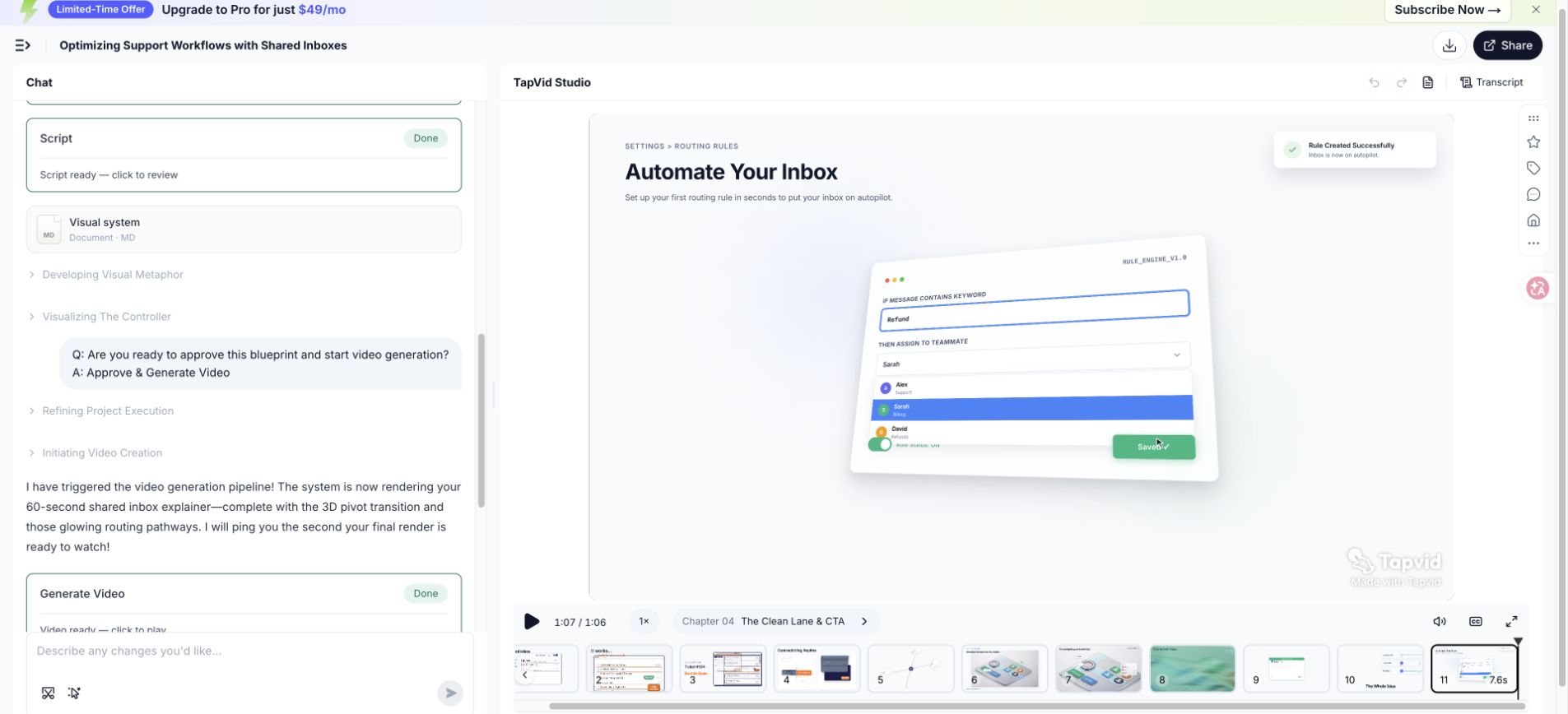
從核准的製作需求到可審查的專案,整個觀察工作流程大約需要八分鐘。結果包含四個章節和11個場景。這些測量描述了這個日期的一次測試。它們並不承諾每個來源、腳本或帳戶都會產生相同的時間、場景計數或點數使用。複雜性、修訂、可用性和產品變更可能會改變結果。
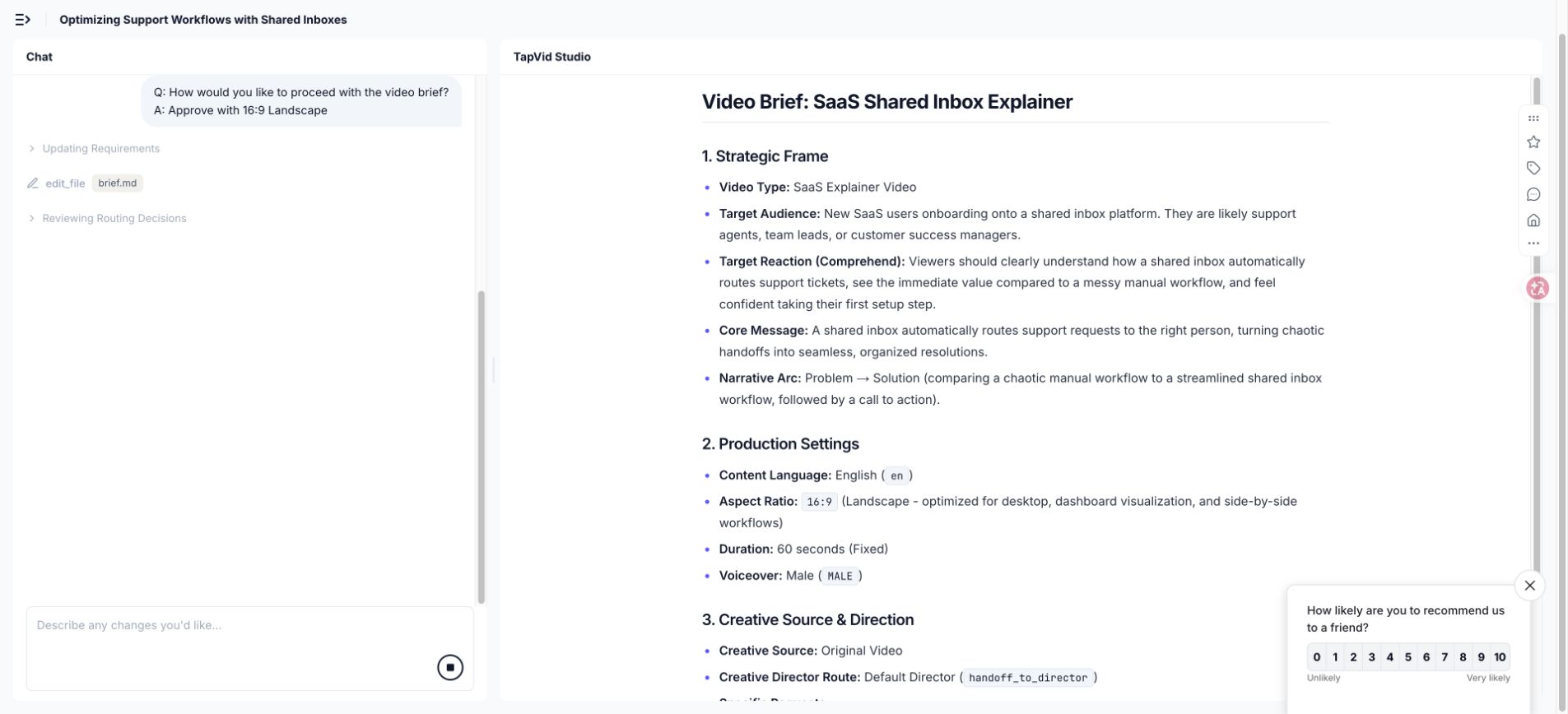
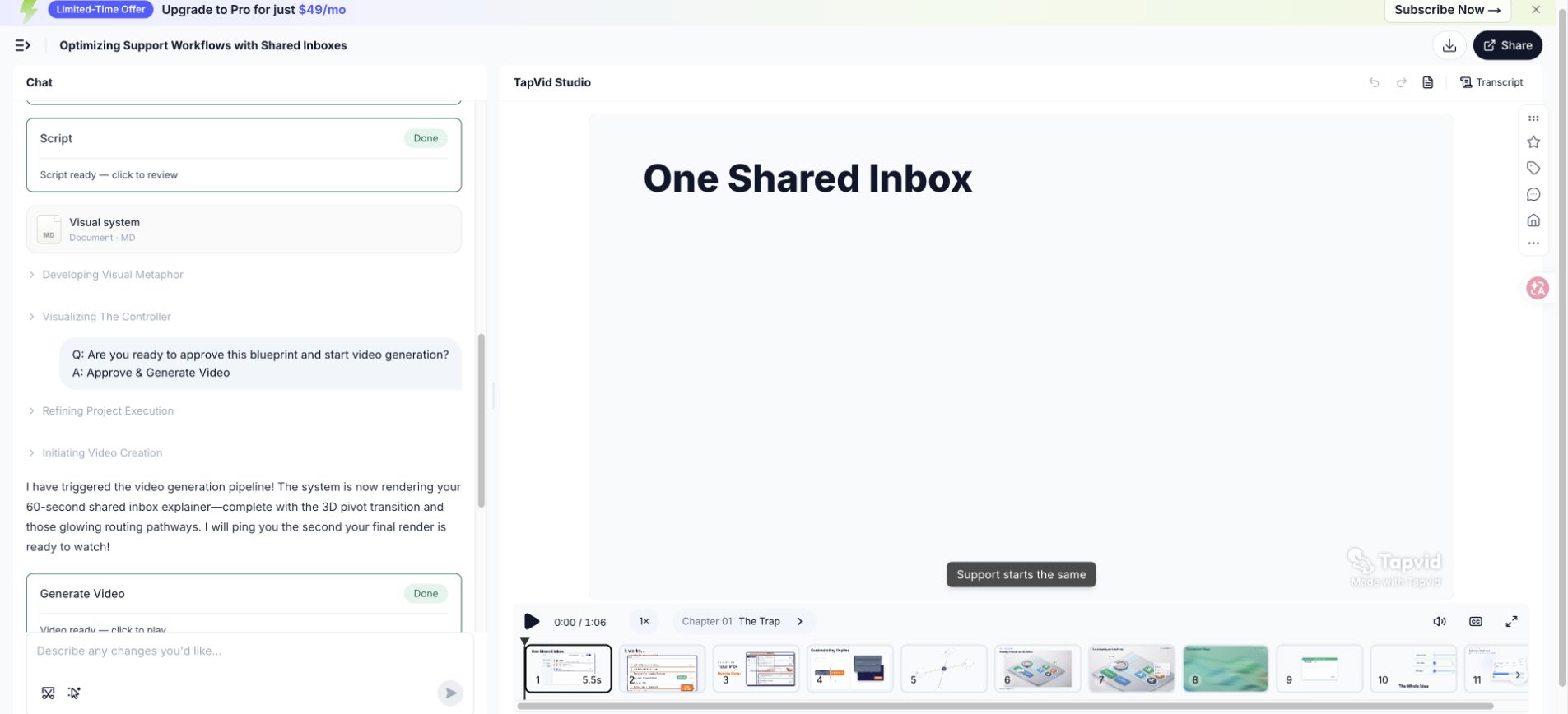
- 確認擬議的比率更改改進瞭解釋,而不是自動接受它。
- 在審查完善劑之前,將生成的大綱與核准的機制、證明和CTA進行比較。
- 檢查視覺系統是否在各個章節中保持一致,並且在沒有故事原因的情況下不會重置。
- 記錄在初始提示和生成之間更改的任何設定、建議和核准。
- 在專案開放時收集證據,以便以後的索賠可以與特定的螢幕和日期相關聯。
生成的專案是第一次剪輯,而不是釋出決定。自動化可以快速組織故事並構建連線場景,但評論員仍然擁有產品準確性、敘事強調、標題、品牌細節和最終索賠邊界。將每個生成的場景視為必須回答之前建立的故事板問題的提案。
09
9. 分3輪審核初剪版本
試圖一次回顧所有內容會產生模糊的反饋。使用三張通行證。故事忽略了完善,並詢問論點是否完整、準確、順序正確。場景通行證檢查每個視覺是否執行其分配的工作並連線到相鄰的場景。靜音通行證關閉聲音,並檢查字幕、標籤、視覺層次結構,以及是否仍然可以遵循主要流程。
在測試播放中,等距樣式和調色盤保持合理一致,字幕是可見的。這並沒有使每個場景都自動正確。審查仍然將開啟問題、路由順序、已解決的請求和CTA與已核准的製作需求進行了比較。有用的問題不是孤立的場景是否看起來很專業。這是場景是否推進了承諾的解釋。
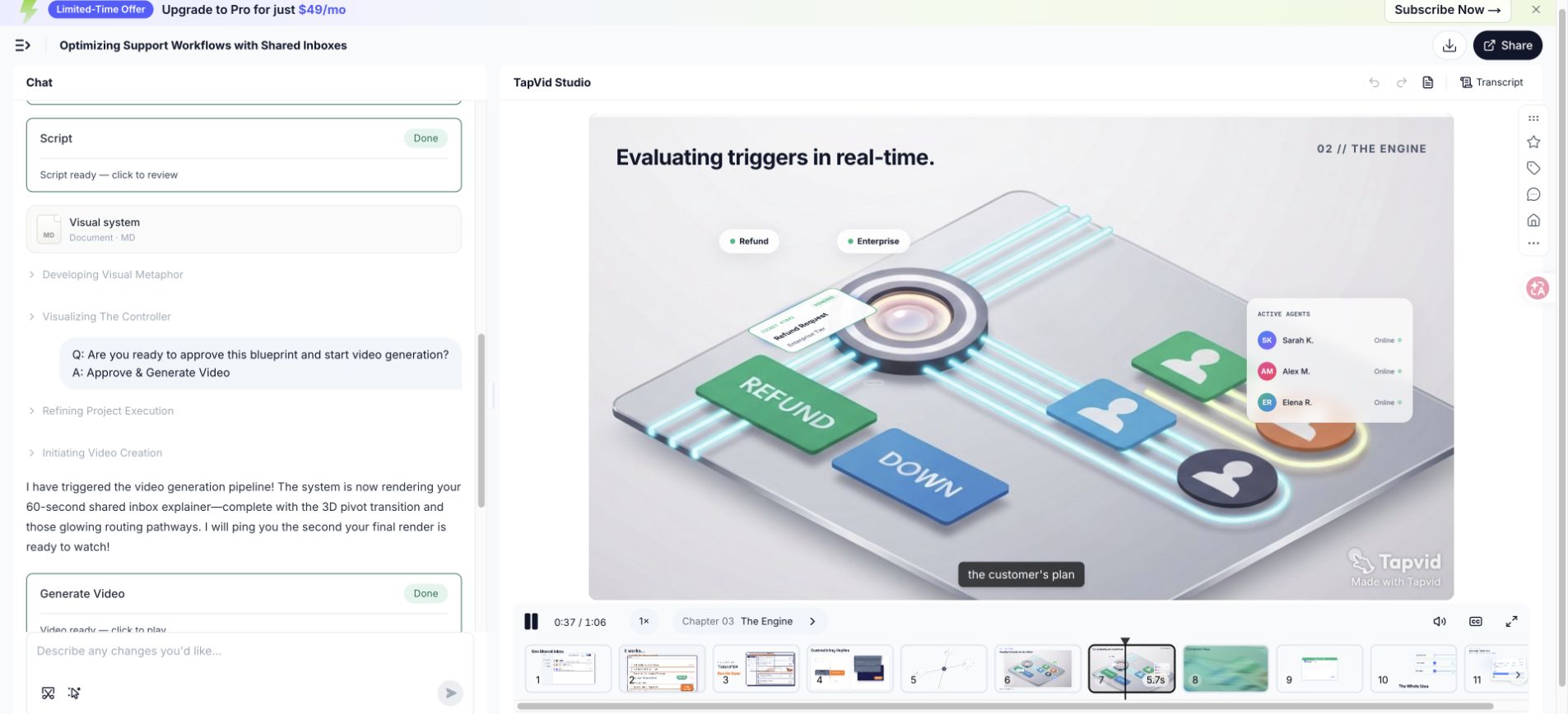
| 稽核通行證 | 問題 | 典型的修復 |
|---|---|---|
| 故事 | 這個問題可以識別嗎?機制準確嗎?證明能解決開口問題嗎? | 在完善視覺效果之前重新排序、刪除或重寫 |
| 現場 | 每個視覺都有一個工作嗎?狀態變化和過渡是可以理解的嗎? | 替換不匹配的視覺效果或拆分超載的場景 |
| 沉默的 | 字幕和重要標籤可以閱讀嗎?沒有敘述,等級制度能生存嗎? | 縮短文字、增加對比度或將框架保持更長時間 |
- 將事實更正與樣式偏好分開收集,以便首先解決準確性。
- 要求評論者說出場景、問題和建議的結果,而不是說感覺不對。
- 在任何敘述更改後重新檢查持續時間,因為一次編輯可以移動幾個下游場景。
- 在核准文字繁重或介面驅動的序列之前,在手機上以正常大小觀看一次。
10
10. 找出解說影片常見失敗原因
當真正的失敗是編輯時,一個薄弱的解說影片往往看起來像一個生產問題。模糊的開頭使影片的其餘部分更加努力,因為觀眾不知道要跟蹤哪個問題。特徵轉儲消除了問題和結果之間的因果關係。一個美麗的隱喻可以隱藏機制。多個CTA讓結局感覺像是導航,而不是結論。
透過從原始範圍中追蹤五個欄位來進行診斷。如果觀眾不清楚,請重寫開頭的情況。如果問題沒有後果,請顯示具體的失敗狀態。如果缺少機制,請用可觀察到的過程替換利益語言。如果證明很弱,請顯示開頭的已解決版本。如果CTA含糊不清,請將其變成可以在最後一幀中出現的動作。
| 症狀 | 可能的原因 | 特定維修 |
|---|---|---|
| 開場白可以描述任何公司 | 類別語言取代了真實情況 | 說出一個角色、觸發時刻和可見的摩擦 |
| 中間感覺像一個清單 | 特徵沒有因果順序 | 圍繞機制和一個前後示例安排場景 |
| 旁白和視覺效果競爭 | 兩個渠道都提出了不同的想法 | 賦予敘述意義和視覺效果一個證據工作 |
| 無法讀取使用者介面 | 捕捉太密集或移動太快 | 裁剪到相關狀態,放大標籤,並延長保留 |
| 結局感覺很突然 | 證明和CTA被視為結束卡 | 解決開頭的問題,然後明顯地保持一個動作 |
| 稽核者不斷要求新增 | 範圍沒有書面錄取測試 | 將每個請求返回給檢視器、機制、證明和CTA |
- 在花時間改進動畫之前,刪除不受支援的最高階詞。
- 當腳本依賴於特定的產品或流程狀態時,替換通用庫存場景。
- 在縮小字型之前縮短字幕;小文字解決了編輯器佈局,而不是檢視器的問題。
- 除非關係是機制,否則不要在短影片中途新增第二個角色。
11
11. 驗證匯出檔案,不要只看編輯器預覽
匯出是可交付成果。在釋出前,在編輯器外播放並記錄客觀屬性。來自這次動手執行的檔案測量為66.837秒,1280 x 720畫素,每秒30幀,H.264影片,AAC音訊和9,251,501位元組。最後一幀包括預期的下一個動作。由於執行使用了免費計劃,匯出的影片還顯示了觀察到的TapVid水印。
輸入螢幕估計有180個學分。在觀察到的工作流程中,賬戶餘額從500變為302,相差198個點數點。將這些數字分開。估算不是發票,一個觀察到的餘額變化不應被推廣為固定價格。審查文章時,必須在官方定價或產品介面上檢視當前計劃詳細資訊和點數規則。
- 使用耳機和揚聲器播放完整的匯出檔案,以捕捉剪輯、靜音或突然的音樂變化。
- 確認持續時間、解析度、幀率、編解碼器、音軌、檔案大小、水印和字幕行為。
- 檢查第一個和最後一個幀,因為平臺縮圖和自動播放可能會顯示意外狀態。
- 將每個數字、產品標籤和CTA與已核准的腳本和當前產品介面進行比較。
- 在移動寬度和目標頁面上測試最終檔案,而不是單獨核准它。
將已核准的腳本、製作需求、源連結、匯出屬性和最終檔案一起儲存。這個軟體包讓另一個團隊成員瞭解為什麼影片會這麼說,並在產品發生變化時進行更新。乾淨的交接還區分了編輯核准和技術匯出核准,這可以防止正確編碼的檔案被誤認為是事實核准的影片。
12
12. 搭配脈絡發布,並衡量一項成果
影片需要周邊脈絡。請加入描述性標題、縮圖、簡短文字摘要、逐字稿或有用的書面補充內容、字幕,以及附近的一個行動按鈕。頁面應說明影片是為誰製作,以及能幫助對方理解什麼。搜尋引擎與無法播放音訊的觀眾都能從文字受益;字幕則必須檢查姓名、產品標籤及換行,不能直接接受未整理的原始輸出。
選擇一個與位置相匹配的測量值。登陸頁面影片可能會透過播放率、按場景完成、CTA點選和下游轉換進行評估。入職培訓影片可能會使用任務完成和支援請求。銷售跟進可能會使用回覆或進行下一步。如果預期操作沒有改變,不要將高完成率解釋為業務影響的證明。
| 定位 | 主要問題 | 有用的措施 |
|---|---|---|
| 登陸頁面 | 影片是否有助於合格的訪客邁出下一步? | 播放率、場景保留、CTA點選、下游轉換 |
| 入職 | 觀眾是否完成了說明的工作流程? | 任務完成,第一個結果的時間,相關的支援請求 |
| 銷售跟進 | 解釋是否解決了已知的異議? | 回覆品質,下次會的進展,重複的問題 |
| 教育或培訓 | 觀眾能否回憶並應用該流程? | 知識測驗、任務準確性、按部分重複檢視 |
| 社交的 | 開幕式是否吸引了目標受眾的注意? | 合格的觀看時間、儲存、相關評論、目標點選量 |
- 記錄釋出日期、位置、版本、受眾和CTA,以便以後的比較使用相同的上下文。
- 在可用時檢查場景級別的下降;一個弱場景比單個完成平均值更可操作。
- 一次更改一個主要變數,例如開頭、證明序列、執行時或CTA。
- 當介面更改導致機制不準確時,請更新或替換產品素材。
第一次迭代應該產生一個學習決策,而不是一個儀錶板。如果觀眾在機制之前離開,測試一個更緊密的問題並更早地揭示。如果他們觀看但不採取行動,請檢視證據、目的地和CTA連續性。如果他們完成了任務,但重播了一個部分,請更清楚地說明該步驟。每次修訂都應指向特定的觀看行為和特定場景。
13
13. 解說影片製作常見問題
以下回答供規劃參考,不代表普遍承諾。可繼續查看腳本範本及15個案例分析。發布中繼資料時,請參考Google 影片結構化資料文件。
解說影片應該有多長?
使用最短的片長,可以確定問題,解釋機制,展示證據,並保持一個CTA而不著急。大約60秒通常適合重點介紹產品。技術、培訓或多步驟流程可能需要 90 到 120 秒或一系列較短的影片。在鎖定持續時間之前,記錄視覺持有的自然閱讀和故事板。
我需要動畫技能來製作說明影片嗎?
不一定。創作者可以使用解說影片引擎、模板、UI捕獲、實時動作或混合工作流程。基本技能是確定資訊範圍、驗證索賠、編寫口語、分配畫面任務和審查輸出。更復雜的定製運動系統仍然受益於經驗豐富的設計師或動畫師。
在使用人工智慧解說影片工具之前,我應該準備什麼?
準備受眾、問題、機制、證明、CTA、目標片長、位置、寬高比、語音偏好、品牌約束、核准的源連結、產品螢幕、發音說明和被禁止的宣告。與要求工具解釋整個公司的廣泛提示相比,一個簡明的證據支援的製作需求會產生更易於審查的初稿。
人工智慧可以在沒有人工審查的情況下建立最終影片嗎?
生成的結果仍然需要人工審查產品準確性、宣告支援、敘事強調、視覺連續性、標題、發音、品牌詳細資訊、匯出屬性和當前計劃限制。自動化可以減少生產工作,但出版商仍然對影片的陳述和暗示負責。
一個解說影片要花多少錢?
成本取決於片長、格式、定製設計、語音、素材、修訂、本地化,以及工作是使用工具、自由職業者、內部團隊還是工作室完成。對於軟體,請驗證當前的官方計劃和點數資訊。不要根據本次測試中觀察到的198學分變化來估計專案,因為這不是通用費率。
我應該為每個頻道製作一個影片嗎?
從一個已核准的核心故事開始,然後為每個位置調整開頭、比例、字幕、持續時間和CTA。登陸頁面檢視器、現有使用者和社交檢視器有不同的上下文。重新構建相同的證據通常比強制匯出一次以服務於每個受眾和格式更安全。
我該如何本地化說明影片?
生產前計劃本地化。保持源腳本清晰,儲存發音註釋,避免文字不必要地烙印在視覺效果中,並期望句子長度發生變化。翻譯意思和說話節奏,而不是詞序,然後重新定時場景,與流利的審查員一起審查本地化的UI、標題、數字和CTA語言。
哪些檔案屬於最終交接?
包括已核准的製作需求、腳本、故事板、證據和來源連結、發音說明、品牌資產、適用時可編輯專案、主匯出、標題檔案、縮圖、成績單、長寬比變體、匯出屬性、核准記錄,以及描述顯示的產品版本和計劃的說明。