
TL;DR
约 10 分钟搭建从素材到视频的 REST 集成,再用持久化任务状态、安全轮询和重试处理真正的异步渲染。
这篇文生视频 API 教程会用 TapVid 把一个公开素材 URL 转成 30 秒、16:9 的英语动效任务。集成本身很短:上传素材、创建任务、轮询状态,再请求签名下载 URL。渲染是异步的,不保证能在 10 分钟内完成。受控测试耗时更久,所以后面的生产代码会持久保存任务 ID,并能应对暂时性网络故障。
01
这篇教程里的 Text-to-Video API 是什么
“文本到视频”涵盖了几个不同的产品。一些API将一个简短的提示变成一个五秒的电影剪辑。其他人为图像制作动画,将数字演示者放在脚本上,或组装素材。TapVid处理不同的工作:将创作者拥有的源材料转换为结构化的多场景信息视频。在本教程中,输入不是模糊的视觉提示。这是公开的TapVid API和MCP页面,以及定义受众、持续时间、长宽比、消息和被禁止的声明的制作需求。输出目标是一个完整的30秒信息视频,而不是一个孤立的镜头。对于代理商和小企业来说,基于提示的场景编辑也意味着一个场景可以重新生成,而其余场景保持不变。
“在10分钟内构建”这个短语指的是整合四个REST操作,而不是承诺10分钟的渲染。视频生成是异步的。创建端点立即返回“202已接受”,状态可能会长时间保持不变,生成报告完成后可以继续进行导出准备。诚实的客户将请求延迟与生成延迟分开。它显示工作已被接受,存储ID,报告当前状态,并在稍后恢复。它永远不会仅仅因为浏览器选项卡或网络连接消失而用重复的作业替换活动作业。
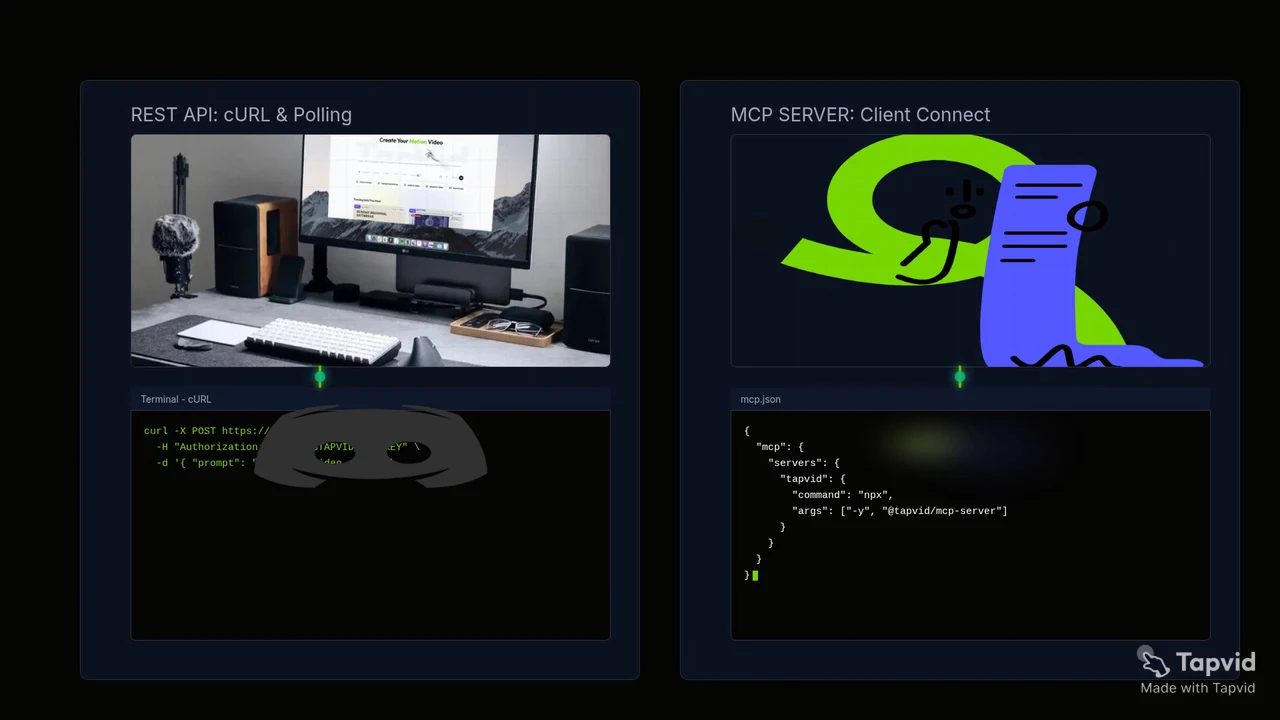
这是由公共API和MCP页面制作的实际30秒TapVid输出,其中包含本教程中使用的制作需求。我们在TapVid Studio中验证了已完成的五场景项目,播放了完整结果,并下载了此本地MP4。它证明了源到完成的视频工作流程和可下载的输出。它不会追溯性地将之前中断的REST投票转换为完整的REST基准。
02
写代码前先看清接口契约
当前的官方网关是“https://api.tapvid.ai/api/public/v1”,每个请求都使用“授权:持有人 YOUR_KEY”通过HTTPS。在TapVid API Keys中创建密钥,并将其作为`process.env.TAPVID_API_KEY`显示在本地代码中。不要将其硬编码到博客、存储库、前端捆绑包、屏幕截图或客户端应用程序中显示的脚本中。创建流程接受1到30个材料ID、必需的提示、可选标题、“16:9”或“9:16”、从“30s”到“5m”的持续时间,以及可选语言。这些是电线值,所以拼写和标点符号很重要。
- 通过HTTPS使用TapVid API的公共REST基础地址 `https://api.tapvid.ai/api/public/v1`。
- 在服务端读取 `process.env.TAPVID_API_KEY`。
- 每次只传 URL 或文件一种。
- 保存 `materialId`,HTTP 202 后立即保存 `videoId`。
- 按 `pollAfterSeconds` 轮询并设置可恢复超时。
| 字段 | 限制 | 说明 |
|---|---|---|
| 文件 | 100 MB | multipart |
| URL | HTTPS,4,096 字符 | 不能是内网 host |
| 素材 | 最多 30 个 | 保存所有 ID |
| Prompt | 12,000 字符 | 基于来源 |
| 画幅 | `16:9` 或 `9:16` | 枚举需准确 |
| 时长 | `30s`、`60s`、`2m`、`3m`、`4m`或`5m` | 枚举需准确 |
03
第 1 步:上传公开 URL 或文件
首先只上传一种来源形式。对于URL,发送包含HTTPS `url`的JSON;对于文件,通过multipart form data发送1个不超过100 MB的文件。URL字符串最多可包含4,096个字符,且不能指向内部主机。这个TapVid MCP/API示例使用 `https://tapvid.ai/api-mcp`,因为该页面公开、在本次测试中足够稳定,并且介绍了需要讲解的服务。上传响应会返回`materialId`。请把它视为私有应用状态;它不是便于阅读的slug,也不应出现在分析标签或公开日志中。
export TAPVID_API_KEY="replace-with-your-local-secret"

curl -X POST https://api.tapvid.ai/api/public/v1/materials \
  -H "Authorization: Bearer ${TAPVID_API_KEY}" \
  -H "Content-Type: application/json" \
  -d '{ "url": "https://tapvid.ai/api-mcp" }'
cURL示例设置环境变量只是为了使请求易于遵循。在共享机器或CI系统中,使用平台秘密存储,而不是将长寿命值导出到外壳历史记录中。JSON响应应包含`materialId`和`type`。用您即将创建的工作记录保存两者。如果上传失败,使用`payload_too_large`,更改创建提示将没有帮助。修复材料。如果URL被拒绝,请验证HTTPS、长度、可访问性、重定向,以及是否允许获取源。
04
第 2 步:创建异步视频任务
仅在源上传成功后才创建视频。所需的“用户提示”最多可以包含12,000个字符,但长度不能替代可测试的制作需求。陈述受众、来源边界、预期持续时间、长宽比、语言、强制顺序和禁止声明。示例明确要求30秒和16:9,而不是依赖自动选择。响应以HTTP 202的形式到达,带有`videoId`、`status`和`createdAt`。官方HTTP语义规范将202定义为接受处理,未完成。这并不意味着视频是可下载或批准的。
curl -X POST https://api.tapvid.ai/api/public/v1/video/create \
  -H "Authorization: Bearer ${TAPVID_API_KEY}" \
  -H "Content-Type: application/json" \
  -d '{
    "materialIds": ["MATERIAL_ID_FROM_UPLOAD"],
    "userPrompt": "Create a concise 30-second English explainer for developers. Stay faithful to the supplied source and do not invent claims.",
    "title": "TapVid API developer explainer",
    "aspectRatio": "16:9",
    "duration": "30s",
    "language": "en"
  }'
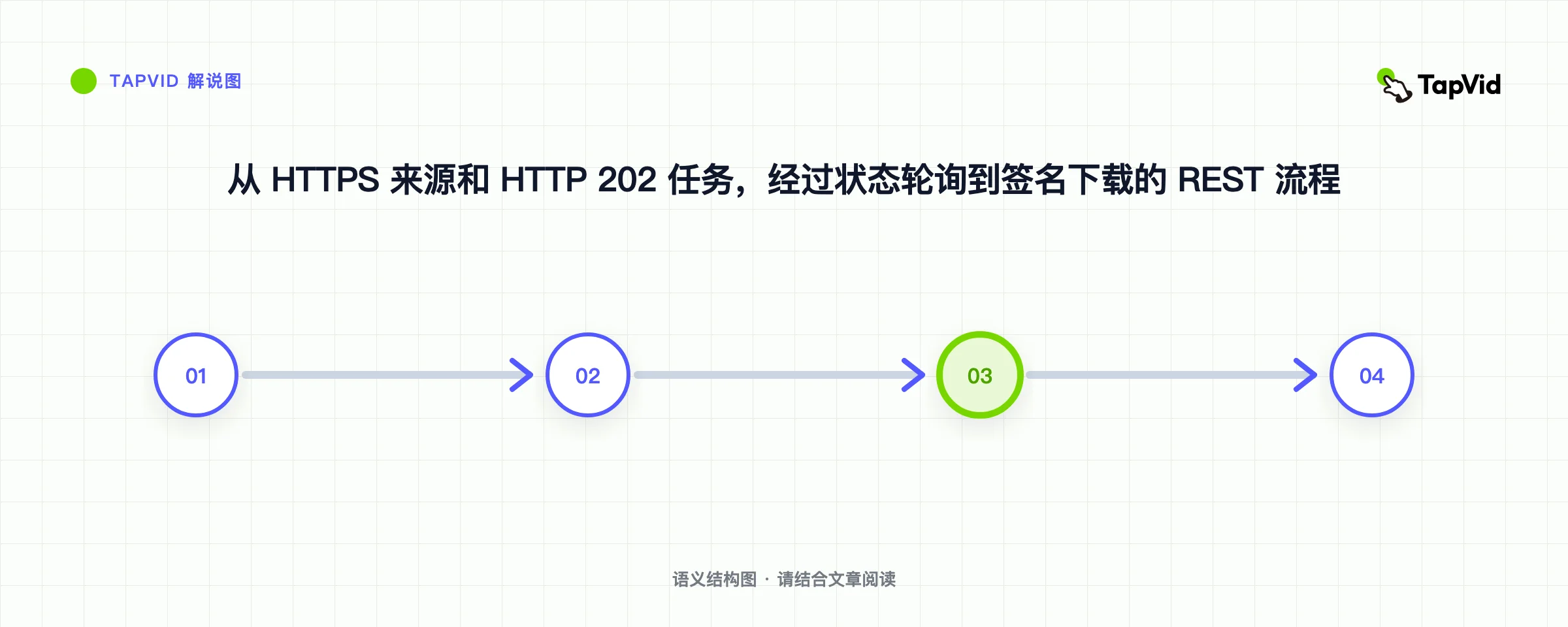
在下一次网络呼叫之前坚持“videoId”。这一条线是受控测试确定的最重要的生产变化。进程在创建后和第一个状态响应之前可能会崩溃。如果ID仅存在于内存中,应用程序将无法恢复,并可能创建第二个带薪工作。将ID存储在您自己的请求ID、材料ID、快速修订、请求的设置和用户旁边。状态端点期望查询参数“video_id”,而创建响应使用骆驼大小写“videoId”。准确复制当前的官方电线名称,而不是从内存中归一化。
05
第 3 步:持久保存、轮询并请求下载
使用接受的ID投票`GET /video/status`并尊重`pollAfterSeconds`。记录的终端状态是“已完成”和“失败”;中间状态包括“正在排队”和“正在运行”。进度是0到1的分数,而不是估计的剩余时间。完成后,如果“creditsUsed”仍然为空,请再次投票,因为结算可以跟随终端更新。然后请求带有分辨率、水印和字幕选项的“GET /video/download”。签名的“downloadUrl”将在大约一小时内过期。存储持久的视频ID,而不是签名的URL,并在用户再次需要时刷新URL。
import { writeFile } from 'node:fs/promises'

const apiKey = process.env.TAPVID_API_KEY
if (!apiKey) throw new Error('TAPVID_API_KEY is required')

const base = 'https://api.tapvid.ai/api/public/v1'
const headers = { Authorization: `Bearer ${apiKey}` }

async function request(path, init = {}, { attempts = 1 } = {}) {
  let lastError
  for (let attempt = 1; attempt <= attempts; attempt += 1) {
    try {
      const response = await fetch(`${base}${path}`, {
        ...init,
        headers: { ...headers, ...init.headers },
      })
      const data = await response.json()
      if (response.ok) return { response, data }
      if (response.status !== 429 && response.status < 500) {
        const error = new Error(`HTTP ${response.status}: ${data.code ?? 'unknown'}`)
        error.retryable = false
        throw error
      }
      lastError = new Error(`retryable HTTP ${response.status}`)
    } catch (error) {
      if (error?.retryable === false) throw error
      lastError = error
    }
    if (attempt === attempts) break
    await new Promise((resolve) => setTimeout(resolve, attempt * 1000))
  }
  throw lastError
}

const { data: material } = await request('/materials', {
  method: 'POST',
  headers: { 'Content-Type': 'application/json' },
  body: JSON.stringify({ url: 'https://tapvid.ai/api-mcp' }),
})

const { response: createResponse, data: video } = await request('/video/create', {
  method: 'POST',
  headers: { 'Content-Type': 'application/json' },
  body: JSON.stringify({
    materialIds: [material.materialId],
    userPrompt: 'Create a concise 30-second English explainer for developers. Stay faithful to the source.',
    title: 'TapVid API developer explainer',
    aspectRatio: '16:9',
    duration: '30s',
    language: 'en',
  }),
})

if (createResponse.status !== 202) throw new Error('Expected 202 Accepted')

// Persist before the next network call. A lost poll must not cause a duplicate create.
await writeFile('.tapvid-job.json', JSON.stringify({ videoId: video.videoId }))

let status
for (let poll = 0; poll < 180; poll += 1) {
  const result = await request(
    `/video/status?video_id=${encodeURIComponent(video.videoId)}`,
    {},
    { attempts: 4 },
  )
  status = result.data
  if (status.status === 'completed' || status.status === 'failed') break
  await new Promise((resolve) =>
    setTimeout(resolve, Math.max(status.pollAfterSeconds ?? 5, 5) * 1000),
  )
}

if (!status) throw new Error('No status received')
if (status.status === 'failed') throw new Error(status.error?.code ?? 'generation_failed')
if (status.status !== 'completed') throw new Error('Polling timeout; resume with the saved videoId')

const query = new URLSearchParams({
  video_id: video.videoId,
  resolution: '1080P',
  watermark: 'true',
  subtitle: 'false',
})
const { data: download } = await request(`/video/download?${query}`, {}, { attempts: 4 })
console.log({ status: download.status, expiresAt: download.expiresAt })
Node.js示例在有界重试中包裹读取,并在轮询之前将接受的视频ID写入磁碟。在真实服务中,用数据库行替换本地JSON文件,并使用队列工作者。帮助程序重新尝试网络错误、HTTP 429和服务器错误。它不会重试正常的400或401,好像时间会修复坏的参数或凭据。180票的上限为工人创造了一个明确的终端条件。如果达到该上限,代码将保留ID并报告可恢复的超时,而不是提交另一个创建请求。
06
真实 REST 测试暴露了什么
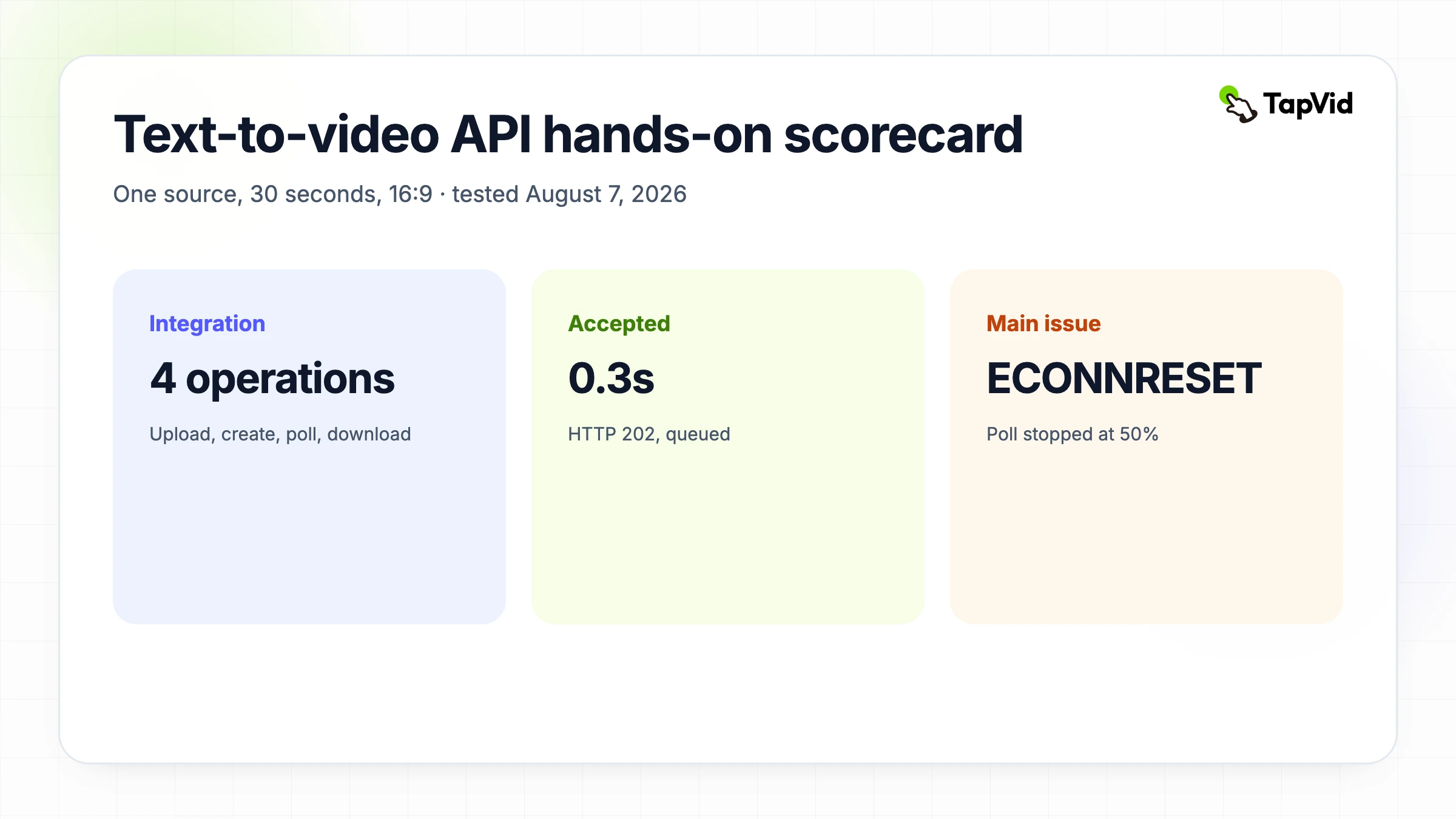
2026年8月7日的REST测试使用了与MCP测试相同的源、提示、30秒持续时间、16:9比例和英语。材料上传在大约1.4秒内返回HTTP 200。创建返回HTTP 202,并在大约0.3秒内排队。第一个运行状态大约在81秒出现。大约331秒时,该作业仍然报告以50%的运行。然后,在建立TLS连接之前,本地节点进程收到了“ECONNRESET”。那是投票客户端失败,而不是记录在案的视频作业失败。
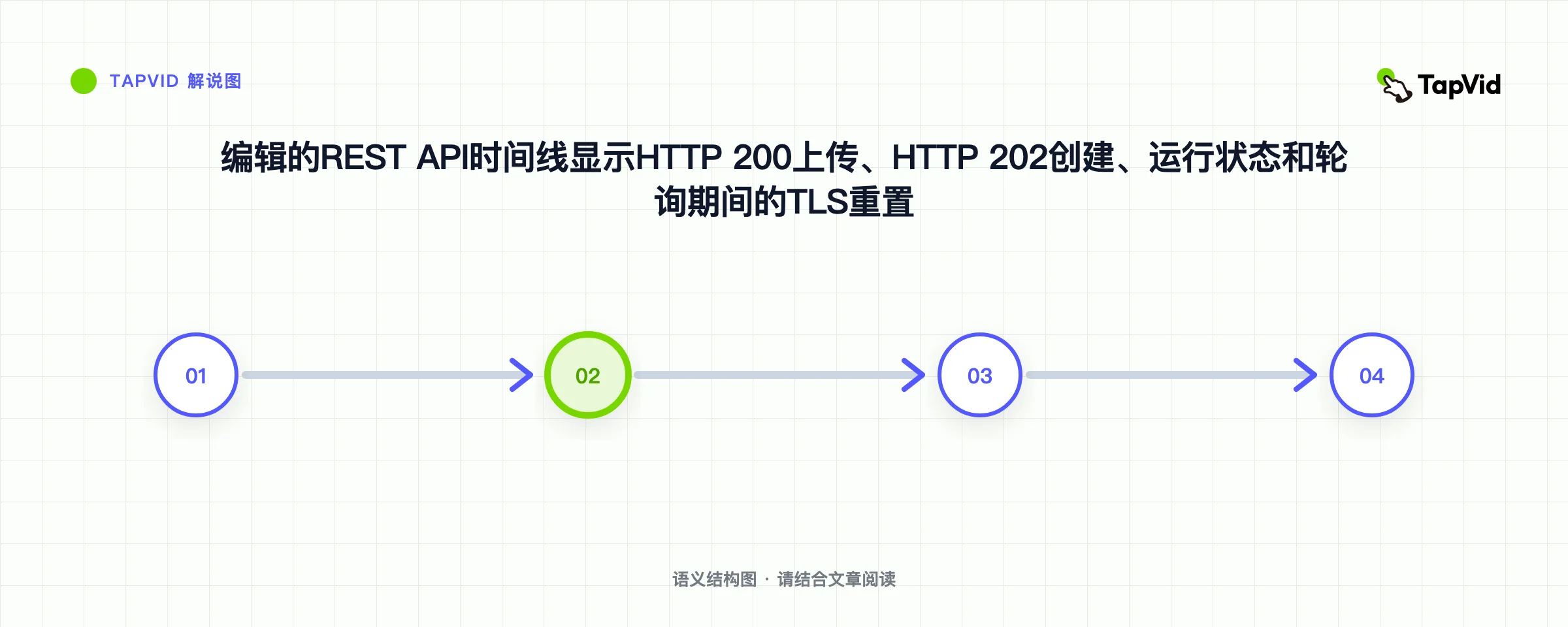
第一个测试脚本仅将私有视频ID保留在进程内存中,因此在进程退出后,它无法恢复已接受的工作。没有创建重复的作业。在MCP和REST运行中,帐户使用计数器已经从90个学分增加到180个学分,与每次创建90个学分和批准的总上限相匹配。这就是为什么最终样本在轮询之前会保留ID,并给出GET请求有界的重试。这也是为什么本文没有声称REST运行在10分钟内生成可下载文件的原因。证据支持快速请求接受,而不是固定的渲染时间承诺。
07
处理错误,但不要重复消耗
根据它们的含义处理错误。`未经授权`呼叫检查或撤销密钥。`invalid_request`呼叫更正字段。`payload_too_large`呼叫减少材料。`insufficient_credits`呼叫在更改限制之前停止并获得授权。`rate_limited`呼叫尊重`Retry-After`。`internal_error`和传输失败可以收到有界重试。下载时的`invalid_state`通常意味着生成或导出没有准备好。五秒钟内的重复创建可能会被拒绝,但对于稍后发生的崩溃,这不是一个完整的等效策略。
| 条件 | 重试? | 操作 |
|---|---|---|
| unauthorized | 否 | 修复密钥 |
| invalid_request | 否 | 修复 body |
| insufficient_credits | 否 | 停止 |
| rate_limited | 是 | 遵守 Retry-After |
| 网络或服务端 | 有限 | 重试读取 |
| create 后丢响应 | 不要重建 | 按 ID 恢复 |
08
可靠生产接入检查清单
可靠的集成需要的不仅仅是一个有效的快乐路径片段。服务器端存储机密。原子持久接受的ID。记录状态转换、请求延迟、生成延迟、积分和安全错误代码。添加最大投票窗口和可恢复状态。单独的源上传权限、生成-支出权限、导出权限和发布权限。刷新已签名的URL,而不是将它们存储为永久资产。测试429和网络重置。向用户显示最后确认的状态。最后,在外部发布之前,查看生成的讲解视频的源保真度、实际持续时间、场景顺序、字幕可读性、音频、权利和品牌。
- 密钥只在服务端。
- 原子保存 ID。
- 分开记录时延。
- 遵守间隔和超时。
- 区分读取和写入。
- 刷新签名 URL。
- 不含 secret 地记录 credits。
- 由人审核并发布。
09
用 API 做完整解释视频,而不是随机短片
当工作是将已批准的内容转换为具有多个场景、旁白、动作和可下载输出的连贯讲解视频时,请使用此文本到视频API。不要将其描述为原始模型基准,也不要承诺电影提示到剪辑引擎的视觉行为。如果您想通过对话来探索提示,同伴Claude和TapVid MCP教程通过MCP显示相同的来源和制作需求。如果您想要持久的应用程序控制,请将REST流保留在这里,并在发货前查看当前的TapVid API和MCP概述。
10
常见问题
一定能在 10 分钟完成视频吗?
不。四操作集成可以快速构建,但生成和导出是异步的。受控的MCP运行大约需要28分钟才能完成,REST轮询器在终端状态之前失去了连接。
HTTP 202 是什么意思?
这意味着创建请求已被接受进行异步处理。坚持返回的视频ID和轮询状态;这并不意味着视频是完整的。
多久轮询一次?
使用状态返回的pollAfterSeconds值。为瞬态故障添加有界重试,以及可以从存储的视频ID恢复的整体超时。
下载 URL 有效多久?
当前文档说明约一小时。
能去除水印吗?
默认保留水印,去除需要有效订阅。