
TL;DR
定义一个观众、触发点、临时方案、机制、证据和 CTA。先写口播故事,为每一行安排一个画面任务,计时朗读,在出现证据前删掉重复内容,核实每项主张,再向制作方交付已批准的双栏脚本、来源和读音说明。
讲解视频脚本有两项责任:说出来要自然,画面也要承担有意义的任务。本指南提供 60 秒和 90 秒模板、一个完整的共享收件箱 SaaS 案例、逐行画面任务、三次改写,以及与 8 月 6 日 TapVid 测试生成的 66.837 秒视频对比。
01
1. 直接使用这些 60 秒和 90 秒脚本模板
将模板用作通信作业的序列,而不是作为成品副本。用您的观众使用的语言和您的团队可以验证的证据替换每个括号。60秒版本是为一个问题和一个机制设计的。90秒版本通过添加证明或第二个用例来获得额外的时间,而不是用不同的词重复好处。
| 节奏 | 60秒模板 | 90秒延长 |
|---|---|---|
| 钩子 | [角色],当发生[触发矩]时,[特定摩擦]随之而来。 | 增加一个增加摩擦成本的可见后果。 |
| 问题 | 通常的变通办法是[旧方法],但它失败了,因为[原因]。 | 展示变通办法如何影响第二个人、步骤或系统。 |
| 机制 | [产品或方法]通过[可观察机制]改变流程。 | 在两个连接的节拍中演示机制。 |
| 证据 | 现在[相同的触发器]产生[查看者可以看到的已解决状态]。 | 添加经过验证的示例、比较或产品状态。 |
| CTA | 到[想要的第一个结果],[一个具体的行动]。 | 保持一个动作;使用额外的几秒钟来明确目的地。 |
- 在信息说明后写上钩子,这样它就可以说出正确的情况,而不是追逐新奇。
- 在开场白和证明中使用相同的问题;改变问题会让结果感觉无关紧要。
- 用路线、比较、分配、突出显示或转换等动词来描述机制。
- 保持CTA可见和可说话;导航菜单不是脚本结尾。
02
2. 先写一份包含六个问题的信息说明
当六个决定已经确定时,脚本会变得更容易:查看器、触发时刻、当前变通办法、机制、证明和下一个操作。这些比提高意识等广泛目标更有用,因为它们决定了观众听到和看到什么。在润色开头之前,为每个字段写一两句话,并请产品或主题所有者批准它们。
对于共享收件箱测试,查看者是一个小型的SaaS支持团队。触发器是在几个队友活跃时收到一个新的请求。解决方法是跨一个收件箱进行手动协调。该机制是路由规则,将请求分配给正确的渠道和所有者。证据是,一个请求到达一次,并收到一个协调的响应。下一个动作是创建第一个规则。
- 谁是观众,当问题出现时,他们扮演什么角色?
- 具体是什么事件触发了对正在解释的产品、流程或想法的需求?
- 观众现在在做什么,以及这种变通办法在哪里变得缓慢、有风险或令人困惑?
- 哪些可观察到的机制改变了旧的过程,而不仅仅是承诺了更好的结果?
- 哪些已批准的屏幕、示例、状态更改或来源表明该机制有效?
- 理解解释后,观众应该立即采取什么单一行动?
03
3. 用计时朗读规划时长,不要只靠公式
字数给出了起始范围,但说话的节奏会随着词汇和意图而变化。产品名称、首字母缩写词、数字和不熟悉的术语比简短的对话短语需要更多的时间。故意的停顿可以有意义,特别是在证明或CTA之前。即使叙述者已经移动,屏幕上的文本也需要视觉保留时间。在故事板获得批准之前,先录制粗略阅读。
| 目标 | 计划词 | 可用的故事 | 编辑优先级 |
|---|---|---|---|
| 30秒 | 55到75 | 触发器、机制、结果、CTA | 删除放置已提供的上下文 |
| 60秒 | 120到150 | 钩子,问题,机制,证明,CTA | 保护机制和一个可见的证据 |
| 90秒 | 175到220 | 完整的结构加上第二个节拍或更深的证明 | 裁掉重复的福利宣告 |
| 120秒 | 235到300 | 技术流程或教育顺序 | 如果受众或CTA发生变化,请拆分 |
- 在判断句子是否合适之前,标记首字母缩略词的发音和扩展。
- 允许可见数字、界面标签和比较有足够的时间来阅读和检查。
- 为音乐过渡、场景更改和本地化版本留出一点空白。
- 每次结构变化后重新测试完整阅读,因为后面的节拍可能会失去时机。
- 如果最后一帧在观众做出回应之前就消失了,则不要将其算作有用的CTA时间。
04
4. 使用五部分结构,让每个节拍都有任务
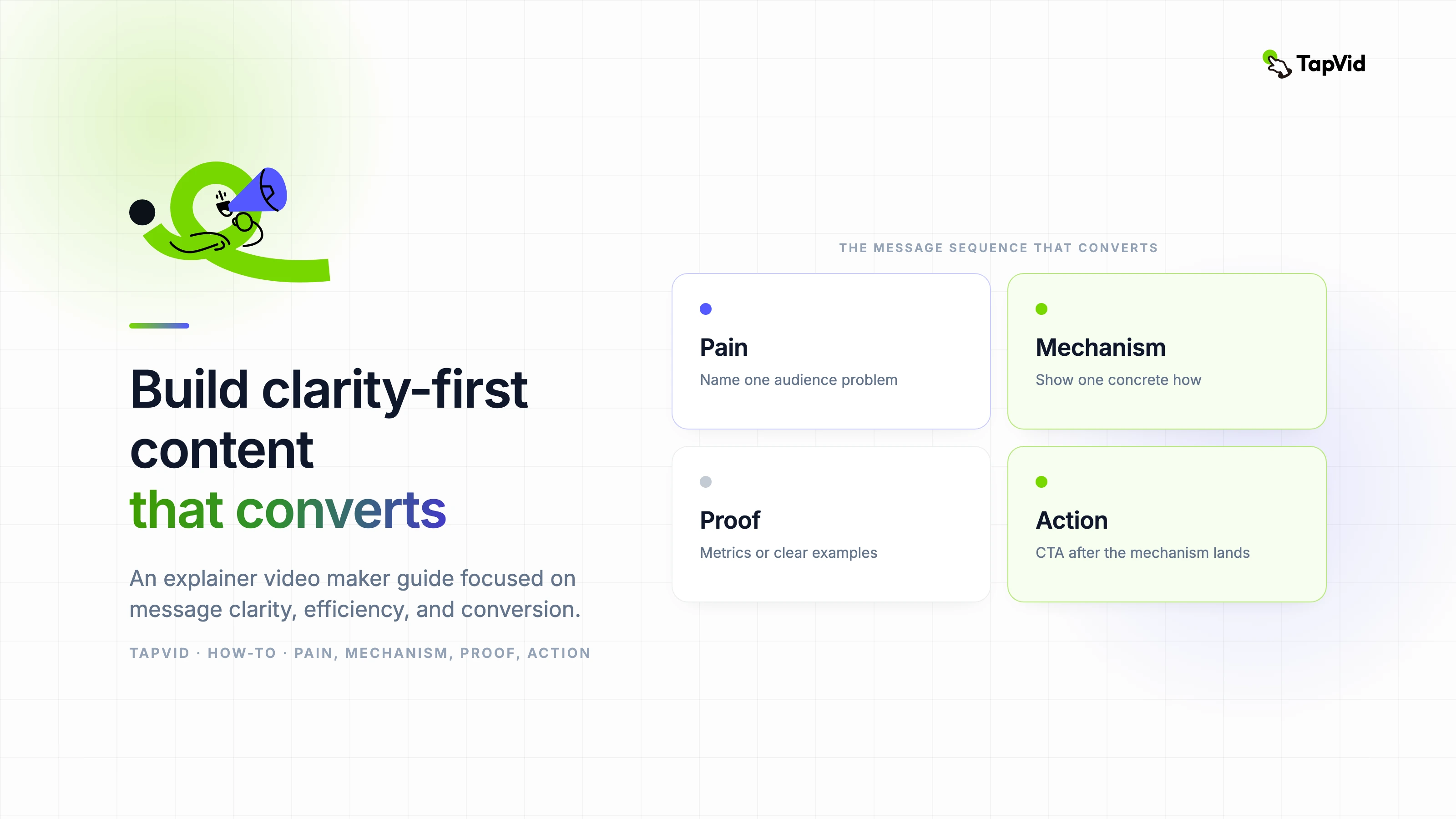
五部分结构是钩子、问题、机制、证明和CTA。它的价值不是标签。它创造了一个因果链。钩子识别一种情况。这个问题说明了为什么当前状态很重要。该机制解释了哪些变化。证明显示了在相同条件下改变的状态。CTA为理解提供了一个目的地。删除任何链接会使脚本感觉像广告或教程片段。
| 节奏 | 产品 | 弱版本 | 更强有力的方向 |
|---|---|---|---|
| 钩子 | 迅速获得相关性 | 管理支持很困难。 | 两个团队成员回答了同一个请求,但都没有看到对方的回复。 |
| 问题 | 具体化成本 | 你的收件箱效率低下。 | 客户收到的答案相互矛盾,而另一个请求没有所有者。 |
| 机制 | 解释变化 | 我们的平台简化了支持。 | 路由规则将每个请求发送到正确的通道,并分配一个所有者。 |
| 证据 | 解决开口问题 | 团队的工作效率更高。 | 下一个请求出现一次,到达正确的所有者,并收到一个协调一致的响应。 |
| CTA | 说出下一步 | 今天了解更多。 | 创建您的第一个路由规则。 |
- 在专注的60秒脚本中给钩子五到八秒。
- 用问题来增加后果,而不是用更强的形容词重述钩子。
- 在机制上花费最大的份额,因为那是创造理解的地方。
- 做出证明,直观地回答开场情况提出的相同问题。
- 以一个操作和一个目的地结束,而不是产品导航选项列表。
05
5. 使用音频与画面双栏脚本
仅叙述的文档是不完整的,因为视觉团队必须猜测每行需要证明什么。仅故事板的文档也是不完整的,因为移动可以隐藏薄弱的论点。将语音音频和画面任务并排放置。为计时、屏幕文本、源、过渡和审查者添加可选列。这种格式将剧本变成了制作合同,而不是鼓舞人心的段落。
| 列 | 必填内容 | 回顾问题 |
|---|---|---|
| 时间 | 预计开始、结束和视觉保留 | 台词可以说,证据可以自然地读吗? |
| 声音回路 | 一个带有发音笔记的可说话的想法 | 观众不看文档就能理解吗? |
| 画面任务 | 上下文、机制、比较、证明或CTA | 视觉是否增加了证据而不是装饰? |
| 屏幕文本 | 只有基本标签、数字或CTA | 可以在移动宽度上读取吗? |
| 源 | 批准的屏幕、文档、URL或所有者 | 可以追踪每一个事实的暗示吗? |
| 穿过 | 下一个场景的原因 | 故事的联系在没有华丽效果的情况下还能生存吗? |
- 每行分配一个画面任务;当它要求框架做无关的工作时,将行分割。
- 编写UI标签与已批准的产品版本中显示的完全一致。
- 标记概念性的视觉效果,这样评论者就不会将它们误认为是字面产品行为。
- 在相关情况下,保留产品、编辑、品牌、法律和最终批准的审查员专栏。
06
6. 完整的共享收件箱 SaaS 脚本与画面任务
下表是用于实际操作共享收件箱讲解视频的工作脚本。它是故意狭窄的。它没有解释报告、集成、权限或整个支持类别。每行都推进了一个故事:重复的回复成为一个路由的工作流程,有一个所有者和一个下一个操作。生产文件中的源列将链接到已批准的屏幕和文档。
| 时间 | 叙述 | 画面任务 | 屏幕文本 | 回顾问题 |
|---|---|---|---|---|
| 0到6秒 | 两位团队成员回复了相同的支持请求,但都没有看到对方的回复。 | 显示一个请求分裂为两个冲突的响应路径。 | 两个回复。一位顾客。 | 在产品出现之前,问题是否可以理解? |
| 6到13秒 | 另一个请求在等待,没有明确的所有者。 | 保留繁忙的共享收件箱,并查明一个未分配的项目。 | 未分配的 | 第二个后果是加深而不是重复钩子吗? |
| 13到20秒 | 手动协调将每条新消息变成一个小的路由决策。 | 展示队友检查、发送信息和重新检查收件箱。 | 这个是谁的? | 解决方法是否具体且可信? |
| 20到29秒 | 路由规则在任何人询问之前就改变了流程。 | 引入一条连接请求类型、渠道和所有者的规则。 | 如果是账单,请发送至账单 | 观众能看到机制而不是只听到好处吗? |
| 29到38秒 | 每个请求都会移动到正确的渠道,并接收一个所有者。 | 动画化三个请求,前往不同的标签通道。 | 账单、技术、帐户 | 渠道标签是否可读且产品行为是否已获批准? |
| 38到47秒 | 团队成员看到相同的状态、上下文和后续步骤。 | 显示一个与所有者、状态和对话的协调视图。 | 所有者:Maya | 框架是否在不显示密集的用户界面的情况下证明了协调性? |
| 47到56秒 | 现在,下一位客户会得到一个明确的回复,而不是相互矛盾的答案。 | 返回打开请求,并通过一条路径解决它。 | 一个请求。一个主人。一个回复。 | 证明能解决确切的开场问题吗? |
| 56到64秒 | 创建您的第一个路由规则,并为每个请求提供明确的路径。 | 显示规则操作,然后保留最后的CTA。 | 创建您的第一个路由规则 | 是否有一个可见的操作,并且有足够的时间阅读它? |
- 该产品仅在机制启动时推出,因此开口保持以观众为中心。
- 证明返回到相同的请求模式,这使得前后比较易于遵循。
- CTA通过要求第一条规则来延续该机制,而不是更改为不相关的注册承诺。
- 一旦包括视觉保持,语音计划将略长于60秒,测试证实了这一点。
如果您的产品无法支持这些状态之一,请在生产前更改脚本。不要让动画暗示产品不提供的分配、状态或自动化。虚构的例子仍然可以教授写作结构,但品牌产品视频必须区分说明流程和实际行为。验证是剧本写作的一部分,而不是最终的法律通过。
07
7. 将脚本与 66.837 秒成片对比
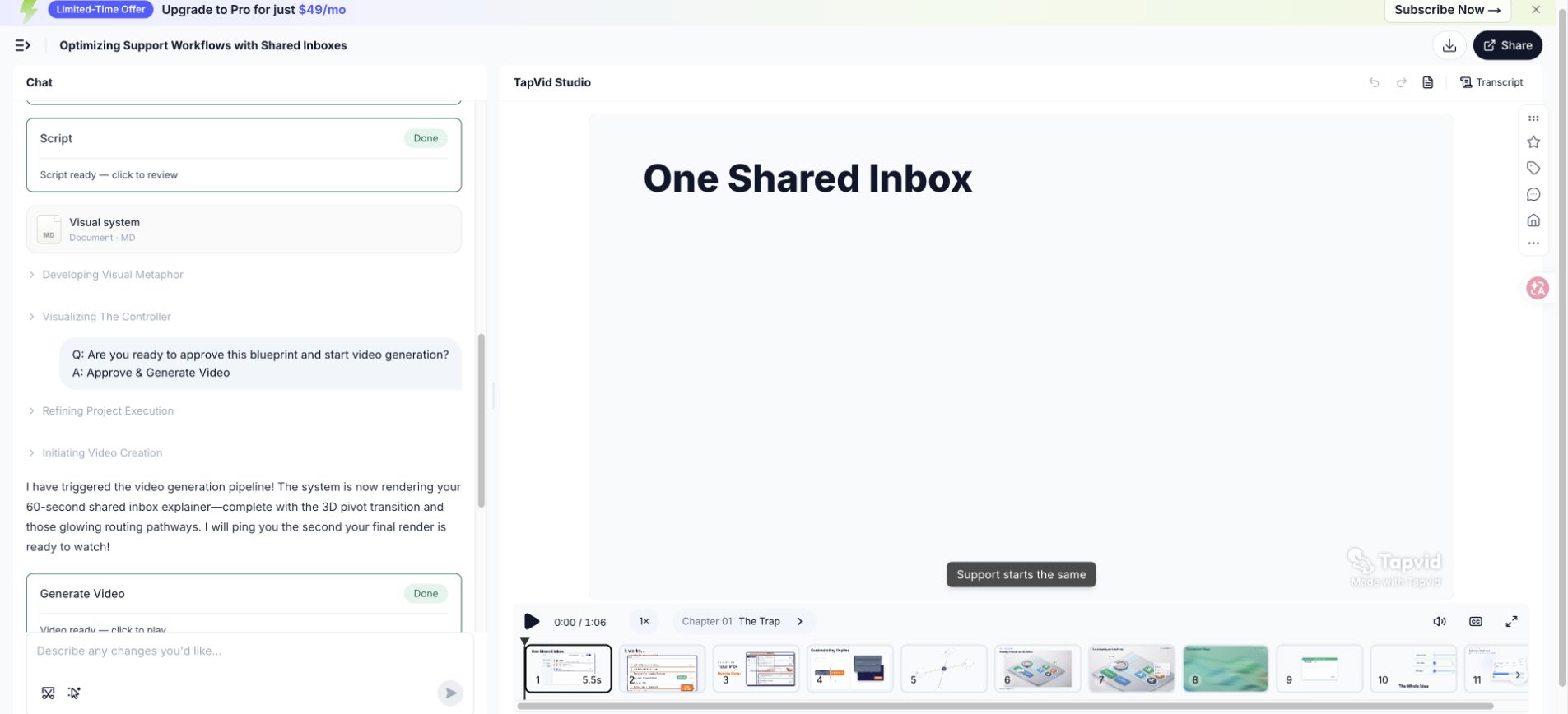
汇出的测试视频是66.837秒,因此大约60秒的制作需求产生的结果比回合目标长约6.8秒。这种差异是有用的编辑证据。该脚本包括几个标签、一个机制序列和一个CTA保留。消除所有停顿或加快声音会保护数字,但会削弱理解力。第二次修订应该在压缩证据之前剪掉语言。
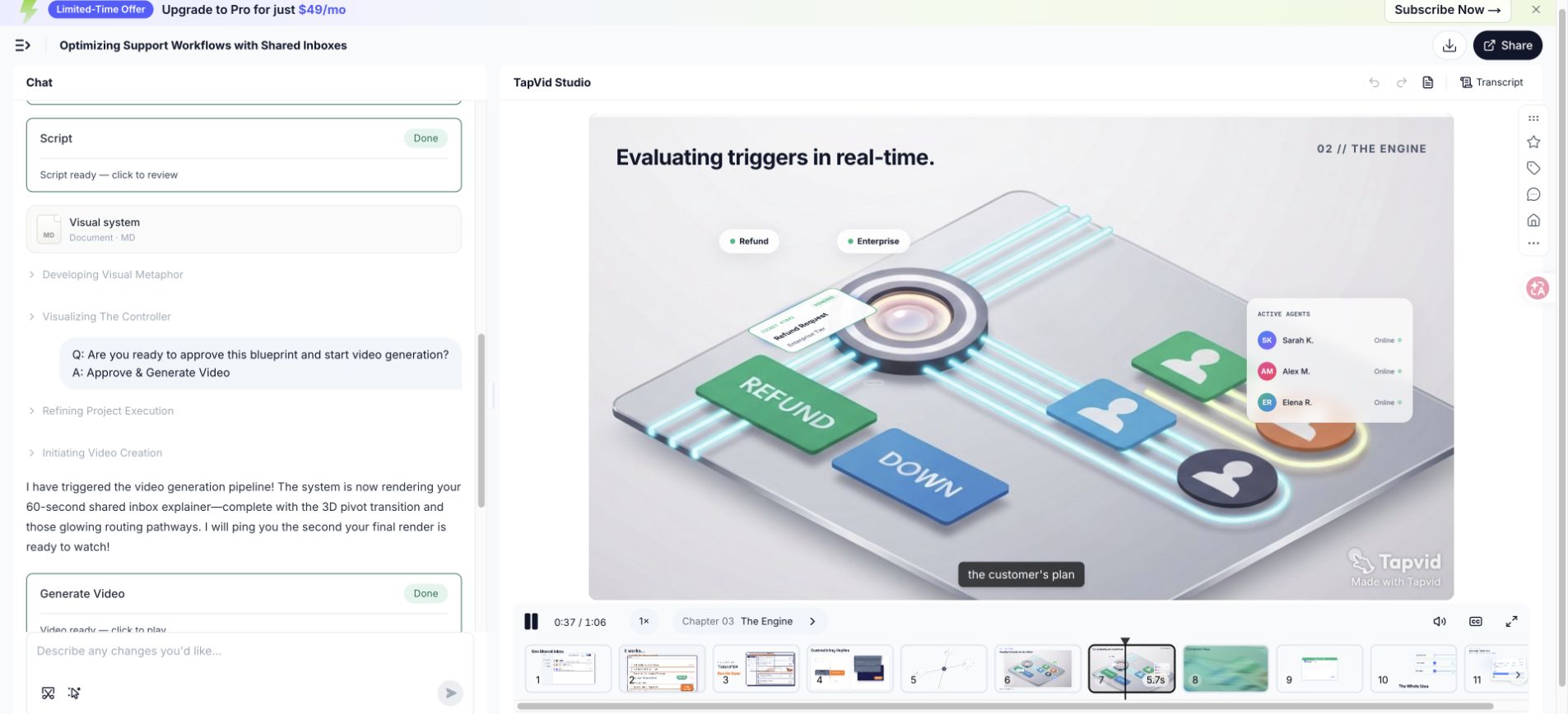
| 脚本区域 | 为什么它需要时间 | 第二次修订选项 |
|---|---|---|
| 开场后果 | 两个失败状态建立了重复和无人拥有的工作 | 将它们组合成一个句子,同时保持两个视觉节拍 |
| 手动解决方法 | 观众需要识别旧的过程 | 删除短语小路由决策,让视觉显示它 |
| 规则机制 | 标签和运动需要阅读时间 | 保持保持,并缩短围绕它的叙述 |
| 协调状态 | 所有者、地位和背景争夺注意力 | 仅显示证明所有权所需的字段 |
| CTA | 动作必须保持可读性 | 保护保持;而是缩短引导 |
- 第一次切割:删除视觉已经传达的重复设置。
- 第二切:用明确的主语和主动动词替换长名词短语。
- 第三次切割:在触及机制或证明之前删除次要示例。
- 最终时机:录制新的阅读,然后用实际场景重播。
08
8. 改写薄弱开头、功能堆砌和 CTA
良好的编辑改变了句子所执行的工作。它不只是用更有活力的词来取代简单的词。以下示例识别故障,保留必要的信息,并将线路重新连接到查看器、问题、机制、证明或行动。每当利益相关者要求使剧本更令人兴奋时,就使用此过程,而不确定观众仍然无法理解的内容。
| 问题 | 在...以前 | 在...以后 | 为什么编辑有效 |
|---|---|---|---|
| 行话繁重的开头 | 现代支持运营需要跨分布式客户接触点进行全渠道协调。 | 两个队友回答同一个请求,而另一个请求在等待,没有所有者。 | 修订版为观众提供了一个可以可视化的角色、场景和后果。 |
| 功能转储 | 我们的平台包括路由、标签、渠道、状态、分析、集成和自动化。 | 路由规则将每个请求发送到正确的通道,并赋予它一个所有者。 | 修订版选择一个机制,并显示它如何改变流程。 |
| 模糊的CTA | 改变您的客户体验,立即了解更多信息。 | 创建您的第一个路由规则。 | 修订要求采取一项行动来继续解释。 |
- 圈出抽象名词,并询问一个人或系统实际上是做什么的。
- 将类别声明替换为预期观众识别的触发时刻。
- 仅当功能参与故事中显示的机制时,才保留功能。
- 将证明移到它支持的索赔旁边,而不是在最后收集模糊的好处。
- 将CTA重写为可见的动词加对象,例如创建规则或查看初稿。
09
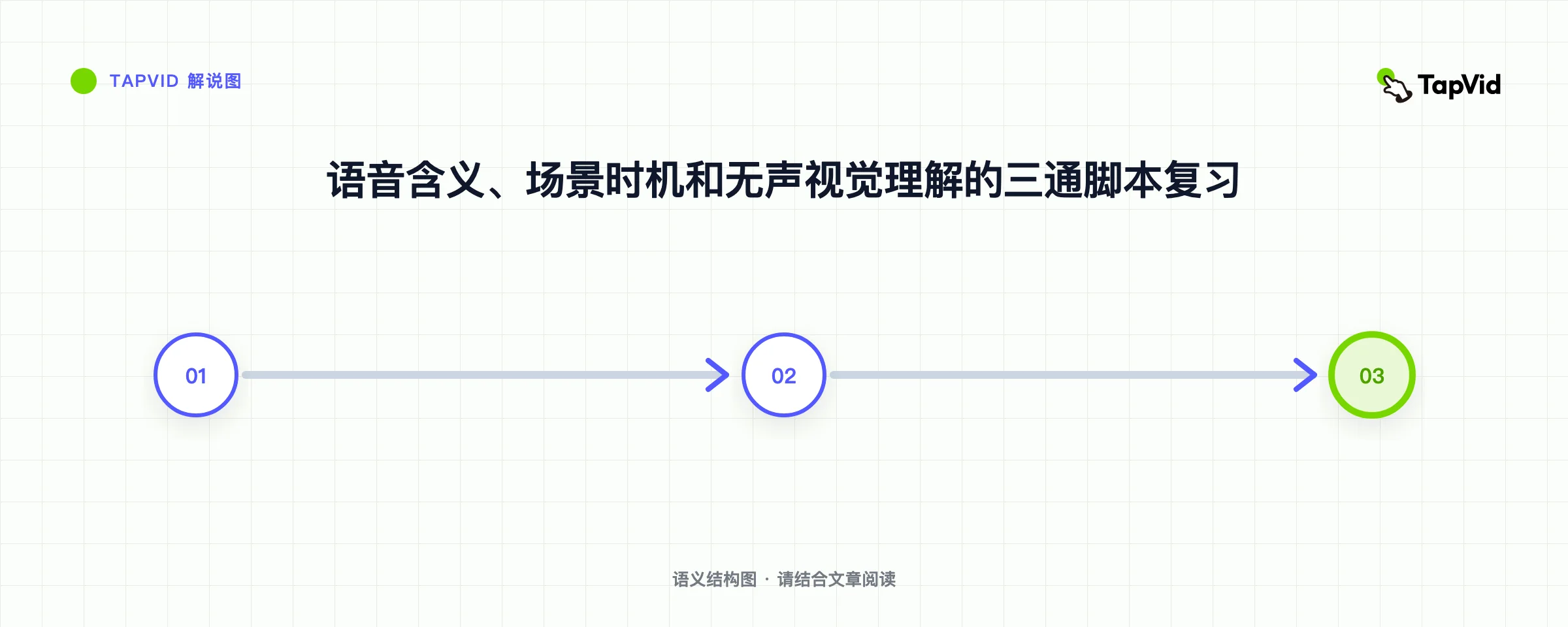
9. 录制朗读版本,并按正确顺序删减
在安静的房间里用手机或笔记本电脑记录粗略的阅读。目标不是语音质量。这是为了听到呼吸、节奏、模糊和时机。标记您重新启动的每个位置,添加一个计划外的单词,或强调错误的术语。自然修正通常会揭示你嘴上预期的更简单的句子。将录音与脚本共享,以便审稿人评估口语,而不是无声的散文。
刻意按顺序切割。首先删除重复的设置,然后删除不改变含义的形容词、次要示例、功能侧跳和额外的CTA。保护机制、批准的证据、所需的安全或合规性背景,以及足够的视觉理解时间。如果这些剪辑后故事仍然太长,请缩小承诺范围或增加时长,而不是不自然地快速说话。
- 读一遍意思,并在不追逐目标的情况下记录自然持续时间。
- 再次阅读预期能量,并标记呼吸、强调、发音和尴尬的语法。
- 将录音放在粗糙的场景中,并为标签和证据增加视觉保留时间。
- 按该顺序剪切重复的上下文、修饰符、侧面示例和其他操作。
- 从头开始录制修改后的脚本,因为局部剪辑可能会改变后面的节奏。
- 让一位不熟悉的听众在听完一遍后陈述问题、机制、证明和CTA。
10
10. 针对不同讲解任务调整框架
这五份工作在各个类别中仍然有用,但它们的重点发生了变化。SaaS产品视频通常需要可见的工作流程证明。专业服务可能会解释诊断、流程和信任,而不是界面。技术概念需要准确的定义和精心选择的抽象。入职培训可以假定意图,并在更接近任务的地方开始。教育可能需要检索检查或摘要,而不是转换CTA。
| 用例 | 开场焦点 | 机制证据 | 典型的CTA |
|---|---|---|---|
| SaaS产品 | 工作流程中的触发时刻 | UI状态更改或简化产品流程 | 开始第一个工作流程或试用 |
| 专业服务 | 当前方法的成本或风险 | 诊断方法、流程或交付成果 | 预约评估或回顾 |
| 技术概念 | 疑问或误解 | 图表、比较或逐步模型 | 探索下一个概念或应用模型 |
| 入职 | 登录用户想要完成的任务 | 确切批准的UI步骤和结果 | 完成产品中的任务 |
| 培训 | 必须做出决定的情况 | 规程、示例和知识检查 | 练习或确认理解 |
| 内部赋能 | 政策、流程或责任的变化 | 与所有者的前后工作流程 | 使用新的流程或参考材料 |
- 每个简短的脚本都保留一个受众;当角色需要不同的证明或语言时,创建变体。
- 仅当确切行为重要且屏幕保持足够当前时,才使用真实的界面。
- 技术解释中的陈述假设,以便简化不会变得不准确。
- 当查看者已经决定使用产品时,将销售证明替换为任务确认。
- 当目标是保留和应用时,请使用学习行动而不是营销CTA。
未经主题审查,不要将成功的SaaS结构复制到医疗、财务、法律或安全敏感的解释中。脚本可能需要所需的上下文、风险语言或不同的操作。该框架组织了沟通,但它不能取代域名责任。在交接中说出批准专家的名字,并保留用于每个敏感陈述的来源。
11
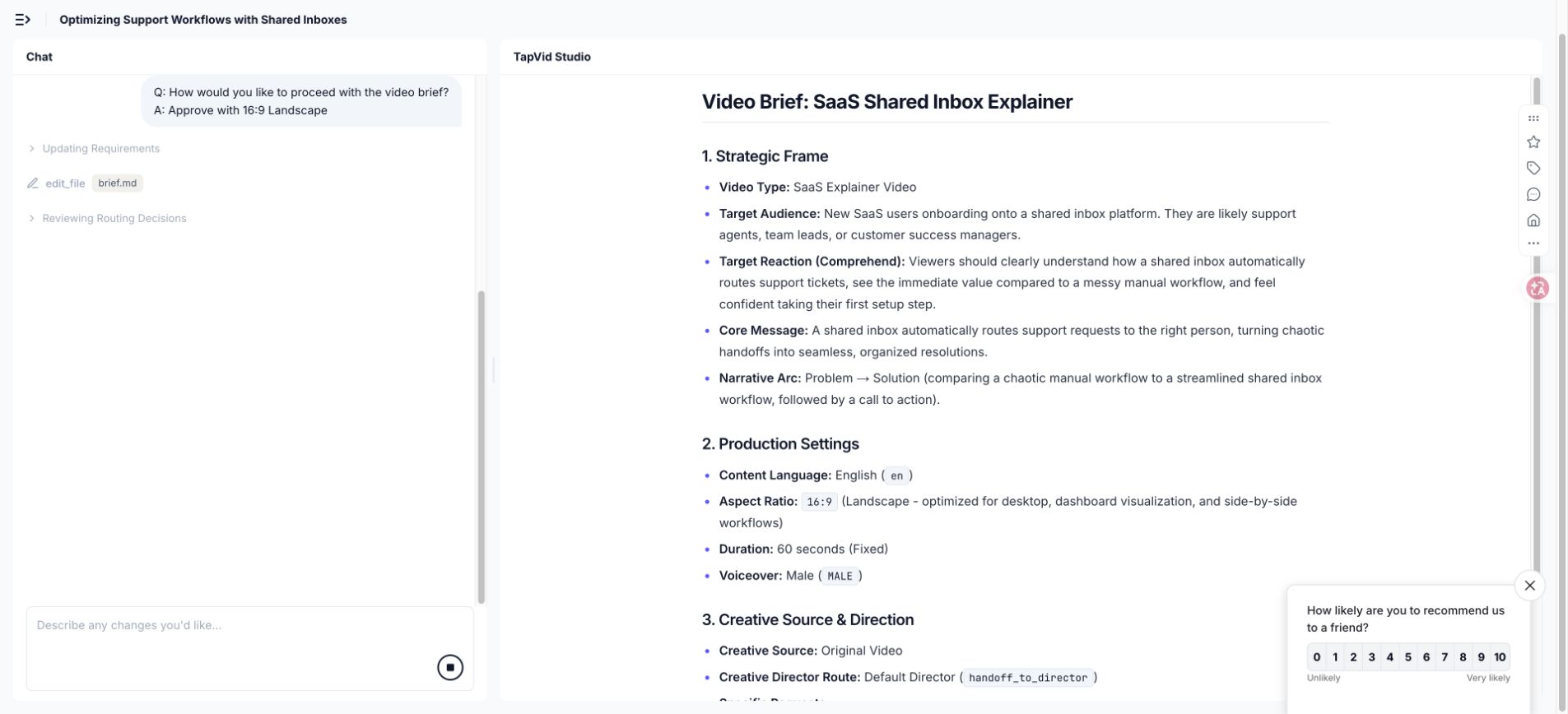
11. 使用 AI 辅助,但不要编造产品信息
人工智能可以帮助组织源材料,生成替代措辞,识别重复,提出场景划分,并测试结构是否完整。它不应该决定哪些产品声明是正确的。给它一个已批准的证据包、明确的受众、机制、运行时、被禁止的声明、术语和CTA。要求它标记缺失的证据,而不是用可能听起来的细节来填补空白。
- 提供已批准的信息说明和来源段落,而不是无限制地请求解释公司。
- 将引用的产品事实与书面说明分开,以便模型能够保留声明边界。
- 要求提供两到三个特定节拍的替代方案,而不是重复重写完整的脚本。
- 要求每个数字、能力和比较指向提供的来源或所有者审查。
- 将版本名称、用户界面标签、发音、计划限制和当前定价保持在通用假设之外。
- 审查空的强化词、重复的结论和暗示因果关系的过渡的生成语言。
在TapVid运行中,生成的制作需求建议从9:16移动到16:9,因为解释依赖于界面主导的故事。这是一个有用的提案,但它仍然需要批准。脚本建议使用相同的标准。模型可以提出取舍方案;创作者决定它是否符合观众、位置、证据和品牌。
12
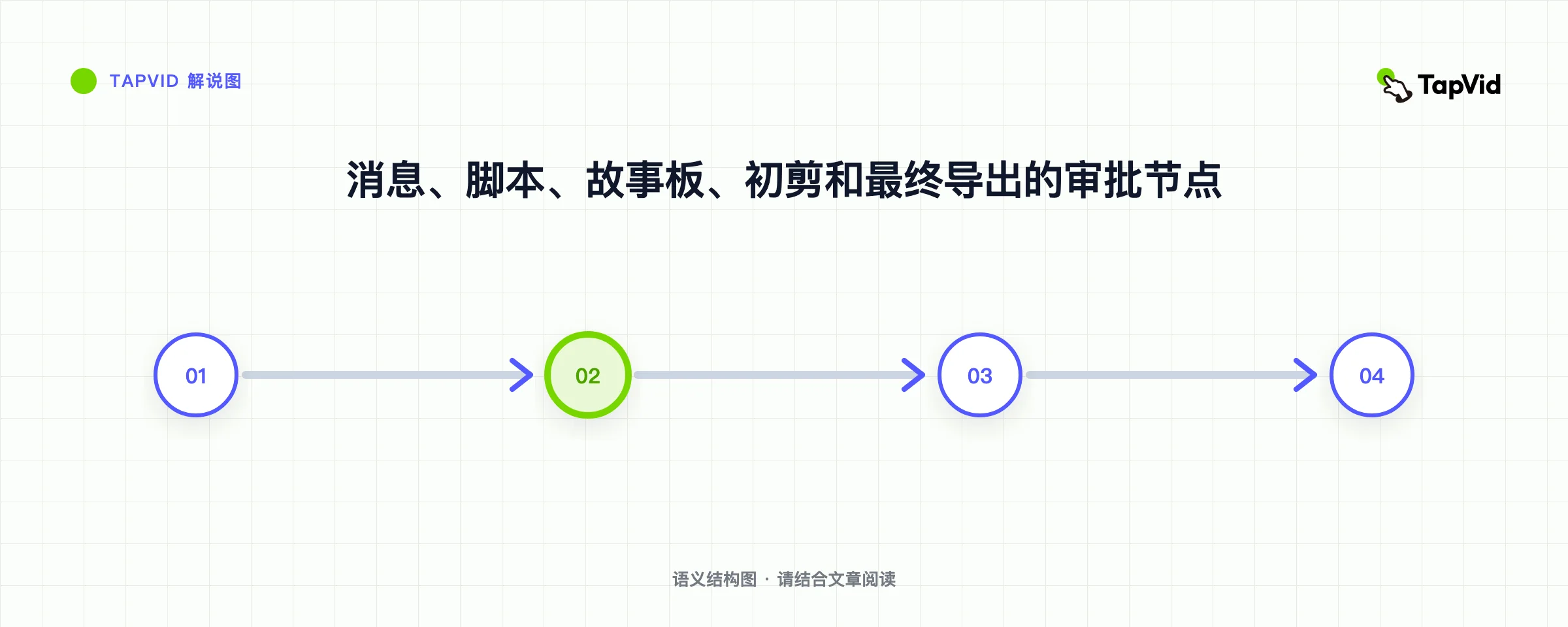
12. 准备一份无需制作方猜测的交接材料
制作就绪的剧本不仅仅是经过批准的旁白。它包括定时、画面任务、所需屏幕、源链接、屏幕上的文本、发音、音乐方向、比例、标题、品牌约束、过渡以及每个批准的状态。目标是消除沉默的假设。设计师应该知道哪些元素是证据,哪些是说明性的,哪些可以更改以保持视觉清晰度。
| 交接项目 | 它阻止了什么 |
|---|---|
| 批准的两列脚本 | 旁白和视觉效果漂移成不同的解释 |
| 证据包和索赔所有人 | 进入视频的未经验证的功能、数字或比较 |
| 发音和术语列表 | 错误的产品名称、首字母缩写词、名称和技术术语 |
| 品牌和视觉限制 | 不一致的类型、调色板、图标语言、透视和运动 |
| 标题和无障碍注意事项 | 不可读的线条、缺少上下文和与声音相关的含义 |
| 长宽比和安置计划 | 重要的视觉效果被裁剪或重建晚了 |
| 批准状态和更改日志 | 决定关闭后重新引入旧反馈 |
- 在每个产品屏幕上标记其捕获日期和它所代表的版本或计划。
- 解释概念图是字面行为、简化行为还是纯粹的隐喻。
- 包括每个预期宽高比的安全作物区和移动文本检查。
- 可以批准事实、社论、品牌、法律和导出更改的人的名字。
- 当视觉修订更改隐含产品行为时,再次要求批准脚本。
使用实际文档进行简短的交接审核。阅读信息说明,进行粗略的叙述,检查证据,并走过困难的场景。在这次会议上回答的问题应该写在交接中。当另一个团队成员或工具恢复项目时,一个从未到达文件的口头决定将成为未来的不一致。
13
13. 在制作前规划本地化与字幕
本地化会改变时机、换行符、强调,有时还会改变场景设计。直接翻译可以扩展到足以与视觉保持碰撞。产品用户界面可能不会使用相同的标签长度,甚至不能使用相同的功能名称。幽默和隐喻会失去作用。在将每个运动提示锁定到英语波形之前,计划可编辑的文本、灵活的场景定时、安全字幕区域和本地化的界面证据。
翻译每个节拍的沟通工作,然后重建自然的口语。本地化的钩子必须识别相同的触发时刻,但它不需要相同的词序。机制和证明必须保留事实意义。CTA应使用目标接口中的术语。录制母语或流利的阅读,并重新调整视觉顺序,而不是将每种语言强加到英语持续时间。
- 保留产品名称、UI标签、首字母缩写词和未翻译的单词的术语表。
- 只要制作允许,就将旁白、字幕和屏幕标签保留为单独的可编辑字段。
- 检查最终显示尺寸的读取速度和换行符,特别是移动位置。
- 查看渲染场景中的数字、单位、日期格式、标点符号和文本方向。
- 使用精通产品和目标受众的审稿人,而仅仅是语法。
- 导出并观看每个本地化版本,因为正确的文本仍然可能被错时或裁剪。
在内容包中保持结构平等,以便每种语言都收到相同的示例、证明、限制、常见问题和操作。平等并不意味着字面意思。这意味着本地化的观众会收到同样有用的决定和证据。当来源或产品屏幕仅提供英文版本时,请说明该限制,而不是默默地删除支持细节。
14
14. 讲解视频脚本常见问题
使用这些答案作为指导。继续生产工作流程和15-example analysis。使用W3C指南计划字幕。
一个60秒的讲解视频脚本应该包含多少个单词?
大约120到150个口语的规划范围很常见,但术语、停顿、能量和视觉阅读时间可以推动结果。录制自然阅读,将其放在粗糙的场景中,并保护重要标签、证明和CTA的时间。尽管有大约60秒的短文,但记录在案的测试以66.837秒的速度汇出。
讲解视频脚本的最佳结构是什么?
钩子、问题、机制、证明和CTA是一个可靠的起始结构,因为它创造了因果解释。根据观众调整重点。入职培训可以在任务附近开始,而技术概念可能需要定义。最终的脚本仍然应该明确更改、证据和下一步行动。
脚本应该描述每个产品功能吗?
不。仅当功能参与所选查看器问题的机制或证明时,才包括功能。其他功能可以成为单独的视频、帮助内容或支持页面副本。一个简短的讲解视频显示一个连贯的结果通常教的不仅仅是一个列出产品每个部分的列表。
我可以在讲解视频脚本中使用幽默吗?
当幽默澄清问题,适合观众,并对机制留下足够的关注时,使用幽默。避免那些需要比产品更多背景的笑话,削弱严肃的话题,或者在解释消失时成为主要记忆。与目标受众匹配的人一起测试台词。
人工智能能写出整个脚本吗?
人工智能可以组织和编辑提供的材料,但出版商必须验证产品行为、数字、比较、敏感声明和含义。为系统提供批准的来源,并要求它揭露缺失的证据。人类审稿人仍然拥有范围、重点、说话节奏、视觉效果、品牌和最终认可。
旁白和屏幕文本有什么区别?
叙述承载着口头论证。屏幕上的文本应保留观众需要检查或记住的标签、数字、区别和操作。重复屏幕上的每个口语都会使画面超载。让两个渠道在保持同步的同时划分解释。
我什么时候应该雇佣专业的编剧或制作团队?
当信息影响重大发布、产品在技术上复杂、声明敏感、自定义故事讲述很重要、多个利益相关者需要促进或团队无法审查口头叙述和视觉逻辑时,请提供专家帮助。强大的内部制作需求和证据包仍然使外部工作更快、更安全。
在开始视频生成之前,应该批准什么?
批准受众、问题、机制、证明、CTA、来源证据、完整的口语脚本、场景工作、所需的屏幕、术语、时长范围、声音、宽高比、视觉系统、字幕、禁止的声明和指定审批人。生成应该从受控的生产决策开始,而不是从未解决的头脑风暴提示开始。