
TL;DR
約10分でREST連携を組み、レンダリングは永続状態を持つ非同期ジョブとして扱います。
公開URLから30秒、16:9のモーショングラフィックスジョブを作ります。upload、create、status、downloadの連携は短時間で書けますが、レンダリングは10分保証ではありません。実測は長くかかったため、ID保存とネットワーク再試行を含めます。
01
このチュートリアルのtext-to-video API
“Text to video” は複数の異なる製品を網羅しています。 一部のAPIは、短いプロンプトを5秒のシネマティックなクリップに変換します。 他のユーザーは画像をアニメーション化したり、デジタルプレゼンターをスクリプトの上に配置したり、ストック映像を組み立てたりします。 TapVidは別の仕事を担当しており、クリエイターが所有するソース素材を構造化されたマルチシーン情報ビデオに変換します。 このチュートリアルでは、入力は曖昧な視覚的プロンプトではありません。 これは、公開されているTapVid APIおよびMCPページに加えて、対象者、期間、アスペクト比、メッセージ、そして禁止された主張を定義するブリーフです。 出力対象は、単独のショットではなく、30秒の完全な情報ビデオです。 エージェンシーや小規模事業者にとって、プロンプトベースのシーン編集は、1つのシーンを再生成し、残りはそのまま保持できることを意味します。
“Build it in 10 minutes”というフレーズは、4つのREST操作を統合することを指し、10分間のレンダリングを約束するものではありません。 ビデオ生成は非同期です。 作成エンドポイントは `202 Accepted` を即座に返し、ステータスは長期間変更されないことがあり、生成レポートが完了した後でもエクスポート準備を継続できます。 誠実なクライアントは、リクエスト遅延と生成遅延を分離します。 ジョブが受理されたことを示し、IDを保存し、現在のステータスを報告し、後で再開します。 ブラウザタブやネットワーク接続が消失しただけで、アクティブなジョブを重複したジョブに置き換えることは決してありません。
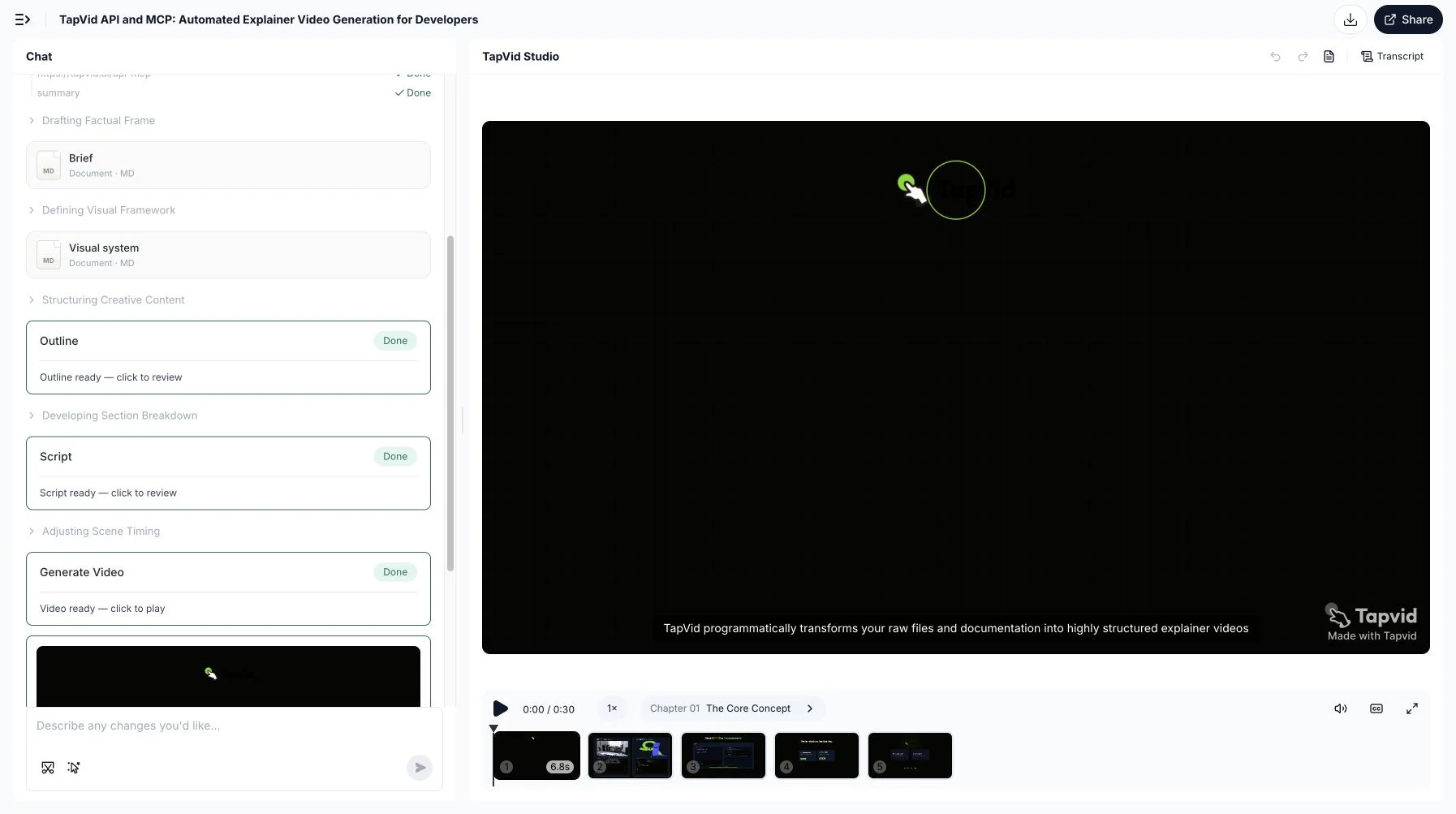
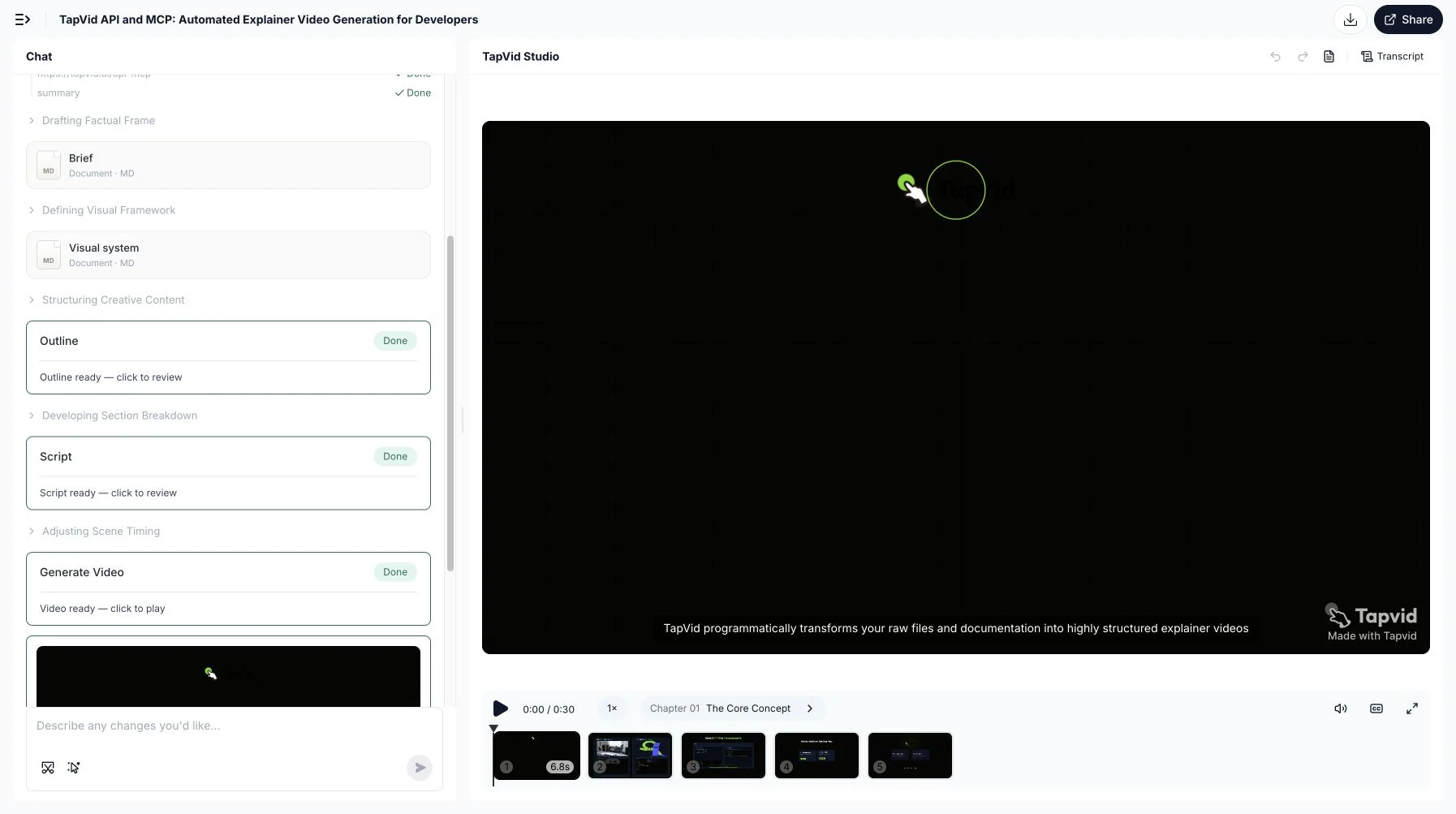
これは、このチュートリアルで使用されたブリーフを使用した、公開APIおよびMCPページから作成された実際の30秒のTapVid出力です。 TapVid Studioで完了した5シーンプロジェクトを検証し、全結果を再生し、このローカルMP4をダウンロードしました。 それは、ソースから完成した動画へのワークフローとダウンロード可能な出力を証明します。 それは、以前に中断されたRESTポーリングを遡って完了したRESTベンチマークに変換しません。
02
コード前に契約を確認する
現在の公式ゲートウェイは `https://api.tapvid.ai/api/public/v1` であり、すべてのリクエストは HTTPS 上で `Authorization: Bearer YOUR_KEY` を使用します。 キーは TapVid APIキー で作成し、`process.env.TAPVID_API_KEY` としてローカルコードに公開してください。 ブログ、リポジトリ、フロントエンドバンドル、スクリーンショット、またはクライアントサイドアプリケーションに表示されるスクリプトにハードコードしないでください。 作成フローは、1〜30個のマテリアルID、必須プロンプト、オプションのタイトル「16:9」または「9:16」、`30秒から「5m」までの期間、そしてオプションの言語を受け付けます。 これらはワイヤー値ですので、綴りと句読点が重要です。
- HTTPS経由でTapVid APIの公開RESTベース `https://api.tapvid.ai/api/public/v1` を使用します。
- keyをserverの`process.env.TAPVID_API_KEY`から読む。
- URLかfileの一方を送る。
- `materialId`と202後の`videoId`を保存する。
- `pollAfterSeconds`と再開可能timeoutを使う。
| 項目 | 制限 | 注意 |
|---|---|---|
| File | 100 MB | multipart |
| URL | HTTPS, 4,096文字 | internal host不可 |
| Materials | 30 | ID保存 |
| Prompt | 12,000文字 | source grounded |
| Ratio | `16:9` or `9:16` | enum exact |
| Duration | 30秒、60秒、2分、3分、4分、または5分 | enum exact |
03
手順1: URLまたはファイルをupload
まず、ソースは1種類だけアップロードします。URLの場合は、HTTPSの`url`を含むJSONを送信します。ファイルの場合は、100 MB以下のファイル1件をmultipart form dataで送信します。URL文字列は最大4,096文字で、内部ホストは指定できません。このTapVid MCP/APIの例では、公開され、このテストに十分な安定性があり、説明対象のサービス自体を紹介しているため、`https://tapvid.ai/api-mcp`を使用します。アップロードのレスポンスは`materialId`を返します。これは非公開のアプリケーション状態として扱ってください。人が読めるスラッグではなく、分析ラベルや公開ログに入れるものでもありません。
export TAPVID_API_KEY="replace-with-your-local-secret"

curl -X POST https://api.tapvid.ai/api/public/v1/materials \
  -H "Authorization: Bearer ${TAPVID_API_KEY}" \
  -H "Content-Type: application/json" \
  -d '{ "url": "https://tapvid.ai/api-mcp" }'
cURL の例は、リクエストが追跡しやすくなるように、環境変数のみを設定します。 共有マシンやCIシステムでは、長寿命の値をシェル履歴にエクスポートする代わりに、プラットフォームシークレットストアをご利用ください。 JSONレスポンスには `materialId` と `type` を含める必要があります。 作成するジョブレコードの両方を保存してください。 アップロードが `payload_too_large` で失敗した場合、作成プロンプトを変更しても効果がありません。 素材を修正してください。 URLが拒否された場合、HTTPS、長さ、到達可能性、リダイレクト、およびソースが取得可能かどうかをご確認ください。
04
手順2: 非同期video jobをcreate
ソースのアップロードが成功した後にのみ、ビデオを作成してください。 必要な `userPrompt` は最大 12,000 文字まで含めることができますが、長さはテスト可能なブリーフの代わりにはなりません。 対象者、ソース境界、意図された期間、アスペクト比、言語、必須シーケンス、および禁止された主張を述べてください。 この例は、自動選択に依存するのではなく、30秒と16:9を明示的に要求します。 レスポンスは HTTP 202 として、`videoId`、`status`、`createdAt` が生成されます。 公式のHTTP Semantics仕様 は、202 を処理が受理されたものであり、完了していないものとして定義しています。 それは、その動画がダウンロード可能であるとか、承認されているという意味ではありません。
curl -X POST https://api.tapvid.ai/api/public/v1/video/create \
  -H "Authorization: Bearer ${TAPVID_API_KEY}" \
  -H "Content-Type: application/json" \
  -d '{
    "materialIds": ["MATERIAL_ID_FROM_UPLOAD"],
    "userPrompt": "Create a concise 30-second English explainer for developers. Stay faithful to the supplied source and do not invent claims.",
    "title": "TapVid API developer explainer",
    "aspectRatio": "16:9",
    "duration": "30s",
    "language": "en"
  }'
次のネットワークコールの前に `videoId` を保持してください。 この1行は、制御テストによって特定された最も重要な生産変化です。 プロセスは、作成後および最初のステータス応答の前にクラッシュする可能性があります。 IDがメモリ内にのみ存在する場合、アプリケーションは再開できず、第二の有給ジョブが作成される可能性があります。 IDはご自身のリクエストID、マテリアルID、プロンプトリビジョン、要求された設定、およびユーザーの横に保存してください。 ステータスエンドポイントはクエリパラメータ `video_id` を期待し、作成レスポンスはキャメルケース `videoId` を使用します。 メモリから正規化するのではなく、現在の公式ワイヤ名を正確にコピーしてください。
05
手順3: 保存、poll、download
受理されたIDを使用して `GET /video/status` を投票し、`pollAfterSeconds` を尊重してください。 文書化されたターミナル状態は `completed` と `failed` であり、中間状態には `queued` と `running` が含まれます。 進捗は0から1までの分数であり、残りの推定時間ではありません。 完了したら、`creditsUsed` がまだ null であるかどうかをもう一度投票してください。決済はターミナルの更新に従うことができます。 次に、解像度、透かし、字幕オプションを含む `GET /video/download` をリクエストしてください。 署名された `downloadUrl` は約1時間後に期限が切れます。 永続的なビデオIDを保存し、署名されたURLは保存せず、ユーザーが再度必要としたときにURLを更新してください。
import { writeFile } from 'node:fs/promises'

const apiKey = process.env.TAPVID_API_KEY
if (!apiKey) throw new Error('TAPVID_API_KEY is required')

const base = 'https://api.tapvid.ai/api/public/v1'
const headers = { Authorization: `Bearer ${apiKey}` }

async function request(path, init = {}, { attempts = 1 } = {}) {
  let lastError
  for (let attempt = 1; attempt <= attempts; attempt += 1) {
    try {
      const response = await fetch(`${base}${path}`, {
        ...init,
        headers: { ...headers, ...init.headers },
      })
      const data = await response.json()
      if (response.ok) return { response, data }
      if (response.status !== 429 && response.status < 500) {
        const error = new Error(`HTTP ${response.status}: ${data.code ?? 'unknown'}`)
        error.retryable = false
        throw error
      }
      lastError = new Error(`retryable HTTP ${response.status}`)
    } catch (error) {
      if (error?.retryable === false) throw error
      lastError = error
    }
    if (attempt === attempts) break
    await new Promise((resolve) => setTimeout(resolve, attempt * 1000))
  }
  throw lastError
}

const { data: material } = await request('/materials', {
  method: 'POST',
  headers: { 'Content-Type': 'application/json' },
  body: JSON.stringify({ url: 'https://tapvid.ai/api-mcp' }),
})

const { response: createResponse, data: video } = await request('/video/create', {
  method: 'POST',
  headers: { 'Content-Type': 'application/json' },
  body: JSON.stringify({
    materialIds: [material.materialId],
    userPrompt: 'Create a concise 30-second English explainer for developers. Stay faithful to the source.',
    title: 'TapVid API developer explainer',
    aspectRatio: '16:9',
    duration: '30s',
    language: 'en',
  }),
})

if (createResponse.status !== 202) throw new Error('Expected 202 Accepted')

// Persist before the next network call. A lost poll must not cause a duplicate create.
await writeFile('.tapvid-job.json', JSON.stringify({ videoId: video.videoId }))

let status
for (let poll = 0; poll < 180; poll += 1) {
  const result = await request(
    `/video/status?video_id=${encodeURIComponent(video.videoId)}`,
    {},
    { attempts: 4 },
  )
  status = result.data
  if (status.status === 'completed' || status.status === 'failed') break
  await new Promise((resolve) =>
    setTimeout(resolve, Math.max(status.pollAfterSeconds ?? 5, 5) * 1000),
  )
}

if (!status) throw new Error('No status received')
if (status.status === 'failed') throw new Error(status.error?.code ?? 'generation_failed')
if (status.status !== 'completed') throw new Error('Polling timeout; resume with the saved videoId')

const query = new URLSearchParams({
  video_id: video.videoId,
  resolution: '1080P',
  watermark: 'true',
  subtitle: 'false',
})
const { data: download } = await request(`/video/download?${query}`, {}, { attempts: 4 })
console.log({ status: download.status, expiresAt: download.expiresAt })
Node.js の例は、バウンドされたリトリトで読み取りをラップし、ポーリングする前に受け入れられたビデオ ID をディスクに書き込みます。 実際のサービスでは、ローカルのJSONファイルをデータベース行に置き換え、キューワーカーを使用してください。 ヘルパーはネットワークエラー、HTTP 429、サーバーエラーを再試行します。 通常の400や401は、時間が不自然な引数や認証情報を修復するかのように再試行しません。 180件の上限は、労働者にとって明確な最終条件を作り出します。 その上限に達した場合、コードはIDを保持し、別の作成リクエストを送信する代わりに、再開可能なタイムアウトを報告します。
06
実際のRESTテスト結果
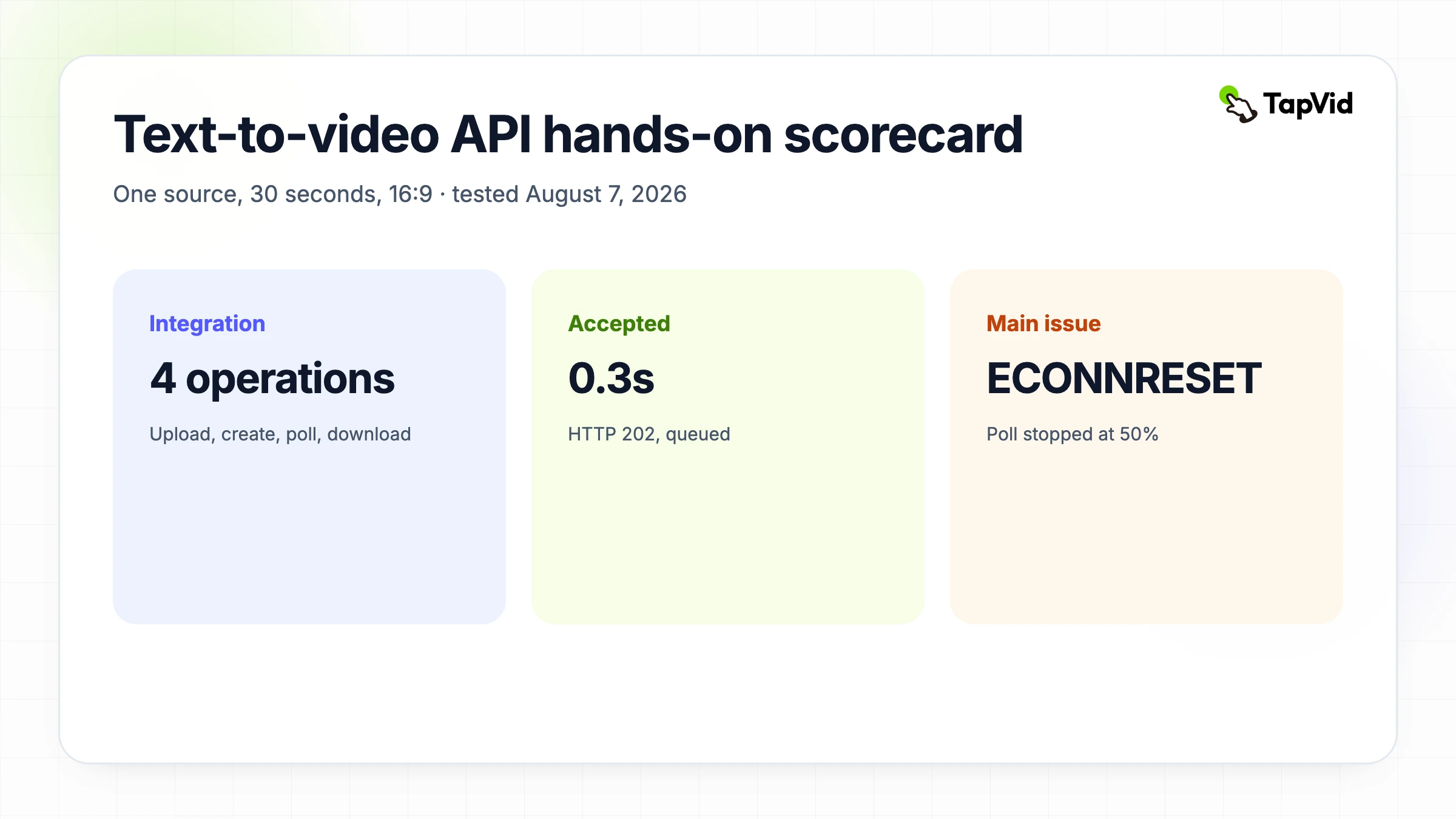
2026年8月7日のRESTテストは、MCPテストと同じソース、プロンプト、30秒の持続時間、16:9の比率、英語言語を使用しました。 マテリアルのアップロードは約1.4秒でHTTP 200を返しました。 作成は HTTP 202 を返し、約0.3 秒でキューに入れられます。 最初の実行状態は約81秒で現れました。 約331秒時点で、ジョブは依然として50%の稼働率を報告しました。 ローカルノードプロセスは、TLS接続が確立される前に `ECONNRESET` を受信しました。 それは世論調査クライアントの失敗であり、文書化されたビデオジョブの失敗ではありません。
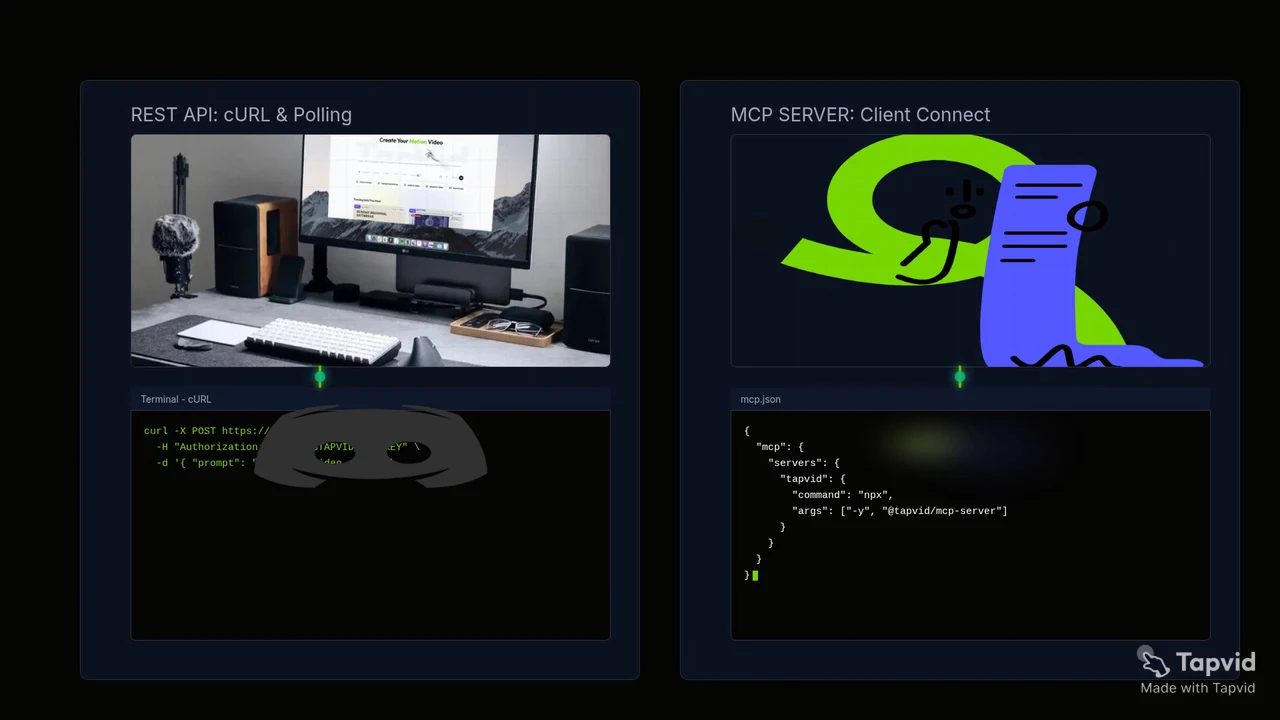
最初のテストスクリプトは、プライベートビデオIDをプロセスメモリにのみ保持していたため、プロセスが終了した後は、受け入れられたジョブを再開できませんでした。 重複したジョブは作成されませんでした。 アカウント使用カウンターは、MCP と REST の実行においてすでに 90 クレジットから 180 クレジットに増加しており、作成ごとの 90 クレジットと承認された総上限と一致しています。 このため、最終サンプルはポーリング前に ID を永続化し、GET リクエストにバウンドリトライを付与します。 それが、この記事がRESTの実行が10分でダウンロード可能なファイルを生成したと主張していない理由でもあります。 証拠は、固定されたレンダータイムの約束ではなく、迅速なリクエスト受理を支持しています。
07
二重課金なしでエラー処理
エラーはその意味に応じて処理します。`unauthorized` はキーのチェックまたは取り消しを要求します。`invalid_request` はフィールドの修正を要求します。`payload_too_large` は材料の削減を要求します。`insufficient_credits` は、制限を変更する前に停止し、認可取得を求めます。`rate_limited` は `Retry-After` を尊重することを要求します。`internal_error` とトランスポート失敗は、限定されたリトライを受けることができます。`invalid_state` がダウンロード時に表示されるのは通常、生成またはエクスポートの準備ができていることを意味します。 5 秒以内に重複して作成された場合、拒否されることがありますが、後から発生するクラッシュに対しては、完全な冪等性戦略ではありません。
| 条件 | Retry | 対応 |
|---|---|---|
| unauthorized | No | key修正 |
| invalid_request | No | body修正 |
| insufficient_credits | No | 停止 |
| rate_limited | Yes | Retry-After |
| network/server | bounded | read retry |
| create後response loss | recreateしない | ID再開 |
08
本番チェックリスト
信頼できる統合には、動作するハッピーパスのスニペット以上のものが必要です。 サーバー側のストアシークレット 受け入れられたIDを原子的に永続させます。 ステータス遷移、リクエスト遅延、生成遅延、クレジット、および安全エラーコードを記録します。 最大投票ウィンドウと再開可能な状態を追加してください。 ソースのアップロード許可、世代支出の許可、エクスポートの許可、および公開の許可を別々に設定してください。 署名されたURLを永続的な資産として保存するのではなく、更新してください。 429 とネットワークリセットの両方をテストしてください。 ユーザーに最後に確認された状態を表示します。 最後に、外部リリースの前に、生成された解説書のソース忠実度、実際の再生時間、シーン順序、キャプションの可読性、音声、権利、ブランドを確認してください。
- keyはserverのみ。
- IDをatomic保存。
- latencyを分ける。
- intervalとtimeout。
- read/writeを区別。
- signed URLを更新。
- secretなしでcredits記録。
- 人が確認と公開。
09
ランダムなclipではなく完成explainerに使う
承認されたコンテンツを、複数のシーン、ナレーション、モーション、ダウンロード可能な出力を備えた一貫した説明に変換することが仕事の場合、このテキストからビデオAPIをご利用ください。 それを生のモデルベンチマークと表現したり、シネマティックなプロンプトからクリップへのエンジンの視覚的挙動を約束したりしないでください。 プロンプトを会話的に探求したい場合、コンパニオンのClaudeとTapVidのMCPチュートリアル は、同じソースとブリーフを MCP を通じて示しています。 耐久性のあるアプリケーション制御をご希望の場合は、こちらのRESTフローを保持し、リリース前に現在のTapVid API・MCP概要をご確認ください。
10
Frequently asked questions
必ず10分で完成しますか?
いいえ。実装は短時間ですがrenderとexportは非同期です。MCP実測はcompletedまで約28分でした。
HTTP 202とは?
それは、作成リクエストが非同期処理のために受け入れられたことを意味します。 返された videoId と投票ステータスを保持してください。動画が完了したことを意味するわけではありません。
poll間隔は?
pollAfterSecondsと制限retry、再開可能timeoutを使います。
download URLの期限は?
現在の文書では約1時間です。
watermarkは外せますか?
defaultはonで、除去にはactive subscriptionが必要です。