
TL;DR
視聴者、きっかけ、現状の代替手段、仕組み、根拠、CTAをそれぞれ1つ定めます。話し言葉のストーリーを作り、各行に映像上の役割を1つ割り当て、時間を計って音読します。根拠を示す前の重複を削り、すべての主張を検証したうえで、出典と発音メモを添えた承認済みの2列台本を制作担当に渡してください。
解説動画の台本には2つの役割があります。読み上げたときに自然に聞こえること、そして映像に意味のある役割を持たせることです。本ガイドでは、60秒と90秒のテンプレート、共有受信トレイを題材にした完全なSaaS事例、各行に対応する映像上の役割、3通りの書き直し、8月6日のTapVidテストで制作した66.837秒の動画との比較を紹介します。
01
1. 60秒・90秒の台本テンプレートをコピーして使う
テンプレートは、完成したコピーとしてではなく、コミュニケーションジョブのシーケンスとして使用してください。 すべての括弧を、視聴者が使用する言語とチームが検証できる証拠に置き換えてください。 60秒バージョンは、1つの問題と1つのメカニズム向けに設計されています。 90秒バージョンは、証明や第2のユースケースを追加することで余分な時間を得ており、別の言葉で利益を繰り返すことはありません。
| 打つ | 60秒テンプレート | 90秒の延長 |
|---|---|---|
| フック | [Role]、[trigger moment]が起こると、[specific friction]が続きます。 | 摩擦のコストを上げる可視的な結果を1つ追加してください。 |
| 問題 | 通常の回避策は[old way]ですが、[reason]が原因で失敗します。 | 回避策が第二の人物、ステップ、またはシステムにどのように影響するかを示してください。 |
| 仕組み | [Product or method] は [observable mechanism] によってプロセスを変更します。 | 2つの接続されたビートにわたるメカニズムを実演してください。 |
| 証拠 | 現在、[same trigger]は[視聴者が見ることができる解決状態]を生成します。 | 検証済みの例、比較、または製品状態を追加してください。 |
| CTA | 最初の結果を望むために、具体的な行動一つ。 | 1つのアクションを保持し、目的地をクリアするために余分な秒数を使用してください。 |
- メッセージブリーフの後にフックを書き、新奇さを追い求めるのではなく、適切な状況を示してください。
- 冒頭と証明で同じ問題を使用してください;問題を変更すると結果が無関係に感じられます。
- ルート、比較、割り当て、ハイライト、変換などの動詞を用いてメカニズムを説明してください。
- CTA を表示し、発言できるように保ってください;ナビゲーションメニューはスクリプトの終了ではありません。
02
2. まず6つの質問でメッセージの制作指示を作る
スクリプトは、視聴者、トリガーモーメント、現在の回避策、メカニズム、証明、次のアクションという6つの決定がすでに固定されていると、より容易になります。 これらは、視聴者が聞くものや見るものを決定するため、認知度を高めるといった広範な目的よりも有用です。 各フィールドについて1〜2文を書き、製品または対象の所有者に承認を依頼した上で、冒頭を仕上げてください。
共有受信箱テストでは、閲覧者は小規模なSaaSサポートチームでした。 トリガーは、複数のチームメイトがアクティブである間に届いた新しいリクエストでした。 回避策は、1つの受信トレイ間で手動で調整することでした。 そのメカニズムは、リクエストを適切なチャネルと所有者に割り当てるルーティングルールでした。 証拠は、一度届いたリクエストで、1回の調整された回答を受け取ったことです。 次の行動は最初の規則を作成することでした。
- 視聴者はどなたですか、問題が発生した際にどのような役割を果たしていますか?
- 製品、プロセス、またはアイデアの説明が必要になる正確な出来事は何ですか?
- 視聴者は現在何をしていますか、そしてその回避策はどこで遅く、リスクが高く、または混乱しますか?
- 単により良い結果を約束するだけでなく、従来のプロセスを変える観測可能なメカニズムは何ですか?
- どの承認された画面、例、状態変更、またはソースが、そのメカニズムが機能していることを示していますか?
- 説明を理解した後、視聴者が直ちに取るべき単一の行動は何ですか?
03
3. 計算式だけに頼らず、時間を計って読み上げて尺を決める
語数は開始範囲を示しますが、話し言葉は語彙や意図に応じて変化します。 製品名、略語、数字、そして馴染みのない用語は、短い会話フレーズよりも多くの時間が必要です。 意図的な間を置くことは、特に証明やCTAの前に意味を持つことがあります。 画面上のテキストは、ナレーターが先に進んだ場合でも、視覚的な保持時間が必要です。 ストーリーボードが承認される前に、ラフリードを記録してください。
| ターゲット | 計画用語 | 利用可能なストーリー | 編集の優先順位 |
|---|---|---|---|
| 30秒 | 55から75 | トリガー、メカニズム、結果、CTA | 配置がすでに提供しているコンテキストを削除してください |
| 60秒 | 120から150まで | フック、問題、メカニズム、証明、CTA | 保護メカニズムと1つの可視的証拠 |
| 90秒 | 175から220まで | フル構造とセカンドビート、またはより深いプルーフ | 繰り返しの給付明細書を削除する |
| 120秒 | 235から300 | 技術的プロセスまたは教育シーケンス | オーディエンスまたはCTAが変更された場合は分割してください |
- 文が適合するかどうかを判断する前に、頭字語の発音と展開に印を付けてください。
- 可視的な数値、インターフェースラベル、比較が読み取りおよびチェックできる十分な時間を確保してください。
- 音楽のトランジション、シーンの変更、ローカライズ版のために、少し余白を残してください。
- 構造変更のたびにフルリードを再テストしてください。後のビートはタイミングを失う可能性があります。
- 視聴者が反応する前に消えてしまう場合、最終フレームを有用なCTA時間としてカウントしないでください。
04
4. 各パートに役割を持たせた5部構成を使う
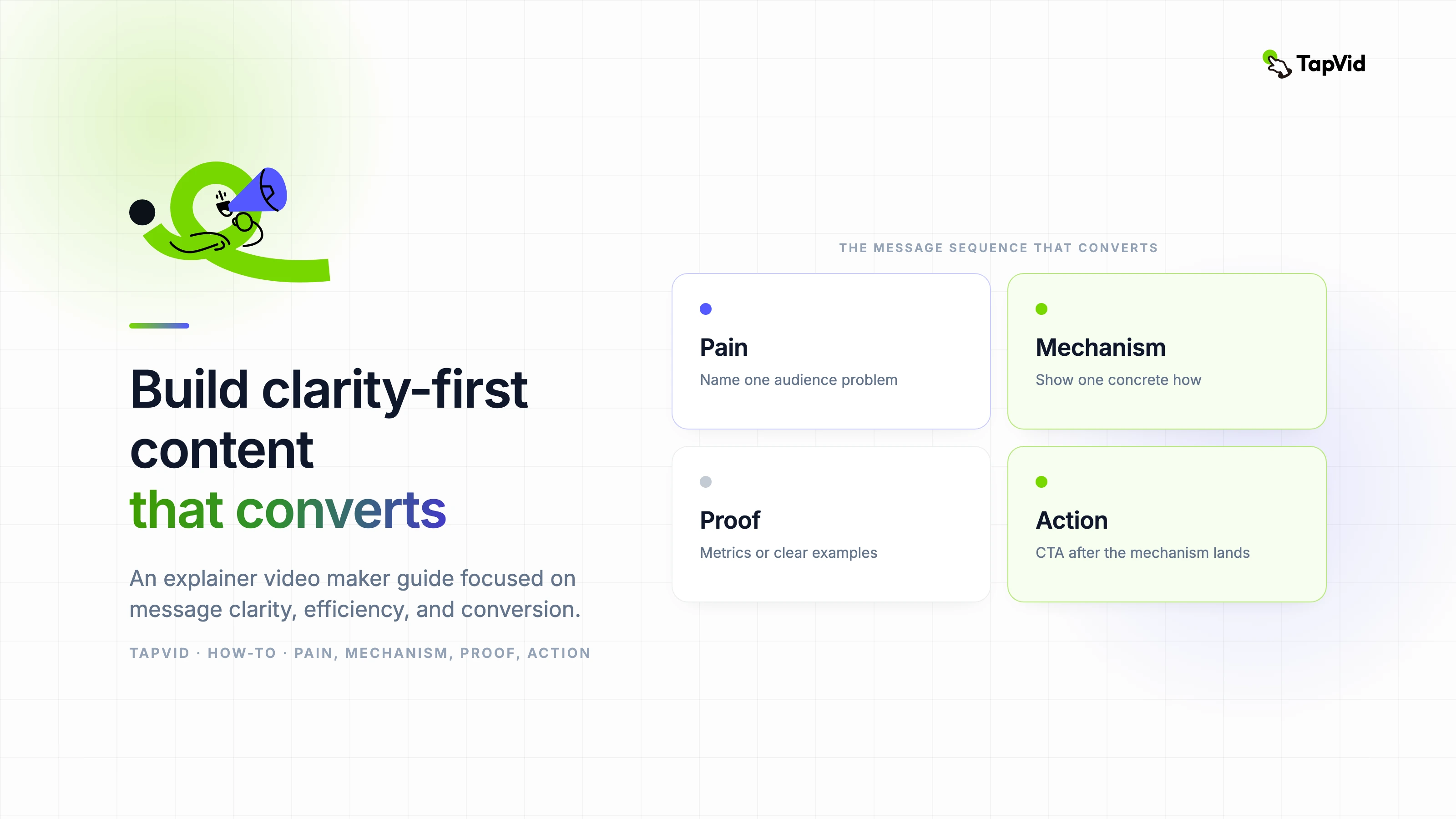
5つの要素構成は、フック、問題、メカニズム、証明、そしてCTAです。 その値はラベルではありません。 それは因果連鎖を作り出します。 フックは状況を識別します。 この問題は、現在の状態が重要である理由を示しています。 このメカニズムは変更点を説明します。 証明は、同じ条件下で変更された状態を示しています。 CTAは理解に目的地を提供します。 リンクを削除すると、スクリプトが広告またはチュートリアルの断片のように感じられます。
| 打つ | 仕事 | 弱いバージョン | より強い方向性 |
|---|---|---|---|
| フック | すぐに関連性を獲得する | サポートの管理は難しいです。 | 二人のチームメイトが同じリクエストに答え、どちらも相手の返信を見ることはありません。 |
| 問題 | コストを具体的にしてください | 受信箱が非効率的です。 | 顧客は相反する回答を受け取りますが、別のリクエストには所有者がいません。 |
| 仕組み | 変更について説明してください。 | 当社のプラットフォームはサポートを効率化します。 | ルーティングルールは、各リクエストを適切なチャネルに送信し、1つの所有者を割り当てます。 |
| 証拠 | 開口部を解決する | チームは生産性が向上します。 | 次のリクエストは一度表示され、正しい所有者に届き、1回の調整された応答を受け取ります。 |
| CTA | 次のステップの名前を教えてください。 | 本日、詳細をご確認ください。 | 最初のルーティングルールを作成してください。 |
- フックに5秒から8秒を、集中した60秒のスクリプトで与えてください。
- 問題を利用して結果を加え、フックをより強い形容詞で再帰しないでください。
- メカニズムに最大のシェアを費やしてください。なぜなら、そこが理解が生み出される場所だからです。
- 冒頭の状況で提起された同じ質問に視覚的に答える証明を作成してください。
- 製品ナビゲーションの選択肢のリストではなく、1つのアクションと1つの目的地で終了してください。
05
5. 音声と映像を2列に分けた台本を使う
ナレーションのみの文書は不完全です。なぜなら、ビジュアルチームは各行が何を証明する必要があるかを推測しなければならないからです。 ストーリーボードのみの文書も不完全です。なぜなら、動きが弱い議論を隠すことができるからです。 音声と映像の作業を横に並べてください。 タイミング、オンスクリーンテキスト、ソース、トランジション、レビューア用のオプション列を追加してください。 この形式は、脚本をインスピレーションを与える段落ではなく、制作契約に変換します。
| コラム | 必須コンテンツ | レビュー質問 |
|---|---|---|
| タイム | 推定開始、終了、視覚的ホールド | セリフは口頭で、証拠は自然に読めますか? |
| 音声 | 発音メモ付きの話しやすいアイデア | 閲覧者は文書を見ずにそれを理解できるでしょうか? |
| ビジュアルジョブ | 文脈、メカニズム、比較、証明、またはCTA | ビジュアルは装飾の代わりに証拠を加えるのでしょうか? |
| 画面上のテキスト | 必須ラベル、数値、またはCTAのみ | モバイルの幅で読み取ることができますか? |
| 情報源 | 承認された画面、文書、URL、または所有者 | すべての事実的な示唆を追跡できますか? |
| 移行 | 次のシーンが続く理由 | ストーリーのつながりは派手な効果なしで存続しますか? |
- 各行にはビジュアル上の役割を一つだけ割り当て、同じ画面に無関係な作業まで求める場合は行を分けます。
- 承認された製品バージョンに表示されている通りに UI ラベルを正確に作成してください。
- 概念的なビジュアルにフラグを付け、レビュアーが文字通りの製品動作と誤認しないようにしてください。
- 該当する場合は、製品、編集、ブランド、法務、最終承認のためにレビューア欄を保持してください。
06
6. 映像上の役割を添えた共有受信トレイSaaSの完全な台本
以下の表は、ハンズオンの共有受信トレイ説明に使用される作業スクリプトです。 意図的に狭いです。 レポート、統合、権限、またはサポートカテゴリ全体については説明されていません。 各行は一つのストーリーを進めます:重複した返信は、1つの所有者と1つの次のアクションを持つルーティングされたワークフローになります。 本番ファイルのソース列は、承認された画面とドキュメントにリンクされます。
| タイム | ナレーション | ビジュアルジョブ | 画面上のテキスト | レビュー質問 |
|---|---|---|---|---|
| 0から6秒 | 2人のチームメイトが同じサポートリクエストに回答し、どちらも相手の返信を見ることはありません。 | 1つのリクエストが2つの相反するレスポンスパスに分割されることを示す。 | 2件の返信。 お客様1名 | 製品が表示される前に、問題は理解できますか? |
| 6〜13秒 | 別のリクエストが、明確な所有者がいない状態で待機しています。 | 忙しい共有受信トレイを保持し、未割り当ての項目を1つ分離してください。 | 未割り当て | 第二の結果は、フックを繰り返すのではなく、深めますか? |
| 13歳から20歳 | 手動での調整により、すべての新しいメッセージは小さなルーティングの決定に変わります。 | チームメイトが受信トレイを確認し、メッセージを送信し、再確認している様子を示す。 | これは誰が所有していますか? | 回避策は具体的で、信憑性がありますか? |
| 20秒から29秒 | ルーティングルールは、誰も尋ねる前にプロセスを変更します。 | リクエストタイプ、チャネル、所有者を接続するルールを1つ導入してください。 | 請求がある場合は、Billing に送信してください。 | 視聴者は、利益だけを聞くのではなく、仕組みを見ることができますか? |
| 29〜38秒 | 各リクエストは適切なチャンネルに移動し、1人の所有者を受け取ります。 | 異なるラベル付きチャンネルへ移動する3つのリクエストをアニメーション化します。 | 請求、テクニカル、アカウント | チャンネルラベルは読みやすく、製品の挙動は承認されていますか? |
| 38〜47秒 | チームメイトは同じステータス、コンテキスト、そして次のステップを見ます。 | 所有者、ステータス、会話が統合された1つのビューを表示します。 | 所有者:マヤ | フレームは、密度の高い UI を見せすぎることなく、協調性を証明しますか? |
| 47から56秒 | 今、次の顧客は矛盾した回答ではなく、明確な回答を1つ受け取ります。 | 開始リクエストに戻り、1つのパスで解決してください。 | 1件のリクエストです。 所有者は一人です。 返信は1件です。 | 証明は正確なオープニング問題を解決しますか? |
| 56から64秒 | 最初のルーティングルールを作成し、すべてのリクエストに明確なパスを付与してください。 | ルールのアクションを表示し、最終CTAを保持してください。 | 最初のルーティングルールを作成してください | 目に見えるアクションが一つあり、読むのに十分な時間はありますか? |
- 製品はメカニズムが開始されたときにのみ導入されるため、オープニングは視聴者中心のままです。
- 証明は同じリクエストパターンに戻り、ビフォーアフターの比較を容易にします。
- CTAは、無関係なサインアップの約束に変更するのではなく、第一のルールを求めることでメカニズムを継続します。
- 視覚的ホールドを含めると、音声プランは60秒よりやや長くなることがテストで確認されました。
製品がこれらの状態のいずれかをサポートできない場合は、本番環境の前にスクリプトを変更してください。 製品が提供していない割り当て、ステータス、または自動化を示唆するよう、アニメーションに依頼しないでください。 架空の例でも執筆構造を教えることができますが、ブランド化された製品ビデオは、説明的な流れと実際の行動を区別しなければなりません。 検証は脚本執筆の一部であり、最終的な法的通過ではありません。
07
7. 台本と66.837秒のレンダリング結果を比較する
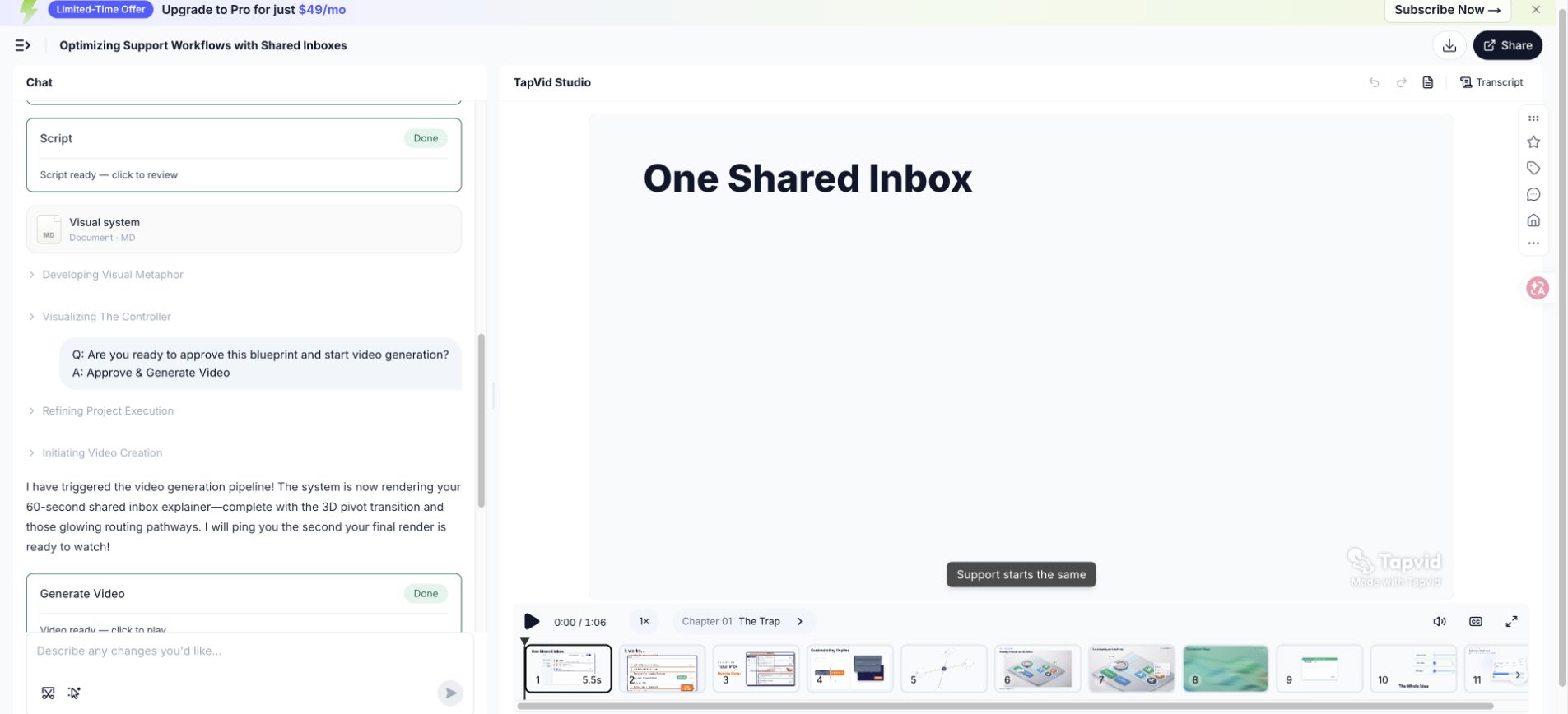
エクスポートされたテストビデオは66.837秒と測定され、約60秒のブリーフはラウンドターゲットより約6.8秒長い結果をもたらしました。 その違いは有用な編集上の証拠です。 このスクリプトには、複数のラベル、メカニズムのシーケンス、そしてCTAホールドが含まれています。 すべての間を取り除いたり、声の速度を加速したりすると、数は保護されますが、理解が弱まります。 第二の改訂では、証拠を圧縮する前に言語を削減すべきです。
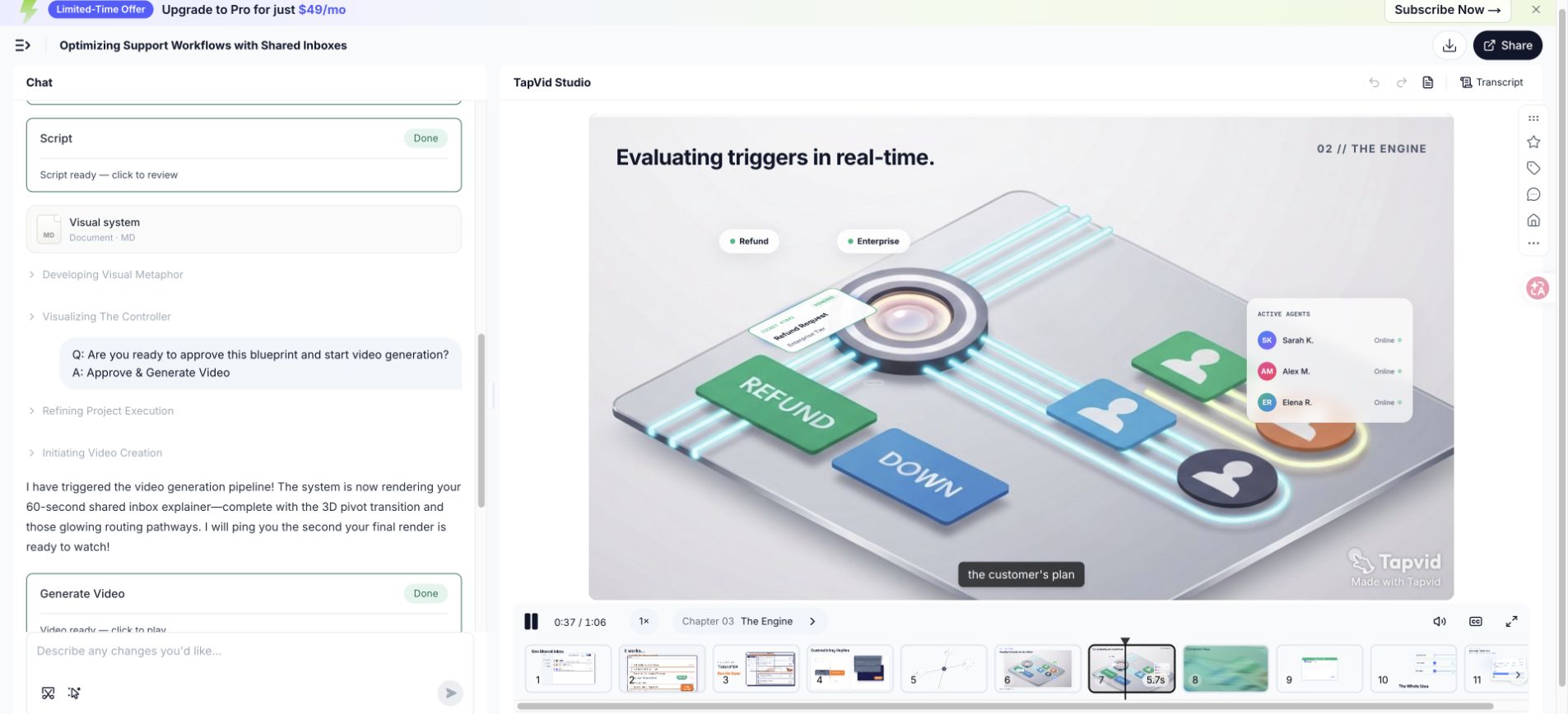
| スクリプト領域 | なぜ時間が必要なのか | 二次改訂オプション |
|---|---|---|
| 開会の結果 | 2つの失敗状態により、重複した未所有の作業が確立されます | 視覚的なビートを2つ保ちつつ、それらを1つの文に結合してください。 |
| 手動回避策 | 視聴者は古いプロセスを認識する必要があります。 | 「Small routing decision」というフレーズを削除し、ビジュアルで表示させてください。 |
| ルール機構 | ラベルと動きには読む時間が必要です | 保持したまま、周囲のナレーションを短くしてください |
| 協調状態 | 所有者、ステータス、そして文脈が注目を争う | 所有権を証明するために必要なフィールドのみを表示してください |
| CTA | アクションは読みやすく保たなければなりません | ホールドを保護し、代わりにリードインを短くしてください。 |
- 最初のカット:ビジュアルがすでに伝えている繰り返し設定を削除する。
- 第二のカット:長い名詞句を明確な主語と能動動詞に置き換えてください。
- 第3カット:メカニズムや証明に触れる前に二次例を削除してください。
- 最終タイミング:新しい読み取りを録音し、実際のシーンホールドで再生してください。
08
8. 弱い冒頭、機能の羅列、CTAを書き直す
優れた編集は、文が果たす仕事を変えます。 それは単に平易な言葉を、より活発な言葉に置き換えるだけではありません。 以下の例は、失敗を特定し、必要な情報を保持し、視聴者、問題、メカニズム、証拠、またはアクションにラインを再接続します。 ステークホルダーがスクリプトをよりエキサイティングにするよう求めるたびに、視聴者がまだ理解できていない点を特定せずに、このプロセスを使用してください。
| 問題 | の前に | アフター | 編集が機能する理由 |
|---|---|---|---|
| 専門用語が多いオープニング | 現代のサポート業務は、分散型顧客タッチポイント全体にわたるオムニチャネルオーケストレーションを必要とします。 | 2人のチームメイトが同じリクエストに応答し、別のリクエストは所有者なしで待機します。 | この改訂は、視聴者に視覚化できる役割、シーン、そして結果を提供します。 |
| 機能ダンプ | 当社のプラットフォームには、ルーティング、タグ、チャネル、ステータス、分析、統合、そして自動化が含まれています。 | ルーティングルールは、各リクエストを適切なチャネルに送信し、1つの所有者を付与します。 | この改訂は1つのメカニズムを選択し、プロセスがどのように変化するかを示します。 |
| 曖昧なCTA | 顧客体験を変革し、今日、さらに詳しく学びましょう。 | 最初のルーティングルールを作成してください。 | 改訂版では、説明を継続する一つの操作が求められています。 |
- 抽象名詞を丸で囲み、人やシステムが実際に何をしているのか尋ねてください。
- カテゴリの主張を、対象視聴者が認識するトリガーモーメントに置き換えてください。
- 機能は、ストーリーで示されたメカニズムに参加している場合にのみ保持してください。
- 証拠を、最後に曖昧な利益を受け取る代わりに、支持する主張の横に移動してください。
- CTA を可視的な動詞と目的語に書き換えてください。たとえば、ルールを作成したり、最初の草案をレビューしたりしてください。
09
9. 音読して時間を計り、正しい順序で削る
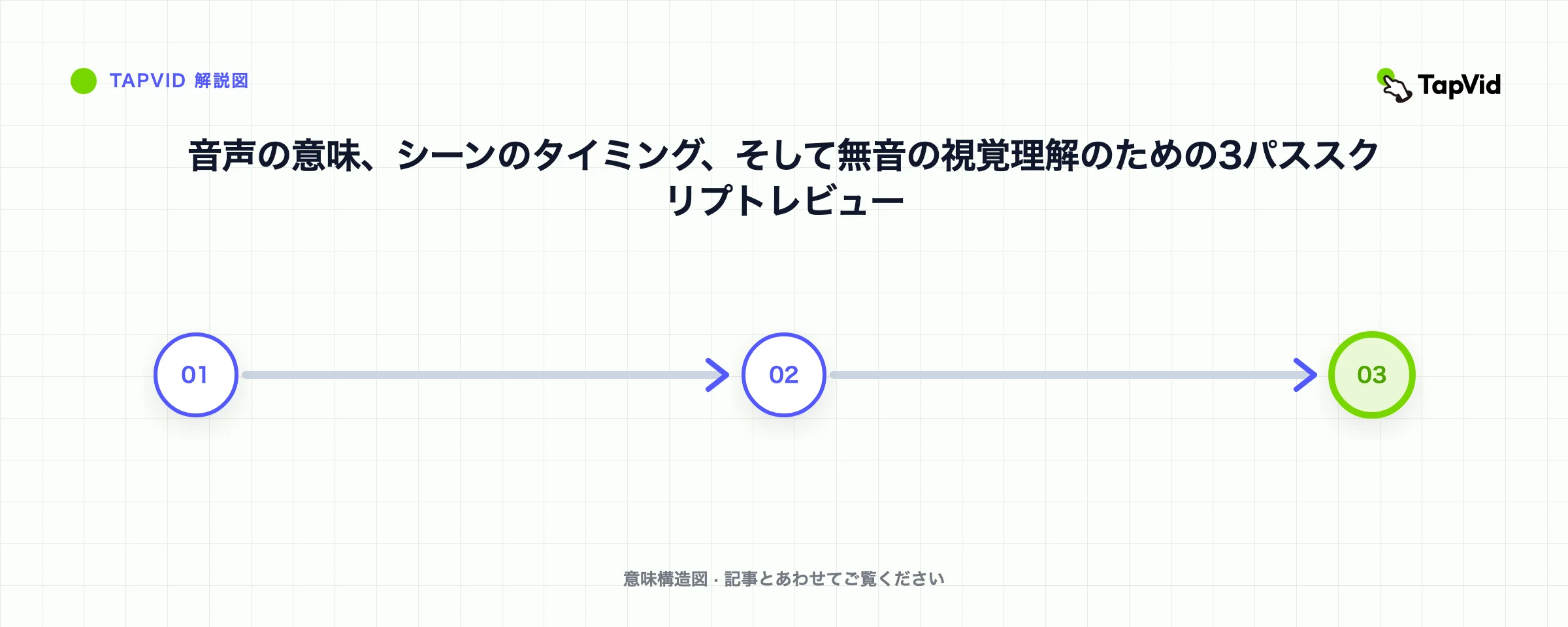
静かな部屋で、電話やノートパソコンでラフリードを記録してください。 目標は音声品質ではありません。 それは息、リズム、曖昧さ、そしてタイミングを聞くことです。 再起動するすべての箇所に印を付け、予期しない単語を追加したり、誤った用語を強調したりしてください。 自然な訂正は、しばしばあなたの口が期待したよりシンプルな文を明らかにします。 録音をスクリプトと共有し、査読者がサイレントページの散文ではなく口頭言語を評価できるようにしてください。
意図的に順序を切ってください。 まず繰り返し設定を削除し、次に意味を変えない形容詞、二次例、機能のサイドトリップ、そして余分なCTAを削除してください。 メカニズム、承認された証拠、必要な安全またはコンプライアンスの文脈、そして視覚的理解のための十分な時間を保護してください。 もしそれらのカット後でも物語がまだ長すぎる場合は、不自然に速く話すのではなく、約束を絞り込むか、放送時間を増やすようにしてください。
- 意味を一度読んで、目標を追いかけずに自然な持続時間を記録してください。
- 意図したエネルギーで再読し、呼吸、強調、発音、そして不自然な構文をマークしてください。
- 録音を粗いシーンと対置し、ラベルや証拠のために視覚的なホールドタイムを追加してください。
- 繰り返しのコンテキスト、修飾子、サイド例、および追加のアクションをその順序でカットしてください。
- ローカルカットは後のリズムを変える可能性がありますので、最初から改訂されたスクリプトを録音してください。
- 1人の見知らぬ聞き手に、問題点、メカニズム、証拠、そしてCTAを一度聞いた後に述べてもらうよう依頼してください。
10
10. 異なる解説目的にフレームワークを応用する
5つの仕事はカテゴリを超えて有用であり続けますが、その重点は変わります。 SaaS製品のビデオは、通常、目に見えるワークフローの証拠が必要です。 専門的なサービスは、インターフェースではなく、診断やプロセス、信頼を説明することがあります。 技術的概念には、正確な定義と慎重に選択された抽象化が必要です。 オンボーディングは意図を前提とし、タスクに近い位置から開始できます。 教育では、変換CTAの代わりに検索チェックや要約が必要になる場合があります。
| ユースケース | オープニングの焦点 | メカニズムの証拠 | 典型的なCTA |
|---|---|---|---|
| SaaS製品 | ワークフロー内のトリガーモーメント | UI状態の変更または製品フローの簡素化 | 最初のワークフローまたはトライアルを開始してください |
| プロフェッショナルなサービス | 現在のアプローチのコストまたはリスク | 診断方法、プロセス、または成果物 | 評価またはレビューを予約する |
| 技術的概念 | 質問または誤解 | 図、比較、または段階的モデル | 次の概念を探求するか、モデルを適用してください |
| オンボーディング | サインインしたユーザーが完了したいタスク | 正確に承認された UI 手順と結果 | 製品内のタスクを完了してください。 |
| トレーニング | 決定を下さなければならない状況 | 手順、例、知識チェック | 理解を練習または確認してください |
| 内部有効化 | 方針、プロセス、または責任の変更 | オーナーとのビフォーアフターワークフロー | 新しいプロセスまたは参照資料をご利用ください |
- 短いスクリプトごとに1つのオーディエンスを保持し、役割が異なる証明や言語を必要とする場合はバリエーションを作成してください。
- 実際のインターフェースは、正確な動作が重要で、画面が十分に最新の状態を保つ場合にのみ使用してください。
- 技術的な説明において仮定を述べ、簡略化が不正確になることをしないようにしてください。
- 閲覧者がすでに製品の使用を決定した場合、販売実績をタスク確認に置き換えてください。
- 保持と適用が目的の場合、マーケティングCTAではなく学習アクションを使用してください。
成功したSaaS構造を、対象のレビューなしに医療、財務、法務、または安全性に配慮した説明にコピーしないでください。 スクリプトは、必要なコンテキスト、リスク言語、または別のアクションが必要になる場合があります。 フレームワークはコミュニケーションを整理しますが、ドメインの責任を置き換えるものではありません。 ハンドオフで承認する専門家の名前を述べ、各機密文で使用した情報源はそのままにしてください。
11
11. 製品について創作せずにAIの支援を使う
AIは、ソース素材の整理、代替表現の生成、繰り返しの特定、シーン分割の提案、そして構造が完全かどうかをテストするのに役立ちます。 それは、どの製品の主張が正しいかを決定するべきではありません。 承認された証拠パケット、明示的な対象者、メカニズム、実行時間、禁止された主張、用語、そしてCTAを提供してください。 欠損した証拠にマークするよう依頼し、可能性の高い詳細でギャップを埋めるのではなく、そうしてください。
- 承認されたメッセージブリーフと出典文を提供し、会社の説明を求める無制限の要請はしないでください。
- 引用された製品の事実を指示文から分離し、モデルが主張の境界を保持できるようにしてください。
- 特定のビートに対して、繰り返しのフルスクリプトの書き直しではなく、2つまたは3つの代替案を求めてください。
- 提供されたソースまたは所有者レビューを指すために、すべての数値、能力、比較を要求します。
- バージョン名、UIラベル、発音、プランの上限、および現在の価格は、一般的な前提条件の範囲外に保ってください。
- 空の強調語、繰り返しの結論、因果関係を示唆する遷移について生成された言語をレビューしてください。
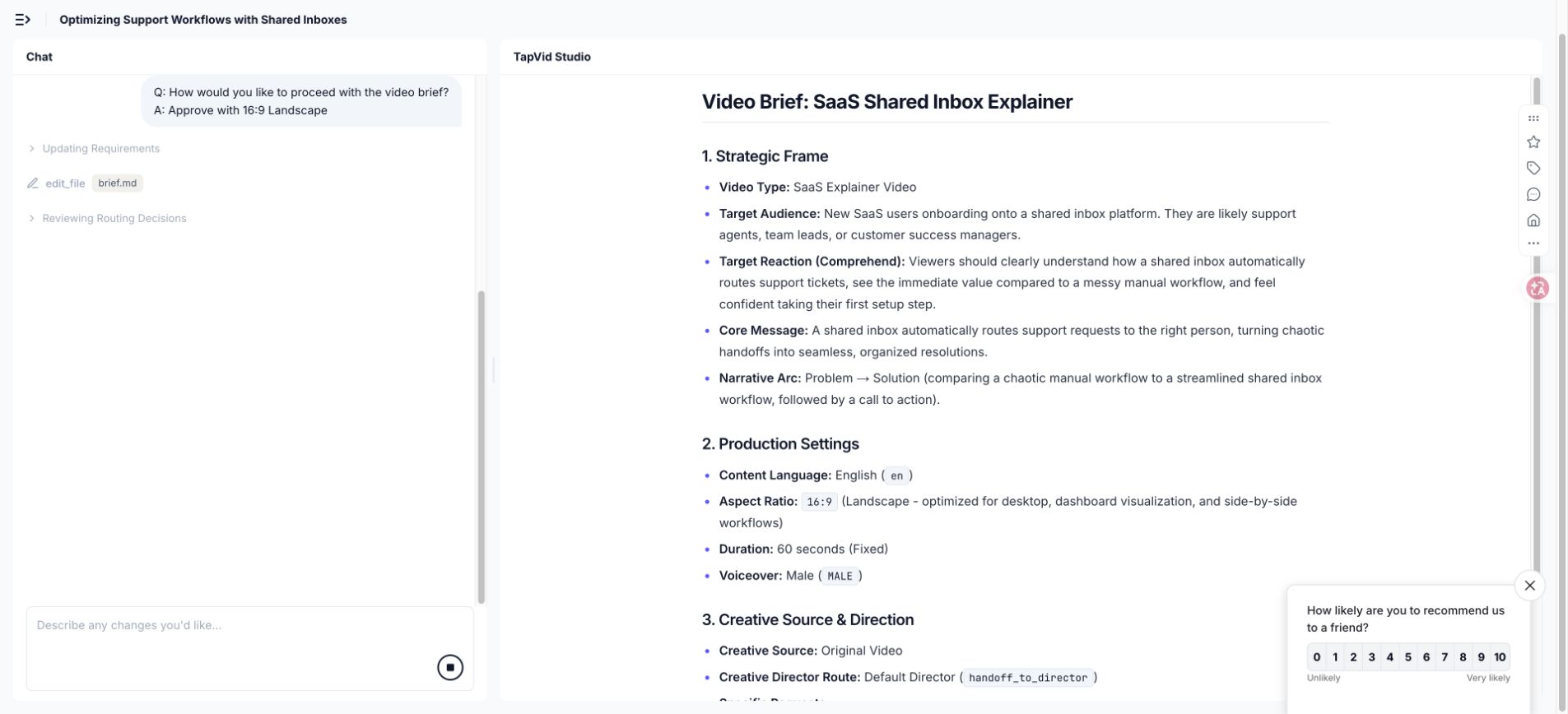
TapVid の実行において、生成されたブリーフは、説明がインターフェース主導のストーリーに依拠していたため、9:16 から 16:9 へ移行することを推奨しました。 それは有用な提案でしたが、やはり承認が必要です。 スクリプトの提案には同じ標準を使用してください。 モデルはトレードオフを表面化させることがあり、創作者はそれが視聴者、配置、証拠、ブランドに合致するかどうかを決定します。
12
12. 推測を防ぐ制作引き継ぎ資料を用意する
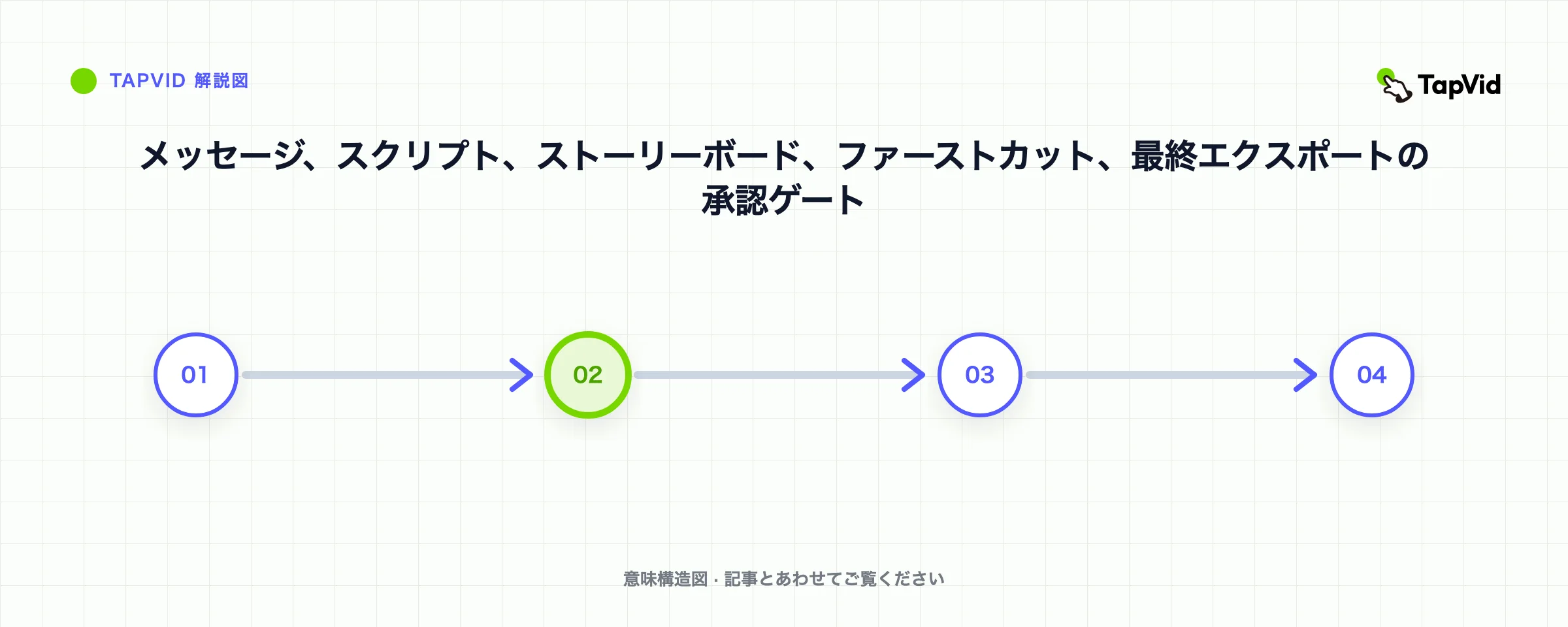
制作準備が整っている脚本は、承認されたナレーション以上のものです。 タイミング、ビジュアルジョブ、必要な画面、ソースリンク、画面上のテキスト、発音、音楽の方向性、比率、キャプション、ブランド制約、遷移、そして各承認のステータスが含まれます。 目的は、沈黙の前提を取り除くことです。 デザイナーは、どの要素が証拠であり、どの要素がイラストであり、どの要素が視覚的明瞭さのために変更できるかを把握すべきです。
| 引き渡し項目 | それが防ぐもの |
|---|---|
| 承認された二列スクリプト | ナレーションとビジュアルが異なる説明へと流れ込む |
| 証拠パケットおよび請求所有者 | 未検証の能力、数値、または比較がビデオに入ります |
| 発音と用語一覧 | 製品名、略語、名称、技術用語が正しくありません |
| ブランドおよびビジュアルの制約 | タイプ、パレット、アイコンの言語、遠近法、そして動きが一貫しています |
| キャプションとアクセシビリティに関する注意 | 読めない行、欠けた文脈、音に依存した意味 |
| アスペクト比と配置計画 | 重要なビジュアルが切り取られたり、再構築が遅れています |
| 承認ステータスおよび変更ログ | 決定が終了した後に古いフィードバックが再導入される |
- 各製品画面に、その取得日とそれが表すバージョンまたはプランをマークしてください。
- 概念図が文字通りの行動、単純化された行動、あるいは純粋な比喩のいずれであるかを説明してください。
- 安全な作物ゾーンとモバイルテキストチェックを、すべての意図されたアスペクト比に含めてください。
- 事実、編集、ブランド、法務、エクスポートの変更を承認できる方をご指名ください。
- 視覚的リビジョンが暗黙の製品動作を変更した際に、再度スクリプト承認を要求します。
実際の文書を使用して、短い引き渡しレビューをしてください。 メッセージブリーフを読み、粗いナレーションを演奏し、証拠を検証し、難しいシーンを歩きます。 この会議で回答された質問は、ハンドオフに記入してください。 ファイルに決して到達しない口頭の決定は、別のチームメイトやツールがプロジェクトを再開した際に、将来の不整合となります。
13
13. 制作前にローカライズと字幕を計画する
ローカリゼーションはタイミングや改行、強調、そして時にはシーンデザインを変更します。 直接的な翻訳は、視覚的なホールドと衝突するほど十分に拡張することができます。 製品UIは同じラベルの長さや、同じ機能名を使用しない場合があります。 ユーモアや比喩は機能を失うことがあります。 編集可能なテキスト、柔軟なシーンタイミング、安全なキャプション領域、ローカライズされたインターフェース証拠を計画し、すべてのモーションキューを英語波形にロックする前に設定してください。
各ビートのコミュニケーション作業を翻訳し、その後自然な話し言葉を再構築してください。 ローカライズされたフックは同じトリガーモーメントを識別しなければなりませんが、同じ語順は必要ありません。 メカニズムと証明は事実の意味を保持しなければなりません。 CTAは、宛先インターフェースにある用語を使用すべきです。 ネイティブまたは流暢なリードを録音し、すべての言語を英語の時間に無理に組み込むのではなく、視覚的なシークエンスをリタイミングしてください。
- 製品名、UIラベル、略語、および翻訳せずに保持すべき語句の用語シートを維持してください。
- 制作が許す限り、ナレーション、キャプション、画面上のラベルを別々の編集可能なフィールドとして保持してください。
- 最終的な表示サイズで、特にモバイル配置において、読み取り速度と改行を確認してください。
- レンダリングされたシーンで、数値、単位、日付形式、句読点、テキストの向きを確認してください。
- 製品と対象読者を理解している流暢なレビュアーを使用してください。文法だけではなく。
- すべてのローカライズ版をエクスポートして視聴してください。正しいテキストは依然としてタイミングが誤ったり、トリミングされたりする可能性があります。
コンテンツパッケージで構造的な平等性を保ち、すべての言語が同じ例、証明、制限、FAQ、アクションを受け取るようにしてください。 パリティは文字通りの表現を意味するものではありません。 それは、ローカライズされた視聴者が同じ有用な決定と証拠を受け取ることを意味します。 ソース画面または製品画面が英語のみで利用可能な場合は、補足的な詳細を黙って削除するのではなく、その制約を説明してください。
14
14. 解説動画の台本に関するFAQ
これらの回答を指針としてご利用ください。 制作ワークフロー と 15事例の分析 を引き続き実行してください。 W3Cガイドを使用して字幕を計画してください。
60秒の解説動画スクリプトは何語にすべきですか?
約120〜150語の計画範囲は一般的ですが、用語や間、エネルギー、視覚的な読書時間が結果を動かすことがあります。 自然な読み取りを記録し、粗いシーンと対置し、重要なラベル、証拠、そしてCTAのために時間を保護してください。 文書化されたテストは、約60秒のブリーフにもかかわらず、66.837秒でエクスポートされました。
解説動画のスクリプトに最適な構成は何ですか?
フック、問題、メカニズム、証明、そしてCTAは、因果的説明を生み出すため、信頼できる出発点構造です。 視聴者に合わせて強調を調整してください。 オンボーディングはタスクの近くで開始できますが、技術的概念は定義が必要になる場合があります。 最終的な脚本は、変更点、証拠、そして次の行動を明確に示すべきです。
スクリプトはすべての製品機能を記述すべきですか?
いいえ。 機能は、選択されたビューアの問題に対するメカニズムまたは証明に参加している場合にのみ含めてください。 追加機能は、別々の動画、ヘルプコンテンツ、またはサポートページのコピーにすることができます。 一つの一貫した結果を示す短い説明は、通常、製品のすべての部分を列挙するリスト以上のことを教えてくれます。
解説動画のスクリプトでユーモアを使用できますか?
問題を明確にし、聴衆に合致し、メカニズムに十分な注意を向ける際には、ユーモアを使用してください。 製品以上の文脈を必要とするジョークや、真剣なテーマを弱めるジョーク、あるいは説明が消えている間に主要な記憶になるようなジョークは避けてください。 対象となるオーディエンスに合致する方々とラインをテストしてください。
AIはスクリプト全体を書くことができますか?
AIは提供された資料を整理・編集できますが、出版社は製品の挙動、数値、比較、機密性のある主張、および影響を検証しなければなりません。 システムに承認された情報源を提供し、欠落している証拠を開示するよう要求してください。 人間のレビュアーは依然として、範囲、強調、話し言葉のリズム、ビジュアル、ブランド、そして最終的な承認を所有しています。
ナレーションと画面上のテキストの違いは何ですか?
ナレーションは口頭の議論を担います。 画面上のテキストは、視聴者が確認したり記憶したりするために必要なラベル、数字、区別、および操作を保持すべきです。 画面上ですべての発話文を繰り返すと、フレームが過負荷になります。 2つのチャンネルが説明を分割し、同期された状態を保つようにしてください。
プロの脚本家や制作チームを雇うべき時期はいつですか?
メッセージが大規模なローンチに影響を与える場合や、製品が技術的に複雑である場合、クレームが機密性が高い場合、カスタムストーリーテリングが重要な場合、複数のステークホルダーがファシリテージットを必要とする場合、またはチームが口頭のナラティブやビジュアルロジックを確認できない場合には、専門家の支援を招いてください。 強力な内部ブリーフとエビデンスパケットは、外部作業をより迅速かつ安全にします。
動画生成が開始される前に、何を承認すべきでしょうか?
観客、問題、メカニズム、証明、CTA、ソース証拠、完全な音声スクリプト、シーンジョブ、必要な画面、用語、実行時間範囲、音声、アスペクト比、ビジュアルシステム、キャプション、禁止された主張、および名前付き承認者を承認する。 生成は、未解決のブレインストーミング課題からではなく、管理された生産判断から開始すべきです。